pengenalan
This manual provides detailed instructions for the installation, operation, and maintenance of your Hiseeu 16-Channel Wireless Network Video Recorder (NVR) Model CS-1202000. Please read this manual thoroughly before using the product to ensure proper functionality and safety.
Maklumat Keselamatan
- Ensure the NVR is powered by a 12V2A or 12V3A output power supply.
- Jangan dedahkan peranti kepada air atau lembapan.
- Elakkan meletakkan peranti di bawah cahaya matahari langsung atau berhampiran sumber haba.
- Handle the hard drive with care during installation to prevent damage.
- Jauhkan peranti daripada medan magnet yang kuat.
Kandungan Pakej
The standard package for your Hiseeu 16-Channel Wireless NVR includes the following items:
- Hiseeu 16-Channel Wireless NVR (Hard Drive and Cameras not included)
- Bekalan Kuasa
- Kabel HDMI
- Kabel Rangkaian
- Tetikus Berwayar
- Screws for Hard Drive Installation
Produk Selesaiview
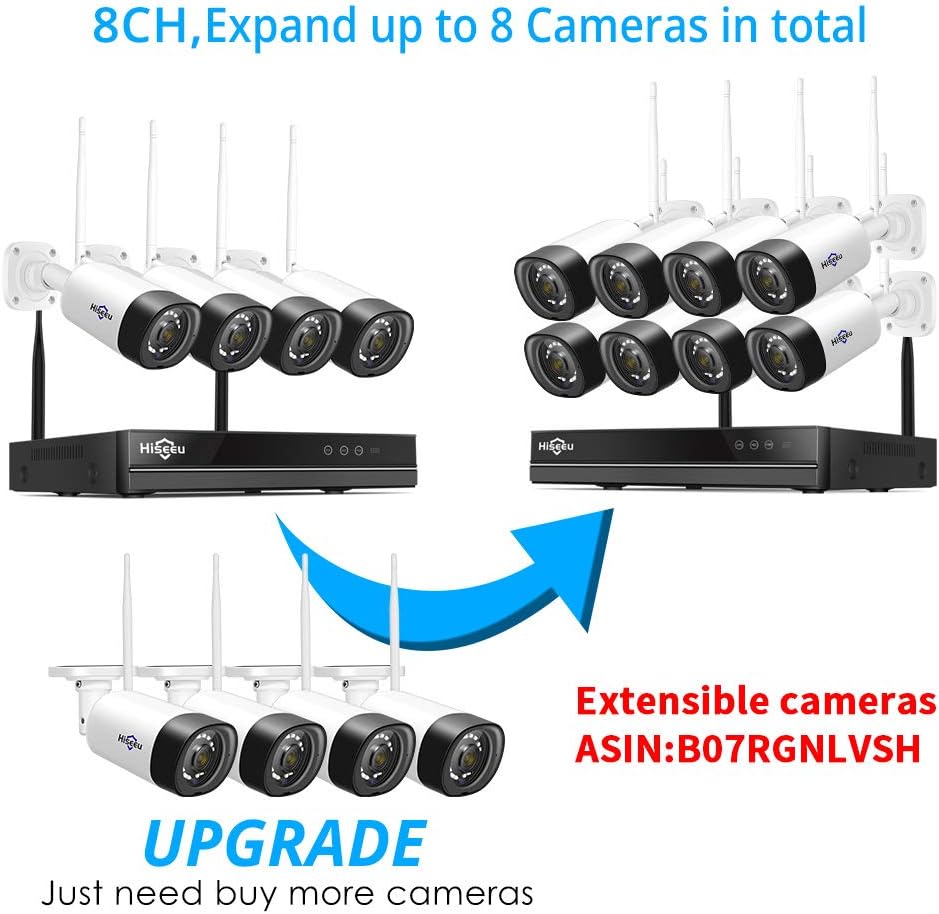
The Hiseeu 16-Channel Wireless NVR supports recording at 1080P/2MP, 3MP, and 5MP resolutions. It features a built-in Wi-Fi router, allowing it to receive and record all cameras using its own bandwidth, minimizing impact on your home network. An internet connection is only required for remote viewing.


Persediaan
Pemasangan Cakera Keras
To save recordings, an internal 2.5'' or 3.5'' hard drive (up to 6TB capacity) must be installed. Follow the steps in the video below for proper installation.
Video 1: Detailed guide on how to install a hard drive into the Hiseeu NVR unit.
Menyambungkan Kamera
New cameras are not pre-paired with your NVR. Follow these steps to add new cameras to your system:
- Right-click your NVR mouse.
- Choose "camera" then select the "+" icon.
- Press the camera reset button for approximately 10 seconds.
- Click "Continue" on the NVR interface.
- Wait for a new IP address to appear, then click "Continue". If no IP address appears, click "Search again".
For a visual guide, refer to the video below:
Video 2: Instructions on how to connect a new camera to your Hiseeu NVR system.
Connecting a WiFi Repeater
If you need to extend the wireless range for your cameras, you can connect a WiFi repeater. The following video demonstrates the process:
Video 3: Guide on connecting a WiFi repeater to enhance the wireless signal for your security cameras.
Operasi
NVR Interface Navigation
Navigate the NVR interface using the provided wired mouse. Right-clicking the mouse will typically bring up the main menu options.
PTZ Functionality
If your extended camera supports Pan-Tilt-Zoom (PTZ) functionality, you can control these movements directly through the NVR's mouse interface. This allows for dynamic adjustment of camera views.
Jauh Viewing
Untuk jarak jauh viewing of your camera feeds from other locations, an internet connection is required. The NVR supports 2.4G/5G WiFi when connected to a network. Utilize the mobile application for two-way audio functionality, ensuring your camera also supports this feature.
Penyelenggaraan
Tetapan Semula Kata Laluan
If you need to reset your NVR password, follow the instructions in the video below. Ensure you set a new, strong password for security.
Video 4: Step-by-step guide on how to reset the NVR password.
Pengurusan Cakera Keras
The NVR supports hard drives up to 6TB for continuous recording. Regularly check the hard drive status and ensure sufficient storage space. Formatting the hard drive may be necessary during initial setup or if issues arise.
Menyelesaikan masalah
- Tiada Isyarat Video: Check all power connections to the NVR and cameras. Ensure cameras are properly paired (refer to "Connecting Cameras" section). Verify HDMI/VGA cable connection to the display.
- NVR Tidak Menghidupkan Kuasa: Confirm the power adapter is correctly connected and providing the specified voltage (12V2A or 12V3A).
- Cannot Access NVR: If you forgot your password, refer to the "Password Reset" video. Ensure your network connection is stable for remote access.
- Isyarat Wayarles Lemah: Consider using a WiFi repeater (refer to "Connecting a WiFi Repeater" video) or repositioning cameras/NVR to improve signal strength.
- Tiada Output Audio: Ensure an HDMI cable is used to connect to an HD TV. Verify that the connected camera supports audio functionality.
Spesifikasi
| Ciri | Perincian |
|---|---|
| Nombor Model | CS-1202000 |
| Saluran | 16 Saluran |
| Resolusi Rakaman | 1080P/2MP, 3MP, 5MP |
| Sokongan Pemacu Keras | Up to 6TB (2.5'' or 3.5'' internal HDD, not included) |
| Teknologi Ketersambungan | HDMI, Dual WiFi (2.4G/5G) |
| Peranti Serasi | Hiseeu Wireless Cameras |
| Pengeluar | Hiseeu |
| Berat Barang | 2.46 paun |
| Dimensi Pakej | 13.7 x 11.77 x 3.11 inci |
Waranti dan Sokongan
Hiseeu offers lifetime support for its products, including email, phone call, and online chat assistance. For specific warranty details and to access support, please refer to the official Hiseeu webtapak atau maklumat hubungan yang diberikan dalam pembungkusan produk anda.
