
pengenalan
Terima kasih kerana membeliasing the Crestlive Products Writing Computer Desk. This manual provides detailed instructions for the assembly, operation, maintenance, and troubleshooting of your new desk. Please read all instructions carefully before assembly and retain this manual for future reference.
Maklumat Keselamatan
Sila patuhi langkah berjaga-jaga keselamatan berikut semasa pemasangan dan penggunaan:
- Jauhkan semua bahan pembungkusan dari kanak-kanak.
- Pastikan semua bahagian ada dan tidak rosak sebelum memulakan pemasangan. Jangan gunakan jika ada bahagian yang hilang atau rosak.
- Pasang meja pada permukaan yang lembut dan bersih untuk mengelakkan calar.
- Adalah disyorkan agar dua orang dewasa memasang produk ini.
- Jangan ketatkan skru, kerana ini boleh merosakkan bahan.
- Jangan berdiri atau duduk di atas meja.
- Letakkan meja di atas permukaan yang rata untuk mengelakkan terbalik.
- Do not exceed the maximum weight recommendation of 100 pounds for the desktop.
Senarai Bahagian
Before assembly, verify that all components listed below are present. All necessary assembly tools are included with the product.

This diagram illustrates the key dimensions of the desk, including its length (47.24 inches), width (20.08 inches), and height (29.92 inches). It also details the dimensions of the keyboard tray, drawer, and shelf compartments.
Refer to the included assembly diagram for a complete list of parts and hardware.
Persediaan dan Perhimpunan
Follow these general steps for assembling your writing computer desk. A detailed step-by-step guide with illustrations is provided in the separate assembly instruction sheet included in the packaging.
- Buka Pembungkusan Komponen: Tanggalkan semua bahagian dari pembungkusan dengan berhati-hati. Letakkannya di atas permukaan yang bersih dan lembut untuk mengelakkan kerosakan.
- Kenal pasti Perkakasan: Separate and identify all screws, dowels, and other hardware components using the provided hardware list.
- Pasang Bingkai: Begin by assembling the main frame of the desk according to the instructions, ensuring all connections are secure but not overtightened.
- Install Keyboard Tray and Drawer Slides: Attach the metal slides for the keyboard tray and the main storage drawer as directed. Ensure they are aligned correctly for smooth operation.
- Attach Shelves and Panels: Secure the internal shelves and back panels.
- Install Drawer and Keyboard Tray: Insert the assembled drawer and keyboard tray into their respective slides. Test for smooth movement.
- Pengetatan Akhir: Once the desk is fully assembled, gently tighten all screws to ensure stability. Do not overtighten.
- penempatan: Position the desk in your desired location, ensuring it is stable and level.
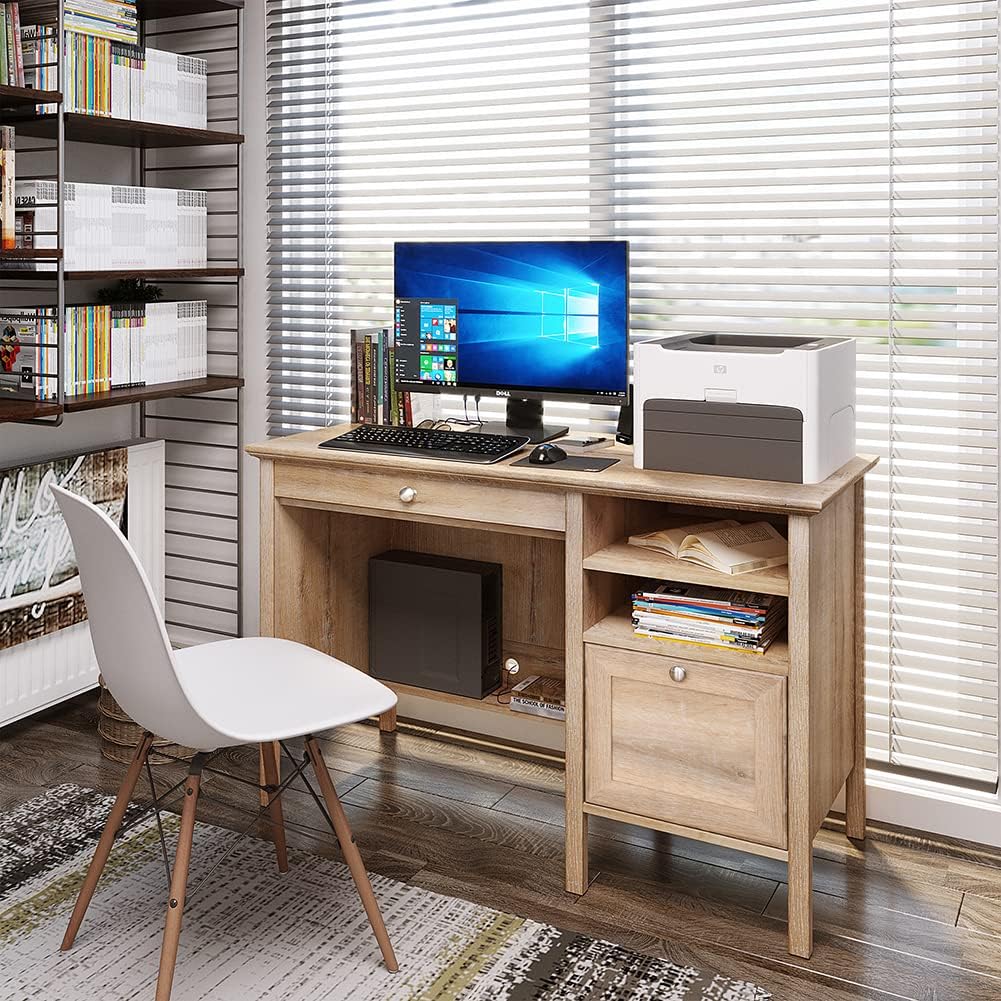
This image shows the fully assembled Crestlive Products Writing Computer Desk in an office environment, featuring a computer monitor, keyboard, and printer. The desk includes a keyboard tray, a drawer, and open shelves.
Arahan Operasi
Your Crestlive Products Writing Computer Desk is designed for versatile use in home office or study environments. Here’s how to utilize its features:
- Penggunaan Desktop: The spacious desktop provides ample surface area for a computer monitor, laptop, printer, and other work essentials. Ensure items are placed evenly to distribute weight.
- Dulang Papan Kekunci: The pull-out keyboard tray is designed to hold a standard keyboard and mouse, keeping your main desktop clear. Gently pull the tray out for use and push it back in when not needed.

A terperinci view of the pull-out keyboard tray, designed to store a keyboard and mouse, demonstrating its smooth sliding mechanism.
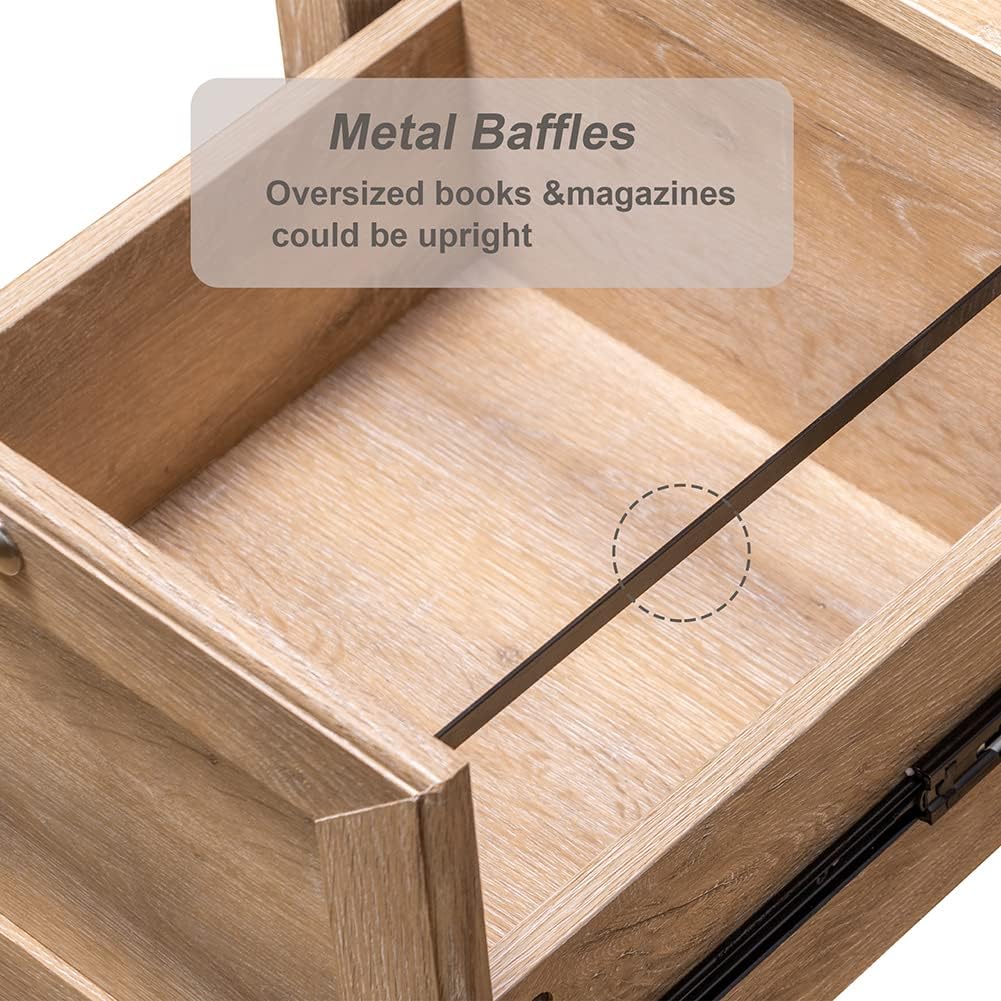
- Laci simpanan: The large drawer offers concealed storage for documents, office supplies, or personal items. It features metal slides for smooth opening and closing.
This image highlights the spacious storage drawer, equipped with metal slides for smooth operation, suitable for organizing various items.
- Rak Terbuka: The side shelves provide accessible storage for books, binders, or decorative items.
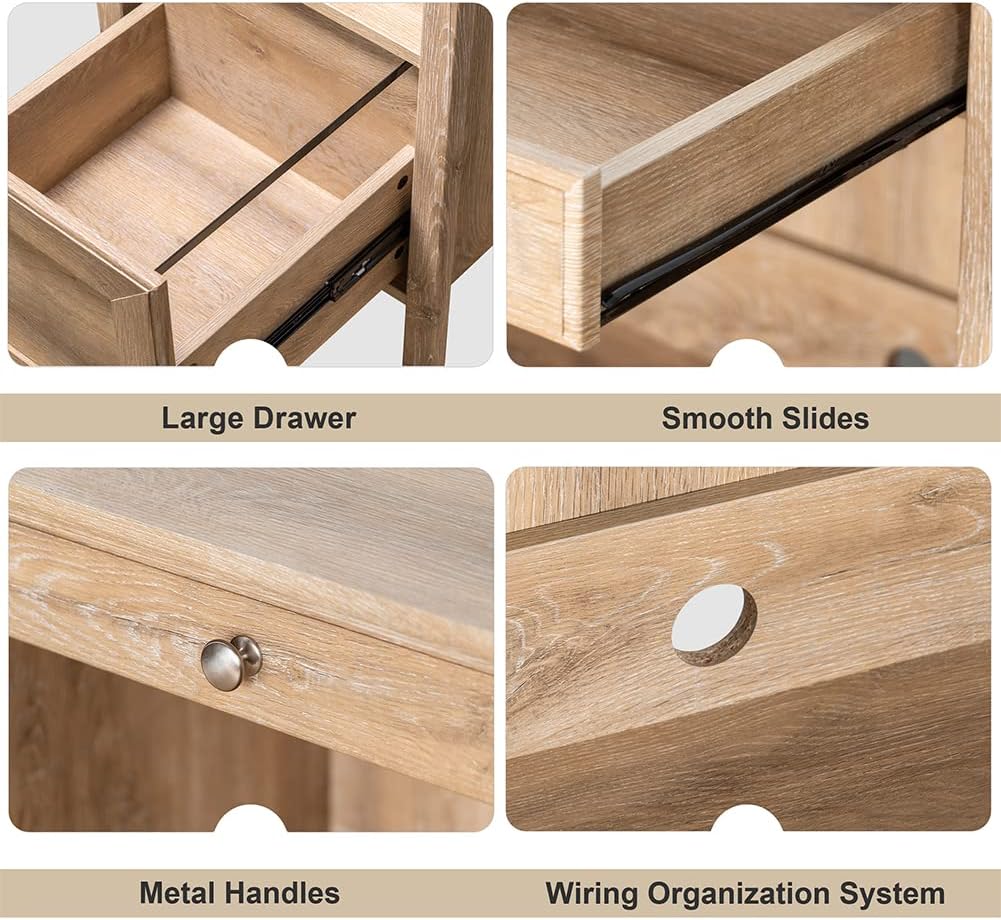
- Pengurusan Kabel: Utilize the integrated wiring organization system to keep cables tidy and out of sight.
This collage displays various features of the desk: a large storage drawer, smooth-gliding drawer slides, durable metal handles, and a dedicated wiring organization system for cables.
Penyelenggaraan dan Penjagaan
To ensure the longevity and appearance of your Crestlive Products Writing Computer Desk, follow these maintenance guidelines:
- Pembersihan: The desk is made of premium MDF wood with a water and oil-proof finish. For general cleaning, wipe the surface with a soft, damp kain. Elakkan pembersih yang melelas atau bahan kimia keras yang boleh merosakkan kemasan.
- Tumpahan: Wipe up spills immediately with a dry cloth to prevent moisture damage.
- Perkakasan: Periksa semua skru dan pengikat secara berkala untuk memastikan ia kekal ketat. Ketatkan semula jika perlu, tetapi jangan terlalu ketat.
- Elakkan Cahaya Matahari Terus: Pendedahan yang berpanjangan kepada cahaya matahari langsung boleh menyebabkan pudar atau perubahan warna pada kemasan kayu.
- Perlindungan Haba: Gunakan alas gelas atau alas pelindung di bawah barang panas untuk mengelakkan kesan haba.
Menyelesaikan masalah
Jika anda menghadapi sebarang masalah dengan meja anda, rujuk masalah dan penyelesaian biasa berikut:
| Masalah | Kemungkinan Punca | Penyelesaian |
|---|---|---|
| Meja goyah atau tidak stabil. | Pengikat longgar; lantai tidak rata. | Check and tighten all screws. Ensure the desk is on a level surface; use shims if necessary. |
| Drawer or keyboard tray does not slide smoothly. | Misaligned slides; obstruction; damaged slides. | Ensure slides are correctly installed and aligned. Check for any objects blocking the path. If slides are damaged, contact customer support for replacement parts. |
| Parts appear damaged or defective upon arrival. | Shipping damage; manufacturing defect. | Do not proceed with assembly. Contact Crestlive Products customer support immediately with details and photos of the damaged parts. |
| Difficulty with assembly instructions. | Unclear steps; missing diagrams. | Review the assembly instruction sheet carefully. If still unclear, contact customer support for assistance. |
Spesifikasi
| Ciri | Perincian |
|---|---|
| Jenama | Produk Crestlive |
| Nombor Model | B08LNTWC9Q |
| Dimensi Produk (L x W x H) | 47.24" x 20.08" x 29.92" |
| Keyboard Tray Dimensions (W x D x H) | 24.41" x 12.80" x 1.77" |
| Drawer Dimensions (W x D x H) | 18.11" x 12.2" x 10.04" |
| Adjustable Cabinet Shelf Dimensions (W x D x H) | 14.37" x 18.90" x 10.63" |
| Berat Barang | 78.44 paun |
| bahan | Kayu Kejuruteraan (MDF) |
| warna | Oak |
| Cadangan Berat Maksimum | 100 paun |
| Perhimpunan Diperlukan | ya |
| Bilangan Orang yang Disyorkan untuk Perhimpunan | 2 |
| Komponen yang Disertakan | 1PC Writing Computer Desk |
Waranti dan Sokongan Pelanggan
For warranty information or to report missing/damaged parts, please contact Crestlive Products customer support. Keep your purchase receipt and model number (B08LNTWC9Q) handy for faster service.
Contact information can typically be found on the packaging or through the retailer where the product was purchased.