
pengenalan
Thank you for choosing the Braun Digital Alarm Clock, Model BC21B. This device combines a clear VA LCD display with a convenient 10W Qi wireless fast charging pad, automatic backlight adjustment, and an ascending beep alarm. Please read this manual carefully to ensure proper use and optimal performance.

Image: The Braun BC21B Digital Alarm Clock in black, featuring a large VA LCD display and an integrated wireless charging pad with a smartphone placed on it.
Persediaan
- Sambungan Kuasa: Connect the provided power supply to the alarm clock and plug it into a standard 230V AC outlet.
- Bateri Sandaran: Install the included backup battery (if not pre-installed) to maintain time settings during power outages.
- Tetapan Masa Awal: The clock features a quick-set function. Refer to the 'Operating Instructions' section for detailed time and alarm setting procedures.
Arahan Operasi
Menetapkan Masa dan Tarikh
Use the designated buttons (usually labeled 'Set' or with a gear icon) to enter time setting mode. Adjust hours, minutes, and date using the '+' and '-' buttons. Confirm each setting to proceed.
Menetapkan Penggera
Press the 'Alarm Set' button to enter alarm setting mode. Adjust the desired alarm time using the '+' and '-' buttons. Activate or deactivate the alarm using the 'Alarm On/Off' switch, typically located on the top or side of the unit.

Image: The alarm clock display showing the current time and an active alarm. The green 'alarm on/off' button is clearly visible, along with icons for ascending beep alarm and snooze (5 minutes).
Fungsi Tunda
When the alarm sounds, press the 'Snooze' button (often a large button on top) to temporarily silence the alarm. The snooze interval is five minutes. The alarm will sound again after this period. To turn off the alarm completely, use the 'Alarm On/Off' switch.
Pengecasan Tanpa Wayar
The Braun BC21B features a 10W Qi wireless fast charging pad. This pad is Qi-certified to ensure safe and reliable charging for compatible mobile phones.
- penempatan: Place your Qi-compatible smartphone directly onto the non-slip silicone charging pad. Ensure the phone is centered on the pad for optimal charging.
- Penunjuk Pengecasan: The clock display may show a charging icon or indicator when a device is successfully charging.
- Keserasian: Compatible with various Qi-enabled devices, including iPhone 11, 11 Pro/Pro Max, XS, XS X, XR, 8, 8+, and Samsung Galaxy S20, S20+, S20 Ultra, S10, S10+, S10e, S9, S9+, Note9.

Image: A close-up of a smartphone charging on the integrated 10W Qi wireless fast charging pad of the alarm clock, illustrating fast and convenient charging.

Imej: A terperinci view of the non-slip silicone charging pad, designed to keep your device securely in place during charging.

Image: The alarm clock with a phone charging, emphasizing its Qi certification for safe and reliable wireless power transfer.
Tetapan Paparan
The clock features a VA LCD display with options for 12-hour or 24-hour time format. It also includes automatic display adjustment with four brightness levels that adapt to ambient light conditions.
- Format Masa: Toggle between 12-hour and 24-hour display modes using the dedicated button (refer to the quick-set guide for exact button location).
- Lampu Belakang Automatik: The display automatically adjusts its brightness based on the surrounding light, ensuring readability without being overly bright in dark environments. There are four brightness levels.
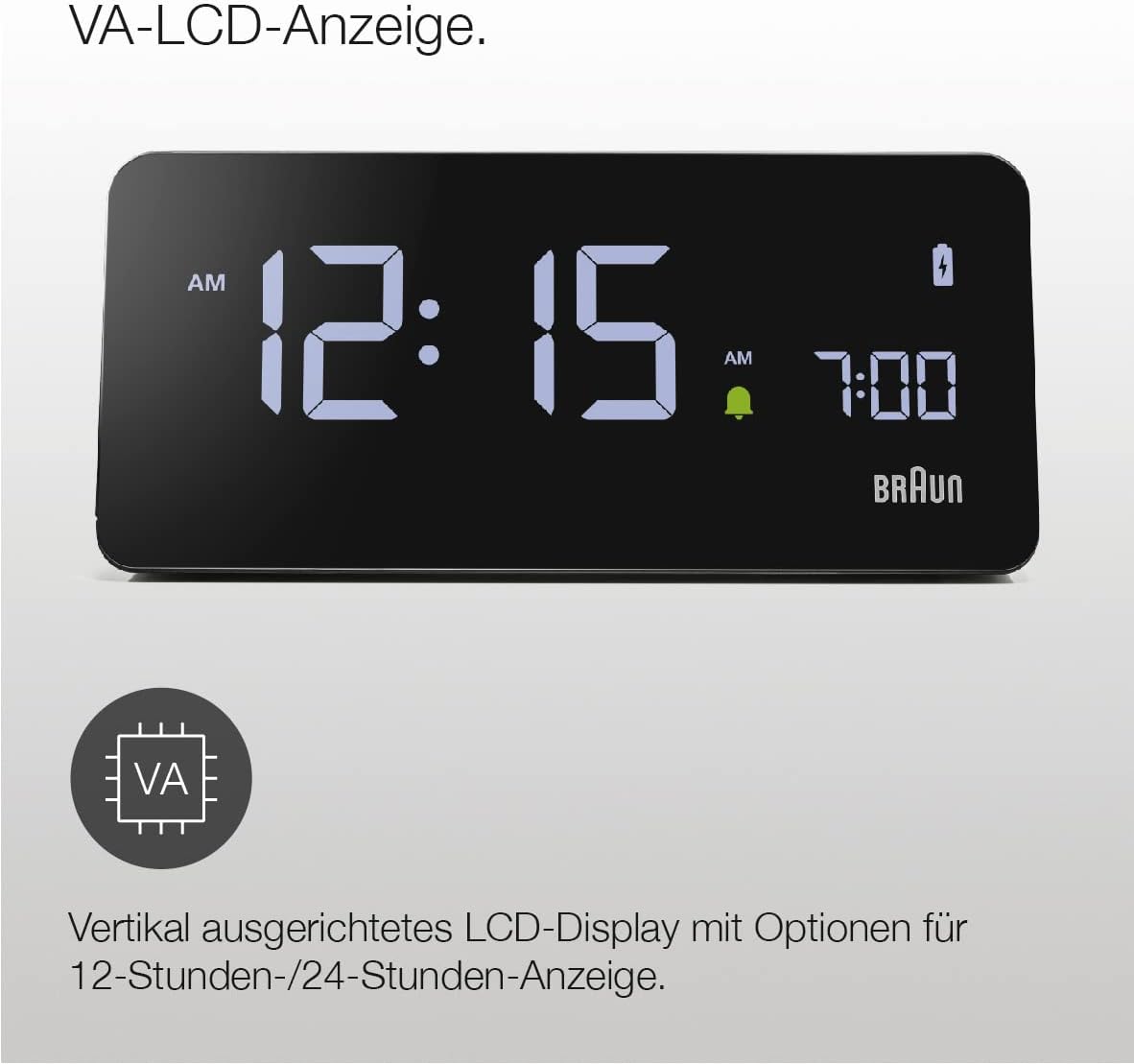
Imej: A jelas view of the VA LCD display, highlighting its vertical alignment and support for both 12-hour and 24-hour time formats.

Image: The display demonstrating its automatic brightness adjustment feature, which adapts through four levels based on ambient light for optimal visibility day and night.
Penyelenggaraan
To maintain your Braun Digital Alarm Clock, follow these simple guidelines:
- Bersihkan peranti dengan kain lembut dan kering. Jangan gunakan pembersih atau pelarut yang melelas.
- Keep the device away from direct sunlight, extreme temperatures, and moisture.
- Ensure the charging pad is free of dust and debris for efficient wireless charging.
Menyelesaikan masalah
| Masalah | Kemungkinan Punca | Penyelesaian |
|---|---|---|
| Jam tidak dihidupkan | Power adapter not connected securely or faulty outlet. | Check power connections. Try a different outlet. Ensure the USB-C cable is firmly inserted into the clock. |
| Pengecasan tanpa wayar tidak berfungsi | Phone not aligned correctly, phone case too thick, or phone not Qi-compatible. | Reposition phone on the center of the pad. Remove phone case. Verify phone supports Qi wireless charging. |
| Paparan terlalu terang/malap | Ambient light sensor obstructed or specific brightness level desired. | Ensure the light sensor is clear. The display adjusts automatically; manual adjustment options may be available via specific buttons (refer to quick-set guide). |
| Penggera tidak berbunyi | Penggera tidak diaktifkan atau ditetapkan dengan tidak betul. | Check the 'Alarm On/Off' switch. Re-set the alarm time. |
Spesifikasi
- Jenama: Braun
- Nombor Model: BC21BEU (BC21B)
- Jenis Paparan: LCD VA
- Standard Pengecasan Wayarles: Qi
- Output Pengecasan Tanpa Wayar: 10W
- Input Voltage: 230V AC
- Output Current (USB): 2 Ampsebelum
- Keluaran Voltage (USB): 5V DC
- Ciri Khas: Automatic Backlight Adjustment, Ascending Beep Alarm, Snooze Function
- Komponen yang Disertakan: 1 Power Supply, 1 Backup Battery
- Dimensi: Refer to the image below for detailed measurements.
- Berat: 365 Gram

Image: Detailed dimensions of the Braun BC21B alarm clock, measured in centimeters.
Waranti dan Sokongan
This Braun product comes with a standard manufacturer's warranty. For detailed warranty information, please refer to the warranty card included in the packaging or visit the official Braun weblaman web. Untuk sokongan teknikal atau pertanyaan perkhidmatan, sila hubungi khidmat pelanggan Braun.