
1. Pengenalan
Terima kasih kerana membeliasing the JVC XS-N2239TC Wireless Stereo Speaker System. This manual provides essential information for the safe and efficient use of your new speaker system. Please read these instructions thoroughly before operating the device and retain them for future reference.
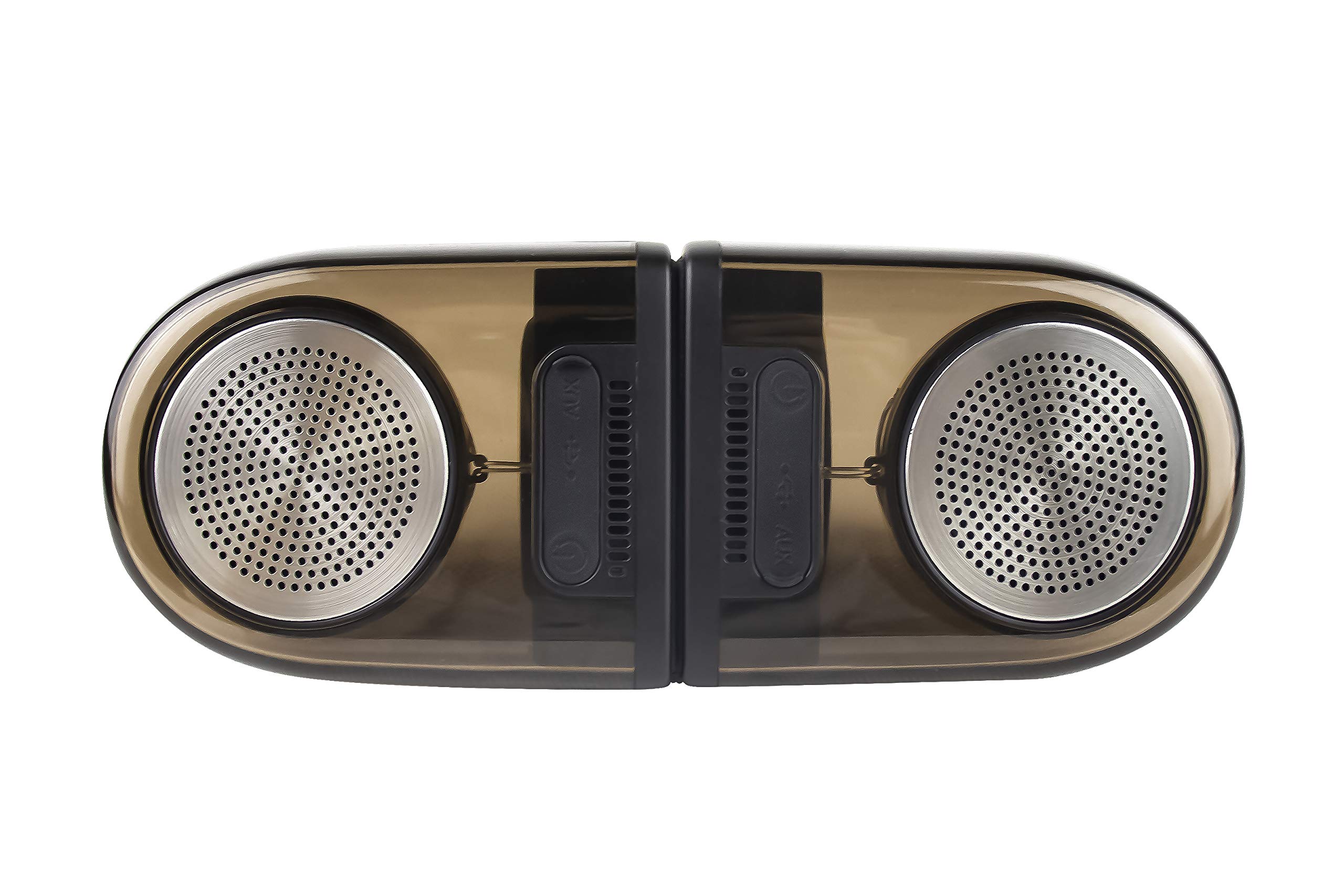
Image of the JVC XS-N2239TC speaker system, showcasing reka bentuk dan komponennya.
2. Kandungan Kotak
Sila pastikan semua item berikut disertakan dalam pakej anda:
- 1 x JVC XS-N2239TC Speaker Unit
- 1 x Kabel AUX
- 1 x Manual Pengguna (dokumen ini)
- 1 x Kabel Pengecasan
- 1 x Kad Waranti
3. Persediaan
3.1 Penempatan
The JVC XS-N2239TC speakers are designed for versatile placement, suitable as Bookshelf or Floor Standing units. Ensure the speakers are placed on a stable, flat surface or floor, away from direct sunlight, heat sources, and moisture. For optimal stereo sound, position the two speakers appropriately within your listening area.
3.2 Sambungan Kuasa
- Connect the charging cable to the speaker's power input port.
- Pasangkan hujung kabel pengecas yang satu lagi ke soket kuasa yang sesuai.
- Ensure the speaker is fully charged before initial use for optimal battery life.
4. Arahan Operasi
4.1 Menghidupkan/Mematikan
Locate the power button on the speaker unit. Press and hold the button for a few seconds to power the speaker on or off. An indicator light will typically confirm the power status.
4.2 Ketersambungan
4.2.1 Sambungan Tanpa Wayar
The speaker supports wireless streaming. To connect wirelessly:
- Ensure the speaker is powered on and in pairing mode (refer to the speaker's indicator lights for status).
- On your device (e.g., smartphone, tablet, television), enable wireless functionality.
- Cari untuk available devices and select "JVC XS-N2239TC" from the list.
- Once connected, you can stream audio wirelessly to the speaker system.
4.2.2 Sambungan USB
The speaker features a plug-and-play USB card reader. Insert a USB storage device containing audio files into the designated USB port on the speaker. The speaker will automatically detect and begin playing compatible audio files.
4.2.3 Sambungan AUX
Use the provided AUX cable to connect the speaker to devices with a 3.5mm audio output jack, such as televisions or other audio sources. Plug one end of the AUX cable into the speaker's AUX input and the other end into your audio source's output.
4.3 Kawalan
4.3.1 Multifunctional Panel Keys
The speaker unit is equipped with multifunctional panel keys. These keys allow you to:
- Adjust volume (increase/decrease).
- Play/Pause audio playback.
- Navigate tracks (forward/backward) when playing from USB or wireless sources.
4.3.2 Alat Kawalan Jauh
The included remote control provides convenient access to various functions from a distance. Use the remote to:
- Power on/off the speaker.
- Laraskan kelantangan.
- Control playback (play, pause, skip tracks).
- Switch input modes (e.g., Wireless, USB, AUX).
5. Penyelenggaraan
5.1 Pembersihan
To clean the speaker, use a soft, dry cloth. Do not use abrasive cleaners, waxes, or solvents as they may damage the finish. Ensure the speaker is powered off and unplugged before cleaning.
5.2 Tahan Air
The JVC XS-N2239TC speaker is designed with water resistance. While it can withstand splashes, it is not intended for submersion. Avoid exposing the speaker to excessive moisture or direct water jets to prevent damage.
6. Penyelesaian masalah
If you encounter issues with your speaker system, please refer to the following common solutions:
- Tiada Kuasa: Ensure the charging cable is securely connected to both the speaker and a working power outlet. Check if the power button has been pressed correctly.
- Tiada Bunyi: Verify the volume level on both the speaker and your connected device. Ensure the correct input mode (Wireless, USB, AUX) is selected. Check all cable connections.
- Isu Sambungan Tanpa Wayar: Make sure the speaker is within range of your device. Try unpairing and re-pairing the speaker with your device. Ensure no other devices are interfering with the wireless signal.
- Isu Main Semula USB: Confirm the USB device is formatted correctly and contains compatible audio files. Cuba peranti USB lain.
- Alat Kawalan Jauh Tidak Berfungsi: Check the remote control's batteries and replace them if necessary. Ensure there are no obstructions between the remote and the speaker's sensor.
Jika masalah berterusan, sila hubungi sokongan pelanggan.
7. Spesifikasi
| Ciri | Perincian |
|---|---|
| Jenama | JVC |
| Nama Model | JVC XS-N2239TC |
| Teknologi Ketersambungan | USB, Wayarles |
| Jenis Teknologi Tanpa Wayar | Tanpa wayar |
| Protokol Ketersambungan | USB |
| Mod Keluaran Audio | Stereo |
| Jenis Pembesar Suara | Rak buku |
| Jenis Pemasangan | Lantai Berdiri |
| Ciri-ciri Produk | Alat Kawalan Jauh |
| Kaedah Kawalan | Jauh |
| Peranti Serasi | Televisyen |
| Bilangan Saluran Audio | 2.1 |
| Saiz Pembesar Suara | 7.5 Sentimeter |
| Subwoofer Speaker Diameter | 5 Inci |
| Tweeter Driver Diameter | 1 Inci |
| Jenis Pemacu Audio | Pemandu Dinamik |
| warna | Hitam |
| Adakah Kalis Air | BENAR |
| Tahap Ketahanan Air | Kalis air |
| Kegunaan Khusus Untuk Produk | Sistem Hiburan Rumah |
| Purata Hayat Bateri | 6 Jam |
| Berat Barang | 0.56 Kilogram |
8. Waranti dan Sokongan
8.1 Maklumat Waranti
Produk ini disertakan dengan a Waranti 1 tahun provided by the manufacturer from the date of purchase. Please retain your purchase receipt and warranty card for any warranty claims.
8.2 Sokongan Pelanggan
For any complaints, technical assistance, or support regarding your JVC XS-N2239TC speaker system, please contact JVC customer care:
- Nombor Penjagaan Pelanggan: +91-9910332380
Sila sediakan nombor model produk dan butiran pembelian anda semasa menghubungi sokongan.