
1. Produk Lebihview
The Mcdodo OT-7700 is a compact and durable adapter designed to bridge the connectivity gap between Lightning and Type-C devices. It facilitates both efficient charging and reliable data synchronization, offering a versatile solution for users with mixed device ecosystems.

Image 1.1: The Mcdodo OT-7700 Lightning to Type-C Connector. This image displays the compact, black adapter with the Mcdodo logo, featuring a Type-C male connector on one end and a Lightning female port on the other.
2. Kandungan Pakej
Sila sahkan bahawa semua item terdapat dalam pakej:
- 1 x Mcdodo OT-7700 Lightning to Type-C Connector
3. Persediaan dan Sambungan
The Mcdodo OT-7700 connector is designed for simple plug-and-play operation. No software installation is required.
- Kenal pasti Pelabuhan: Locate the Lightning cable (from your Apple device) and the Type-C port on your charging device or computer.
- Connect Lightning Cable: Insert your Lightning cable's male connector into the female Lightning port of the Mcdodo OT-7700 adapter. Ensure a secure connection.
- Connect Type-C Device: Insert the male Type-C connector of the Mcdodo OT-7700 adapter into the Type-C port of your desired device (e.g., laptop, power adapter, Android phone).

Image 3.1: Illustrates the connection process. A smartphone with a Type-C port is shown, and the Mcdodo OT-7700 adapter, already connected to a Lightning cable, is being plugged into the phone's Type-C port. This demonstrates the "Plugging to Use transfer Quickly" functionality.
4. Arahan Operasi
The adapter supports two primary functions:
4.1. Mengecas
Once connected as described in Section 3, the adapter will enable power transfer from the Type-C source to the Lightning device. Ensure your Type-C power source provides sufficient current for your Lightning device.
4.2. Penyegerakan Data
For data transfer, connect your Lightning device (e.g., iPhone, iPad) via its Lightning cable to the Mcdodo OT-7700, and then connect the adapter's Type-C end to a computer or other data-enabled Type-C device. Your Lightning device should be recognized by the Type-C host device, allowing for data exchange.
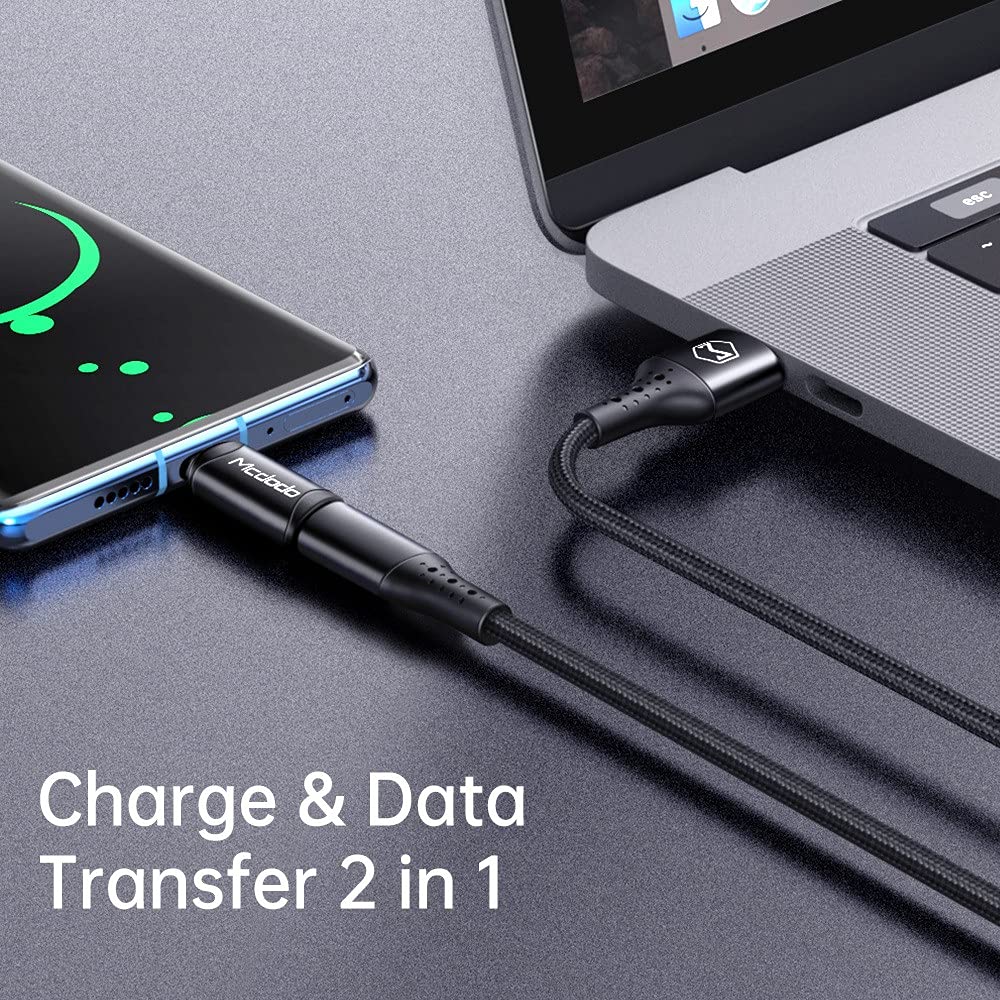
Image 4.1: Depicts the adapter facilitating both charging and data transfer. A smartphone is connected to a laptop via a cable and the Mcdodo OT-7700 adapter, illustrating its dual functionality.
5. Penyelenggaraan dan Penjagaan
- Pembersihan: Gunakan kain lembut dan kering untuk membersihkan penyesuai. Elakkan pembersih cecair atau bahan kasar.
- Storan: Simpan penyesuai di tempat yang sejuk dan kering jauh dari cahaya matahari langsung dan suhu yang melampau.
- Pengendalian: Avoid bending or twisting the adapter excessively. Do not apply undue force when connecting or disconnecting.
- Ketahanan: The adapter is constructed from aluminum alloy for enhanced durability. However, it is not waterproof and should be protected from moisture.
6. Penyelesaian masalah
| Masalah | Kemungkinan Punca | Penyelesaian |
|---|---|---|
| Peranti tidak dicas. | Loose connection, incompatible cable/charger, insufficient power from Type-C source. | Ensure all connections are secure. Try a different Lightning cable or Type-C charger. Verify the Type-C power source meets the device's requirements. |
| Pemindahan data tidak berfungsi. | Loose connection, incompatible cable, driver issues on computer. | Check all connections. Ensure the Lightning cable supports data transfer. Try connecting to a different USB-C port or computer. |
| Adapter feels hot during use. | Normal operation under heavy load, excessive current draw. | A slight warmth is normal. If it becomes excessively hot, disconnect immediately and check for faulty cables or devices. Ensure the current draw does not exceed 3A. |
7. Spesifikasi
| Ciri | Perincian |
|---|---|
| Nombor Model | OT-7700 |
| Jenis Penyambung | Lightning (Female) to Type-C (Male) |
| Kefungsian | Charging and Data Synchronization |
| bahan | Aloi Aluminium |
| warna | Hitam |
| Berat Barang | 14 g |
| Max Current Support | 3A |

Image 7.1: Displays two Mcdodo OT-7700 adapters and highlights the "Support max 3A current" feature, indicating its charging capability.
8. Waranti dan Sokongan
For warranty information or technical support, please refer to the official Mcdodo webtapak atau hubungi peruncit anda. Simpan resit pembelian anda untuk tuntutan waranti.