
ipega PG-9193
Manual Pengguna Gamepad Tanpa Wayar IPEGA PG-9193
Model: PG-9193
Produk Selesaiview
The IPEGA PG-9193 is a compact and versatile wireless gamepad designed for a wide range of gaming platforms. It supports Nintendo Switch, PlayStation 3, Android devices (version 6.0 and above), Steam, and PC (Windows 7 and above). Its mini size makes it highly portable, and it features six-axis motion sensing and vibration feedback for an immersive gaming experience. The ergonomic design ensures comfortable handling during extended play sessions.

Imej: Atas view of the IPEGA PG-9193 Wireless Gamepad, showing the D-pad on the left, action buttons (Y, X, B, A) on the right, and 'SELECT' and 'START' buttons in the center. The gamepad is yellow with white buttons.

Imej: Bersudut view of the IPEGA PG-9193 Wireless Gamepad, highlighting its compact size and button layout. The yellow casing and white buttons are clearly visible.
Kandungan Pakej
Selepas membuka pakej, sahkan bahawa semua item yang disenaraikan di bawah ada dan dalam keadaan baik:
- 1x IPEGA PG-9193 Wireless Mini Controller
- 1x Micro USB Cable (for charging)
- 1x Lanyard
- 1x Manual Pengguna (dokumen ini)

Image: All items included in the package: the yellow PG-9193 controller, a yellow lanyard, a white Micro USB charging cable, and the printed user manual.
Persediaan dan Sambungan
Mengecas Pengawal
Before first use, fully charge the controller. Connect the supplied Micro USB cable to the charging port on the controller and the other end to a USB power source (e.g., computer USB port, USB wall adapter). The charging time is approximately 2 hours.
Berpasangan dengan Peranti
The PG-9193 controller connects via Bluetooth 3.0. The transmission distance is up to 8 meters.
- Pastikan pengawal dicas secukupnya.
- Turn on the controller (specific power-on method not detailed in provided data, assume standard button press).
- On your device (Nintendo Switch, Android, PC, PS3), navigate to the Bluetooth settings.
- Cari untuk available Bluetooth devices. The controller should appear as "PG-9193" or similar.
- Select the controller to pair. Once paired, the indicator light on the controller will confirm connection.
Arahan Operasi
Kawalan Asas
The controller features a D-pad (cross key) and standard action buttons (Y, X, B, A), along with SELECT and START buttons.
Switching D-pad Functionality
By default, the cross key (D-pad) functions as the left 3D joystick. To switch the cross key to its standard D-pad function, simultaneously press the Y dan X kekunci selama 2 saat.
Kombinasi Kunci Khas
- Menekan down key of the cross key dan PILIH key simultaneously is equivalent to the RUMAH fungsi utama.
- Menekan PILIH dan MULAKAN keys simultaneously is equivalent to pressing the ZL dan ZR keys on a standard controller.
Six-Axis and Vibration Function
The controller supports six-axis motion sensing and vibration feedback, enhancing the gaming experience. These functions are automatically enabled when supported by the game and connected device.

Image: A yellow IPEGA PG-9193 controller being used with a yellow Nintendo Switch Lite console, demonstrating its compatibility and compact size during gameplay.

Image: Two IPEGA PG-9193 controllers, one yellow and one green, being held by hands, illustrating multi-player use with a Nintendo Switch Lite console in the background.
Penyelenggaraan
- Pastikan pengawal bersih dengan mengelapnya dengan kain lembut dan kering.
- Avoid exposing the controller to extreme temperatures, direct sunlight, or high humidity.
- Do not disassemble the controller, as this will void the warranty and may cause damage.
- Simpan pengawal di tempat yang selamat apabila tidak digunakan untuk mengelakkan kerosakan fizikal.
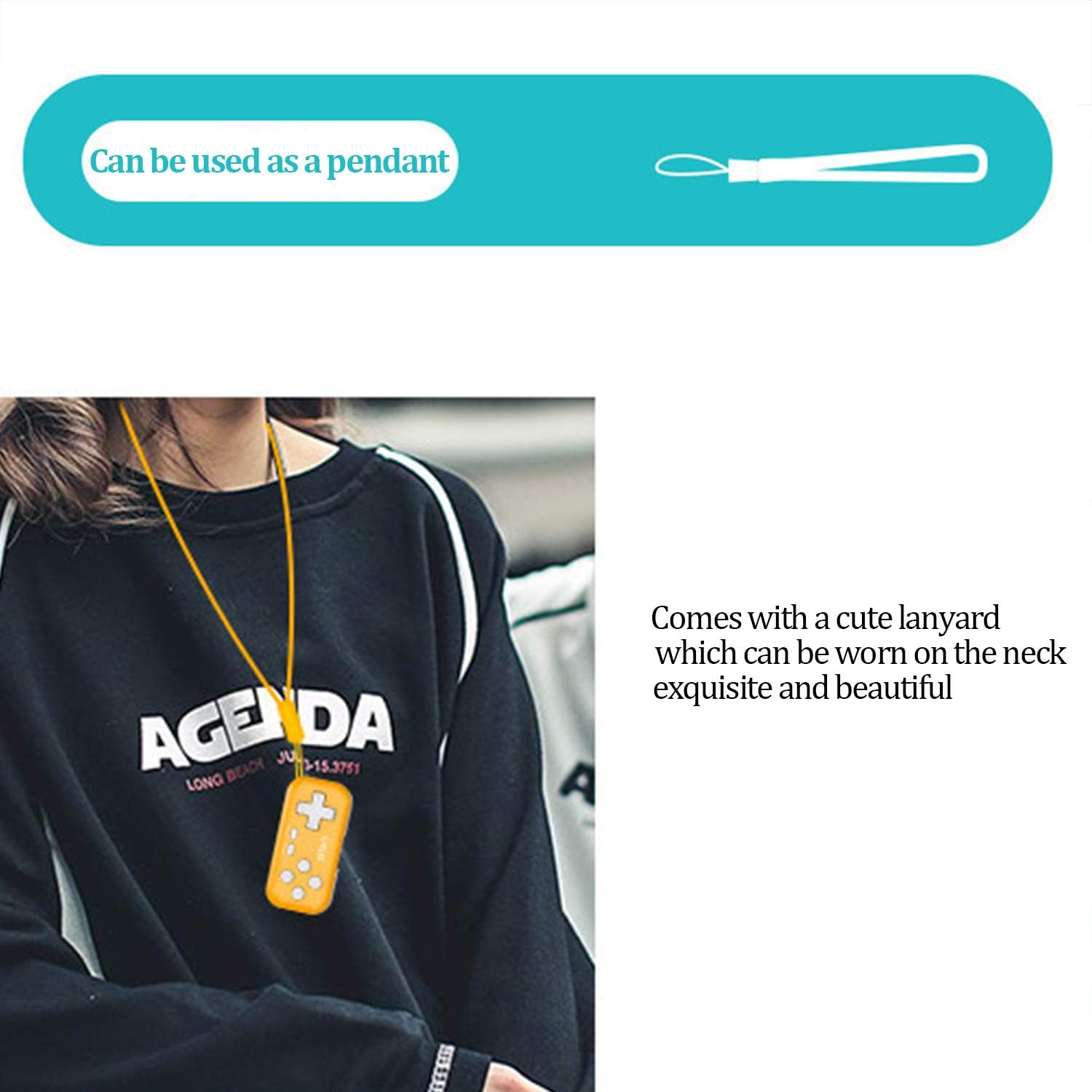
Image: The IPEGA PG-9193 controller shown with its included lanyard, demonstrating how it can be worn or carried for convenience and to prevent loss.
Menyelesaikan masalah
Pengawal Tidak Menyambung
- Pastikan pengawal dicas sepenuhnya.
- Sahkan Bluetooth didayakan pada peranti anda.
- Move the controller closer to the device to ensure it is within the 8-meter transmission range.
- Try unpairing and re-pairing the controller from your device's Bluetooth settings.
- Restart both the controller and the device.
Butang Tidak Menjawab
- Check if the controller is properly connected to your device.
- Ensure the game you are playing supports external controllers.
- If the D-pad is not functioning as expected, remember to switch its mode by pressing Y+X for 2 seconds if it's in joystick mode.
- Recharge the controller, as low battery can affect performance.
Spesifikasi
| Bekerja Voltage | DC 3.7V |
| Bekerja Semasa | <15mA |
| Arus Senyap | <10uA |
| Masa Penggunaan Berterusan | Lebih kurang 8 jam |
| Input Voltage / Semasa | DC 5V / 500mA |
| Masa Mengecas | Lebih kurang 2 jam |
| Versi Bluetooth | BT 3.0 |
| Jarak Penghantaran | ≤8 meter |
| Kapasiti Bateri | 130mAh |
| Masa Tunggu Sedia | 30 hari (apabila dicas sepenuhnya) |
| Dimensi (L x W x H) | 6.99 x 3.3 x 0.99 cm (2.75 x 1.30 x 0.39 inci) |
| Berat badan | 49.9 g (1.76 auns) |
| Platform yang Serasi | Nintendo Switch, PS3, Android (6.0+), Steam, PC (Win 7+) |
Waranti dan Sokongan
The product typically comes with an 18-month worry-free product warranty. For any issues or support inquiries, please refer to the contact information provided by your retailer or the official IPEGA support channels.
For further assistance, please visit the official IPEGA website or contact customer service through the platform where the product was purchased.
Ask a question about this manual
Ask about setup, troubleshooting, compatibility, parts, safety, or missing instructions. Manuals+ will review the question and use this page’s manual context to help answer it.