
pengenalan
The UbiBot MS1P is a wireless motion sensor designed to provide real-time monitoring and alerts for various environments. It features a remote infrared motion sensor with a detection distance of up to 12 meters and a wide detection range (horizontal 105 degrees, vertical 40 degrees). The device supports both 2.4 GHz WiFi and RJ45 Ethernet cable connections, along with Micro USB cable/AC power and POE power supply (POE splitter required). Users receive real-time notifications via the UbiBot app, email, SMS text, and voice calls, ensuring your home, office, or warehouse remains secure. The cloud-based platform offers free access with no subscription fees.
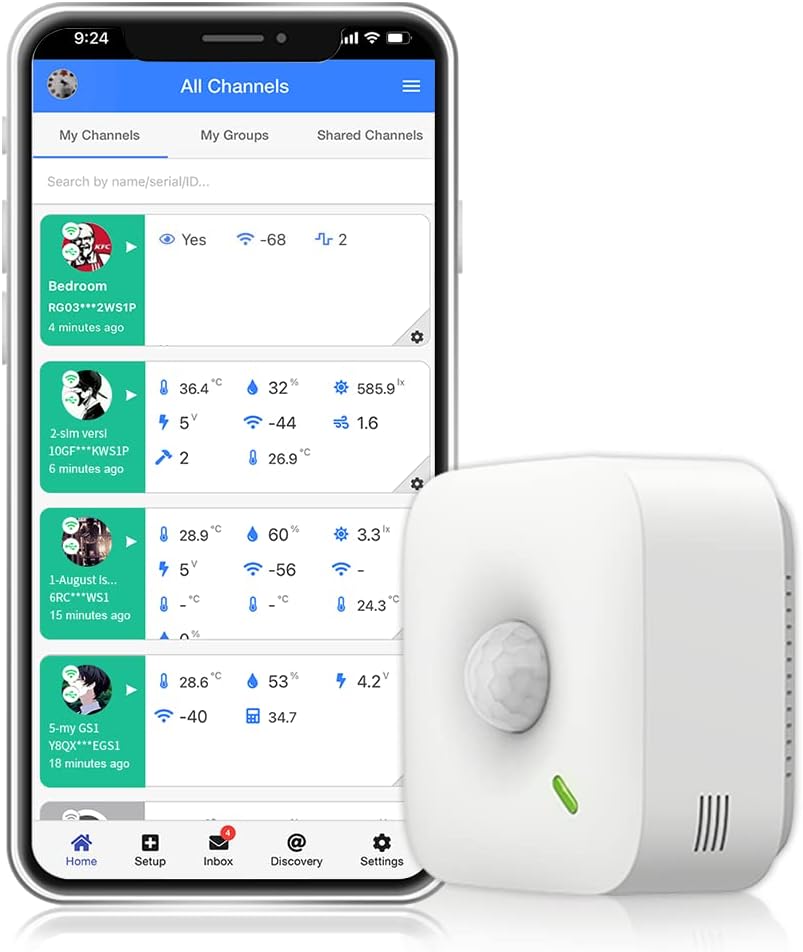
Imej: Depan view of the UbiBot MS1P Motion Sensor.
Persediaan
Follow these steps to set up your UbiBot MS1P Motion Sensor and connect it to your network:
- Download the UbiBot App: Cari untuk "UbiBot" in the App Store (iOS) or Google Play Store (Android) and install the application.
- Create/Sign In to Your UbiBot Account: Open the app and either sign up for a new account or sign in with your existing credentials. Ensure your email address is verified.
- Prepare Your Mobile Device: Enable WiFi and Bluetooth on your mobile device. Important: Disable your mobile cellular network. UbiBot devices only support 2.4GHz WiFi; 5GHz WiFi is not supported.
- Tambah Peranti Baharu: In the UbiBot App, navigate to the "Setup" section and select "Add New Device".
- Scan Device Barcode: Click "Scan QR Code / Barcode" and use your phone's camera to scan the barcode located on your MS1P device.
- Pilih Jenis Sambungan: Choose "WiFi" for wireless connection.
- Masukkan Butiran WiFi: Follow the in-app instructions to put your device into WiFi setup mode (AP mode). The app will guide you through entering your WiFi SSID and password. Ensure your WiFi is enabled on your mobile device.
- Sambung: The app will begin configuring the device and checking its network status. Once successful, you will receive a confirmation.
Video: UbiBot WiFi Setup Instruction. This video demonstrates the step-by-step process of connecting your UbiBot device to a WiFi network using the mobile application.
Beroperasi
The UbiBot MS1P Motion Sensor provides continuous monitoring and integrates with smart home systems for enhanced functionality.
Pengesanan Pergerakan
The sensor detects motion within a 12-meter range, covering a horizontal angle of 105 degrees and a vertical angle of 40 degrees. This wide coverage ensures comprehensive monitoring of your desired area.

Image: Illustration of the UbiBot MS1P Motion Sensor's detection range and angles in a living room setting.
Makluman dan Pemberitahuan
Upon detecting motion, the MS1P can trigger various real-time alerts:
- Pemberitahuan Apl: Receive instant push notifications on your UbiBot mobile app.
- Makluman E-mel: Get detailed alerts sent directly to your registered email address.
- Mesej Teks SMS: Receive text message alerts for critical events.
- Panggilan Suara: Configure the system to make voice calls for immediate notification.
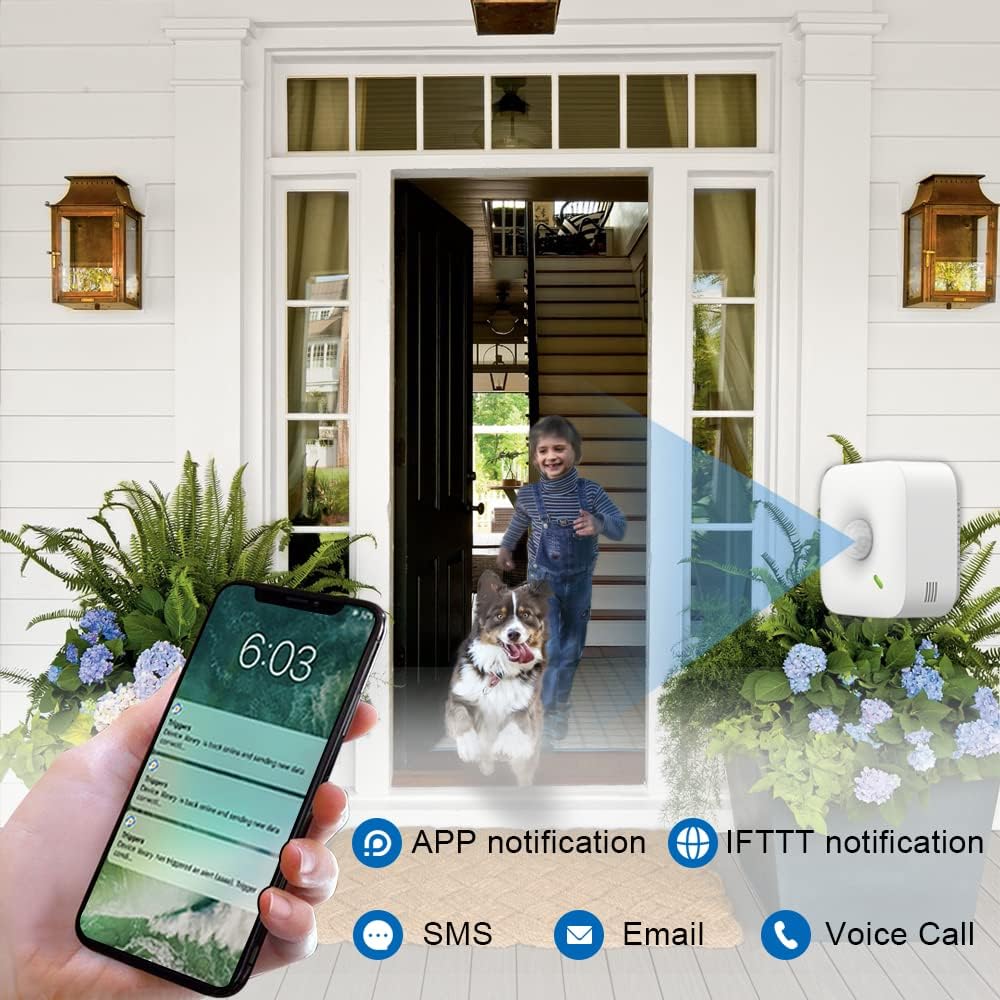
Image: A smartphone displaying various alert options from the UbiBot MS1P Motion Sensor, including app notifications, IFTTT, SMS, email, and voice calls.
Integrasi Rumah Pintar
The MS1P sensor supports integration with popular smart home platforms like IFTTT and Alexa, allowing you to automate actions based on motion detection. For example, you can set your lights to turn on automatically when motion is detected upon your arrival.

Image: Screenshot showing the UbiBot app interface for setting up alerts and compatibility with Alexa, Google Home, and IFTTT.

Image: Illustration of the UbiBot MS1P Motion Sensor triggering lights to turn on automatically when a person enters a home.
Pemantauan dan Pengurusan Data
Access and manage your device data through the UbiBot cloud platform via the mobile app or desktop application. The platform provides data analysis and visualization tools.

Imej: Seseorang viewing real-time data from UbiBot sensors on both a laptop and a smartphone, demonstrating remote monitoring capabilities.
Penyelenggaraan
To ensure optimal performance and longevity of your UbiBot MS1P Motion Sensor, follow these maintenance guidelines:
- Pembersihan: Regularly wipe the sensor lens and body with a soft, dry cloth to remove dust and debris. Avoid using abrasive cleaners or solvents.
- Bekalan Kuasa: The device can be powered via Micro USB, AC power, or POE (with a POE splitter). Ensure a stable power source. Batteries are not included for primary operation but may be used for backup depending on the setup.
- Kemas kini Firmware: Periodically check the UbiBot app for available firmware updates to ensure your device has the latest features and security enhancements.
- penempatan: Ensure the sensor is mounted securely and its detection path is clear of obstructions.
Menyelesaikan masalah
If you encounter issues with your UbiBot MS1P Motion Sensor, refer to the following common solutions:
WiFi Connection Failure
If your device fails to connect to WiFi during setup, try these methods:
- Method 1: Advanced Mode: During the network connection mode selection in the UbiBot app, choose "Advanced Mode" and follow the alternative setup instructions.
- Method 2: Contact Support via Email: Hantar e-mel ke support@ubibot.com. The customer service team aims to respond within 24 hours.
- Method 3: Live Chat: Visit the official UbiBot website and use the live chat feature to connect with a customer service representative.
- Method 4: Open a Support Ticket: On the UbiBot official website, you can open a support ticket. The customer service team will diagnose your issue and provide a solution.
Remember that UbiBot devices only support 2.4GHz WiFi. Ensure your router is configured for 2.4GHz or that you are connecting to a 2.4GHz network.
Spesifikasi
| Jenama | UbiBot |
| Nombor Model | MS1P |
| warna | Neutral Tone |
| Sumber Kuasa | Corded Electric (Micro USB, AC, POE) |
| Berat Barang | 0.31 Kilogram |
| Julat Maksimum | 12 Meter |
| Jenis Pemasangan | Lekap di dinding |
| Penerangan Bateri | Bateri tidak disertakan |
| Peranti Serasi | Light, Fan, Alexa, IFTTT-compatible devices |
| Kekerapan | 2.4 GHz |
| UPC | 797153355308 |

Imej: Terperinci view of the UbiBot MS1P Motion Sensor, showing its dimensions and various interfaces including Micro USB, PoE Cable Interface, and AC Pluggable Terminal Block.
Waranti & Sokongan
Polisi Pemulangan
The UbiBot MS1P Motion Sensor comes with a 30-day return policy for refund or replacement.
Sokongan Pelanggan
For any technical assistance or inquiries, please contact UbiBot customer support through the following channels:
- e-mel: support@ubibot.com (tindak balas dalam masa 24 jam)
- Sembang Langsung: Available on the official UbiBot webtapak.
- Tiket Sokongan: Open a ticket on the official UbiBot website for issue diagnosis and resolution.