
pengenalan
The Hyper Drive GEN2 12-in-1 USB-C Docking Station is designed to expand the connectivity of your USB-C enabled laptop or tablet. This docking station provides a comprehensive solution for connecting multiple peripherals, external displays, and power delivery through a single USB-C port. It supports high-speed data transfer, multiple 4K video outputs, and efficient power charging for enhanced productivity.
Ciri-ciri Produk
The Hyper Drive GEN2 12-in-1 USB-C Docking Station offers a wide array of ports and capabilities:
- Dual HDMI 4K60Hz HDR: Connect up to two external displays with stunning 4K resolution at 60Hz, supporting High Dynamic Range (HDR) for vibrant visuals.
- DisplayPort 4K60Hz: Connect an additional external display via DisplayPort, also supporting 4K resolution at 60Hz.
- USB-C Power Delivery (PD) 100W: Charge your host laptop or tablet with up to 100W of power through the dedicated USB-C PD port.
- 2x USB-A 10Gbps (USB 3.1 Gen 2): Experience ultra-fast data transfer speeds for compatible USB-A devices.
- 2x USB-A 2.0: Connect standard USB peripherals such as keyboards, mice, or printers.
- Gigabit-Ethernet: Enjoy stable and high-speed wired network connectivity.
- MicroSD UHS-II (300MB/s): Fast data transfer for MicroSD cards, ideal for photographers and videographers.
- SD UHS-II (300MB/s): Fast data transfer for standard SD cards.
- Bicu Audio 3.5mm: Connect headphones or speakers for audio output.

Rajah 1: Depan view of the Hyper Drive GEN2 12-in-1 USB-C Hub, highlighting MicroSD, SD, 3.5mm Audio, and two USB-A 10Gbps ports.
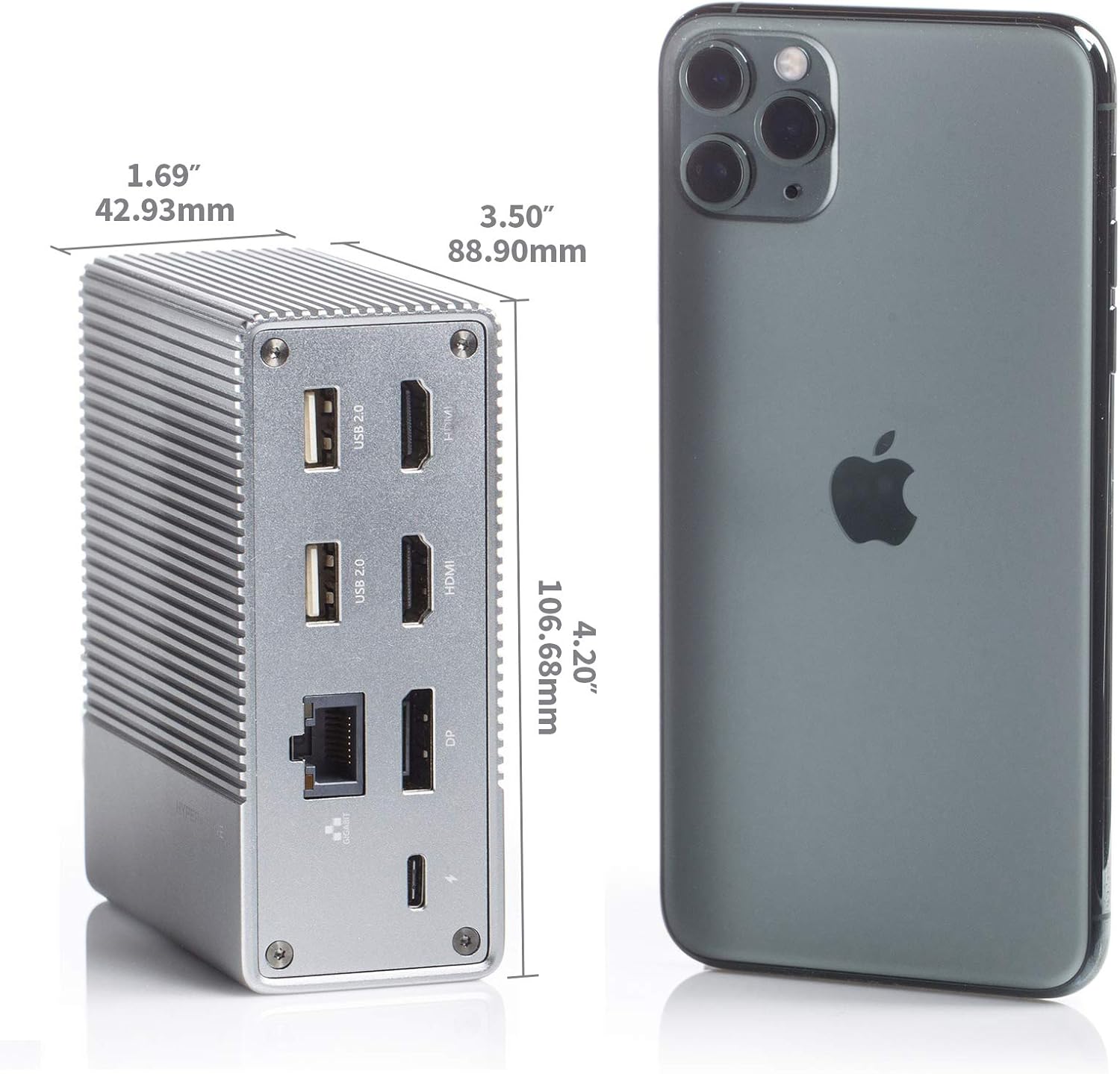
Rajah 2: Belakang view of the Hyper Drive GEN2 12-in-1 USB-C Hub, highlighting USB-C Power Delivery, Gigabit Ethernet, DisplayPort, two HDMI, and two USB-A 2.0 ports.
Panduan Persediaan
- Sambung ke Peranti Hos: Plug the integrated USB-C cable from the docking station into an available USB-C port on your laptop or tablet. Ensure the USB-C port on your host device supports DisplayPort Alternate Mode (Alt Mode) and Power Delivery for full functionality.
- Sambungan Kuasa (Pilihan tetapi Disyorkan): For optimal performance and to charge your host device, connect your laptop's USB-C power adapter to the USB-C PD port on the docking station. The docking station supports up to 100W power delivery.
- Sambungkan Paparan Luaran:
- Sambungkan monitor HDMI anda ke port HDMI pada stesen dok.
- Connect your DisplayPort monitor to the DisplayPort on the docking station.
Nota: For macOS, only one extended display is supported with the same image on all external displays at 4K60Hz. Windows/Chrome OS supports Multi-Stream Transport (MST) for up to three extended displays.
- Sambung Peranti: Plug your USB devices (keyboard, mouse, external drives), Ethernet cable, and audio devices into the corresponding ports on the docking station.
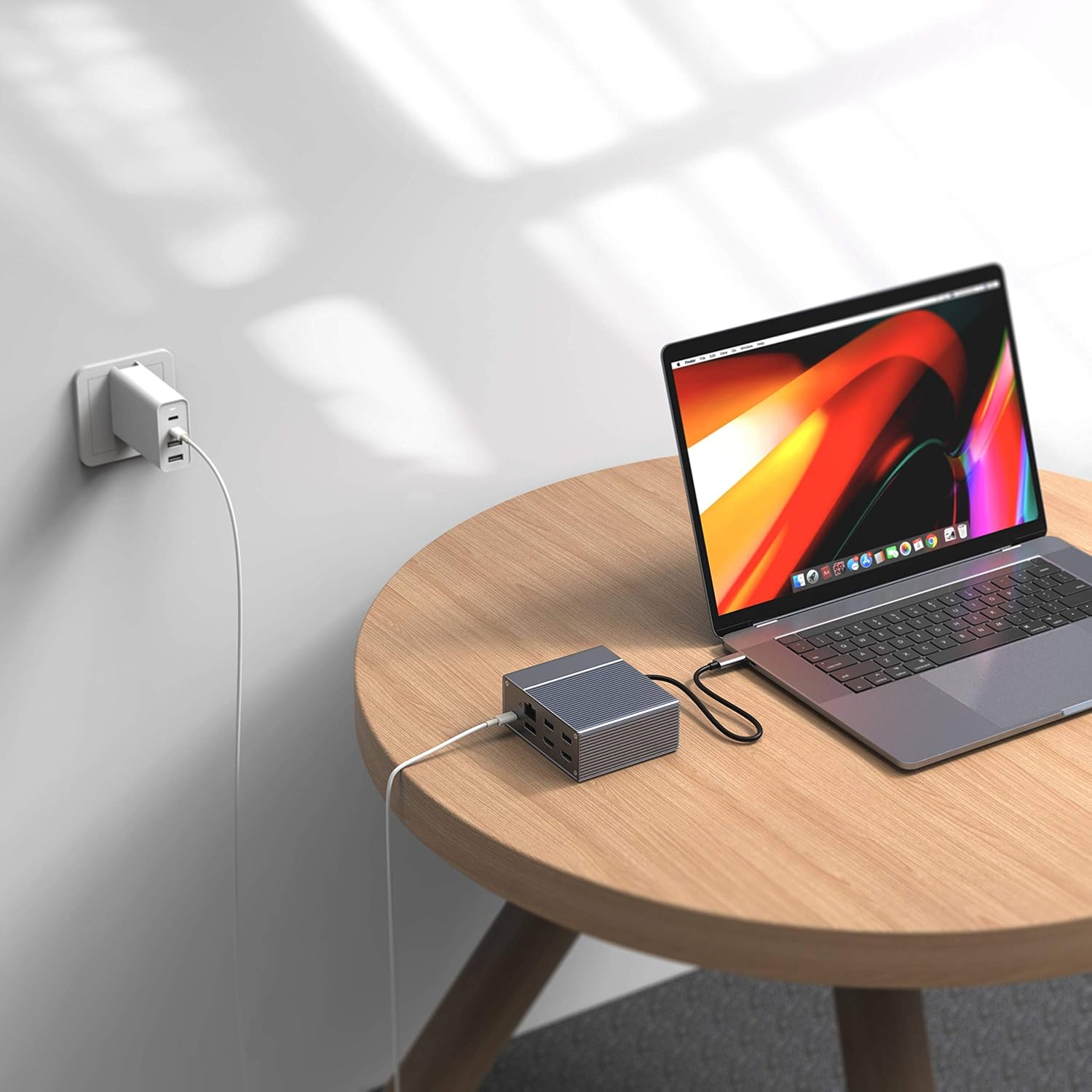
Figure 3: Laptop connected to the docking station and a power adapter for charging.
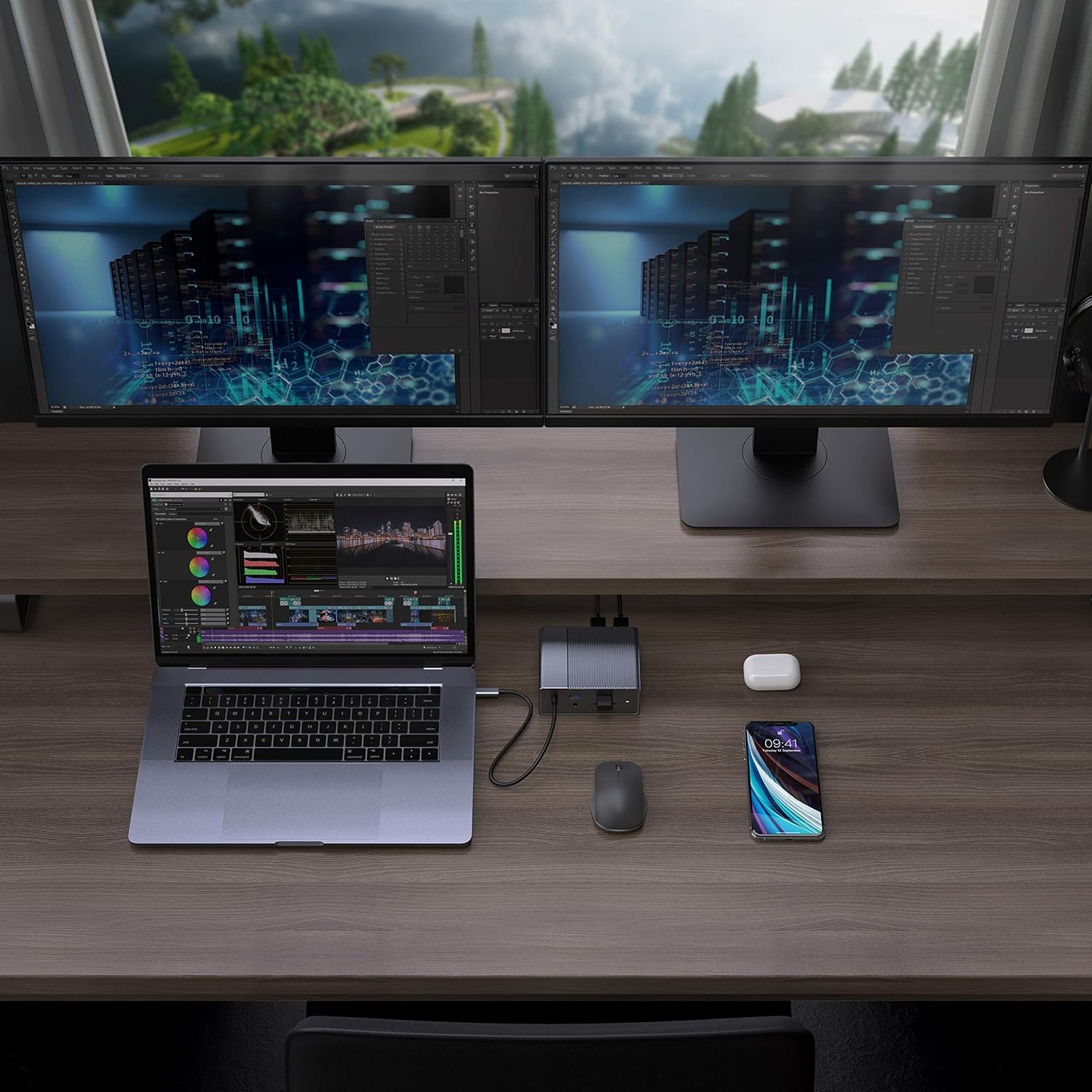
Figure 4: A typical setup showing a laptop connected to the docking station with multiple peripherals and external displays.
Arahan Operasi
Mod Paparan
Stesen dok menyokong pelbagai konfigurasi paparan bergantung pada sistem pengendalian anda:
- macOS: Supports one extended display with the same image mirrored across all external displays at 4K60Hz. macOS does not support Multi-Stream Transport (MST) for independent extended displays.
- Windows/Chrome OS: Supports Multi-Stream Transport (MST), allowing for up to three extended displays with independent content at 4K60Hz.

Figure 5: Illustration of display modes for macOS (mirror mode) and Windows (mirror and extended modes) using the docking station.
Data Transfer and Power Delivery
- USB-A 10Gbps Ports: Use these ports for high-speed data transfer with compatible external hard drives, SSDs, or other USB 3.1 Gen 2 devices.
- Port USB-A 2.0: Ideal for connecting standard peripherals like keyboards, mice, or USB flash drives where high-speed data transfer is not critical.
- SD/MicroSD Card Slots: Insert your memory cards for quick access and transfer of photos and videos at up to 300MB/s (UHS-II speeds).
- Port PD USB-C: Connect your laptop's power adapter to this port to charge your laptop while using the docking station. This port also supports data transfer.
Video 1: Tamat rasmiview of the HyperDrive GEN2 USB-C Hub, demonstrating its speed, power, and various port functionalities.
Penyelenggaraan
- Keep the docking station in a clean, dry environment.
- Elakkan daripada mendedahkan peranti kepada suhu yang melampau atau cahaya matahari langsung.
- Bersihkan bahagian luar dengan kain lembut dan kering. Jangan gunakan pembersih cecair atau aerosol.
- Pastikan pengudaraan yang betul di sekeliling peranti untuk mengelakkan terlalu panas.
Menyelesaikan masalah
- No display output or flickering screen:
- Pastikan port USB-C peranti hos anda menyokong Mod Alt DisplayPort.
- Check all cable connections (USB-C to host, HDMI/DP to monitors).
- Try a different HDMI or DisplayPort cable.
- Verify your monitor input settings are correct.
- For macOS, remember that only one extended display is supported, with other external displays mirroring the extended one.
- Peranti USB tidak dikenali:
- Reconnect the USB device to the docking station.
- Cuba port USB yang berbeza pada stesen dok.
- Ensure the docking station is properly connected to your host device.
- If using high-power USB devices, ensure the docking station is connected to a power source via its USB-C PD port.
- Komputer riba tidak dicas:
- Ensure your laptop's original USB-C power adapter is connected to the USB-C PD port on the docking station.
- Verify that your laptop supports USB-C Power Delivery.
- Periksa penyesuai kuasa dan kabel untuk sebarang kerosakan.
Spesifikasi
| Ciri | Spesifikasi |
|---|---|
| Model | GEN2 12-in-1 USB-C Hub |
| Jenama | hiper |
| Port HDMI | 2x HDMI 4K60Hz HDR |
| DisplayPort | 1x DisplayPort 4K60Hz |
| Port PD USB-C | 1x Penghantaran Kuasa USB-C 100W |
| Port Data USB-A | 2x USB-A 10Gbps (USB 3.1 Gen 2), 2x USB-A 2.0 |
| Ethernet | 1x Gigabit Ethernet |
| Pembaca Kad | 1x MicroSD UHS-II (300MB/s), 1x SD UHS-II (300MB/s) |
| Bicu Audio | Bicu Audio 1x 3.5mm |
| OS yang serasi | macOS, Windows, Sistem Operasi Chrome |
| Berat Barang | 480.8 Gram |
| UPC | 817110014519 |
Waranti dan Sokongan
For warranty information and technical support, please refer to the official Hyper webtapak atau hubungi perkhidmatan pelanggan mereka. Simpan resit pembelian anda untuk tuntutan waranti.
Sokongan dalam talian: www.hyper.com/support