
1. Pengenalan
This manual provides instructions for the setup, operation, maintenance, and troubleshooting of your ROCCAT Vulcan TKL Mechanical PC Gaming Keyboard. The Vulcan TKL is a tenkeyless mechanical keyboard designed for PC gaming, featuring Linear Titan Switches, per-key AIMO RGB lighting, an anodized aluminum top plate, and a detachable USB-C cable.
Ciri-ciri utama termasuk:
- Tenkeyless form factor for increased desk space and mouse movement.
- Titan Switch Mechanical with linear actuation for responsive keystrokes.
- Durable construction with a 50 million keystroke lifecycle.
- Pro ultra rendahfile design to reduce wrist strain.
- Key stabilizer technology for solid and sturdy keys.
- AIMO intelligent lighting engine for customizable RGB effects.
- Mixer-style volume dial and dedicated media controls.
2. Apa yang ada di dalam Kotak
Sahkan bahawa semua komponen terdapat dalam pembungkusan:
- ROCCAT Vulcan TKL Mechanical PC Gaming Keyboard
- Kabel USB-C boleh tanggal
- Panduan Mula Pantas (tidak disertakan dalam manual ini)
3. Persediaan
Follow these steps to set up your ROCCAT Vulcan TKL keyboard:
- Sambungkan Kabel USB-C: Locate the USB-C port on the back of the keyboard. Connect the smaller end of the provided USB-C cable to this port.
- Sambung ke PC: Plug the standard USB-A end of the cable into an available USB port on your computer.

Image 3.1: Connecting the detachable USB-C cable to the keyboard.

Image 3.2: Close-up of the USB-C port on the keyboard.
- Pemasangan Pemandu: Sistem pengendalian anda sepatutnya mengesan dan memasang pemacu yang diperlukan secara automatik.
- Install ROCCAT Swarm Software: For full customization of lighting, key assignments, and macros, download and install the ROCCAT Swarm software from the official ROCCAT website. This software allows you to configure advanced features and update firmware.
4. Arahan Operasi
The ROCCAT Vulcan TKL keyboard offers a range of functions for gaming and general use.
4.1 Key Layout and Functions
The keyboard features a UK layout with standard alphanumeric keys, function keys (F1-F12), and dedicated media controls.

Imej 4.1: Selesaiview of the ROCCAT Vulcan TKL keyboard layout.
- Kekunci Fungsi (F1-F12): These keys can have secondary functions when pressed in combination with the FN key. Refer to the keycaps for specific secondary functions (e.g., media playback, volume, lighting adjustments).
- Dail Kelantangan: Located in the upper right corner, this dial allows for quick adjustment of system volume. Rotate clockwise to increase volume, counter-clockwise to decrease.

Image 4.2: The mixer-style volume dial for audio control.
4.2 AIMO RGB Lighting
The keyboard features per-key AIMO intelligent RGB lighting. This lighting system can be customized extensively using the ROCCAT Swarm software. AIMO reacts to your input and other compatible ROCCAT devices to create dynamic lighting effects.
- Penyesuaian: Use the ROCCAT Swarm software to select from various lighting effects, adjust brightness, and create custom lighting profiles.
- Storan atas kapal: The keyboard supports on-board profile storage, allowing you to save your preferred settings directly to the keyboard for use on different systems without the Swarm software.
4.3 Titan Switch Mechanical
The Vulcan TKL utilizes ROCCAT's Titan Switch Mechanical with linear actuation. This design provides a smooth and consistent keystroke, optimized for speed and responsiveness in gaming scenarios.

Imej 4.3: Terperinci view of the Titan Switch Mechanical.
4.4 Reka Bentuk Ergonomik
The keyboard features an ultra-low profile design, which helps to reduce wrist strain during extended use by allowing a more natural hand position.
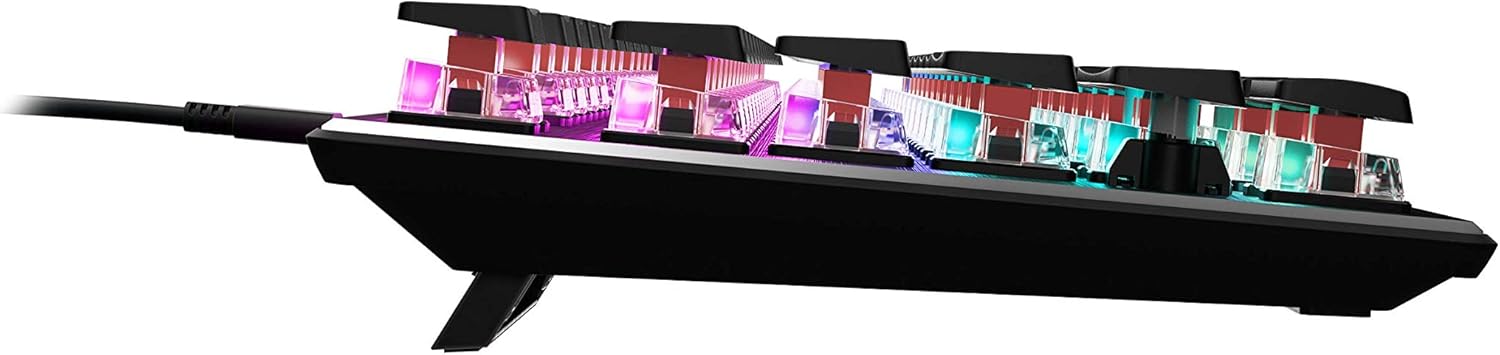
Imej 4.4: Pro sampinganfile of the keyboard demonstrating its low-profile reka bentuk.
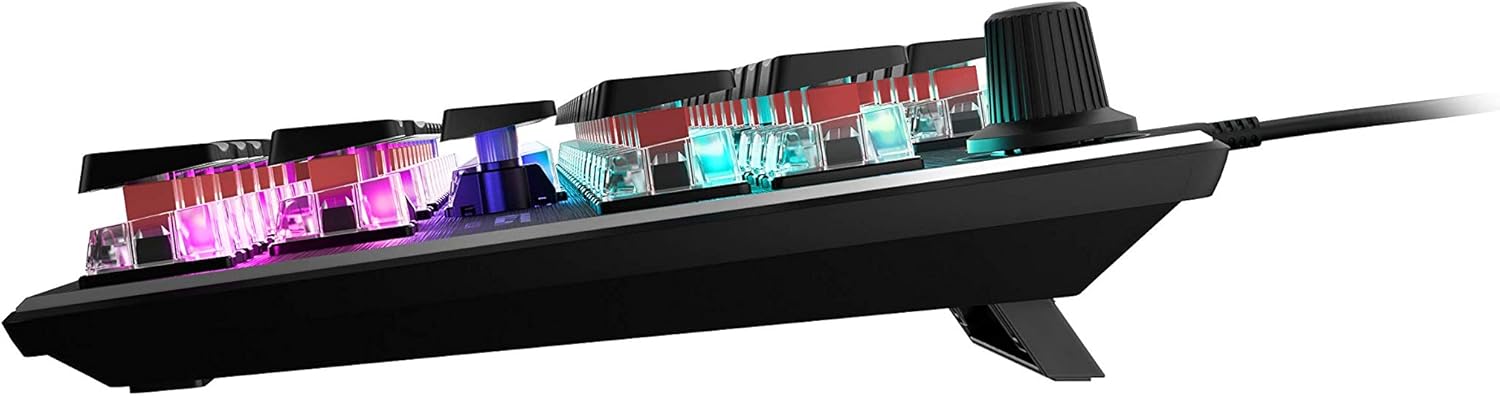
Imej 4.5: Sisi view showing the keyboard's adjustable feet for ergonomic tilt.
5. Penyelenggaraan
Penyelenggaraan yang betul memastikan jangka hayat dan prestasi optimum papan kekunci anda.
- Membersihkan Papan Kekunci: Regularly clean the keyboard surface and between keycaps to prevent dust and debris buildup. Use a soft, lint-free cloth, slightly dampened with water or a mild cleaning solution. For deeper cleaning, you may carefully remove keycaps (refer to online guides for safe keycap removal for your specific switch type) and use compressed air to clear debris. Ensure the keyboard is disconnected from your PC before cleaning.
- Penjagaan Kabel: The detachable USB-C cable should be handled with care. Avoid sharp bends or excessive pulling to prevent damage to the cable or the keyboard's port.
- Storan: Apabila tidak digunakan untuk tempoh yang lama, simpan papan kekunci dalam persekitaran yang bersih dan kering jauh daripada suhu yang melampau.
6. Penyelesaian masalah
If you encounter issues with your ROCCAT Vulcan TKL keyboard, try the following troubleshooting steps:
- Papan Kekunci Tidak Membalas:
- Ensure the USB-C cable is securely connected to both the keyboard and your PC.
- Cuba sambungkan papan kekunci ke port USB lain pada PC anda.
- Test the keyboard on another computer to determine if the issue is with the keyboard or your PC.
- Mulakan semula komputer anda.
- Keys Double-Typing or Not Registering:
- Ensure the keyboard firmware is up to date via the ROCCAT Swarm software.
- Clean the affected key switches using compressed air to remove any debris.
- If the issue persists, it may indicate a hardware fault. Refer to the Warranty and Support section.
- Isu Pencahayaan RGB:
- Verify that the ROCCAT Swarm software is running and the keyboard is detected.
- Check lighting settings within Swarm to ensure desired effects are enabled.
- Update the keyboard's firmware through Swarm.
- ROCCAT Swarm Software Not Detecting Keyboard:
- Ensure the keyboard is properly connected to your PC.
- Restart the Swarm software.
- Pasang semula perisian ROCCAT Swarm.
- Periksa sebarang perisian atau pemacu yang bercanggah.
7. Spesifikasi
| Jenama | Roccat |
| Nama Model | Vulcan TKL |
| Nombor Model | ROC-12-274 |
| Teknologi Ketersambungan | USB-C (Boleh Ditanggalkan) |
| Penerangan Papan Kekunci | Papan Kekunci Permainan Mekanikal |
| Jenis Suis | Suis Titan Mekanikal (Linear) |
| Pencahayaan | Pencahayaan RGB AIMO setiap kekunci |
| bahan | Plat Atas Aluminium Anodized |
| Dimensi (LxWxH) | 14.17 x 5.25 x 1.34 inci (36 x 13.3 x 3.4 cm) |
| Berat Barang | 2.2 paun (1 kg) |
| Peranti Serasi | PC |
| Ciri Khas | Ergonomic, Tenkeyless Design |
8. Maklumat Waranti
ROCCAT products are covered by a manufacturer's warranty against defects in materials and workmanship. The specific terms and duration of your warranty may vary by region and product. Please retain your proof of purchase for warranty claims.
For detailed warranty information, please visit the official ROCCAT support webtapak.
9. Sokongan
For further assistance, technical support, or to download the latest drivers and software, please visit the official ROCCAT support webtapak:
Anda juga boleh mencari Soalan Lazim dan forum komuniti di halaman sokongan.