
1. Pengenalan
1.1 Produk Selesaiview
The Renkforce RF-HC-100 is a compact 16-megapixel trail camera designed for outdoor monitoring. It features a time-lapse function, night vision capabilities, and a durable, camouflage brown housing. This camera is suitable for wildlife observation, property surveillance, and other outdoor recording needs.
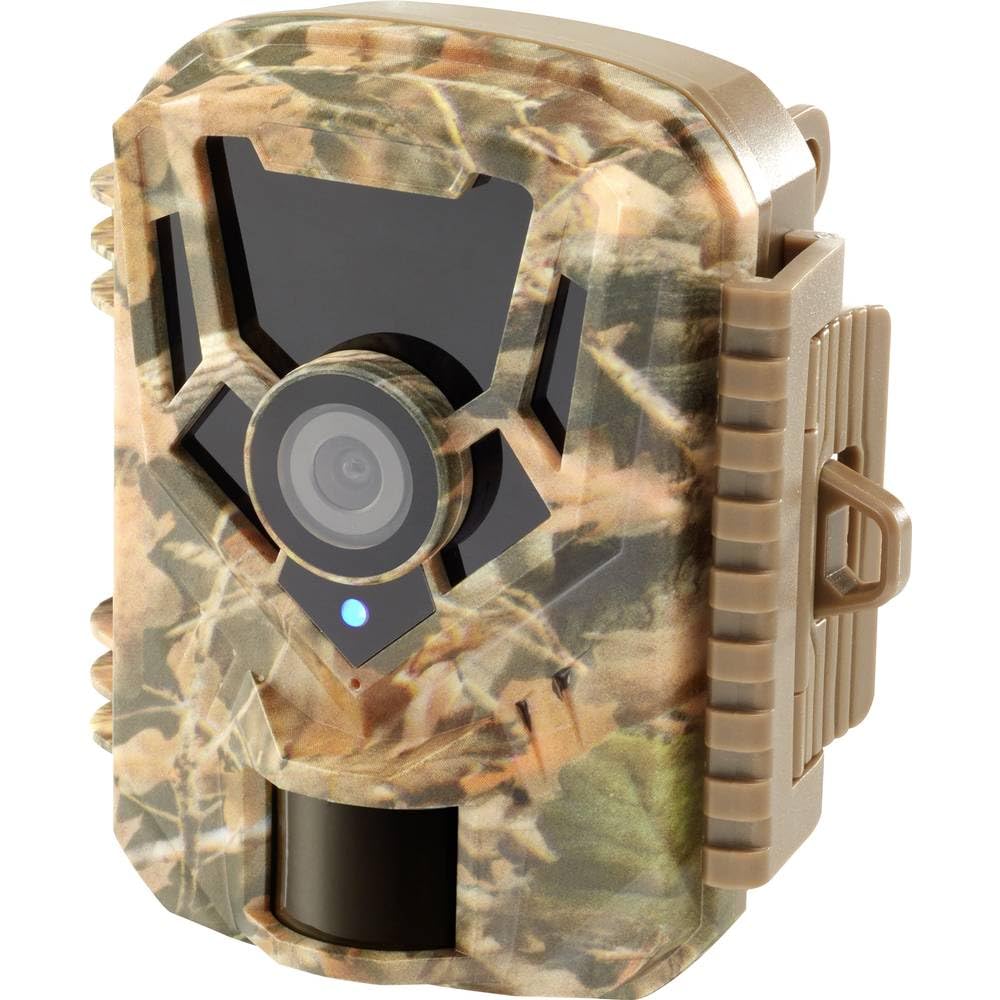
Imej: Bahagian hadapan view of the Renkforce RF-HC-100 Trail Camera, showcasing its compact design and camouflage pattern.

Imej: Depan view of the Renkforce RF-HC-100 Trail Camera, highlighting the main lens and motion sensor.
1.2 Kandungan Pakej
- 1 x Renkforce RF-HC-100 Trail Camera Unit
- Note: Additional accessories such as mounting straps, USB cables, or user manuals may be included depending on the specific package.
2. Maklumat Keselamatan
- Baca semua arahan dengan teliti sebelum mengendalikan peranti.
- Do not expose the camera to extreme temperatures, direct sunlight for prolonged periods, or corrosive liquids.
- Ensure the battery compartment is properly sealed to maintain the IP65 weather resistance.
- Dispose of batteries according to local regulations. Do not mix old and new batteries or different types of batteries.
- Jauhkan peranti daripada capaian kanak-kanak.
- Jangan cuba membuka atau mengubah suai kamera, kerana ini akan membatalkan jaminan dan boleh menyebabkan kerosakan.
3. Ciri-ciri Produk
The Renkforce RF-HC-100 Trail Camera offers the following key features:
- Pengimejan Resolusi Tinggi: 16 Megapixel effective capture resolution for clear photos and 1080p video recording.
- Penglihatan Malam: Equipped with color night vision for monitoring in low-light conditions.
- Fungsi Selang Masa: Capture images at set intervals to observe long-term events.
- Slot Kad SD: Supports external SD cards for ample storage of photos and videos.
- Rintangan Cuaca: IP65 international protection rating ensures durability in various outdoor environments.
- Reka bentuk padat: Miniature form factor with a camouflage brown finish for discreet placement.
- Sudut Lebar View: Sudut 90 darjah view to cover a broad area.
- Ketersambungan: Features wired connectivity (USB, AV ports) and Wi-Fi protocol for data transfer and control via application.
- Pilihan Pemasangan: Includes support for wall mounting.
4. Persediaan
4.1 Pemasangan Bateri
- Buka perumah kamera dengan mencabut klip sisi.
- Cari petak bateri.
- Insert the required number of AA batteries (not included) according to the polarity markings (+/-).
- Tutup petak bateri dengan selamat.
4.2 Pemasangan Kad SD
- Dengan perumah kamera terbuka, cari slot kad SD.
- Insert a compatible SD card (up to 32GB, Class 10 recommended) into the slot with the metal contacts facing down until it clicks into place.
- To remove, push the SD card in again until it springs out.

Image: The Renkforce RF-HC-100 Trail Camera with its housing open, revealing the control panel, USB, AV, and DC ports, and the ON/SETUP/OFF switch.
4.3 Memasang Kamera
The camera can be mounted using a strap or a wall mount bracket (if included or purchased separately).
- Pemasangan Tali: Thread a mounting strap through the slots on the back of the camera and secure it to a tree or pole.
- Pemasangan Dinding: Use the integrated mounting points or a compatible wall mount bracket to attach the camera to a flat surface. Ensure the camera is stable and pointed in the desired direction.
5. Arahan Operasi
5.1 Kuasa Hidup/Mati dan Pemilihan Mod
Locate the ON/SETUP/OFF switch inside the camera housing.
- MATI: Mematikan kamera.
- PENYEDIAAN: Enters setup mode, allowing you to configure settings via the internal display.
- ON: Activates the camera for recording based on the configured settings.
5.2 Mengkonfigurasi Tetapan
In SETUP mode, use the navigation buttons (if available) to access the menu and adjust parameters such as:
- Resolusi Foto/Video
- Kepekaan Penderia PIR
- Kelewatan Pengesanan
- Selang Masa Selang
- Tarikh dan Masa
- Recording Mode (Photo, Video, Photo+Video, Time-Lapse)
5.3 Mendapatkan Data
Untuk mengakses rakaman files:
- Melalui USB: Connect the camera to a computer using a USB cable. The camera will appear as a removable disk.
- Melalui Kad SD: Remove the SD card from the camera and insert it into a computer's card reader.
6. Penyelenggaraan
- Pembersihan: Use a soft, dry cloth to clean the camera lens and housing. For stubborn dirt, a slightly damp kain boleh digunakan, tetapi pastikan tiada kelembapan memasuki peranti.
- Penggantian Bateri: Gantikan bateri apabila penunjuk bateri rendah muncul atau apabila prestasi merosot.
- Pengurusan Kad SD: Regularly format the SD card (after backing up important data) to maintain optimal performance and prevent errors.
- Storan: When not in use for extended periods, remove batteries and store the camera in a cool, dry place away from direct sunlight.
7. Penyelesaian masalah
| Masalah | Kemungkinan Punca | Penyelesaian |
|---|---|---|
| Kamera tidak dihidupkan. | Low or dead batteries; incorrect battery installation; power switch in OFF position. | Replace batteries; ensure correct polarity; set switch to ON or SETUP. |
| Kualiti imej/video yang lemah. | Kanta kotor; keadaan cahaya malap; tetapan resolusi yang salah. | Clean the lens; ensure adequate lighting or use night vision; adjust resolution settings. |
| Kamera tidak merakam. | SD card full or faulty; incorrect mode selected; PIR sensor blocked. | Format or replace SD card; select appropriate recording mode; clear sensor path. |
| Tidak boleh menyambung ke komputer. | Faulty USB cable; camera not in correct mode; driver issues. | Try a different USB cable; ensure camera is in connection mode (if applicable); try another computer or card reader. |
8. Spesifikasi
| Nama Model | RF-HC-100 (RF-4466574) |
| Effective Capture Resolution | 16 Megapiksel |
| Resolusi Video | 1080p |
| Dimensi (L x W x H) | 21 x 12 x 9 cm (8.27 x 4.72 x 3.54 inci) |
| Berat badan | 186 Gram (0.41 lbs) |
| Teknologi Ketersambungan | Wired (USB, AV), Wi-Fi Protocol (for control/transfer) |
| Ciri Khas | Local Recording, Night Vision (Color Night Vision) |
| Persekitaran Penggunaan | Luar |
| Penilaian Perlindungan Antarabangsa | IP65 |
| Sumber Kuasa | Manual Operation (Battery-powered, batteries not included) |
| Wattage | 1.5 Watt |
| View sudut | 90 Darjah |
| warna | Camouflage Brown |
| bahan | Metal (internal) |
| Jenis Gunung | Sokongan Pemasangan Dinding |
9. Waranti dan Sokongan
Renkforce provides support for its products. Spare parts availability is indicated for 1 year from the date of purchase. For technical assistance, troubleshooting beyond this manual, or warranty claims, please refer to the contact information provided with your product packaging or visit the official Renkforce webtapak.


