
GOKOO B08FMBHSWD
GOKOO Smart Watch B08FMBHSWD User Manual
pengenalan
This manual provides essential information for the proper setup, operation, and maintenance of your GOKOO Smart Watch B08FMBHSWD. Please read it thoroughly before using the device to ensure optimal performance and longevity.
The GOKOO Smart Watch is a versatile fitness tracker and smartwatch designed to monitor various health metrics and assist with daily activities. It features a full touch screen, heart rate and blood oxygen monitoring, sleep tracking, multiple sports modes, and notification capabilities.
Produk Selesaiview
The GOKOO Smart Watch B08FMBHSWD is equipped with advanced features to support your active lifestyle and health monitoring needs.
- All-day Activity Tracking: Records steps, calories, and mileage. Supports 10 sports modes including walking, running, yoga, and swimming.
- Pemantauan Kesihatan Komprehensif: Continuously monitors heart rate and blood oxygen levels. Features automatic sleep tracking, breathing training, and sedentary reminders.
- Reka Bentuk Tahan Lama dan Kalis Air: IP68 waterproof rating suitable for daily use and swimming.
- Paparan Boleh Disesuaikan: 1.3-inch round high-definition screen with personalized UI interfaces.
- Pemberitahuan Pintar: Synchronizes messages and allows management of incoming calls.
- Hayat Bateri yang Panjang: Up to 10 days of usage on a single charge (200MA battery).
- Keserasian Luas: Works with Android 5.0+ and iOS 9.0+ devices.

Figure 1: GOKOO Smart Watch highlighting its design and core functionalities.
Persediaan
1. Mengecas Peranti
Before initial use, fully charge your GOKOO Smart Watch. Connect the magnetic charging cable to the charging contacts on the back of the watch and plug the USB end into a power adapter (not included) or a computer's USB port. The watch display will indicate charging status.
A full charge typically takes approximately 2 hours and provides up to 10 days of usage, depending on individual use patterns.

Figure 2: Illustration of the watch's IP68 waterproof capability and its extended battery life.
2. Pemasangan Apl dan Berpasangan
- Muat turun Apl: Cari untuk the official GOKOO companion app in your smartphone's app store (Apple App Store for iOS, Google Play Store for Android).
- Pasang dan Daftar: Pasang aplikasi dan ikut arahan pada skrin untuk membuat akaun atau log masuk.
- Dayakan Bluetooth: Pastikan Bluetooth didayakan pada telefon pintar anda.
- Pasangkan Jam Tangan: Open the GOKOO app, navigate to the device pairing section, and select your GOKOO Smart Watch from the list of available devices. Confirm the pairing request on both your phone and the watch if prompted.
- Berikan Kebenaran: Benarkan kebenaran yang diperlukan (cth., pemberitahuan, lokasi, data kesihatan) agar aplikasi berfungsi dengan betul.
The watch will synchronize its language with your phone upon successful connection.
Arahan Operasi
1. Navigasi Asas
- Skrin Sentuh: The watch features a full touch screen for interaction.
- Leret ke atas/bawah: Tatal melalui menu dan pemberitahuan.
- Leret Kiri/Kanan: Akses widget atau fungsi pantas yang berbeza.
- Ketik: Pilih item atau sahkan tindakan.
- Butang Sisi: Typically used to return to the home screen or activate/deactivate the display.

Figure 3: The watch interface displaying multiple functions and touch screen interaction methods.
2. Penjejakan Aktiviti
The watch automatically tracks your daily steps, calories burned, and distance traveled. For specific activities, you can select from 10 sports modes:
- berjalan
- Berlari
- Yoga
- Berenang
- Berbasikal
- Mendaki
- Bola keranjang
- bola sepak
- Badminton
- Melangkau
To start a workout, navigate to the 'Sports' menu on your watch, select the desired activity, and tap to begin. The watch will record your exercise data, which can be reviewed in the companion app.

Figure 4: The watch interface showing available sports monitoring modes.

Figure 5: The watch tracking an outdoor run, displaying distance, calories, and a trajectory map.
3. Pemantauan Kesihatan
- Kadar Jantung: Jam tangan ini sentiasa memantau kadar denyutan jantung anda. View data masa nyata pada jam tangan atau data sejarah terperinci dalam aplikasi.
- Oksigen Darah (SpO2): Monitor your blood oxygen levels throughout the day.
- Penjejakan Tidur: The watch automatically records your sleep quality, including deep sleep, light sleep, and wake times. Review sleep patterns in the app to help adjust your habits.
- Latihan Pernafasan: Access guided breathing exercises on the watch to help reduce stress and improve relaxation.
- Peringatan Sedentari: Set reminders in the app to prompt you to move after periods of inactivity.

Figure 6: The watch displaying real-time heart rate and blood oxygen data during exercise.
4. Pemberitahuan dan Ciri Pintar
Once paired with your smartphone, the GOKOO Smart Watch can display notifications for incoming calls, messages, and various app alerts. You can read messages directly on your wrist and manage incoming calls (answer/reject) without reaching for your phone.
- Pengurusan Panggilan: Swipe on the watch screen to accept or reject incoming calls.
- Paparan Mesej: View text messages and app notifications.
- Ramalan cuaca: Access current weather information.
- Kawalan Muzik: Kawal main balik muzik pada telefon pintar anda.
- Jauh Kamera: Gunakan jam tangan sebagai pengatup jauh untuk kamera telefon anda.
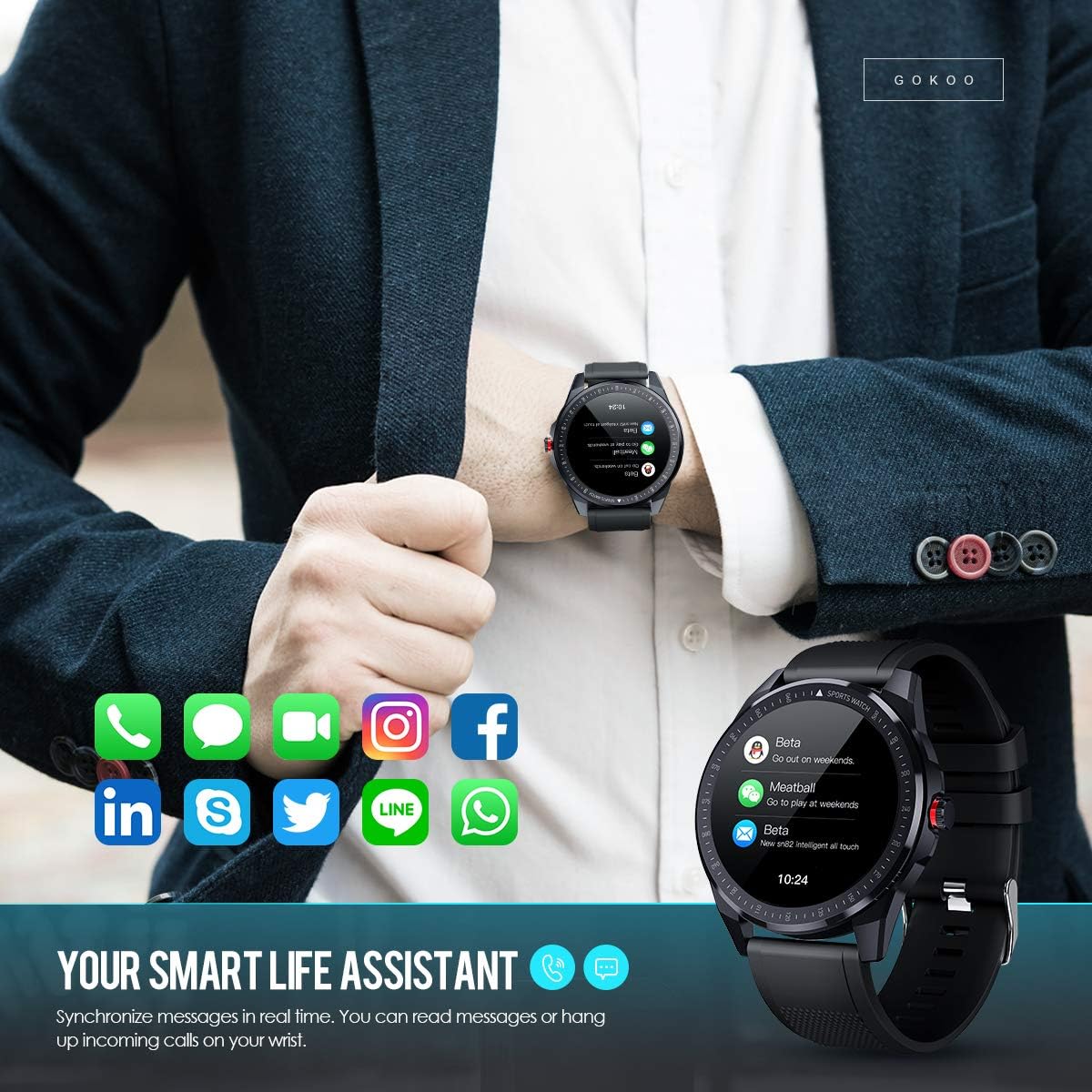
Figure 7: The watch showing synchronized notifications from a smartphone.
5. Penyesuaian
The GOKOO Smart Watch allows for personalization of its interface. You can select from various pre-installed watch faces or download additional styles through the companion app to match your preference.
Penyelenggaraan
1. Pembersihan
Regularly clean your watch and strap to prevent skin irritation and maintain device hygiene. Use a soft, lint-free cloth. If necessary, slightly dampen kain dengan air. Elakkan menggunakan bahan kimia yang keras, pembersih yang melelas, atau semburan aerosol.
2. Garis Panduan Rintangan Air
The GOKOO Smart Watch has an IP68 waterproof rating, meaning it is resistant to dust and can withstand immersion in water up to 1.5 meters for 30 minutes. It is suitable for daily use, hand washing, rain, and swimming.
Penting: Do not use the watch in hot water baths, saunas, or during diving. High temperatures and high pressure can compromise the waterproof seals and cause damage.
3. Penjagaan Bateri
- Elakkan menyahcas sepenuhnya bateri dengan kerap.
- Charge the watch using the provided magnetic charging cable.
- Simpan jam tangan di tempat yang sejuk dan kering apabila tidak digunakan untuk tempoh yang lama.
Menyelesaikan masalah
- Tonton tidak dihidupkan: Pastikan jam tangan dicas sepenuhnya. Sambungkannya ke pengecas selama sekurang-kurangnya 30 minit.
- Tidak boleh berpasangan dengan telefon:
- Pastikan Bluetooth didayakan pada telefon anda.
- Pastikan jam tangan berada dalam julat Bluetooth telefon anda.
- Mulakan semula telefon dan jam tangan anda.
- Check if the app has necessary permissions.
- Data kesihatan tidak tepat: Pastikan jam tangan dipakai dengan kemas di pergelangan tangan anda, kira-kira satu jari selebar di atas tulang pergelangan tangan. Bersihkan sensor di bahagian belakang jam tangan.
- Pemberitahuan tidak muncul:
- Verify that notification permissions are granted in the app and your phone's settings.
- Pastikan jam tangan disambungkan melalui Bluetooth.
- Periksa sama ada mod 'Jangan Ganggu' aktif pada jam tangan atau telefon.
- Hayat bateri pendek: Reduce screen brightness, disable continuous heart rate monitoring if not needed, and limit the number of active notifications.
Spesifikasi
| Ciri | Perincian |
|---|---|
| Jenama | GOKOO |
| Model | B08FMBHSWD |
| Saiz Skrin | 1.3 Inci |
| Sistem Operasi | Android 5.0 atau lebih tinggi, iOS 9.0 atau lebih tinggi |
| Peranti Serasi | Telefon pintar |
| Hayat Bateri | Sehingga 10 hari (bergantung pada penggunaan) |
| Jenis Bateri | Polimer Litium |
| Tahan Air | IP68 |
| Kesambungan Wayarles | Bluetooth |
| Input Antara Muka Manusia | Skrin sentuh |
| Dimensi Produk | 27 x 5 x 1.08cm; 168g |

Figure 8: Detailed product dimensions of the GOKOO Smart Watch.
Waranti dan Sokongan
For warranty information or technical support, please refer to the contact details provided with your purchase or visit the official GOKOO website. If you require a copy of this manual or have any questions regarding your GOKOO Smart Watch B08FMBHSWD, please contact customer service.
Ask a question about this manual
Ask about setup, troubleshooting, compatibility, parts, safety, or missing instructions. Manuals+ will review the question and use this page’s manual context to help answer it.