
1. Pengenalan
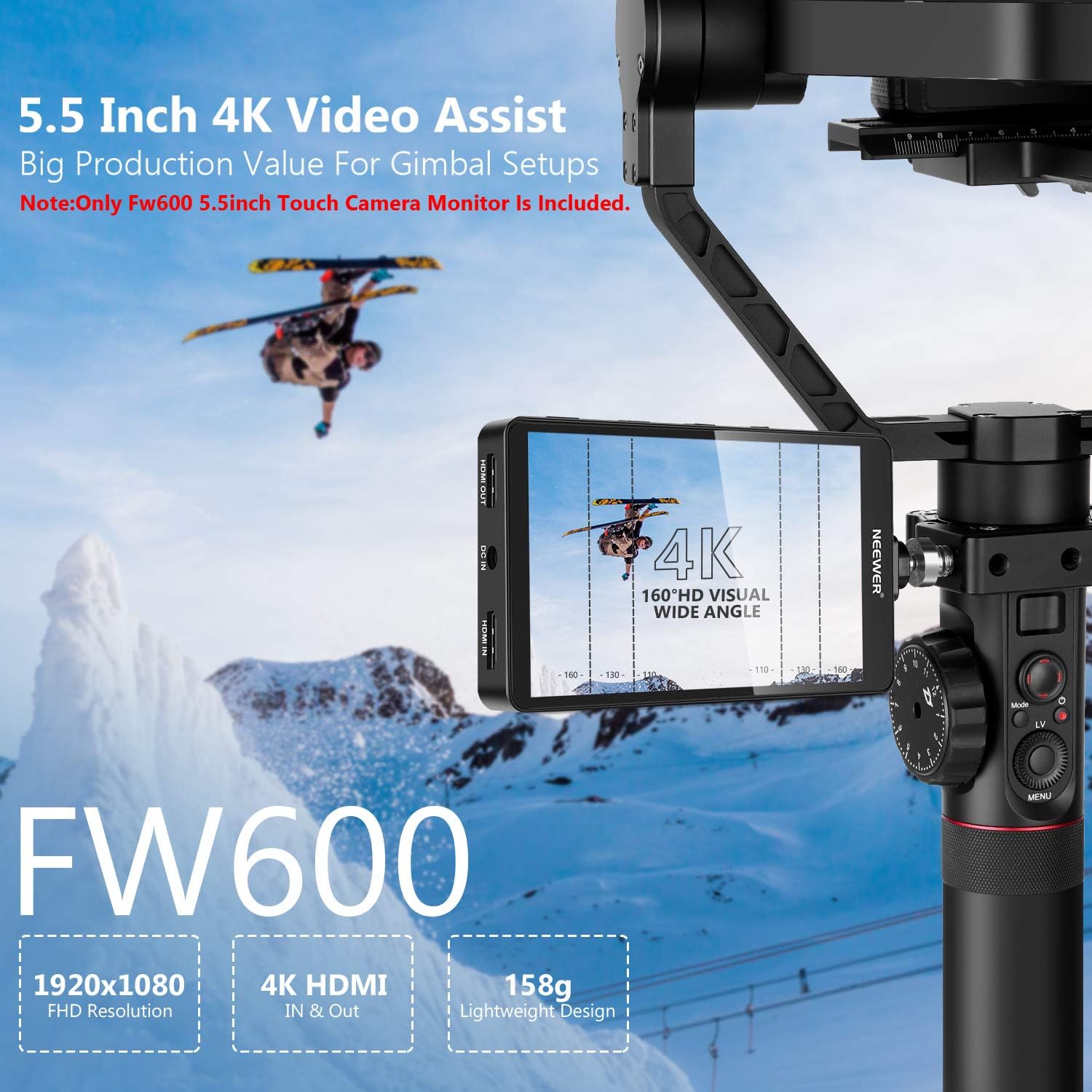
The NEEWER FW600 is a 5.5-inch Full HD 1920x1080 touch screen camera field monitor designed to enhance your video production workflow. It features 4K HDMI input/output, RGB waveform, vector scope, 3D-LUT support, and various video peaking focus assist functions. This manual provides detailed instructions for setup, operation, and maintenance of your FW600 monitor.
2. Maklumat Keselamatan
- Jangan dedahkan monitor kepada hujan atau kelembapan untuk mengelakkan renjatan elektrik atau kebakaran.
- Avoid direct sunlight exposure for extended periods, especially when not in use.
- Jangan buka unit ini. Rujuk semua servis kepada kakitangan yang berkelayakan.
- Use only power adapters and batteries specified by the manufacturer.
- Jauhkan monitor daripada medan magnet yang kuat.
- Bersihkan skrin dengan kain lembut dan kering. Elakkan menggunakan pembersih cecair.
3. Kandungan Pakej
Sahkan bahawa semua item yang disenaraikan di bawah disertakan dalam pakej anda:
- NEEWER FW600 5.5-Inch Monitor
- Teduhan Matahari
- Tilt Lengan
- Kain Microfiber
- U Disk (USB Flash Drive)
- HDMI Micro Cable
- Mini HDMI Cable
- Kabel OTG
- Kabel USB

4. Produk Lebihview
The FW600 monitor features a compact design with essential ports for connectivity and power. Understanding the layout of these components is crucial for proper operation.

4.1. Port dan Kawalan
- HDMI DALAM: Connects to your camera's HDMI output for video signal input.
- KELUAR HDMI: Provides a loop-out signal to another monitor or device.
- DC DALAM: Power input for external power sources (e.g., AC adapter, not included).
- 8V DC KELUAR: Power output to power compatible camera accessories.
- 3.5mm Earphone Slot: Untuk pemantauan audio.
- Peningkatan USB: Used for firmware updates and 3D-LUT loading.
- Plat Bateri: Located on the rear, compatible with Sony NP-F550/F970 series batteries.

5. Persediaan
5.1. Memasang Monitor
The FW600 monitor can be mounted using the included tilt arm or other compatible mounting solutions.
- Attach the tilt arm to the 1/4"-20 screw hole on the side of the monitor.
- Secure the tilt arm to your camera's hot shoe or a cage using its cold shoe mount.
- Laraskan sudut monitor untuk optimum viewing.
5.2. Menghidupkan Monitor
The FW600 can be powered by an NP-F series battery or an external DC power source.
- Using an NP-F Battery: Slide a compatible Sony NP-F550/F970 battery onto the battery plate on the rear of the monitor until it clicks into place.
- Menggunakan Kuasa DC: Connect a compatible DC power adapter (not included) to the "DC IN" port.
5.3. Menyambung ke Kamera
Connect your camera to the monitor using an HDMI cable.
- Ensure both the camera and monitor are powered off.
- Connect one end of the HDMI Micro Cable or Mini HDMI Cable (depending on your camera's port) to your camera's HDMI output.
- Connect the other end of the cable to the "HDMI IN" port on the FW600 monitor.
- Power on the monitor, then power on your camera. The camera's video feed should appear on the monitor.
6. Mengendalikan Monitor
6.1. Basic Operation and Menu Navigation
The FW600 features a touch screen for intuitive control. Tap the screen to access the main menu and adjust settings.

6.2. Ciri dan Fungsi Utama
The FW600 offers a range of professional monitoring tools:
- 3D-LUT: Load custom 3D Look-Up Tables for accurate color grading preview. Use the included U Disk and OTG cable to transfer LUT files.
- Bentuk gelombang: Displays the luminance and chrominance levels of your video signal, aiding in exposure control.
- Skop Vektor: Visualizes the color information of your image, helping to ensure accurate color balance.
- Peaking Focus Assist: Highlights in-focus areas with a selectable color, making it easier to achieve sharp focus.
- Warna Palsu: Assigns false colors to different exposure levels, providing a quick visual guide for correct exposure.
- Zebra: Overlays stripes on areas exceeding a set exposure threshold, indicating overexposed regions.
- Histogram: Shows the distribution of tonal values (brightness) in your image.
- Zum: Magnifies a portion of the image for critical focus checking.
- Flip Imej: Flips the image horizontally or vertically, useful for various mounting orientations.

6.3. Penyesuaian Kecerahan
The monitor features 450 cd/m² brightness, suitable for various lighting conditions. Adjust the brightness via the on-screen menu for optimal viewing.
6.4. Video Produk Rasmi
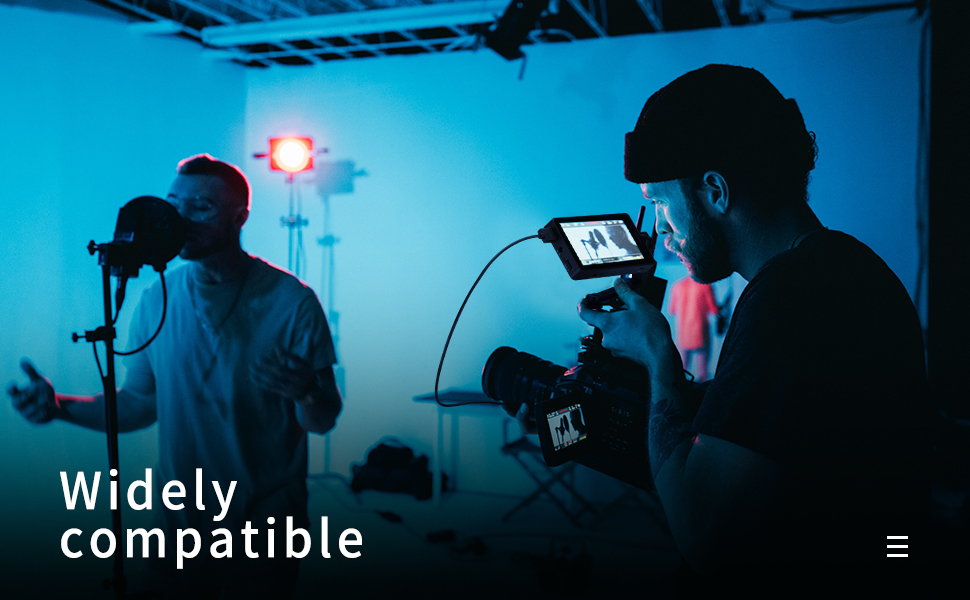
Watch this official video for a visual guide on the NEEWER FW600 Monitor's features and operation.
Video: An official product video demonstrating the features and usage of the NEEWER FW600 Monitor.
7. Penyelenggaraan
- Pembersihan: Use the provided microfiber cloth to gently wipe the screen and body of the monitor. Do not use abrasive cleaners or solvents.
- Storan: When not in use, store the monitor in a dry, dust-free environment. Use the sun shade to protect the screen during transport.
- Penjagaan Bateri: If using batteries, remove them during long periods of inactivity to prevent leakage.
8. Penyelesaian masalah
| Masalah | Kemungkinan Punca | Penyelesaian |
|---|---|---|
| Tiada imej pada skrin. | Monitor not powered on; HDMI cable loose or incorrect input selected; camera not outputting signal. | Ensure monitor is powered on. Check HDMI cable connection. Verify camera HDMI output settings. Select correct input source on monitor. |
| Imej herot atau berkelip-kelip. | Faulty HDMI cable; incompatible resolution/frame rate; interference. | Try a different HDMI cable. Adjust camera output resolution/frame rate to match monitor's supported modes (up to 4K 30Hz). Move away from strong electromagnetic sources. |
| Skrin sentuh tidak bertindak balas. | Gangguan perisian sementara; skrin kotor. | Restart the monitor. Clean the screen with a microfiber cloth. |
| Monitor overheats and shuts off. | Prolonged use in high temperatures; poor ventilation. | Allow the monitor to cool down. Operate in a well-ventilated area. Reduce screen brightness if possible. |
| Cannot load 3D-LUTs. | tak betul file format; USB connection issue. | Pastikan LUT files are in a compatible format (e.g., .cube). Verify the OTG cable and U Disk connection. Refer to the specific LUT loading instructions in the monitor's full manual (if available). |
9. Spesifikasi
| Ciri | Perincian |
|---|---|
| Saiz Skrin | 5.5 Inci |
| Resolusi | 1920x1080 (FHD 1080p) |
| Jenis Paparan | LCD, IPS Panel |
| Kecerahan | 450 cd/m² |
| Nisbah Kontras | 2000:1 |
| Viewsudut | 160 Darjah |
| Nisbah Aspek | 16:10, 16:9, 4:3 |
| Kadar Segar Semula | 60 Hz |
| Ketersambungan | HDMI In, HDMI Out, DC In, 8V DC Out, 3.5mm Earphone, USB Upgrade |
| Input Kuasa | DC 7-24V (NP-F battery or external DC) |
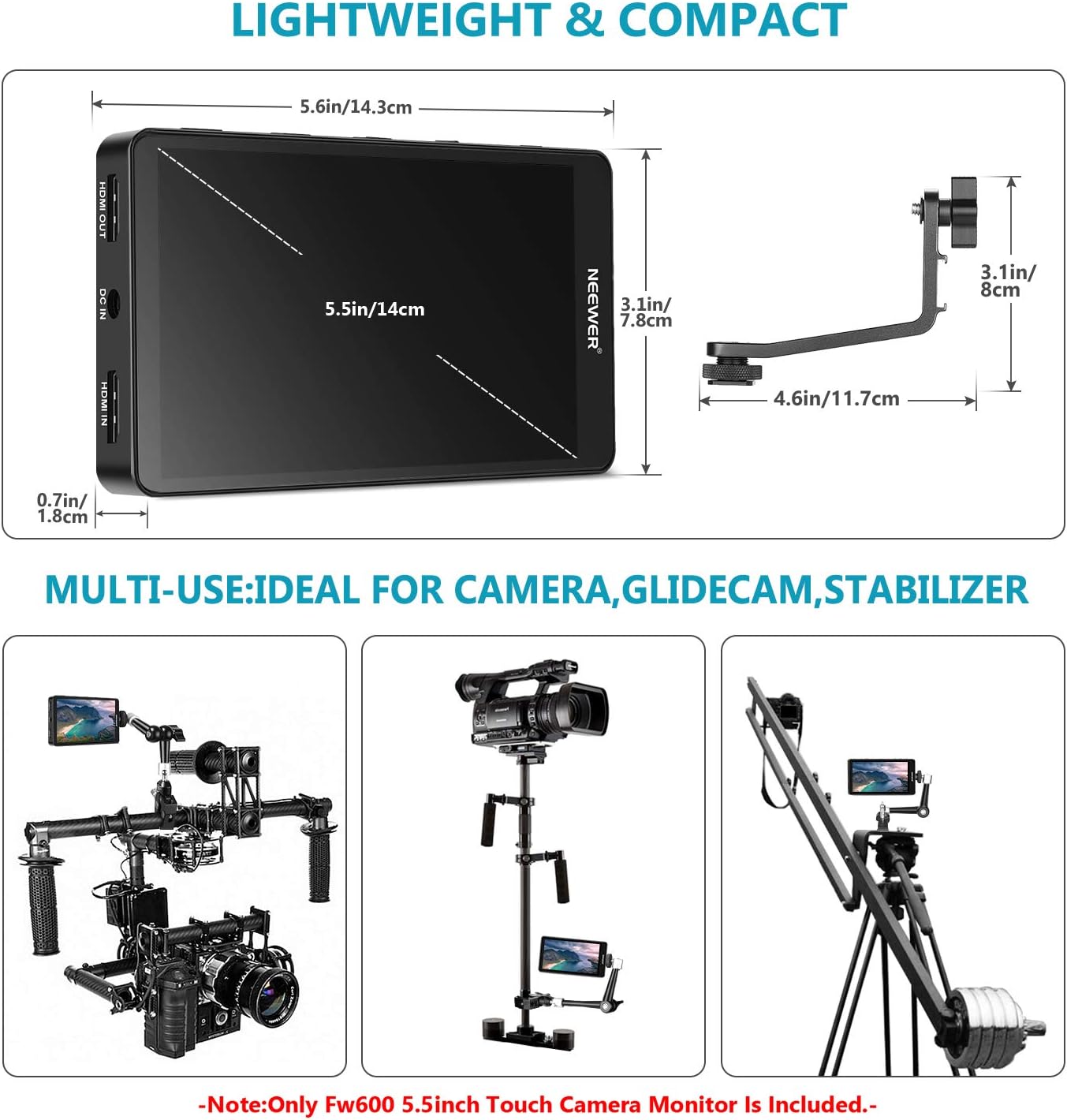
| Dimensi (D x W x H) | 0.7"D x 5.6"W x 3.1"H (1.8cm x 14.3cm x 7.8cm) |
| Berat badan | Approximately 158g (without battery) |
| Ciri Khas | Touchscreen, 3D-LUT, Waveform, Vector Scope, Histogram, Peaking Focus, False Color, Zebra, Zoom, Image Flip |
10. Waranti & Sokongan
NEEWER products typically come with a limited warranty. Please refer to the warranty card included with your product or visit the official NEEWER webtapak untuk terma dan syarat jaminan terperinci.
Sokongan Pelanggan
For technical assistance, troubleshooting, or service inquiries, please contact NEEWER customer support through their official website or the contact information provided in your product packaging. When contacting support, please have your product model (FW600) and purchase details ready.
Official NEEWER Webtapak: www.neewer.com