
pengenalan
This manual provides comprehensive instructions for the GOGUM Fitness Tracker, a versatile device designed to help you monitor various aspects of your health and fitness. It tracks heart rate, SpO2 (blood oxygen), blood pressure, and sleep patterns, and offers 11 distinct sport modes. The device is also IP68 waterproof, making it suitable for various activities.
Please read this manual thoroughly before using your fitness tracker to ensure proper operation and to maximize its benefits.

Figure 1: GOGUM Fitness Tracker
Persediaan
1. Mengecas Peranti
The GOGUM Fitness Tracker features a cordless USB charging mode. Simply remove the strap by the silver bar to reveal the USB connector. Insert the USB connector into any standard USB port (e.g., computer, wall adapter) for charging. A full charge typically takes about 1 hour, providing a standby time of 5-7 days.
2. App Compatibility and Connection
The fitness tracker is compatible with Android 4.4 and above, and iOS 9.0 and above smartphone systems. Download the companion 'H Band' application from your device's app store. Ensure Bluetooth is enabled on your smartphone. Open the 'H Band' app, navigate to the device connection section, and select 'Y91' to pair. Allow any requested permissions for full functionality.
Arahan Operasi
1. Health Monitoring Functions
The tracker offers comprehensive health monitoring:
- Pemantauan Denyut Jantung: The device automatically tracks real-time heart rate throughout the day.
- Pemantauan SpO2 (Oksigen Darah): People with sleep concerns can use this feature to record blood-oxygen levels during the night.
- Pemantauan Tekanan Darah: Memberi bacaan tekanan darah.
- HRV (Heart Rate Variability) Monitoring: Press your finger on the touch area for 20 seconds to record all-day HRV data.

Rajah 2: Ciri-ciri Pemantauan Kesihatan
2. Activity Tracking and Sport Modes
Accurately record activities such as steps, distance, calories burned, and exercise duration. Connect with your mobile's GPS to view your real-time route in the app. The tracker supports 11 sport modes:
- Basikal
- Berenang
- Outdoor (Cycle, Run, Walk)
- Indoor (Run, Walk)
- Pegun
- Mendaki
- Tangga Stepper
- Mesin Mendayung
- elips

Rajah 3: Penjejakan Aktiviti
3. Pemantauan Tidur
The updated sleep monitor tracks your sleep patterns throughout the day and night, recording data such as deep sleep, light sleep, and REM sleep in the companion app. It also provides insights into sleep quality and can help identify potential issues like sleep apnea by monitoring blood oxygen levels during sleep.

Figure 4: Sleep Function Display
4. Pemberitahuan dan Peringatan
Customize over 20 types of reminders in the app, including call and message alerts, alarm clocks, sedentary reminders, and drinking reminders.

Figure 5: Smart Notifications and Reminders
5. ECG/PPG Tracker
The device includes ECG and PPG tracking capabilities for advanced health insights.
Penyelenggaraan
1. Penilaian Kalis Air
The GOGUM Fitness Tracker has an IP68 waterproof rating, allowing you to wear it while swimming, diving, or showering. However, it is recommended to remove the device before taking a hot bath to prevent potential damage from steam or high temperatures.
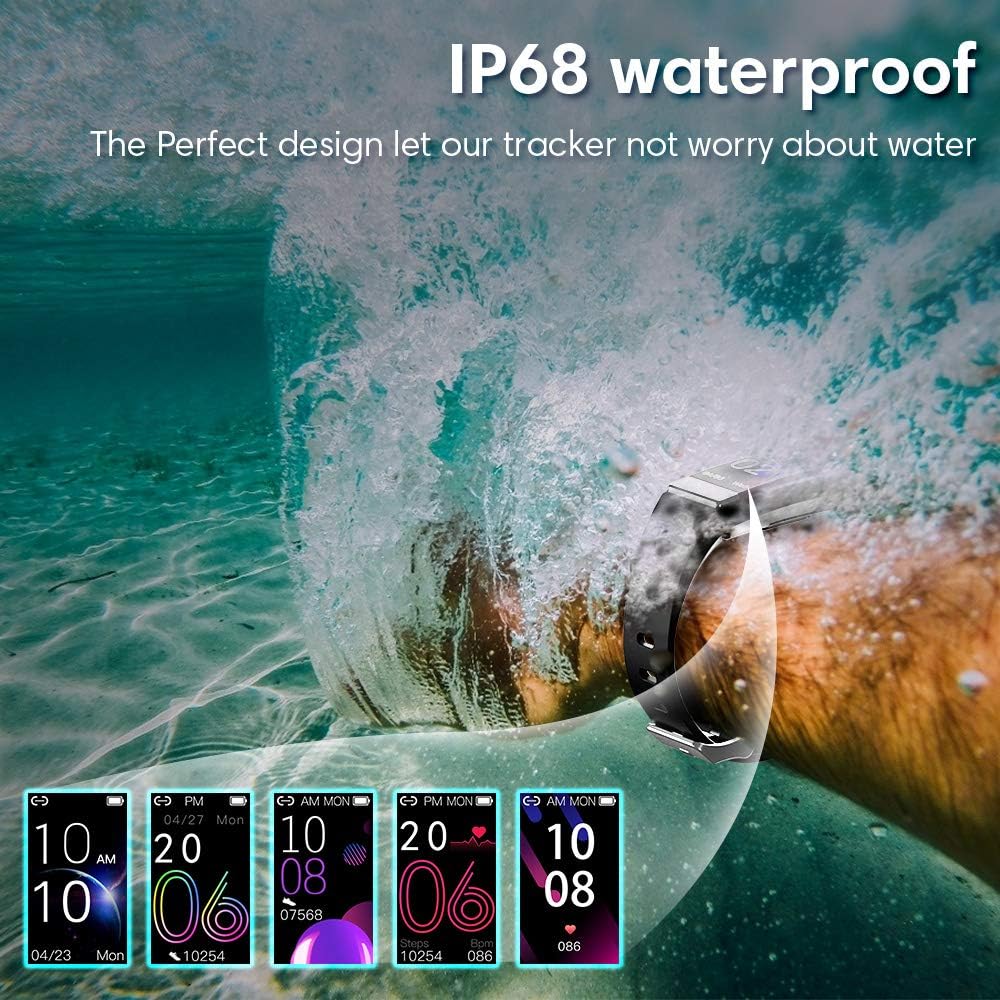
Rajah 6: Ciri Kalis Air IP68
2. Cleaning the Sensors
To ensure accurate readings, regularly clean the sensors on the back of the device with a soft, dry cloth. Avoid using abrasive materials or harsh chemicals.
Menyelesaikan masalah
If you encounter issues with your GOGUM Fitness Tracker, refer to the following common problems and solutions:
- Peranti tidak ditemui semasa penggandingan: Ensure Bluetooth is active on your smartphone and the tracker is within 0.5 meters (approximately 20 inches) of your phone. Check if the tracker has sufficient battery charge. If the issue persists, try restarting your phone's Bluetooth service or the phone itself.
- Inaccurate sleep recording: Ensure the tracker is worn snugly on your wrist during sleep. Clean the sensors on the back of the device. If the problem continues, try a factory reset of the tracker via the 'H Band' app.
- Heart Rate or Blood Pressure not recording: Ensure the tracker is positioned correctly on your wrist and the sensors are clean and in contact with your skin. If readings are inconsistent, try cleaning the sensors or performing a factory reset.
- General App Issues: If the 'H Band' app is not functioning correctly, try restarting the app, clearing its cache, or reinstalling it. Ensure your smartphone's operating system is up to date.
Spesifikasi
| Ciri | Spesifikasi |
|---|---|
| Dimensi Produk | 6.5 x 3.35 x 0.67 inci |
| Berat badan | 2.08 auns |
| Nombor Model | 761344014534 |
| Bateri | 1 bateri Polimer Litium (termasuk) |
| Pengeluar | GOGUM |
| Keserasian Sistem Pengendalian | Android 4.4+, iOS 9.0+ |
| Ciri-ciri Tambahan | Activity Tracker, Blood Pressure Monitor, GPS (connected), Heart Rate Monitor, Pedometer, Sleep Monitor, Time Display |
| Jenis Bahan Band | silikon |
| Jenis Bahan Sarung | plastik |
| Tahap Ketahanan Air | IP68 Waterproof (up to 1.5 meters) |
| Jenis Sukan | Diving, Fitness, Hiking, Swimming |
| Input Antara Muka Manusia | Butang |
| Metrik Diukur | Heart Rate, Sleep Duration, Blood Oxygen Monitor, Blood Pressure Monitor |
| Purata Hayat Bateri | 7 hari |
| Teknologi Ketersambungan | GPS (connected), USB, Bluetooth |
| Saiz Skrin | 0.96 Inci |
| Jenis Paparan | LCD |
Waranti dan Sokongan
Maklumat Waranti
The GOGUM Fitness Tracker comes with a limited warranty. Please refer to the product packaging or contact customer support for specific warranty terms and conditions.
Sokongan Pelanggan
For any questions, technical assistance, or support regarding your GOGUM Fitness Tracker, please contact the manufacturer, GOGUM. Contact details can typically be found on the product packaging or the official GOGUM webtapak.
Video Demonstrasi Produk
Video 1: Demonstration of GOGUM Fitness Tracker features and usage.