
WORKPRO W125051A
WORKPRO 20V Cordless Angle Grinder Kit User Manual
Model: W125051A | Brand: WORKPRO
1. Pengenalan dan Lebihview
The WORKPRO 20V Cordless Angle Grinder Kit is a versatile and portable power tool designed for grinding, cutting, and polishing various materials. Its cordless design offers freedom of movement for both indoor and outdoor applications. Equipped with a powerful 20V 4.0Ah Lithium-Ion battery and a fast charger, this tool ensures stable and long-lasting performance. This manual provides essential information for safe and effective operation, maintenance, and troubleshooting to help you achieve optimal results.

Figure 1.1: Complete WORKPRO 20V Cordless Angle Grinder Kit.
2. Maklumat Keselamatan Penting
Sentiasa baca dan fahami semua amaran dan arahan keselamatan sebelum mengendalikan alat kuasa ini. Kegagalan mematuhi amaran dan arahan boleh mengakibatkan renjatan elektrik, kebakaran dan/atau kecederaan serius.
2.1 Keselamatan Alat Kuasa Am
- Keselamatan Kawasan Kerja: Pastikan kawasan kerja anda bersih dan terang. Kawasan bersepah atau gelap mengundang kemalangan. Jangan kendalikan alatan kuasa dalam atmosfera yang mudah meletup, seperti di hadapan cecair mudah terbakar, gas atau habuk.
- Keselamatan Elektrik: Elakkan sentuhan badan dengan permukaan yang dibumikan atau dibumikan (cth, paip, radiator, julat, peti sejuk). Terdapat peningkatan risiko kejutan elektrik jika badan anda dibumikan atau dibumikan.
- Keselamatan Diri: Always wear eye protection. Use hearing protection when operating the tool for extended periods. Wear appropriate clothing; avoid loose clothing or jewelry. Keep hair, clothing, and gloves away from moving parts.
- Penggunaan dan Penjagaan Alat: Jangan paksa alat kuasa. Gunakan alat kuasa yang betul untuk aplikasi anda. Ia akan melakukan kerja dengan lebih baik dan lebih selamat pada kadar yang ia direka bentuk. Putuskan sambungan pek bateri daripada alat kuasa sebelum membuat sebarang pelarasan, menukar aksesori atau menyimpan alatan kuasa.
2.2 Keselamatan Pengisar Sudut Tertentu
- Sentiasa gunakan pelindung yang disediakan bersama alat ini. Pastikan pelindung dipasang dengan selamat dan diletakkan di tempat yang betul untuk keselamatan maksimum.
- Use only grinding wheels and cutting discs that are specifically designed for an angle grinder and are rated for the tool's maximum RPM.
- Selamatkan bahan kerja. Gunakan clamps or a vise to hold the workpiece firmly. This frees both hands to operate the tool safely.
- Kekalkan cengkaman yang kukuh pada alat dengan kedua-dua tangan semasa operasi.
- Be aware of kickback. Kickback is a sudden reaction to a pinched or snagged rotating wheel. Always maintain proper footing and balance.
3. Kandungan Pakej
Your WORKPRO 20V Cordless Angle Grinder Kit includes the following components:
- 1 x Cordless Angle Grinder
- 1 x Bateri Litium-Ion 4.0Ah
- 1 x Pengecas Cepat
- 1 x Rubberized 3-Position Anti-Slip Auxiliary Handle
- 1 x Grinding Wheel Protector
- 1 x Cutting Wheel Protector
- 5 x Metal Cutting Wheels (4-1/2”)
- 5 x Grinding Wheels (4-1/2”)
- 1 x Spanar

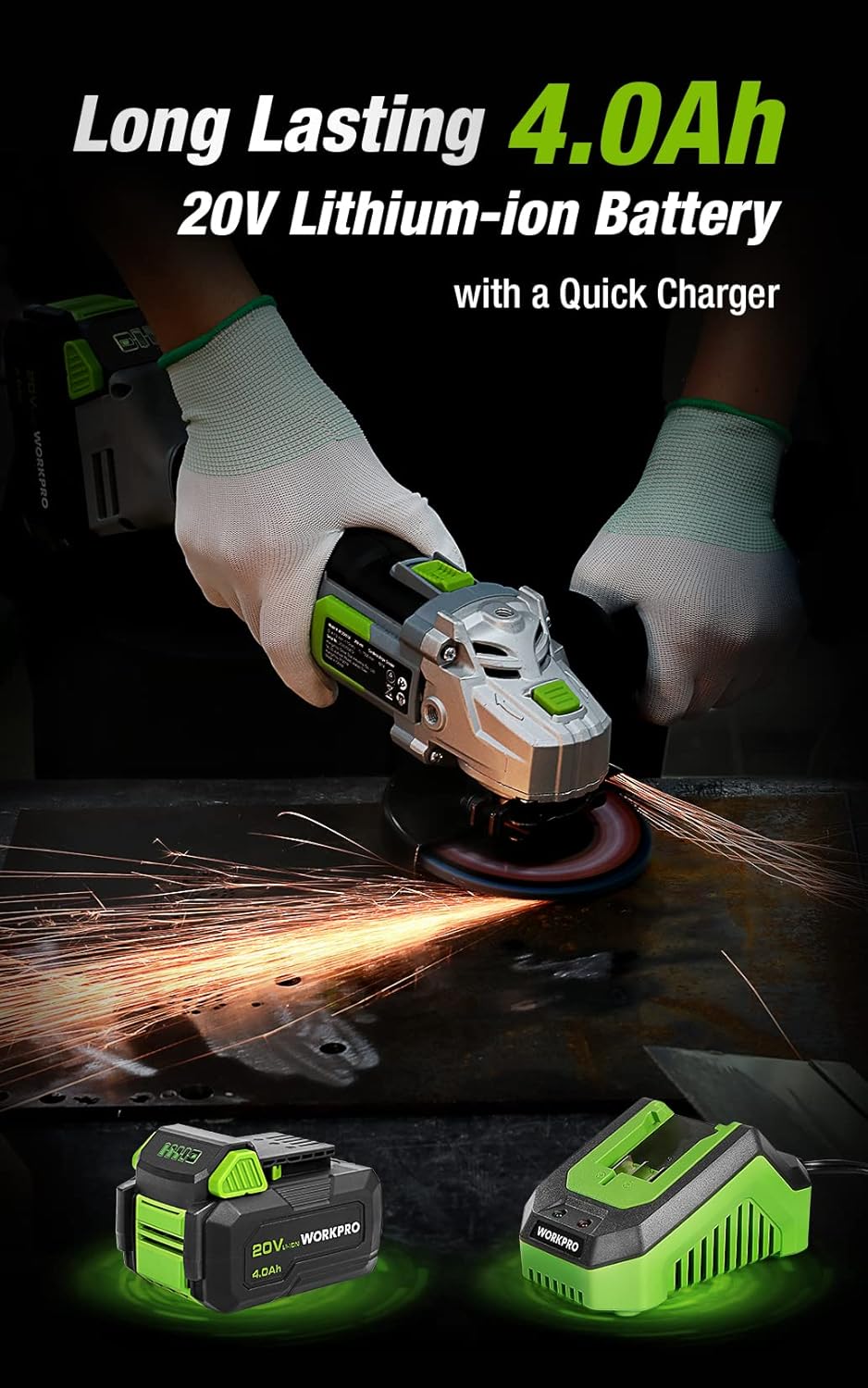
Figure 3.1: Included discs, guards, and spanner. Figure 3.2: 4.0Ah Lithium-Ion Battery and Fast Charger.
Video 3.1: Tamatview of the WORKPRO 20V Cordless Angle Grinder Kit and its components.
4. Persediaan
4.1 Memasang Pemegang Bantu
The auxiliary handle can be installed in three different positions (left, right, or top) to provide optimal comfort and control for various tasks and user preferences. Simply screw the handle into the desired threaded opening on the grinder head.

Figure 4.1: The 3-position anti-slip auxiliary handle for enhanced ergonomics.
4.2 Installing Wheel Guards
Select the appropriate wheel guard (grinding or cutting) for your task. The guards feature a quick-installation mechanism that does not require additional tools. Align the guard with the grinder head and snap it into place, ensuring it is securely fastened and positioned to deflect sparks and debris away from you.
4.3 Installing Grinding/Cutting Discs
- Ensure the battery is removed from the grinder.
- Press and hold the spindle lock button located on the grinder head.
- Letakkan bebibir dalam pada gelendong.
- Position the desired grinding or cutting disc onto the spindle, ensuring it sits flush against the inner flange.
- Place the outer flange onto the spindle, on top of the disc.
- Use the provided spanner to tighten the outer flange clockwise until the disc is securely fastened. Release the spindle lock.
4.4 Mengecas Bateri
Before first use, fully charge the 4.0Ah Lithium-Ion battery. Connect the fast charger to a standard power outlet. Slide the battery pack onto the charger until it clicks into place. The charger's indicator light will show the charging status (e.g., red for charging, green for fully charged). Once fully charged, remove the battery from the charger.
Video 4.1: Demonstrates the quick installation of the guard and disc, and battery charging process.
5. Arahan Operasi
5.1 Menghidupkan/Mematikan
The angle grinder features an ergonomic two-step operational switch located in the center of the top for convenient access by both left- and right-handed users. To turn the tool ON, push the switch forward and then up. To turn the tool OFF, simply push the switch down.

Figure 5.1: The two-step operational switch for safe and convenient use.
5.2 Grinding Operations
For grinding tasks, ensure the grinding wheel protector is installed and a grinding disc is securely attached. Hold the grinder firmly with both hands, maintaining a stable stance. Apply light, even pressure to the workpiece, allowing the 7500 RPM speed to do the work. Move the grinder smoothly across the surface to achieve desired results. The tool's lightweight design (3.5 pounds without battery) helps reduce hand pressure during extended use.


Figure 5.2: Grinding metal with the WORKPRO Angle Grinder, demonstrating sparks and stable operation.
5.3 Operasi Memotong
When cutting, use the cutting wheel protector and a suitable cutting disc. Position the workpiece securely. Start the grinder before making contact with the material. Guide the disc through the material with steady, controlled movements. Avoid twisting or binding the disc, which can cause kickback. The tool's ergonomic design and rubberized grip provide a better user experience during cutting tasks.
Video 5.1: Demonstrates metal grinding and cutting, as well as PVC cutting, highlighting flexible use.
6. Penyelenggaraan
Regular maintenance ensures the longevity and optimal performance of your WORKPRO Angle Grinder.
6.1 Pembersihan
- Selepas setiap penggunaan, bersihkan alat tersebut dengan kain lembut dan kering.
- Periodically clear dust and debris from the ventilation openings to ensure proper heat dissipation. The grinder features a stereo circulating heat dissipation system with multiple vents for more uniform heat dissipation.
- Jangan gunakan air atau pembersih kimia.

Figure 6.1: Stereo Circulating Heat Dissipation through multiple vents.
6.2 Penjagaan Bateri
- Simpan bateri di tempat yang sejuk dan kering jauh dari cahaya matahari langsung dan suhu yang melampau.
- Do not store fully discharged batteries for long periods. Recharge them periodically.
- Avoid exposing the battery to moisture or water.
6.3 Disc Inspection and Replacement
- Inspect grinding and cutting discs before each use for cracks, chips, or excessive wear. Replace damaged or worn discs immediately.
- Always use the correct type and size of disc for your application.
7. Penyelesaian masalah
Bahagian ini menangani isu biasa yang mungkin anda hadapi dengan pengisar sudut anda.
| Masalah | Kemungkinan Punca | Penyelesaian |
|---|---|---|
| Alat tidak bermula | Bateri tidak dicas Bateri tidak dimasukkan dengan betul Suis tidak terlibat sepenuhnya | Cas bateri sepenuhnya Ensure battery is clicked into place Push switch fully forward and up |
| Prestasi/kelajuan berkurangan | Caj bateri rendah Terlalu panas Cakera haus atau tidak betul | Isi semula bateri Allow tool to cool down; clear vents Replace disc with appropriate type |
| Getaran yang berlebihan | Cakera rosak atau tidak seimbang Improperly installed disc/flanges | Gantikan cakera Reinstall disc and flanges correctly, ensuring spindle lock is released |
8. Spesifikasi
Technical details for the WORKPRO 20V Cordless Angle Grinder Kit:
- Jenama: WORKPRO
- Nombor Model: W125051A
- Sumber Kuasa: Dikuasakan Bateri
- Jenis Bateri: 20V 4.0Ah Litium-Ion
- Kelajuan Putaran Maksimum: 7500 RPM
- Diameter Cakera: 4-1/2 inci
- Bahan: Aluminium (perumah)
- warna: hijau
- Item Weight (without battery): 3.5 paun (lebih kurang 1.59 kg)
- Dimensi Produk: 13.58"L x 5.91"W x 7.48"H
- Pengeluar: HANZGHOU GREATSTAR INDUSTRIAL CO.LTD
- UPC: 820909764120
9. Waranti dan Sokongan
For detailed warranty information or technical support, please refer to the official user guide PDF provided with your product or visit the WORKPRO website. You can access the user guide di sini.
Ask a question about this manual
Ask about setup, troubleshooting, compatibility, parts, safety, or missing instructions. Manuals+ will review the question and use this page’s manual context to help answer it.