
1. Arahan Keselamatan Penting
Please read these instructions carefully before using the Beurer LR 210 HEPA Air Purifier. Keep this manual for future reference and ensure it is accessible to all users.
- Sentiasa letakkan pembersih udara di permukaan yang tegak dan rata.
- Jangan sekat salur masuk atau keluar udara.
- Jauhkan peranti daripada air dan kelembapan. Jangan beroperasi dengan tangan yang basah.
- Do not use the device near flammable gases or vapors.
- Cabut palam peranti sebelum membersihkan atau melakukan sebarang penyelenggaraan.
- Perkakas ini tidak dimaksudkan untuk digunakan oleh orang (termasuk kanak-kanak) yang kurang keupayaan fizikal, deria atau mental, atau kurang pengalaman dan pengetahuan, melainkan mereka telah diberi pengawasan atau arahan mengenai penggunaan perkakas oleh orang yang bertanggungjawab untuk keselamatan mereka.
- Only use original Beurer replacement filters.
2. Produk Lebihview
The Beurer LR 210 is a compact HEPA air purifier designed to improve indoor air quality. It features a multi-layer filter system, an ion function, and various operating modes for optimal performance.
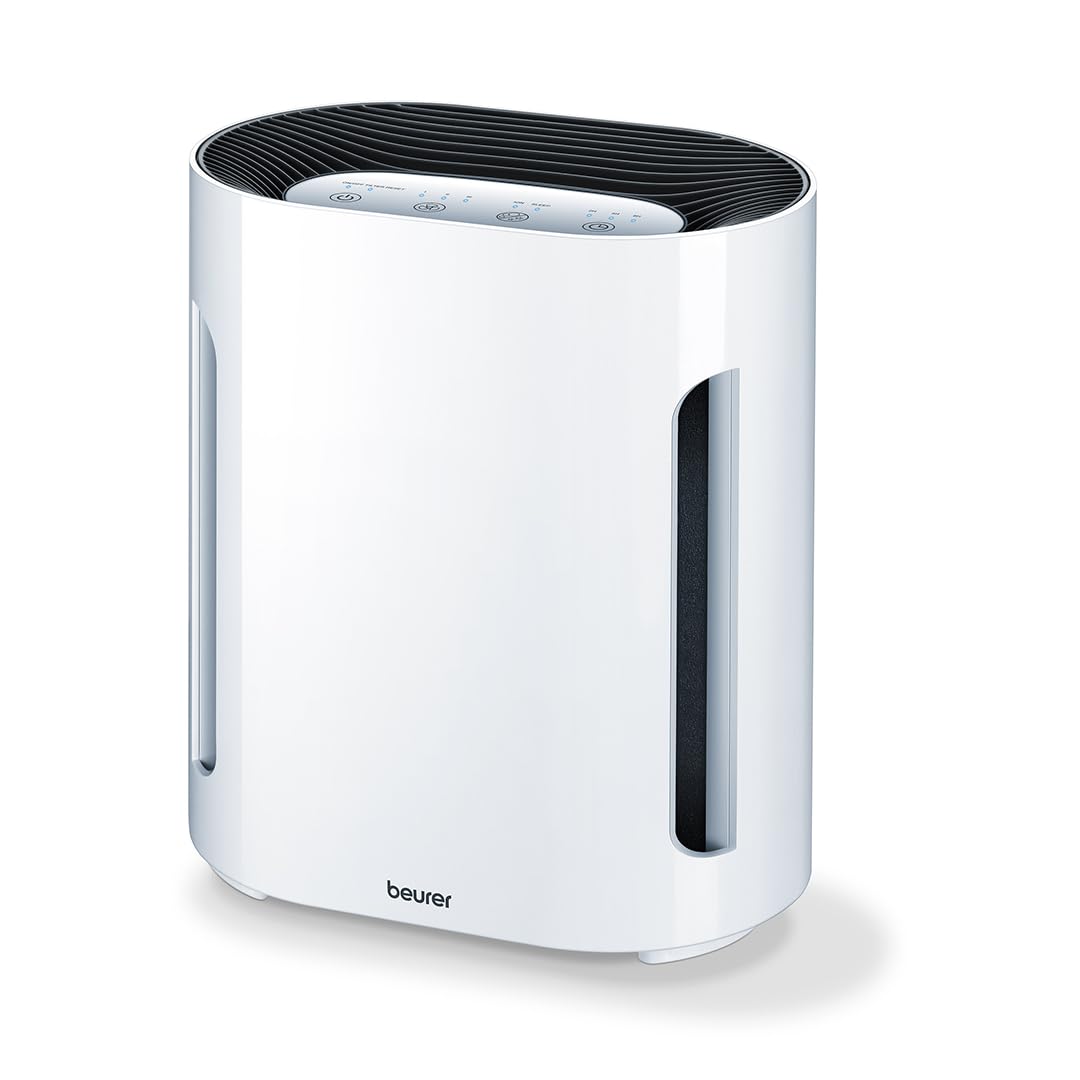
Rajah 2.1: Depan view of the Beurer LR 210 HEPA Air Purifier. This image shows the compact design of the air purifier, suitable for various room settings.

Figure 2.2: Beurer LR 210 Air Purifier highlighting its selectable ion function, ability to stop viruses and fine dust, and 99.95% filter performance.
2.1 Komponen
- Unit utama
- 3-Layer Filter System (Pre-filter, Activated Carbon filter, HEPA filter)
- Penyesuai Kuasa

Figure 2.3: Illustration of the Beurer LR 210's 3-layer filter system, including the pre-filter, activated carbon filter, and HEPA filter, designed for comprehensive air purification.
3. Persediaan
3.1 Membongkar
- Keluarkan penulen udara dengan berhati-hati daripada pembungkusnya.
- Remove all packaging materials, including any protective films or wraps.
- Check the device and all accessories for any signs of damage. If damaged, do not use the device and contact customer support.
3.2 Pemasangan Penapis
The filters are typically pre-installed but may be wrapped in plastic for protection during shipping. Ensure all plastic wrapping is removed before first use.
- Turn the air purifier upside down and twist the base cover counter-clockwise to unlock it.
- Remove the base cover and carefully pull out the filter assembly.
- Remove any plastic packaging from the filter layers.
- Reinsert the filter assembly into the device, ensuring it is seated correctly.
- Gantikan penutup tapak dan putar mengikut arah jam untuk menguncinya dengan selamat.
3.3 Penempatan
- Place the air purifier on a stable, flat, and dry surface.
- Ensure there is at least 20 cm (8 inches) of clear space around all sides of the device for optimal airflow.
- Avoid placing the device directly next to walls, furniture, or curtains that could obstruct air intake or output.
- Jangan letakkan peranti di bawah cahaya matahari langsung atau berhampiran sumber haba.
3.4 Sambungan Kuasa
- Connect the power adapter to the power input port on the back of the air purifier.
- Plug the power adapter into a suitable electrical outlet (100-240V AC, 50/60Hz).
- Peranti kini berada dalam mod siap sedia.
4. Mengendalikan Peranti
The control panel is located on the top of the device and features touch-sensitive buttons.

Figure 4.1: Beurer LR 210 Air Purifier showcasing its ultra-quiet night mode and timer functions (2, 4, 8 hours).
4.1 Hidupkan/Mati Kuasa
- Tekan ke Butang kuasa (symbol: circle with a vertical line) to turn the device on. The device will start in the lowest fan speed.
- Tekan ke Butang kuasa sekali lagi untuk mematikan peranti.
4.2 Pelarasan Kelajuan Kipas
The device has 3 fan speed levels.
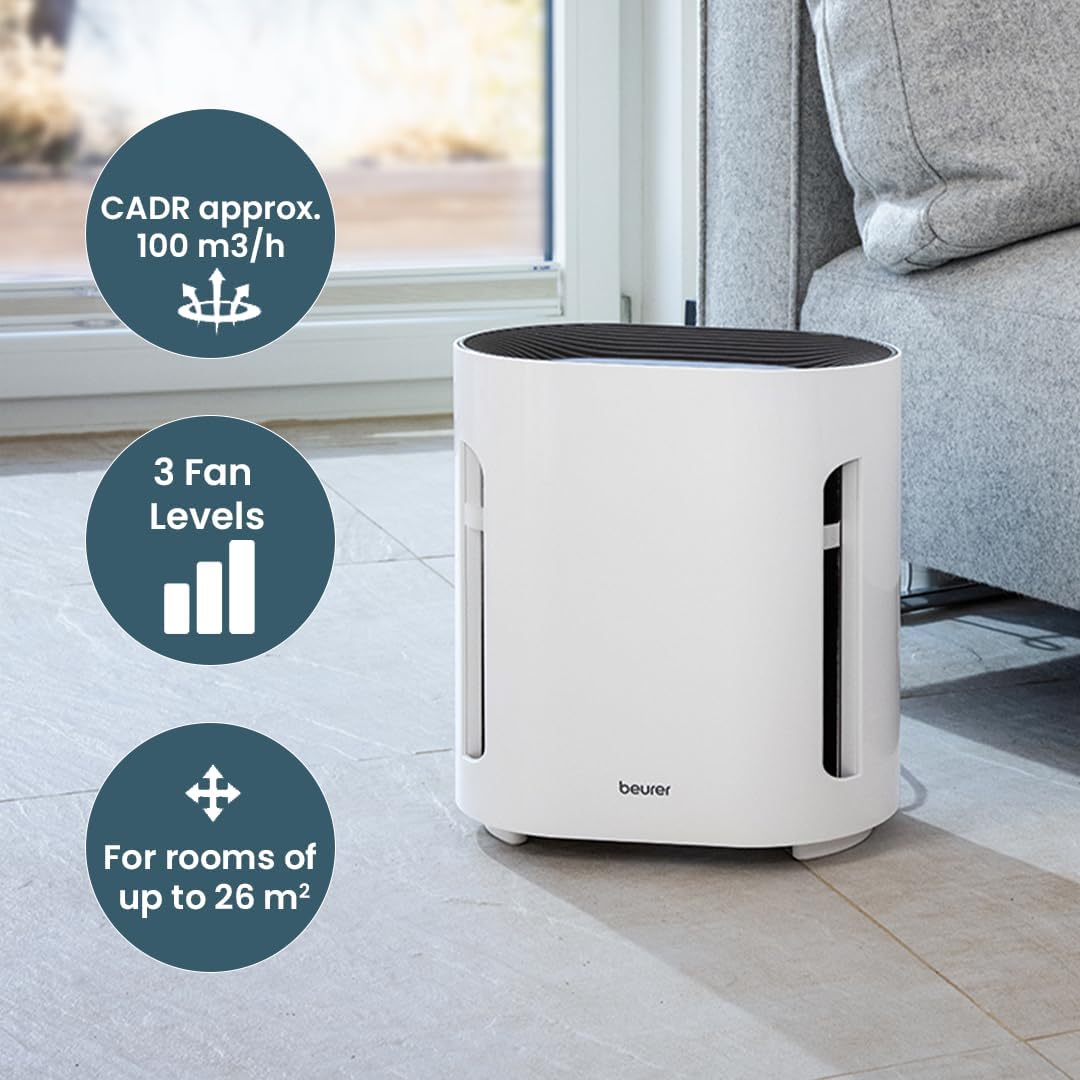
Figure 4.2: Beurer LR 210 Air Purifier illustrating its CADR (approx. 100 m³/h), 3 fan levels, and suitability for rooms up to 26 m².
- Tekan ke Butang Kelajuan Kipas (symbol: fan blades or bars) repeatedly to cycle through the fan speeds: Level 1 (low), Level 2 (medium), Level 3 (high).
4.3 Fungsi Pemasa
Set the device to automatically turn off after a specified period.
- Tekan ke Butang pemasa (simbol: jam) repeatedly to select a timer duration: 2 hours, 4 hours, or 8 hours.
- Lampu penunjuk yang sepadan akan menyala.
- To deactivate the timer, press the button until no timer indicator light is on.
4.4 Mod Malam
For quiet operation during sleep, activate Night Mode.
- Tekan ke Butang Mod Malam (symbol: moon or crescent) to activate. The fan speed will automatically switch to the lowest setting, and all indicator lights will dim or turn off.
- Press the button again to deactivate Night Mode.
4.5 Ion Function
The selectable ion function helps to further purify the air by releasing ion negatif.

Figure 4.3: Beurer LR 210 Air Purifier demonstrating its selectable ion function, which provides relief for allergy sufferers by targeting pollen, domestic dust, and animal hair.
- Tekan ke butang ion (symbol: ion or atom) to turn the ion function on or off.
- The indicator light will show the status of the ion function.
5. Penyelenggaraan
Penyelenggaraan tetap memastikan prestasi optimum dan memanjangkan jangka hayat pembersih udara anda.
5.1 Penggantian Penapis
The filter system has a limited lifespan and needs to be replaced periodically. The filter replacement indicator light (often red) will illuminate when it's time to change the filter.
- Cabut plag penulen udara daripada salur keluar kuasa.
- Turn the device upside down and twist the base cover counter-clockwise to unlock.
- Tanggalkan pemasangan penapis lama.
- Insert a new, original Beurer LR 210 filter assembly, ensuring it is seated correctly.
- Gantikan penutup tapak dan putar mengikut arah jam untuk menguncinya dengan selamat.
- Palamkan peranti kembali.
- To reset the filter indicator, press and hold the Butang Tetapkan Semula Penapis (atau Butang kuasa for 5 seconds, depending on model) until the indicator light turns off.
5.2 Membersihkan Bahagian Luar
- Cabut plag peranti sebelum membersihkan.
- Lap permukaan luar dengan lembut, damp kain.
- Jangan gunakan pembersih yang melelas, pelarut atau bahan kimia yang keras.
- Pastikan tiada air memasuki bahagian dalam peranti.
5.3 Penyimpanan
- If storing the device for an extended period, unplug it and clean it thoroughly.
- Simpan di tempat yang sejuk dan kering, jauh daripada cahaya matahari langsung dan suhu yang melampau.
- It is recommended to replace the filter before storing or after long periods of inactivity.
6. Penyelesaian masalah
Rujuk bahagian ini untuk isu biasa dan penyelesaiannya.
| Masalah | Kemungkinan Punca | Penyelesaian |
|---|---|---|
| Peranti tidak dihidupkan. | Tiada bekalan kuasa. | Check if the power adapter is securely plugged into the device and the wall outlet. Try a different outlet. |
| Prestasi pembersihan udara yang lemah. | Filters are dirty or clogged. Filters are still in plastic packaging. | Replace the filter system. Ensure all plastic wrapping is removed from new filters. |
| Bunyi luar biasa semasa operasi. | Obstruction in fan. Device not on a stable surface. | Unplug and check for foreign objects. Ensure device is on a flat, stable surface. |
| Filter replacement indicator remains on after filter change. | Penunjuk penapis tidak ditetapkan semula. | Refer to Section 5.1 for instructions on how to reset the filter indicator. |
Jika masalah berterusan selepas mencuba penyelesaian ini, sila hubungi khidmat pelanggan Beurer.
7. Spesifikasi
| model: | LR 210 |
| Dimensi Produk: | 13.58 x 12.2 x 8.27 inci (34.5 x 31 x 21 cm) |
| Berat Barang: | 7.05 Paun (3.2 Kilogram) |
| Wattage: | 60 watt |
| Tahap Bunyi: | 52 Decibels (max) |
| Jenis Penapis: | 3-layer filter system (Pre-filter, Activated Carbon filter, HEPA filter) |
| Saiz Pengekalan Zarah: | 0.3 Mikron |
| Prestasi Penapis: | 99.95% |
| Kaedah Kawalan: | Sentuh, Kawalan Butang |
| Saiz Bilik yang Disyorkan: | Sehingga 26 m² |
| CADR (Kadar Penghantaran Udara Bersih): | Approx. 100 m³/h |
8. Waranti dan Sokongan
Beurer provides a limited warranty for this product. Please refer to the warranty card included in your product packaging for specific terms and conditions, including the warranty period and coverage details.
For technical support, replacement parts, or warranty claims, please contact Beurer customer service. Contact information can typically be found on the official Beurer webtapak atau pada pembungkusan produk.
When contacting support, please have your product model number (LR 210) and proof of purchase readily available.