
1. Pengenalan
The Apple 2020 iPad Pro 12.9-inch Wi-Fi 128GB is a powerful and versatile tablet designed for a wide range of tasks, from creative work and gaming to productivity and entertainment. Featuring an immersive edge-to-edge Liquid Retina display, an A12Z Bionic chip, and advanced camera systems, this device offers a premium user experience.
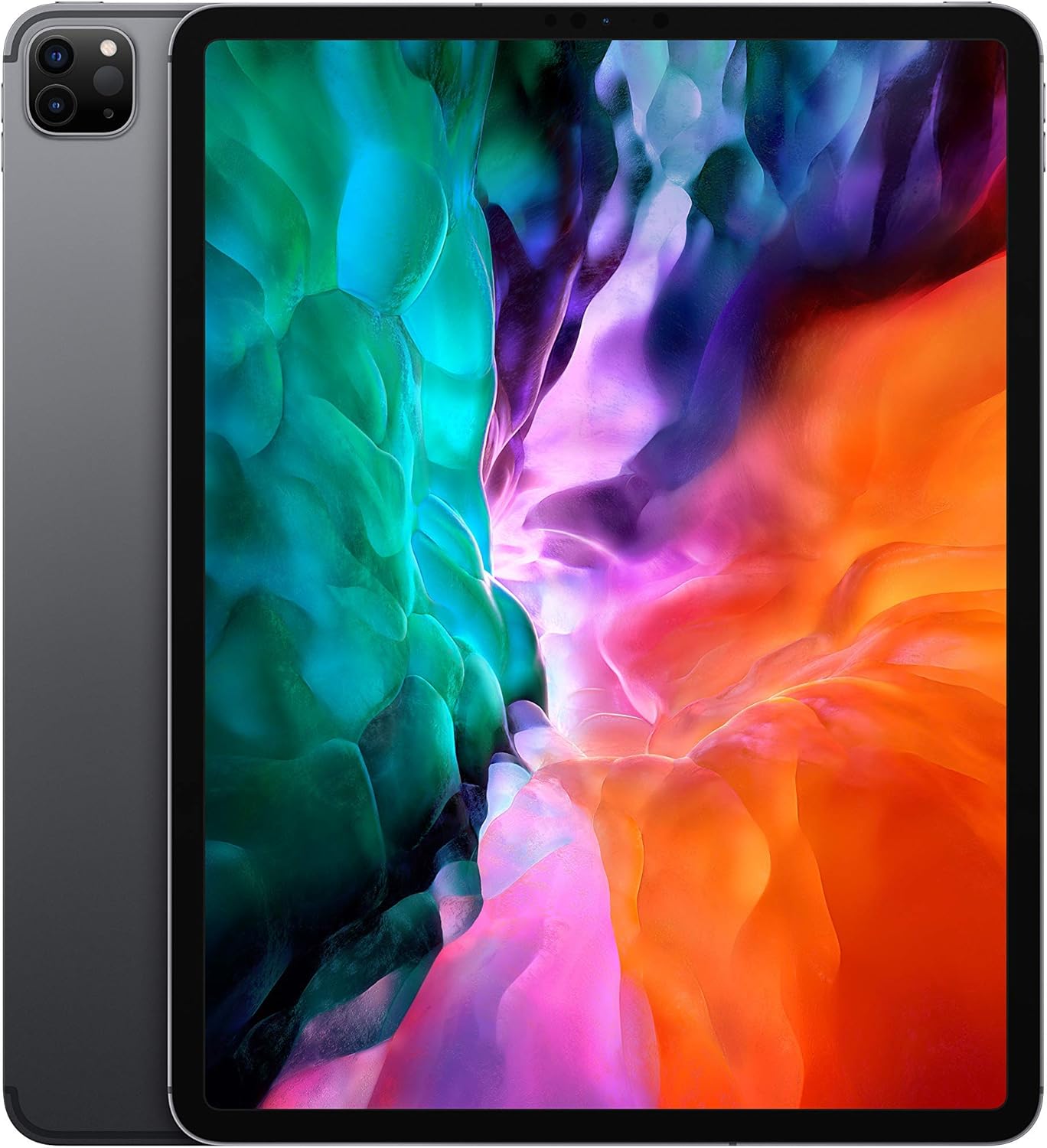
Imej: Depan view of the Apple 2020 iPad Pro 12.9-inch in Space Gray, showcasing its edge-to-edge Liquid Retina display.
2. Persediaan
2.1 Initial Power On and Activation
- Cas iPad: Connect the provided USB charging cable to the iPad and a power adapter. Plug the adapter into a wall outlet. Allow the device to charge for at least 30 minutes before initial setup.
- Hidupkan kuasa: Tekan dan tahan butang Atas sehingga logo Apple muncul.
- Ikuti Arahan Pada Skrin: The iPad will guide you through the initial setup process, including language selection, region, and connecting to a Wi-Fi network.
- Set Up Face ID: Follow the prompts to configure Face ID for secure authentication.
- Pulihkan atau Sediakan Seperti Baharu: You can choose to restore from an iCloud or computer backup, or set up the iPad as a new device.
2.2 Menyambung ke Wi-Fi
- Pergi ke tetapan > Wi-Fi.
- Pilih rangkaian Wi-Fi yang anda inginkan daripada senarai.
- Masukkan kata laluan rangkaian jika digesa dan ketik Sertai.
3. Mengendalikan iPad Pro Anda
3.1 Menavigasi iPadOS
The iPad Pro runs on iPadOS, offering a user-friendly interface with intuitive gestures. Swipe up from the bottom to go to the Home screen, swipe down from the top-right for Control Center, and swipe down from the top-center for Notifications.
3.2 Ciri Paparan
Your iPad Pro features a 12.9-inch edge-to-edge Liquid Retina display with ProMotion technology for adaptive refresh rates up to 120Hz, True Tone for ambient light color adjustment, and P3 wide color for vibrant visuals.

Image: A visual summary of key iPad Pro features, including the A12Z Bionic chip, Face ID, 10-hour battery life, 4-speaker audio, and Apple Pencil compatibility.
3.3 Performance and Security
Powered by the A12Z Bionic chip with Neural Engine, the iPad Pro delivers fast and efficient performance for demanding applications and multitasking. Face ID provides secure and convenient authentication for unlocking your device and making purchases.

Imej: Terperinci view of the advanced dual camera system and LiDAR scanner located on the rear of the iPad Pro.
3.4 Sistem Kamera
The device includes a 12MP Wide camera, a 10MP Ultra Wide camera, and a LiDAR Scanner for advanced photography and augmented reality (AR) experiences. The 7MP TrueDepth front camera supports Face ID and high-quality video calls.
3.5 Aksesori
The iPad Pro is compatible with the Apple Pencil (2nd generation) for drawing, note-taking, and marking up documents, and the Magic Keyboard with a trackpad for a laptop-like typing experience.

Image: The Apple iPad Pro connected to a Magic Keyboard, with an Apple Pencil positioned in front, illustrating its versatility as a productivity tool.
4. Penyelenggaraan
4.1 Cleaning Your iPad Pro
- Gunakan kain lembut dan tidak berbulu untuk membersihkan skrin dan bahagian luar.
- Avoid using abrasive materials, aerosols, or harsh cleaning solutions.
- Untuk calitan degil, sedikit dampen kain dengan air.
4.2 Kemas Kini Perisian
Regularly check for and install iPadOS updates to ensure optimal performance, security, and access to new features. Go to tetapan > Umum > Kemas Kini Perisian.
4.3 Penjagaan Bateri
Untuk memaksimumkan jangka hayat bateri, elakkan daripada mendedahkan iPad anda kepada suhu yang melampau. Untuk storan jangka panjang, cas bateri kepada kira-kira 50% dan matikan peranti.
5. Penyelesaian masalah
5.1 Peranti Tidak Membalas
If your iPad Pro is unresponsive, try a force restart:
- Tekan dan lepaskan butang Kelantangan Naik dengan cepat.
- Tekan dan lepaskan butang Kelantangan Turun dengan cepat.
- Tekan dan tahan butang Atas sehingga logo Apple muncul.
5.2 Isu Ketersambungan Wi-Fi
- Pastikan Wi-Fi didayakan tetapan.
- Mulakan semula penghala Wi-Fi anda.
- Forget the network (tetapan > Wi-Fi > tap the "i" next to the network > Lupakan Rangkaian Ini) and reconnect.
5.3 Apl Ranap atau Pembekuan
- Tutup dan buka semula apl.
- Semak kemas kini apl dalam App Store.
- Mulakan semula iPad anda.
6. Spesifikasi
| Ciri | Perincian |
|---|---|
| Jenama | epal |
| Nama Model | 12.9-inch iPad Pro Wi-Fi 128GB - Space Gray |
| Saiz Paparan Skrin Berdiri | 12.9 Inci |
| Resolusi Skrin | 2732x2048 |
| Resolusi Skrin Maks | 2736 x 2048 Piksel |
| Pemproses | 2.49 GHz (A12Z Bionic chip) |
| RAM | 6 GB |
| Pemacu Keras / Saiz Memori Denyar | 128 GB |
| Sistem Operasi | iPadOS |
| belakang Webresolusi cam | 12 MP (Wide), 10 MP (Ultra Wide) |
| Kamera Depan | 7MP TrueDepth |
| Jenis Wayarles | 2.4 GHz Radio Frequency, 5 GHz Radio Frequency, 802.11a/b/g/n/ac, 802.11ax, Bluetooth |
| Purata Hayat Bateri | 10 Jam |
| Berat Barang | 10.4 auns |
| Dimensi Produk | 12 x 10 x 10 inci |
| warna | Kelabu Angkasa |
7. Waranti dan Sokongan
This Apple 2020 iPad Pro is offered as an Amazon Renewed product. It comes with a 90-day return policy from the buybox winner, Tech Exchangee. For specific warranty details beyond this period, please refer to Apple's official warranty information or contact Apple Support directly.
Apa yang ada di dalam Kotak:
- Apple iPad Pro
- Kabel Pengecas USB