
boAt Airdopes 441 Pro
boAt Airdopes 441 Pro Truly Wireless Earbuds
Manual Pengguna
1. Pengenalan
The boAt Airdopes 441 Pro are True Wireless Stereo (TWS) earbuds designed for an immersive audio experience. Featuring advanced technology and a durable design, these earbuds are suitable for various activities, from daily commutes to intense workouts.
This manual provides detailed instructions on how to set up, operate, and maintain your Airdopes 441 Pro earbuds to ensure optimal performance and longevity.
2. Apa yang ada di dalam Kotak
- boAt Airdopes 441 Pro TWS Earbuds
- Kes Pengecasan
- Fon Telinga Tambahan (pelbagai saiz)
- Kabel Pengecasan Jenis-C
- Manual Pengguna
- Kad Waranti

Image: The boAt Airdopes 441 Pro earbuds, charging case, extra ear tips, and Type-C charging cable are included in the package.
3. Produk Lebihview
Ciri-ciri Utama
- IWP (Insta Wake N’ Pair) Technology: Automatic power-on and connection upon opening the charging case lid.
- Bluetooth v5.0: Ensures seamless and instant wireless connectivity.
- Pemacu Dinamik 6mm: Delivers immersive audio with signature boAt sound.
- Rintangan Air IPX7: Provides protection against sweat and splashes, ideal for workouts and outdoor use.
- Capacitive Touch Controls: Intuitive touch controls for managing music, calls, and voice assistant.
- Sokongan Pembantu Suara: Access your device's voice assistant with a single touch.
- Stereo Calling: Enjoy clear and smooth conversations during calls.
- Fungsi Bank Kuasa: The 2600mAh charging case can also be used to charge other devices in emergencies.
- Long Playback: Up to 5 hours of playback per charge, with an additional 150 hours using the charging case.
Reka bentuk & Keselesaan
The Airdopes 441 Pro features a secure sports fit with premium grade silicone ear tips and ear wings, ensuring they stay comfortably in place during physical activities. The earbuds are crafted from durable plastic material and come in a stylish red and black color scheme.

Image: The earbuds are IPX7 rated, making them resistant to water and sweat.

Image: The earbuds feature a premium grade silicone design for a secure and comfortable fit.
4. Setup & Pairing
First-Time Use & Power On
- Open the lid of the charging case. The earbuds will automatically power on and enter connection mode.
- Ensure Bluetooth is enabled on your phone/media device.
- Scan for available devices and select "Airdopes 441P" to pair.
Video: A visual guide demonstrating the initial power-on and pairing process for the boAt Airdopes 441 Pro earbuds.
Instant Wake N’ Pair (IWP)
After initial pairing, the IWP Technology allows the earbuds to automatically power on and connect to the previously paired device simply by opening the charging case lid.
Penggunaan Earbud Tunggal (Mod Mono)
Both earbuds can be used independently in mono mode. To use a single earbud, simply take one out of the charging case. It will automatically connect if previously paired. Alternatively, you can manually power on the desired earbud.
5. Arahan Operasi
Kawalan Sentuhan Kapasitif
- Main/Jeda Muzik: Single tap the capacitive touch control on either earbud.
- Lagu Seterusnya: Double tap the right earbud's capacitive touch control.
- Trek Sebelumnya: Double tap the left earbud's capacitive touch control.
- Jawab/Tutup Panggilan: Single tap the capacitive touch control on either earbud.
- Tolak Panggilan: Long touch the capacitive touch control on either earbud for 2 seconds.
- Aktifkan Pembantu Suara: Long touch the capacitive touch control on either earbud for 2 seconds.
Video: This video demonstrates various touch controls for calls, music playback, and voice assistant activation.
Matikan Manual
To manually power off the earbuds, long touch the capacitive touch control (CTC) on either earbud for 5 seconds until the green indicator LED blinks before the earbuds turn off.
6. Mengecas
Mengecas Fon Telinga
Place both earbuds back inside the charging case in the correct orientation. A green LED will indicate that the earbuds are being charged. Once fully charged, the LED turns into a steady blue light.
Mengecas Kes
To charge the case, plug one end of the Type-C cable into the case's charging port and connect the other end to a computer or a wall adapter. The charging time for the case is approximately 1.5 hours.
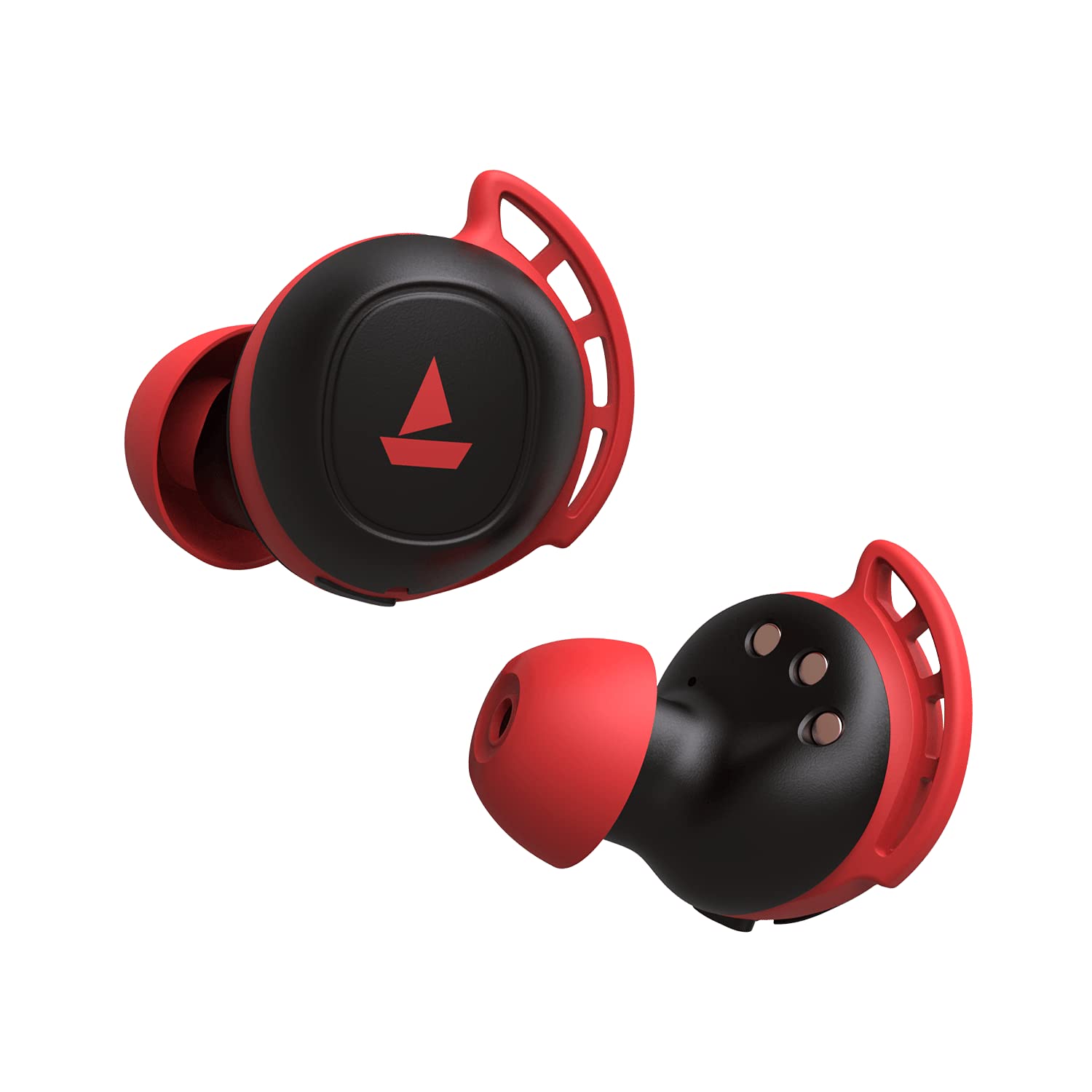
Image: The charging case with earbuds inside, indicating charging status.
7. Fungsi Power Bank
The boAt Airdopes 441 Pro charging case features a 2600mAh battery, which can double as a power bank. In case of emergency, if your phone runs out of battery, you may utilize the charging case to provide a temporary charge to your device via its USB-A output port.
Image: The charging case can act as a power bank to charge other devices.
8. Penyelenggaraan & Penjagaan
- Pastikan fon telinga dan bekas pengecas bersih dan kering.
- Elakkan daripada mendedahkan peranti kepada suhu yang melampau.
- Use a soft, dry cloth for cleaning. Do not use harsh chemicals.
- Simpan di tempat yang sejuk dan kering apabila tidak digunakan.
- Ensure earbud tips fit snugly for optimal sound quality and comfort. Replace with additional ear tips if needed.
9. Penyelesaian masalah
Tiada Bunyi/Kualiti Bunyi Teruk
- Ensure earbuds are properly seated in your ears. Try different sized ear tips.
- Check if the earbuds are correctly paired with your device.
- Verify the volume level on both the earbuds and your connected device.
Isu Sambungan
- Ensure Bluetooth is enabled on your device and the earbuds are within the 10-meter operating range.
- Cuba nyahpasang dan pasangkan semula fon telinga dengan peranti anda.
- Perform a factory reset if issues persist.
Tetapan Semula Kilang
Untuk melakukan tetapan semula kilang:
- Place both earbuds back into the charging case in the correct orientation.
- Triple tap the capacitive touch control on both earbuds.
- Once done, it is indicated by alternate green and blue LED flashes.
- Shut the lid of the charging case and then re-open it again. The earbuds will automatically restart, and the reset is complete.
Video: This video demonstrates the steps to perform a factory reset on the boAt Airdopes 441 Pro earbuds.
10. Spesifikasi
| Ciri | Spesifikasi |
|---|---|
| Nama Model | Airdopes 441 Pro |
| Teknologi Ketersambungan | Bluetooth 5.0 |
| Teknologi Komunikasi Tanpa Wayar | Benar-benar Tanpa Wayar |
| Jenis Pemacu Audio | Pemacu Dinamik (6mm) |
| Kawalan Bunyi | Pengasingan Bunyi |
| Tahap Ketahanan Air | IPX7 (Tahan Air) |
| Hayat Bateri (Earbud) | 5 Jam setiap cas |
| Total Playback (with Case) | Sehingga 150 Jam |
| Antara Muka Pengecasan | Jenis-C |
| Masa Mengecas | 1.5 Jam |
| Kaedah Kawalan | Sentuh, Kawalan Suara |
| Jarak Operasi Maksimum | 10 Meter |
| Berat Barang | 190 Gram |
11. Waranti & Sokongan
The boAt Airdopes 441 Pro comes with a Waranti 1 tahun dari tarikh pembelian. Sila rujuk Kad Waranti yang disertakan untuk terma dan syarat terperinci.
For any support or service-related queries, please contact boAt customer service or visit their official webtapak.
Ask a question about this manual
Ask about setup, troubleshooting, compatibility, parts, safety, or missing instructions. Manuals+ will review the question and use this page’s manual context to help answer it.