
roborock S4 Max
roborock S4 Max Robot Vacuum User Manual
Model: S4 Max | Brand: roborock
1. Pengenalan
The roborock S4 Max is an advanced robotic vacuum cleaner designed to provide efficient and thorough cleaning for your home. Featuring precision LiDAR navigation, powerful 2000Pa suction, and multi-level mapping capabilities, it intelligently navigates and cleans various floor types, including carpets and hard floors. This manual provides essential information for setting up, operating, and maintaining your S4 Max to ensure optimal performance.
2. Produk Lebihview
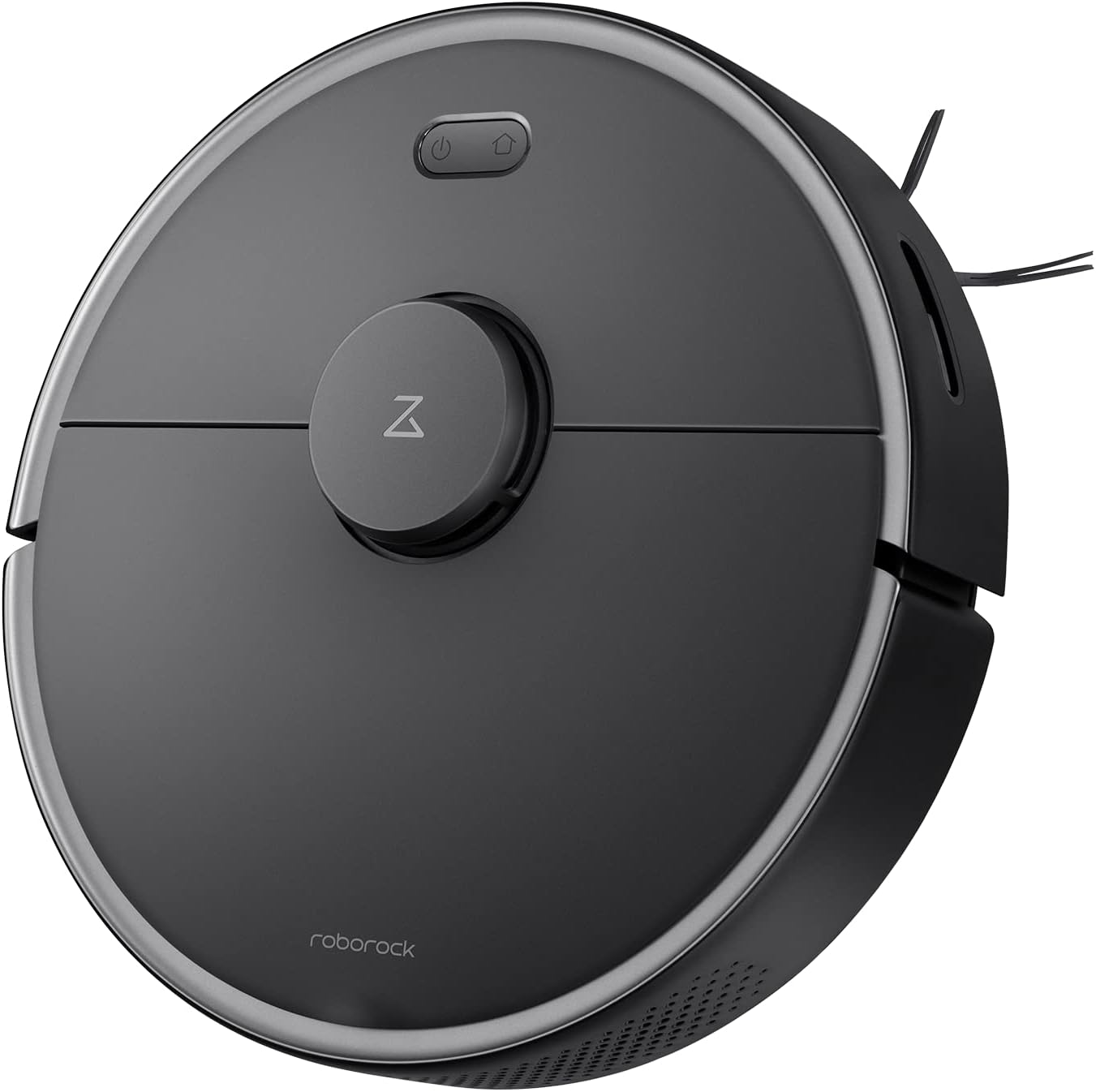
Rajah 2.1: Atas view of the roborock S4 Max Robot Vacuum.
Ciri-ciri Utama:
- Precision LiDAR Navigation: Ensures accurate mapping and efficient cleaning paths, even in low-light conditions.
- Sedutan Kuat 2000Pa: Effectively picks up dirt, dust, and pet hair from various surfaces.
- Pemetaan Berbilang Aras: Stores maps for up to four levels of your home, recognizing room locations automatically.
- Customizable Cleaning Zones: Set up to 10 No-Go Zones, 10 No-Mop Zones, and 10 Invisible Walls per level via the app.
- Penggalak Permaidani: Automatically increases suction power when a carpet is detected for deeper cleaning.
- Bateri Tahan Lama: Up to 180 minutes runtime on a single charge.
- Penapis HEPA boleh dibasuh: Captures 95% of particles and is reusable.
3. Persediaan
- Buka bungkusan Robot: Tanggalkan vakum robot dan semua aksesori daripada pembungkusan dengan berhati-hati.
- Place the Charging Dock: Position the charging dock against a wall in an open area with at least 0.5 meters (1.6 feet) of clear space on both sides and 1.5 meters (4.9 feet) in front. Ensure it is connected to a power outlet.
- Caj Permulaan: Place the robot on the charging dock. The power indicator light will illuminate. Allow the robot to fully charge before its first use.
- Muat turun Apl: Download the roborock app from your mobile device's app store. The app is compatible with 2.4Ghz Wi-Fi networks only.
- Sambung ke Wi-Fi: Follow the in-app instructions to connect your roborock S4 Max to your home Wi-Fi network.
- Pemetaan Awal: For the first cleaning cycle, allow the robot to fully map your home. Open all doors to rooms you wish to be mapped. The robot will create a detailed map that can be saved and customized.
4. Arahan Operasi
4.1 Navigasi dan Pemetaan
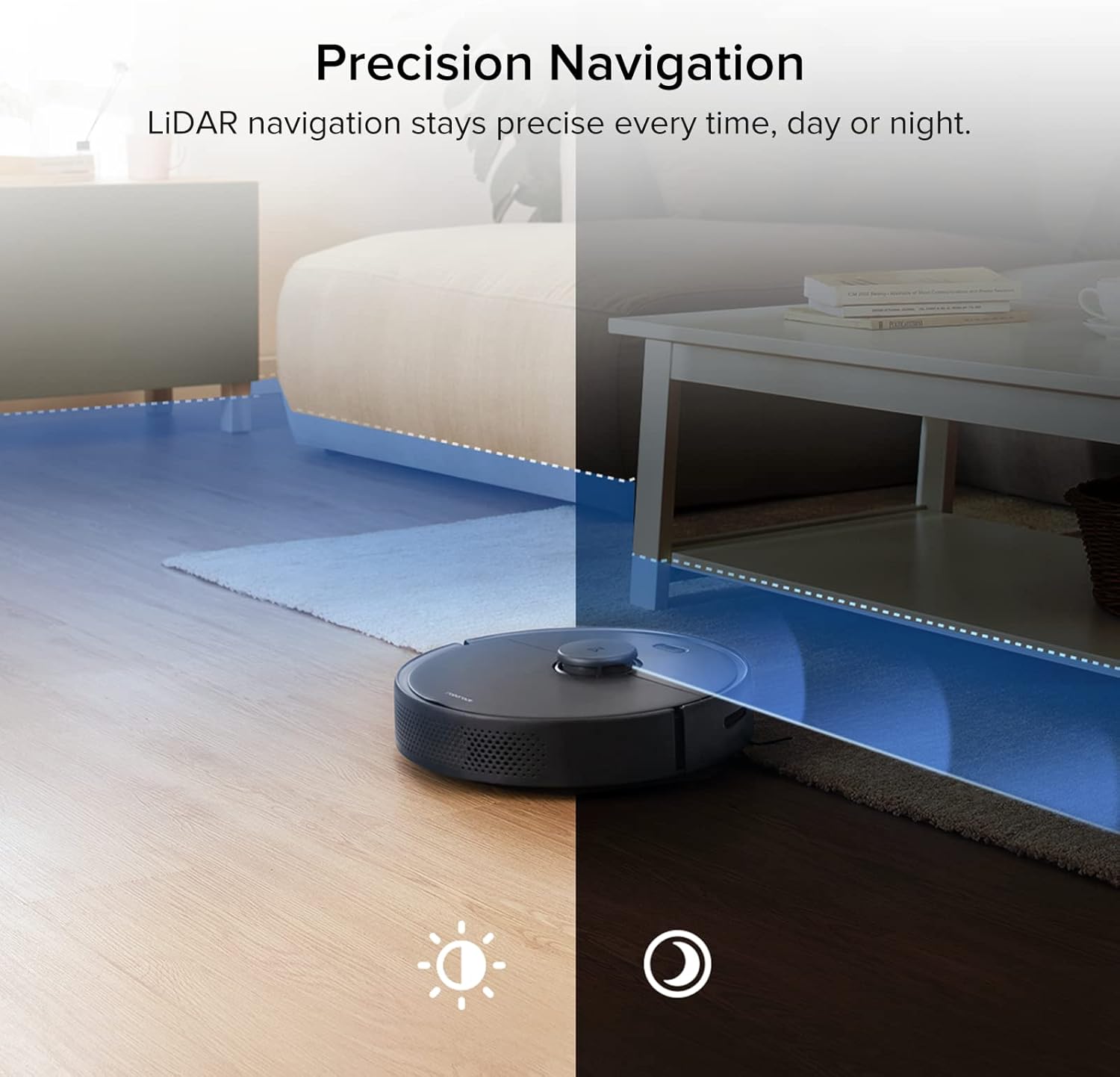
Figure 4.1: The S4 Max uses LiDAR for precise navigation in both bright and dark environments.

Figure 4.2: The robot can store and recognize maps for multiple levels of your home.
The S4 Max utilizes advanced LiDAR navigation to create accurate maps of your home. It cleans in methodical, straight lines, first along edges and then filling in the middle areas. This ensures comprehensive coverage and avoids missing spots. The robot can store up to four different floor plans, automatically recognizing which level it is on.
4.2 Mod Pembersihan dan Sedutan
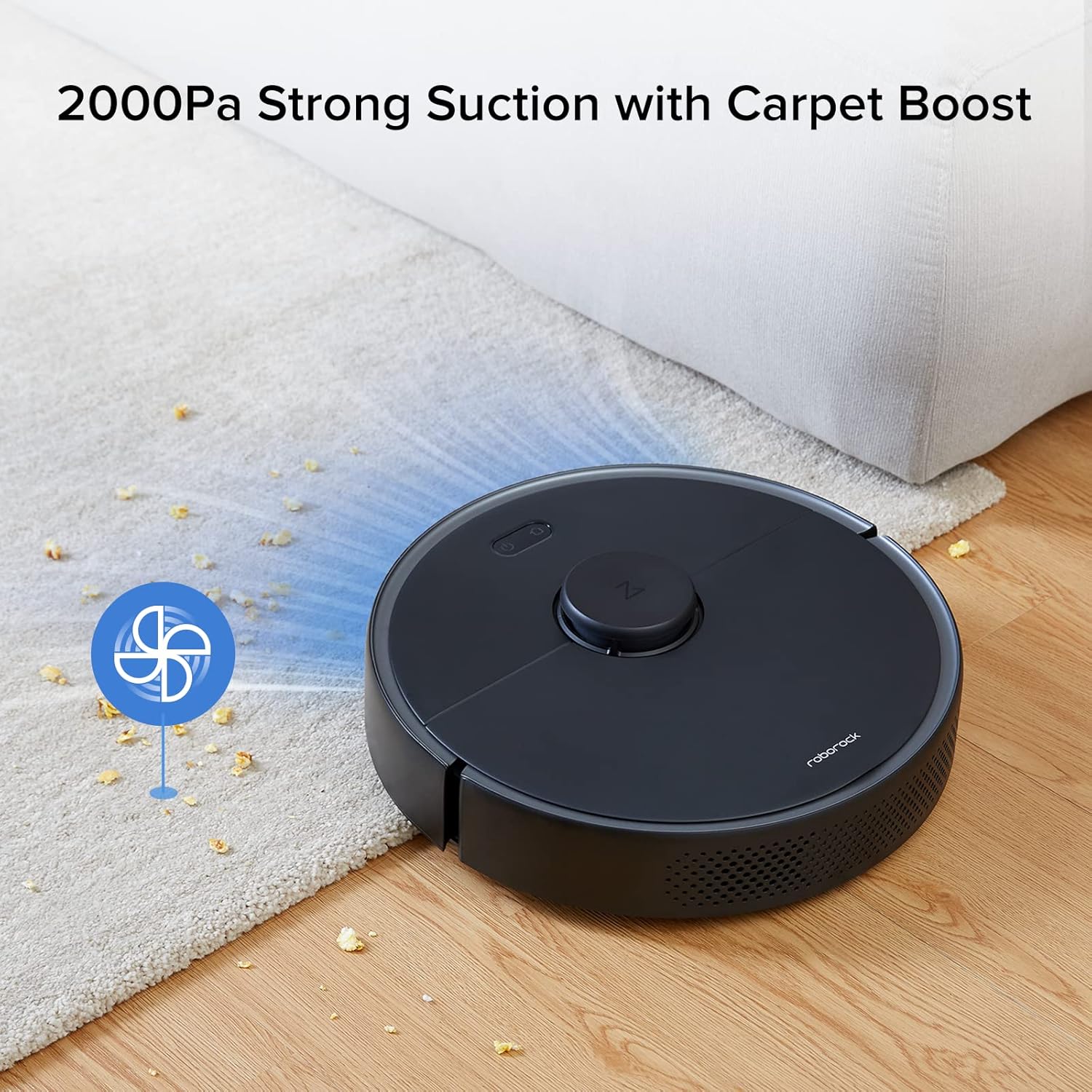
Figure 4.3: The S4 Max features 2000Pa suction power and automatically boosts suction on carpets.
The S4 Max offers multiple cleaning modes to suit your needs:
- senyap: For minimal noise during cleaning.
- Biasa: Standard cleaning power for everyday dirt.
- Turbo: Increased suction for tougher messes.
- Maks: Maximum suction power (2000Pa) for deep cleaning.
The robot is equipped with a Carpet Boost feature, which automatically detects carpets and increases suction to the Max level for effective deep cleaning.
4.3 App Control and Customization
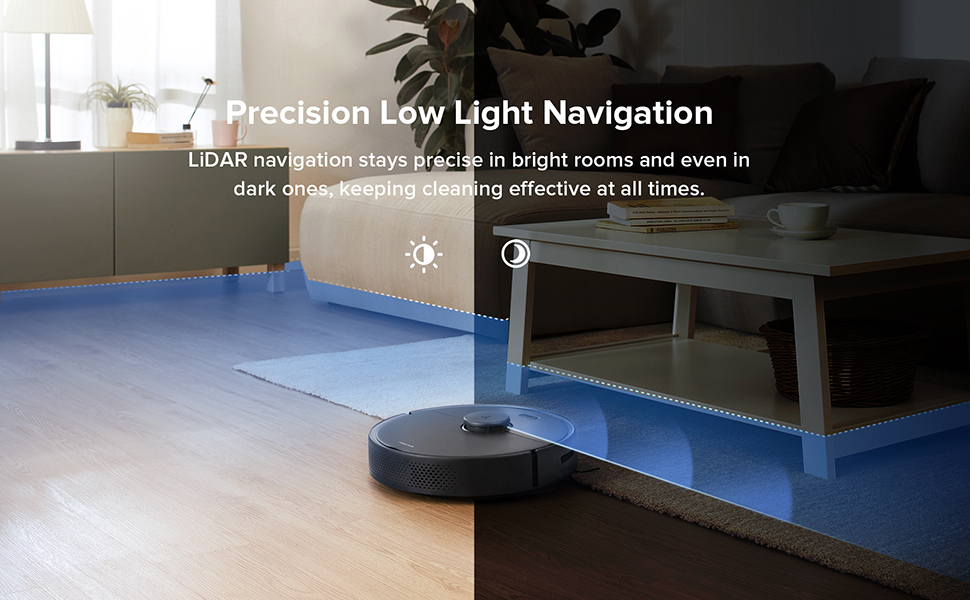
Figure 4.4: The roborock app provides comprehensive control over your robot vacuum.
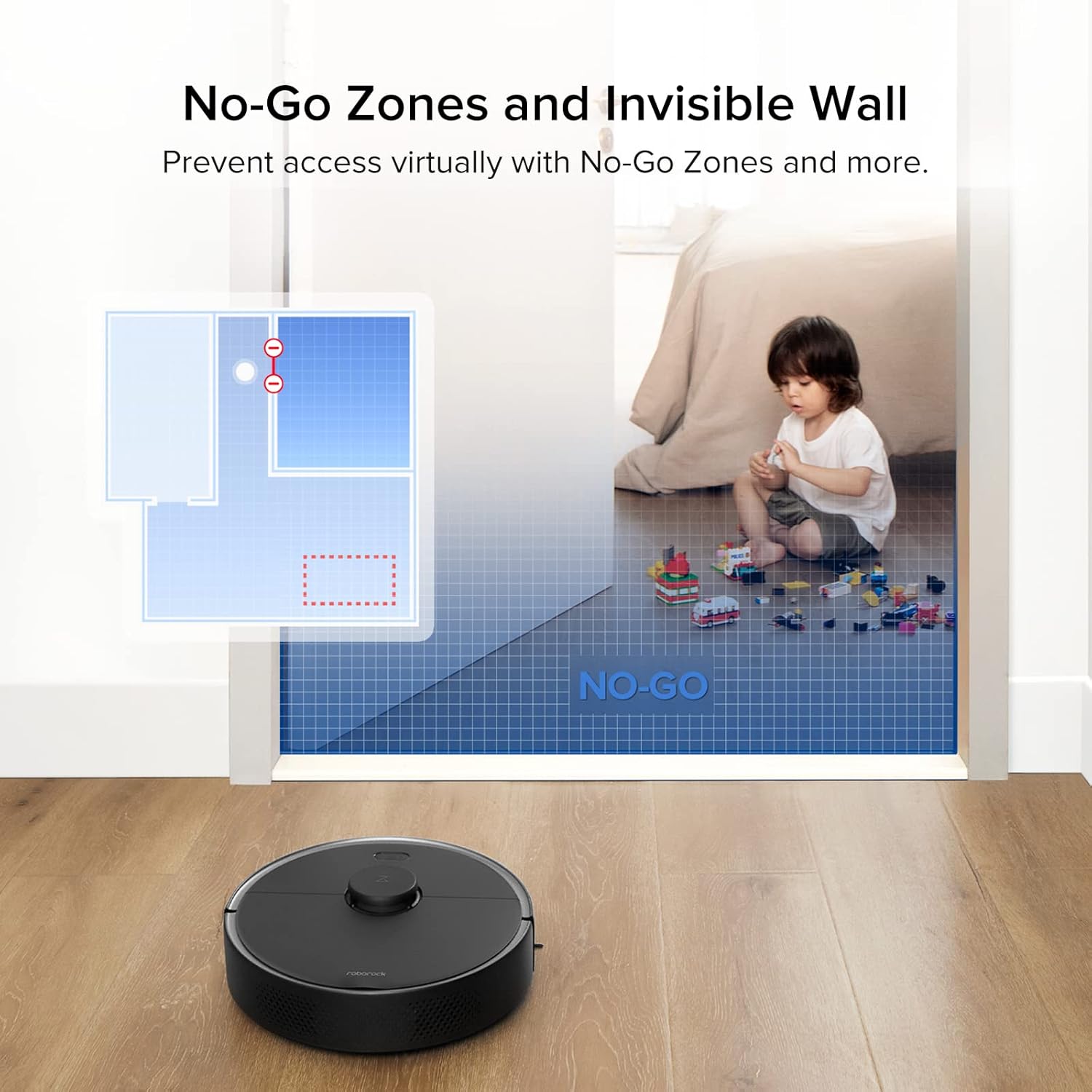
Figure 4.5: Set virtual boundaries to restrict the robot's access to certain areas.
The roborock app offers extensive control and customization options:
- Penjejakan masa nyata: View exact vacuuming routes and the robot's current location.
- Jadual Pembersihan: Set daily or weekly cleaning schedules for specific times and days.
- Pembersihan Zon: Select specific rooms or draw custom zones for targeted cleaning.
- No-Go Zones & Invisible Walls: Define areas the robot should avoid. Invisible Walls can be straight or diagonal lines, offering flexibility.
- Pelarasan Kuasa Sedutan: Adjust suction power for different cleaning needs.
- Penamaan Bilik: Name rooms on your map for easier control, including voice commands with compatible devices like Amazon Echo.
5. Penyelenggaraan
Regular maintenance ensures your roborock S4 Max operates at peak efficiency.
5.1 Tong habuk dan Penapis
- Mengosongkan Tong Sampah: The S4 Max features a 0.46-liter top-loading dustbin. Empty it after each cleaning cycle.
- Membersihkan Penapis: The E11 rated HEPA filter is washable. Rinse it under running water and allow it to air dry completely before reinserting. An extra filter is included in the box for convenience.
5.2 Berus
- Berus Utama: Regularly check the main brush for tangled hair or debris. Use the included cleaning tool to remove any wrapped hair.
- Berus Sisi: Inspect the all-rubber side brush for wear or tangles. Clean as needed.
5.3 Penderia
Wipe all sensors (LiDAR, cliff sensors, wall sensors) with a soft, dry cloth to ensure proper functionality and navigation.
6. Spesifikasi
| Jenama | roborock |
| Nama Model | S4 Maks |
| Kuasa Sedutan | 2000Pa |
| Navigasi | LiDAR |
| Pemetaan | Multi-Level (up to 4 levels) |
| Kapasiti tong sampah | 0.46 Liter |
| Jenis Penapis | Washable HEPA (E11 rated) |
| Jenis Bateri | 5200 mAh Lithium Ion (Integrated) |
| Hayat Bateri | Up to 180 minutes (on lowest power setting) |
| Kaedah Kawalan | App, Voice (Amazon Echo compatible) |
| Dimensi Produk (Robot) | 13.8" (Diameter) x 3.8" (Tinggi) |
| Berat Barang | 7.28 paun |
| Airflow (Max Setting) | 20.58 CFM |
| Noise Level (Max Setting) | 64.1 dB |
7. Penyelesaian masalah
- Robot gets stuck on wires: Ensure all loose cables and wires are cleared from the cleaning path before operation.
- Robot pushes light rugs: Remove lightweight area rugs or those without rubber backing that the robot might push around.
- Kuasa sedutan berkurangan: Check and empty the dustbin. Clean or replace the HEPA filter. Inspect the main brush for tangles.
- Isu navigasi: Clean all sensors on the robot. Ensure the LiDAR sensor is not obstructed.
- Robot does not charge: Ensure the charging dock is properly connected to power and the robot is correctly aligned with the charging contacts.
8. Waranti dan Sokongan
For warranty information, technical support, or service inquiries, please refer to the official roborock webtapak atau hubungi perkhidmatan pelanggan mereka secara langsung. Simpan resit pembelian anda sebagai bukti pembelian untuk tuntutan waranti.
Ask a question about this manual
Ask about setup, troubleshooting, compatibility, parts, safety, or missing instructions. Manuals+ will review the question and use this page’s manual context to help answer it.