
1. Apa yang Termasuk
The Lume Cube Broadcast Lighting Kit includes the following components:
- Panel Go Bicolor LED Light with Softening Silicone Diffuser
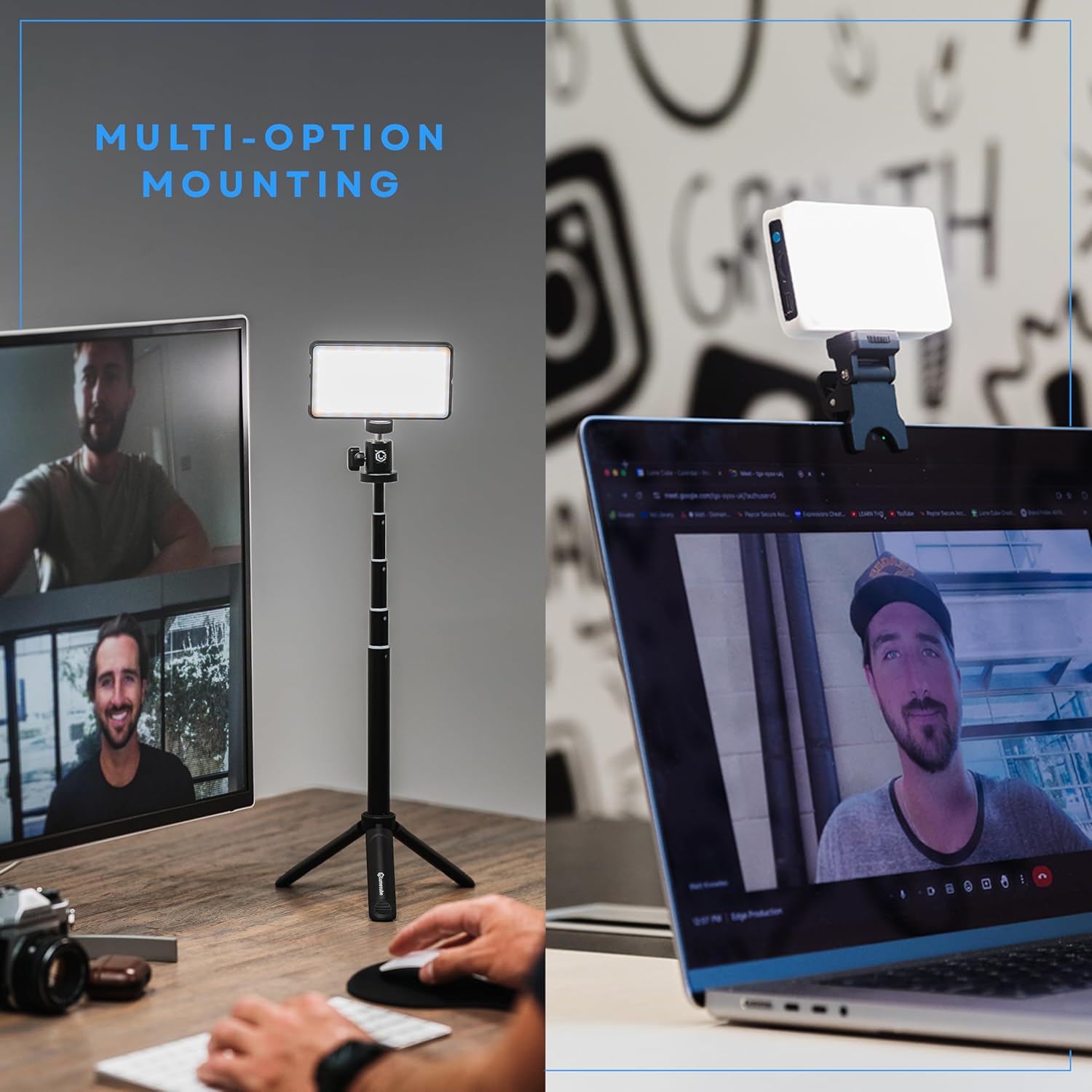
- Adjustable Desktop Stand with Laptop Clip Mount
- 30" Adjustable Telescoping Stand
- 3.3' USB-C Charging Cable

2. Arahan Persediaan
Follow these steps to set up your Lume Cube Broadcast Lighting Kit:
- Attach the Light to a Mount: The Panel Go LED Light can be attached to either the adjustable desktop stand with laptop clip mount or the 30" adjustable telescoping stand. Screw the light securely onto the mounting point.
- Positioning for Laptop Use: If using the laptop clip mount, attach it to the top of your laptop screen. Ensure the light is facing you.
- Positioning for Desktop Use: If using the telescoping stand, extend it to your desired height and place it on a stable surface. Adjust the ball head to direct the light as needed.
- Apply Diffuser: Gently slide the softening silicone diffuser over the LED light panel. This will help create a softer, more even light output.
- Sambungan Kuasa: Connect the 3.3' USB-C charging cable to the light's USB-C port and plug the other end into a USB power source (e.g., computer, wall adapter). The light can operate while charging.
Video 1: Tamatview of the Lume Cube Broadcast Lighting Kit, demonstrating its ease of setup, adjustable features, and soft lighting for video calls and streaming.
3. Arahan Operasi
The Lume Cube Broadcast Lighting Kit offers adjustable settings for optimal lighting:
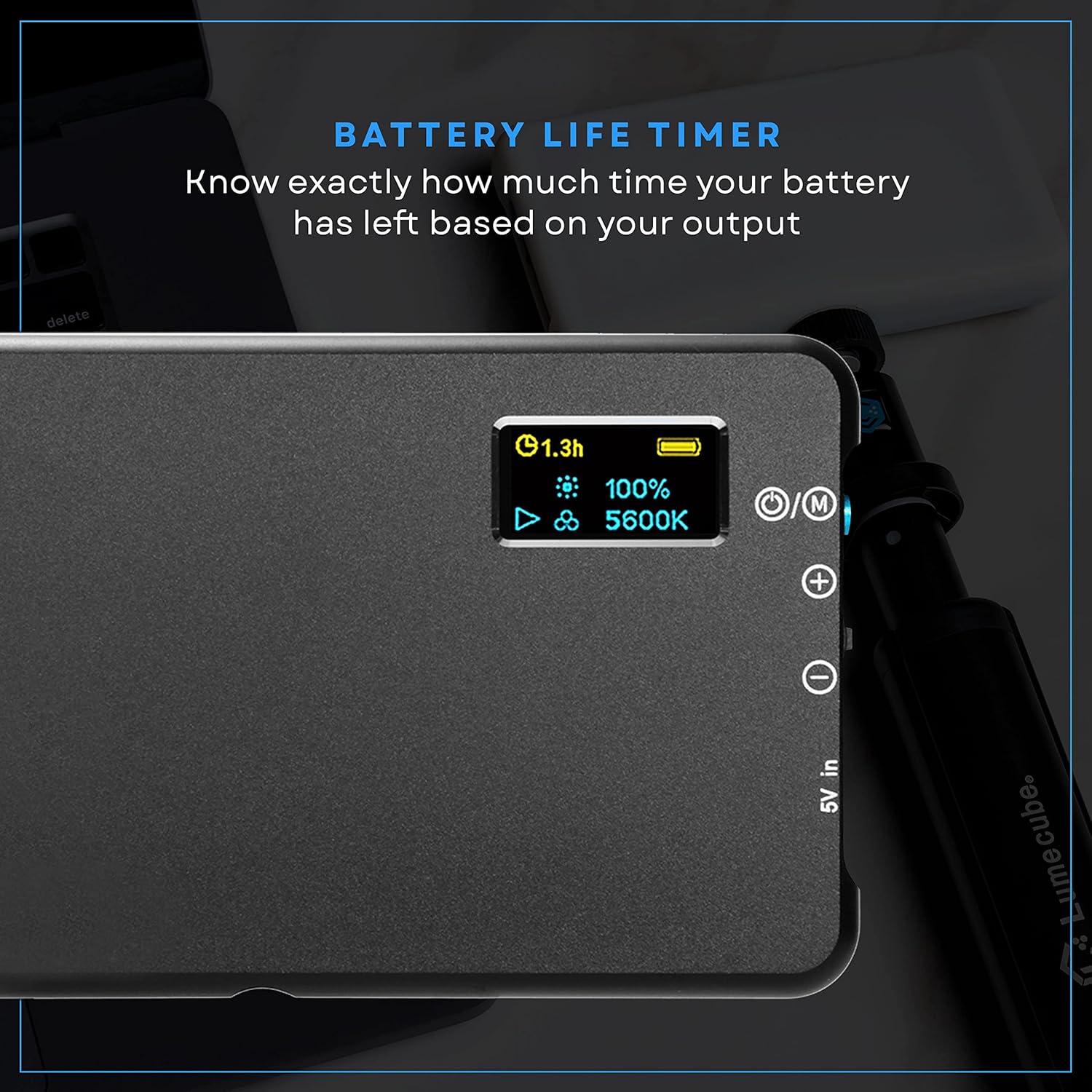
- Hidupkan/Mati Kuasa: Press and hold the power button located on the side of the light for a few seconds to turn it on or off.
- Laraskan Kecerahan: Use the '+' and '-' buttons to increase or decrease the brightness level from 1% to 100%. The current brightness percentage will be displayed on the rear screen.
- Laraskan Suhu Warna: Press the 'M' button to switch to color temperature adjustment mode. Use the '+' and '-' buttons to change the color temperature from warm (3200K) to cool (5600K). The current Kelvin (K) value will be displayed.
- Pantau Hayat Bateri: The rear screen displays the remaining battery life in hours and percentage, allowing you to anticipate charging needs.

Video 2: A demonstration of the Lume Cube Panel Mini's adjustable brightness and color temperature settings, along with its soft light diffuser.
4. Penyelenggaraan
To ensure the longevity and optimal performance of your Lume Cube Broadcast Lighting Kit, follow these maintenance guidelines:
- Pembersihan: Use a soft, dry cloth to clean the light panel and housing. Avoid abrasive cleaners or solvents that could damage the surface.
- Storan: Store the kit in a cool, dry place away from direct sunlight and extreme temperatures when not in use.
- Penjagaan Bateri: For prolonged storage, ensure the battery is charged to approximately 50%. Avoid fully discharging the battery for extended periods.
- Pemeriksaan Kabel: Regularly check the USB-C cable for any signs of wear or damage. Replace if necessary to prevent electrical hazards.
5. Penyelesaian masalah
If you encounter any issues with your Lume Cube Broadcast Lighting Kit, refer to the following common troubleshooting steps:
- Lampu Tidak Dihidupkan:
- Ensure the battery is charged. Connect the light to a power source using the USB-C cable.
- Tekan dan tahan butang kuasa selama sekurang-kurangnya 3 saat.
- Light Not Bright Enough:
- Increase the brightness using the '+' button.
- Ensure the diffuser is properly seated and not obstructing the light output excessively.
- Inconsistent Light Color:
- Adjust the color temperature using the 'M' button and '+' / '-' controls.
- Ensure no external light sources are interfering with the desired color temperature.
- Isu Pemasangan:
- For the laptop clip, ensure it is firmly gripping the screen without excessive pressure.
- For the tripod, ensure all legs are fully extended and locked, and the surface is stable.
6. Spesifikasi
| Ciri | Perincian |
|---|---|
| Nombor Model | LC-BLK |
| Dimensi Produk | 29 x 5 x 29 inci |
| Berat Barang | 1.32 paun |
| Bateri | 1 bateri Lithium Polimer diperlukan (termasuk) |
| Teknologi Ketersambungan | USB |
| Antara Muka Perkakasan | USB |
| UPC | 810019500756 |
7. Waranti dan Sokongan
For warranty information and customer support, please refer to the official Lume Cube webtapak atau hubungi perkhidmatan pelanggan mereka secara langsung. Simpan bukti pembelian anda untuk sebarang tuntutan waranti.