
Blossom S3(M)-24
Blossom LED Lighted Mirror Medicine Cabinet S3(M)-24 User Manual
Model: S3(M)-24-Left Hinge
1. Pengenalan
Thank you for choosing the Blossom LED Lighted Mirror Medicine Cabinet. This manual provides essential information for the safe installation, operation, and maintenance of your new cabinet. Please read all instructions carefully before installation and retain this manual for future reference.
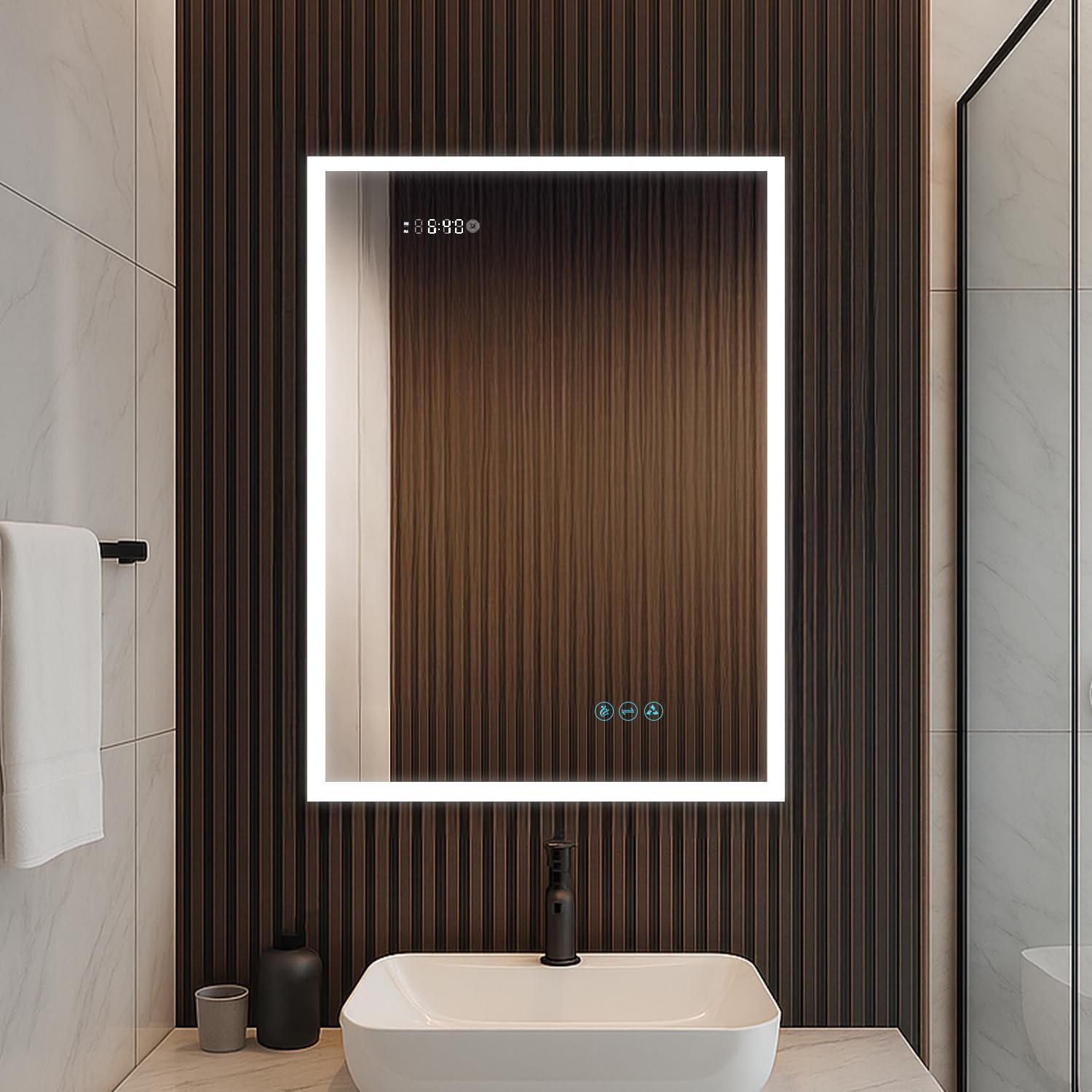
Image 1.1: Blossom LED Lighted Mirror Medicine Cabinet in a bathroom setting.
2. Maklumat Keselamatan Penting
WARNING: Risk of Electric Shock. Always disconnect power at the circuit breaker before installation or servicing.
- This product must be installed by a qualified electrician in accordance with all local codes and ordinances.
- Always unplug the cabinet before cleaning.
- Do not install in areas with high humidity or direct water contact.
- Keep the cabinet dry and avoid exposing electrical components to water.
- Always use proper grounding when installing the cabinet.
- LED lighting is not intended to be the sole source of bathroom illumination. Additional lighting may be required for full room coverage.
- Kendalikan komponen kaca dengan berhati-hati bagi mengelakkan kerosakan dan kecederaan.
3. Ciri-ciri Produk
The Blossom LED Lighted Mirror Medicine Cabinet offers a range of advanced features for enhanced functionality and convenience:
- Advanced LED Lighting & Defogging Technology: ETL-certified and IP44-rated for water resistance and safety. Features a high-quality CRI 90+ LED light with adjustable brightness and color temperature. A built-in defogger ensures a clear reflection even in steamy conditions, with a 45–60 minute auto shut-off. Intuitive touch control allows effortless lighting adjustments and quick shut-off.
- Premium Mirror & Frame Construction: Designed with a full mirrored interior and exterior, and a copper-free silver mirror front that resists black spots and oxidation. The tempered glass is treated with an anti-black coating for enhanced clarity, while the anodized aluminum frame provides a sleek, scratch-resistant, and corrosion-resistant finish.
- Smart Sensor & Memory Features: Equipped with a smart memory function that saves your preferred brightness and color temperature settings. The door sensor automatically activates the LED lights when opened.
- Integrated Power Outlets & USB Ports: Interior includes dual power outlets and USB ports for convenient charging of electric toothbrushes, shavers, or smartphones.
- Soft-Close Hinges & Adjustable Storage: Features premium BLUM 110° soft-close hinges for smooth, quiet door operation. Includes three 8mm tempered glass shelves, fully adjustable to accommodate a variety of bathroom essentials.
- Long-Lasting & Versatile Installation: The LED light has a lifespan of up to 50,000 hours, and the touch control is tested for 100,000 uses. Offers dual mounting options—can be surface-mounted or recessed into the wall.

Image 3.1: Interior features including outlets, USB ports, adjustable shelves, and soft-close hinges.
4. Kandungan Pakej
Sahkan bahawa semua komponen hadir sebelum memulakan pemasangan:
- Mirrored Door(s)
- Badan Kabinet
- Rak Kaca Boleh Laras (3)
- Perkakasan Pemasangan (skru, sauh, pendakap)
- Manual Arahan
5. Pemasangan
This medicine cabinet can be installed using either a recessed or surface mount method. Ensure you have the necessary tools and follow all safety guidelines.
5.1. Langkah Pra-Pemasangan
- Review Arahan: Read this entire manual before starting.
- Alat Kumpul: Ensure you have a tape measure, level, drill, screwdriver, wire strippers, and safety glasses.
- Putuskan Kuasa: Turn off power at the main circuit breaker to the installation area.
- Detach Doors and Side Panels: To prevent damage during installation, carefully detach the mirrored doors and any side mirror panels from the cabinet body. Refer to the installation video for detailed steps on detaching hinges and electrical connections.
5.2. Pemasangan Lekapan Tersembunyi
For a recessed installation, a wall opening is required. The rough-in dimensions for this model (S3(M)-24) are approximately 23.5 inches wide by 31.5 inches high by 4 inches deep. Always measure the actual cabinet body for precise rough-in dimensions before cutting the wall.
- Mark Wall Opening: Use a level and pencil to mark the precise location and size of the rough-in opening on your wall. Ensure a minimum of 3 inches clearance above the sink or countertop.
- Pembukaan Potong: Carefully cut the marked opening in the wall.
- Jalankan Pendawaian Elektrik: Ensure electrical wiring is present within the wall opening, ready for connection.
- Insert Cabinet Body: Slide the cabinet body into the wall opening.
- Kabinet Selamat: Use the provided mounting screws to secure the cabinet body to the wall studs or blocking within the opening.
- Sambungan Elektrik: Connect the cabinet's electrical wires to your household wiring using appropriate wire terminal connectors (not included). Ensure proper grounding.
5.3. Pemasangan Surface Mount
For surface mount installation, the cabinet is mounted directly onto the wall surface.
- Mark Mounting Location: Use a level and pencil to mark the desired height and width for the cabinet on the wall. Ensure a minimum of 3 inches clearance above the sink or countertop.
- Pasang Bar Pemasangan: Secure the provided mounting bar to the wall using appropriate screws and anchors, ensuring it is level.
- Jalankan Pendawaian Elektrik: If hardwiring, ensure the electrical wire comes through the access hole on the top of the cabinet.
- Hang Cabinet Body: Carefully hang the cabinet body onto the mounting bar.
- Kabinet Selamat: Use additional screws through the cabinet's interior mounting points to firmly secure it to the wall.
- Sambungan Elektrik: Connect the cabinet's electrical wires to your household wiring using appropriate wire terminal connectors (not included). Ensure proper grounding.
5.4. Reattaching Doors and Shelves
- Sambungkan Semula Elektrik: Reconnect the electrical cables for the doors to the cabinet body.
- Reattach Doors: Carefully reattach the mirrored doors to the hinges on the cabinet body.
- Laraskan Pintu: Use the three-way door adjustment screws on the hinges to align the doors perfectly.
- Pasang Rak: Place the 8mm thick adjustable tempered glass shelves into the desired positions using the shelf clips.
Video 5.1: Installation Guide for Recessed or Surface Mount Lighted Medicine Cabinet. This video demonstrates the steps for both recessed and surface mounting, including detaching/reattaching doors and adjusting hinges.
6. Operasi
Your Blossom LED Lighted Mirror Medicine Cabinet features intuitive touch controls for various functions.
6.1. Kawalan Sentuh
The mirror features three soft-touch keys for control:
- Defogger: Touch the defogger icon to activate the built-in defogger. It will automatically shut off after 45-60 minutes.
- Pelarasan Suhu Warna: Touch the color temperature icon to cycle through different color temperatures (e.g., 3000K warm, 4500K neutral, 6000K cool).
- Malap Kecerahan: Touch and hold the brightness icon to adjust the LED light intensity. The cabinet has three dimming levels.
The smart memory function will retain your last brightness and color temperature settings.

Image 6.1: Three soft-touch keys for controlling defogger, color temperature, and brightness.
6.2. Interior Lighting with Sensor
The cabinet's interior lighting is equipped with a sensor:
- When the door is opened, the interior LED lights automatically turn on.
- When the door is closed, the interior LED lights automatically turn off.

Image 6.2: Interior lighting with sensor functionality.
6.3. Magnifying Makeup Mirror
The cabinet includes a 3X amplified LED makeup mirror integrated into the door for detailed tasks.

Image 6.3: 3X amplified LED makeup mirror.
6.4. Power Outlets and USB Ports
Utilize the dual power outlets and USB ports inside the cabinet for charging small electronic devices like electric toothbrushes, shavers, or smartphones.
Video 6.1: Blossom LED Lighted Mirror Medicine Cabinet Overview. This video highlights the key operational features of the cabinet, including lighting, defogger, and internal power options.
7. Penyelenggaraan
Regular cleaning and proper care will ensure the longevity and optimal performance of your medicine cabinet.
- Membersihkan Cermin: Gunakan yang lembut, damp cloth with a mild, non-abrasive glass cleaner. Spray cleaner onto the cloth, not directly onto the mirror surface, to prevent liquid from seeping into the edges. Wipe dry immediately with a clean, lint-free cloth.
- Cleaning the Cabinet Interior: Wipe interior surfaces and shelves with a soft, damp cloth and a mild household cleaner. Avoid harsh chemicals or abrasive materials.
- Komponen Elektrik: Ensure all electrical components are dry before restoring power. Never spray water directly onto the outlets or wiring.
- Penyelenggaraan Engsel: Periodically check hinges for tightness. If doors become misaligned, refer to the "Three-way Door Adjustment" section in the installation video for guidance.
8. Penyelesaian masalah
If you encounter any issues with your medicine cabinet, refer to the following common problems and solutions:
| Masalah | Kemungkinan Punca | Penyelesaian |
|---|---|---|
| Lampu LED tidak menyala. | Tiada kuasa, sambungan longgar, pemandu LED rosak. | Check circuit breaker. Ensure all electrical connections are secure. Contact customer support if power is confirmed but lights remain off. |
| Penyahkabus tidak berfungsi. | Defogger tidak diaktifkan, masalah kuasa. | Ensure the defogger touch icon is pressed. Check power supply. |
| Interior lights do not turn on when door opens. | Door sensor issue, loose connection. | Check the door sensor for obstructions. Verify internal wiring connections. |
| Doors are misaligned. | Hinge adjustment needed. | Refer to the installation video (Video 5.1) for instructions on three-way door adjustment. |
| Outlets/USB ports not providing power. | No power, internal wiring issue. | Check main power supply to the cabinet. Ensure internal connections are secure. |
| Lights stay on all the time. | Continuous power setting. | Press and hold the light button for a few seconds to completely turn off the light. This will disable the night light function if active. |
9. Spesifikasi
| Ciri | Perincian |
|---|---|
| Jenama | Berbunga |
| Nama Model | LED-MC |
| Saiz | S3(M)-24-Left Hinge (24"W x 32"H) |
| Dimensi Produk | 5"D x 24"W x 32"H |
| Berat Barang | 58 paun |
| warna | Perak |
| Jenis Pemasangan | Lekap di Dinding (Tersembunyi atau Permukaan) |
| Bilangan Rak | 3 (8mm Tempered Glass) |
| Ciri Khas | Built-in Defogger, 3 Color Dimmer, 3X Makeup Mirror, Outlets & USB Ports |
| Jangka Hayat LED | Sehingga 50,000 jam |
| Touch Control Lifespan | Tested for 100,000 uses |
| Engsel | BLUM 110° Soft-Close Hinges |
| bahan | Aluminum (Frame, Top, Back), Tempered Glass (Shelves) |
| Pensijilan | Diperakui ETL, dinilai IP44 |

Image 9.1: Product specifications and dimensions.
10. Waranti & Sokongan
This Blossom LED Lighted Mirror Medicine Cabinet includes a Waranti terhad 2 tahun dari tarikh pembelian. Waranti ini meliputi kecacatan pembuatan dan memastikan produk bebas daripada kecacatan bahan dan mutu kerja di bawah penggunaan biasa.
For warranty claims, technical assistance, or any questions regarding your product, please contact Blossom customer support:
- Pengeluar: Berbunga
- Penjual: BlossomUS
- Maklumat Hubungan: Please refer to your purchase documentation or the seller's information on the platform where the product was purchased for the most current contact details.
Please have your model number (S3(M)-24) and proof of purchase ready when contacting support.