
pengenalan
This manual provides detailed instructions for the installation, operation, and maintenance of your BINIZE Double Din Car Stereo. Please read this manual thoroughly before using the product to ensure proper functionality and to prevent damage. Keep this manual for future reference.
Produk Selesaiview
The BINIZE Double Din Car Stereo is a 10.1-inch multimedia player running on an Android 13 system. It offers a range of features designed to enhance your in-car entertainment and navigation experience.
Ciri-ciri Utama:
- 10.1-inch capacitive touch screen with 1024x600 resolution.
- Android 13 Operating System with Quad-core Coretex-A7 processor (up to 1.3GHz).
- 2GB RAM + 32GB internal storage.
- Wireless CarPlay and Android Auto support.
- Wired MirrorLink for Android and iOS devices.
- Bluetooth terbina dalam untuk panggilan bebas tangan dan penstriman audio.
- Integrated GPS receiver for online and offline navigation.
- FM Radio tuner.
- Support for AUX, front, and rear camera inputs.
- Steering Wheel Control compatibility (manual learning required).
- Built-in Wi-Fi receiver and support for 4G communication (via external dongle, not included).
- Expandable options for OBD and tire pressure monitoring (accessories sold separately).

Figure 1: BINIZE Double Din Car Stereo Front View with key features highlighted.
Persediaan dan Pemasangan
Proper installation is crucial for the optimal performance of your car stereo. If you are unfamiliar with car audio wiring and installation, professional assistance is recommended.
Dimensi Fizikal:
The unit measures approximately 251mm (width) x 146mm (height) x 56mm (depth). Ensure your vehicle's dashboard opening is compatible with these dimensions.
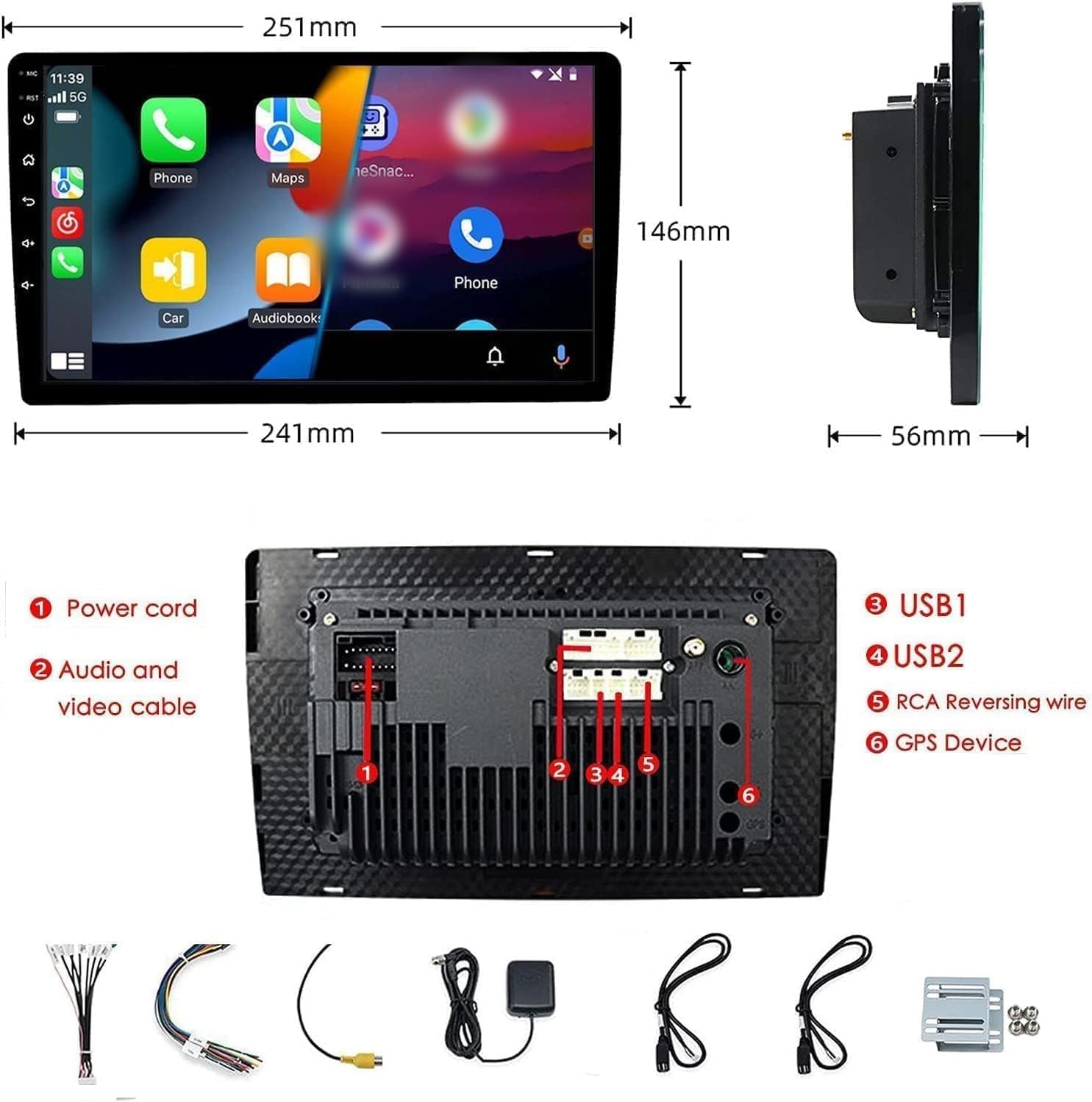
Figure 2: Unit dimensions and rear panel connection points.
Sambungan Pendawaian:
Rujuk gambarajah pendawaian yang disertakan untuk sambungan tertentu. Sambungan utama termasuk:
- Kord Kuasa: Sambungkan kepada bekalan kuasa kenderaan (12V malar, aksesori 12V, tanah).
- Audio and Video Cable: Untuk peranti audio/video luaran.
- USB Ports (USB1, USB2): For media playback, phone charging, and wired CarPlay/Android Auto.
- RCA Reversing Wire: Connect to the backup camera trigger wire.
- GPS Device: Connect the external GPS antenna for navigation functionality.
- Steering Wheel Control Wires (Key/SW): For integrating with vehicle's steering wheel controls.
Pastikan semua sambungan selamat dan terlindung dengan betul untuk mengelakkan litar pintas.
Arahan Operasi
Hidupkan/Mati Kuasa:
The unit will power on automatically when the vehicle's ignition is turned on. To manually power off or restart, use the power button on the front panel.
Operasi Skrin Sentuh:
Navigate the interface by tapping, swiping, and pinching on the 10.1-inch capacitive touch screen, similar to a smartphone or tablet.
Radio FM:
Access the FM Radio application from the main menu. You can scan for stations, save presets, and adjust volume. The unit supports standard FM frequencies.

Rajah 3: Antara muka Radio FM.
Pairing Bluetooth:
- Pastikan Bluetooth didayakan pada telefon mudah alih anda.
- On the car stereo, open the Bluetooth application.
- Cari untuk available devices on your phone and select "BINIZE" or a similar device name.
- Sahkan kod pasangan pada kedua-dua peranti jika digesa.
- Setelah digandingkan, anda boleh membuat panggilan bebas tangan dan menstrim audio.
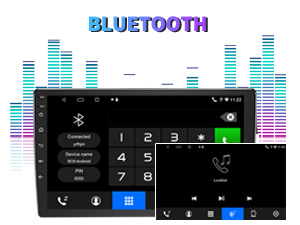
Figure 4: Bluetooth pairing screen.
Kawalan Roda Stereng:
To use your vehicle's steering wheel controls, manual learning is required. Access the Steering Wheel Control settings in the system menu and follow the on-screen instructions to map your vehicle's buttons to the stereo functions.
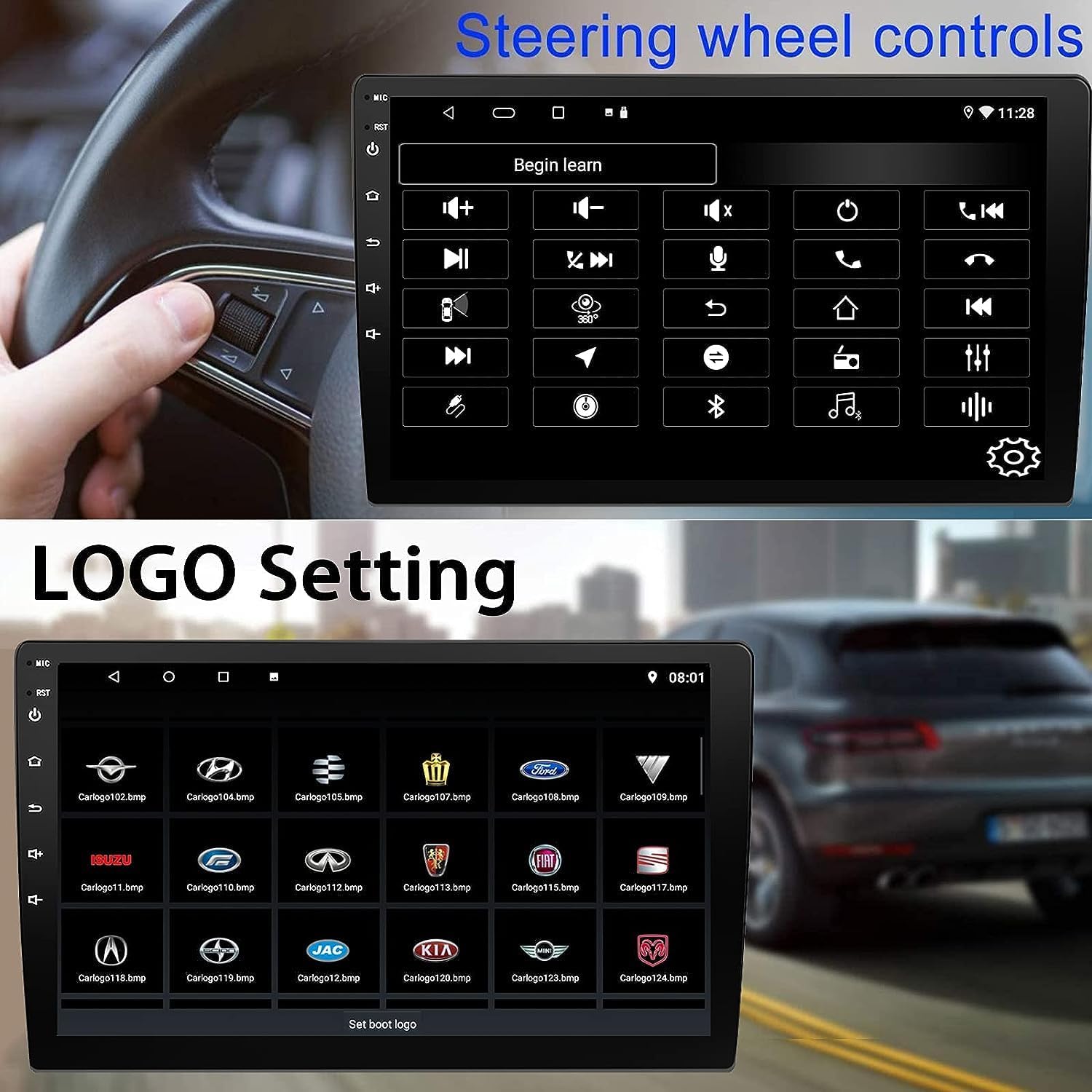
Figure 5: Steering Wheel Control setup screen.
Connectivity: CarPlay, Android Auto, and MirrorLink
CarPlay Tanpa Wayar:
Connect your iPhone wirelessly to access CarPlay features such as navigation, music, messages, and calls directly on the stereo display. Ensure Wi-Fi and Bluetooth are enabled on your iPhone.
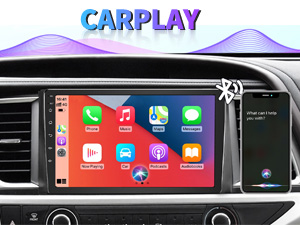
Figure 6: Wireless CarPlay interface.
Android Auto Wayarles:
Connect your Android phone wirelessly to use Android Auto for navigation, communication, and entertainment apps. Ensure Wi-Fi and Bluetooth are enabled on your Android device.

Figure 7: Wireless Android Auto interface.
Pautan Cermin:
MirrorLink allows you to display your smartphone's screen directly onto the car stereo. This feature works with both Android and iOS devices via a wired connection. Note that CarPlay/Android Auto and MirrorLink cannot be used simultaneously.

Figure 8: MirrorLink feature displaying a phone screen on the stereo.
Navigasi
The car stereo features an integrated GPS receiver, supporting both online and offline navigation. Connect to Wi-Fi or a mobile hotspot to use online navigation apps. For offline navigation, you may need to download map data.

Figure 9: GPS navigation map display.
Input Kamera
Kamera Sandaran:
The unit supports backup camera input. When properly connected, the display will automatically switch to the rear view when the vehicle is put into reverse, providing parking assistance with guidelines.
Depan View kamera:
The stereo also supports front view camera input, allowing for enhanced visibility when maneuvering in tight spaces.

Figure 10: Backup camera and front view camera displays.
Penyelenggaraan
To ensure the longevity and optimal performance of your BINIZE car stereo, follow these maintenance guidelines:
- Membersihkan Skrin: Gunakan kain lembut yang tidak berbulu untuk mengelap skrin sentuh dengan lembut. Untuk calitan degil, sedikit dampen kain dengan air atau pembersih selamat skrin. Elakkan bahan kimia yang keras atau bahan yang melelas.
- Pembersihan Am: Keep the unit and surrounding areas free from dust and debris. Use a soft brush or compressed air to clean vents and button areas.
- Kemas Kini Perisian: Periodically check for available software updates through the system settings to ensure you have the latest features and performance improvements.
- Elakkan Suhu Melampau: Do not expose the unit to extreme heat or cold for extended periods, as this can affect its electronic components.
Menyelesaikan masalah
Jika anda menghadapi masalah dengan stereo kereta anda, rujuk kepada masalah dan penyelesaian biasa berikut:
| Masalah | Kemungkinan Punca | Penyelesaian |
|---|---|---|
| Unit tidak dihidupkan. | pendawaian yang salah; Fius yang ditiup; Isu kuasa kenderaan. | Check power connections and vehicle fuses. Ensure constant 12V and accessory 12V are correctly wired. |
| Tiada bunyi. | Kelantangan terlalu rendah; Redam diaktifkan; Isu pendawaian pembesar suara. | Tingkatkan kelantangan. Periksa sama ada bisu aktif. Sahkan sambungan pembesar suara. |
| CarPlay/Android Auto tidak bersambung secara wayarles. | Bluetooth/Wi-Fi off on phone; Pairing issue; Software glitch. | Ensure phone's Bluetooth and Wi-Fi are on. Try re-pairing the device. Restart both phone and stereo. Some users reported needing to open phone's Bluetooth settings each time. |
| Screen too bright/dim at night. | Display settings not optimized. | Adjust brightness settings in the display menu. Consider using a screen dimming app if available. |
| Kamera sandaran tidak dipaparkan. | Camera not connected; RCA reversing wire not connected or faulty. | Check camera and RCA reversing wire connections. Ensure the camera is powered. |
Spesifikasi
| Ciri | Perincian |
|---|---|
| Jenama | BINIZE |
| Nombor Model | Binize |
| Sistem Operasi | Android 13 |
| Saiz Skrin | 10.1 inci (26 cm boleh dilihat pepenjuru) |
| Resolusi | 1024x600 |
| Pemproses | Quad-core Coretex-A7, 1.3GHz |
| Memori (RAM) | 2GB |
| Storan (ROM) | 32GB |
| Ketersambungan | Bluetooth, Wi-Fi, USB, Auxiliary |
| Ciri Khas | Wireless CarPlay, Wireless Android Auto, MirrorLink, GPS Navigation, Touchscreen, Built-In Bluetooth |
| Mod Keluaran Audio | Stereo (Konfigurasi Saluran Bunyi Sekeliling 2.0) |
| Berat Barang | 2.94 paun |
| warna | Hitam |
Waranti dan Sokongan
Maklumat Waranti:
The BINIZE Double Din Car Stereo comes with a Waranti percuma 1 tahun dari tarikh pembelian. Waranti ini meliputi kecacatan pembuatan dan kerosakan dalam penggunaan biasa. Sila simpan bukti pembelian anda untuk tuntutan waranti.
Sokongan Teknikal:
For any technical assistance, questions, or issues not covered in this manual, please contact our professional technical support team. You can reach us via Amazon email for 24/7 online technical support. Our team is available to assist with system upgrades and parts replacement.
We are committed to providing enthusiastic customer service and ensuring your satisfaction with the BINIZE product.