
pengenalan
This manual provides essential information for the safe and efficient operation, maintenance, and troubleshooting of your PURE CLEAN Robotic Vacuum Cleaner, model PUCRC660.5. Please read this manual thoroughly before using the product and retain it for future reference.
Arahan Keselamatan Penting
Sentiasa ikuti langkah berjaga-jaga keselamatan asas apabila menggunakan peralatan elektrik untuk mengurangkan risiko kebakaran, renjatan elektrik atau kecederaan. Ini termasuk:
- Baca semua arahan sebelum menggunakan perkakas.
- Do not operate the vacuum cleaner in areas with flammable or combustible liquids.
- Jauhkan rambut, pakaian longgar, jari dan semua bahagian badan daripada bukaan dan bahagian yang bergerak.
- Do not pick up large objects, sharp objects, or anything that is burning or smoking.
- Ensure the charging dock is placed against a wall on a level surface and is free from obstructions.
- Hanya gunakan penyesuai kuasa dan dok pengecas asal yang disediakan oleh pengilang.
- Jangan rendamkan perkakas dalam air atau cecair lain.
- Supervise children and pets when the vacuum cleaner is operating.
Kandungan Pakej
Sahkan bahawa semua komponen terdapat dalam kotak:
- Vakum Robot Pintar
- Dock Charging Base
- Tong Debu yang boleh ditanggalkan
- (4) Sapu Sapu
- (2) Dust Filters
- Alat Kawalan Jauh
- Berus Pembersih
- Penyesuai Kuasa
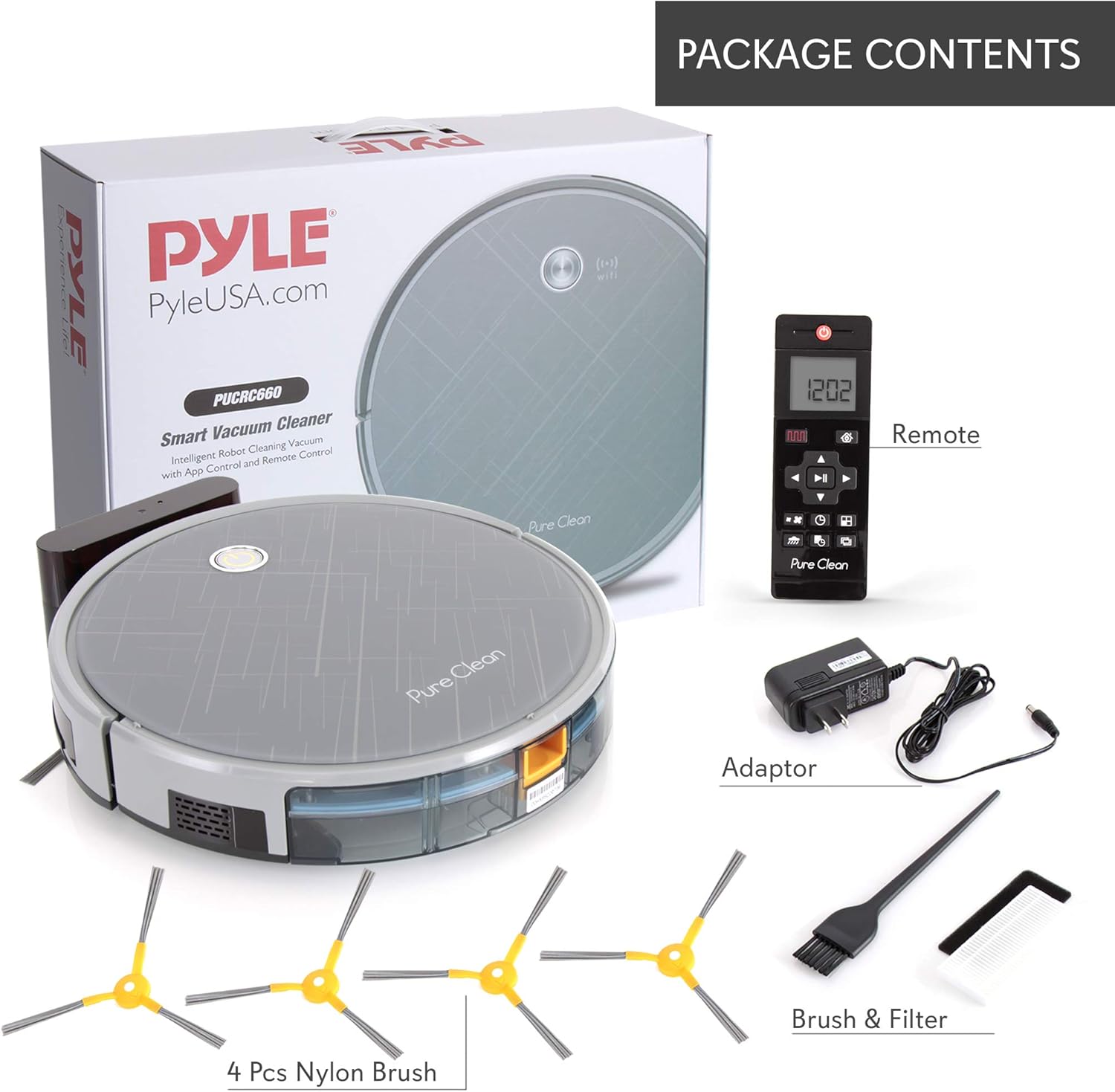
Figure 1: Included components of the PURE CLEAN Robotic Vacuum Cleaner PUCRC660.5.
Persediaan
1. Penempatan Tapak Pengecasan
Place the charging dock against a wall in an open, uncluttered area. Ensure there is at least 1 meter (3 feet) of clear space on both sides and 2 meters (6 feet) in front of the dock for optimal navigation and return.
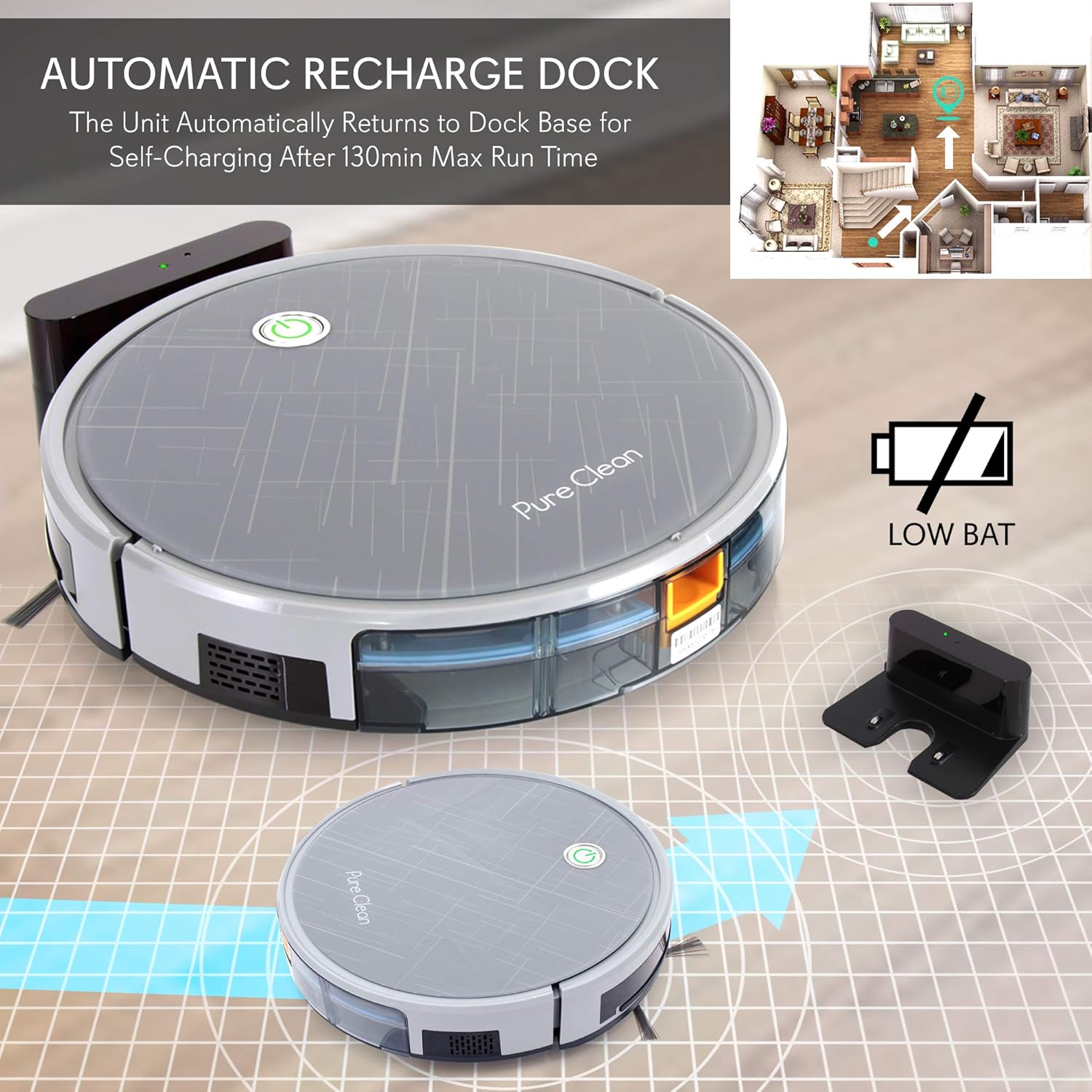
Figure 2: Robotic vacuum returning to its automatic recharge dock.
2. Pengecasan Awal
Connect the power adapter to the charging base and plug it into a wall outlet. Place the robot vacuum onto the charging base, ensuring the charging contacts align. The robot will begin charging. For first-time use, charge the robot for at least 6 hours to ensure the battery is fully conditioned.
3. Memasang Berus Sisi
Attach the two sweep brushes to the designated posts on the underside of the robot. Press firmly until they click into place.
4. Mobile App Connection (Optional)
For enhanced control and scheduling, download the 'Weback' app from the App Store (iOS) or Google Play Store (Android). Follow the in-app instructions to connect your robot vacuum via QR code. This allows you to operate the PUCRC660, choose cleaning modes, check status, and schedule cleaning plans.

Figure 3: Mobile app interface for controlling the robotic vacuum.
Arahan Operasi
1. Memulakan Kitaran Pembersihan
Press the power button on the robot or the remote control to start a cleaning cycle. The robot will automatically begin cleaning in its default mode.
2. Mod Pembersihan
The PUCRC660.5 offers several cleaning modes:
- Zigzag Mode: The robot cleans in an efficient S-shaped path, covering the entire area systematically. This mode is optimized by the built-in gyroscope technology.
- Mod Spot: The robot cleans a concentrated area in a spiral pattern, ideal for heavily soiled spots.
- Mod Tepi: Robot membersihkan sepanjang dinding dan tepi perabot.
You can select these modes via the remote control or the mobile app.
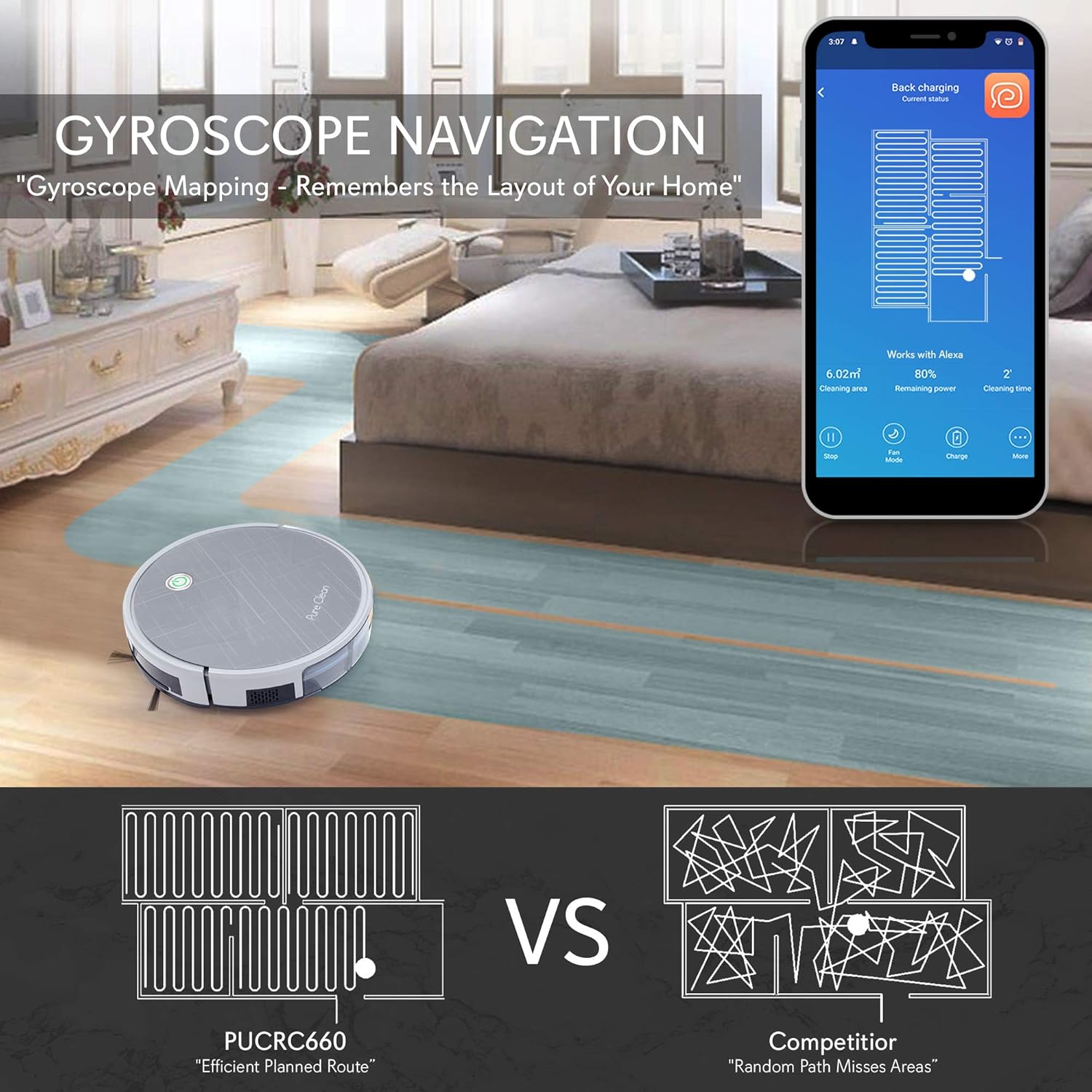
Figure 4: Gyroscope navigation for efficient cleaning paths.
3. Pengecasan Semula Automatik
When the battery level is low, or a cleaning cycle is complete, the robot will automatically return to its charging dock for self-charging. The maximum run time on a full charge is approximately 130 minutes, covering an area of 120-180 square meters.
4. Kawalan Suara
The robot vacuum is compatible with Amazon Alexa and Google Home. Link your 'Weback' app account to your smart home assistant to activate cleaning commands using your voice.
5. Sensor Technology
The robot is equipped with advanced sensors for safe and effective operation:
- Anti-Fall Sensors: Three bottom sensors detect drops and prevent the robot from falling down stairs or off ledges.
- Anti-Collision Sensors: Eleven front touchless detection sensors and two anti-conflict bumper touch sensors help the robot navigate around obstacles and furniture without damage.
- Edge Infrared Sensors: Two edge infrared sensors assist in wall following for thorough edge cleaning.

Figure 5: Anti-fall stair sensor in action.
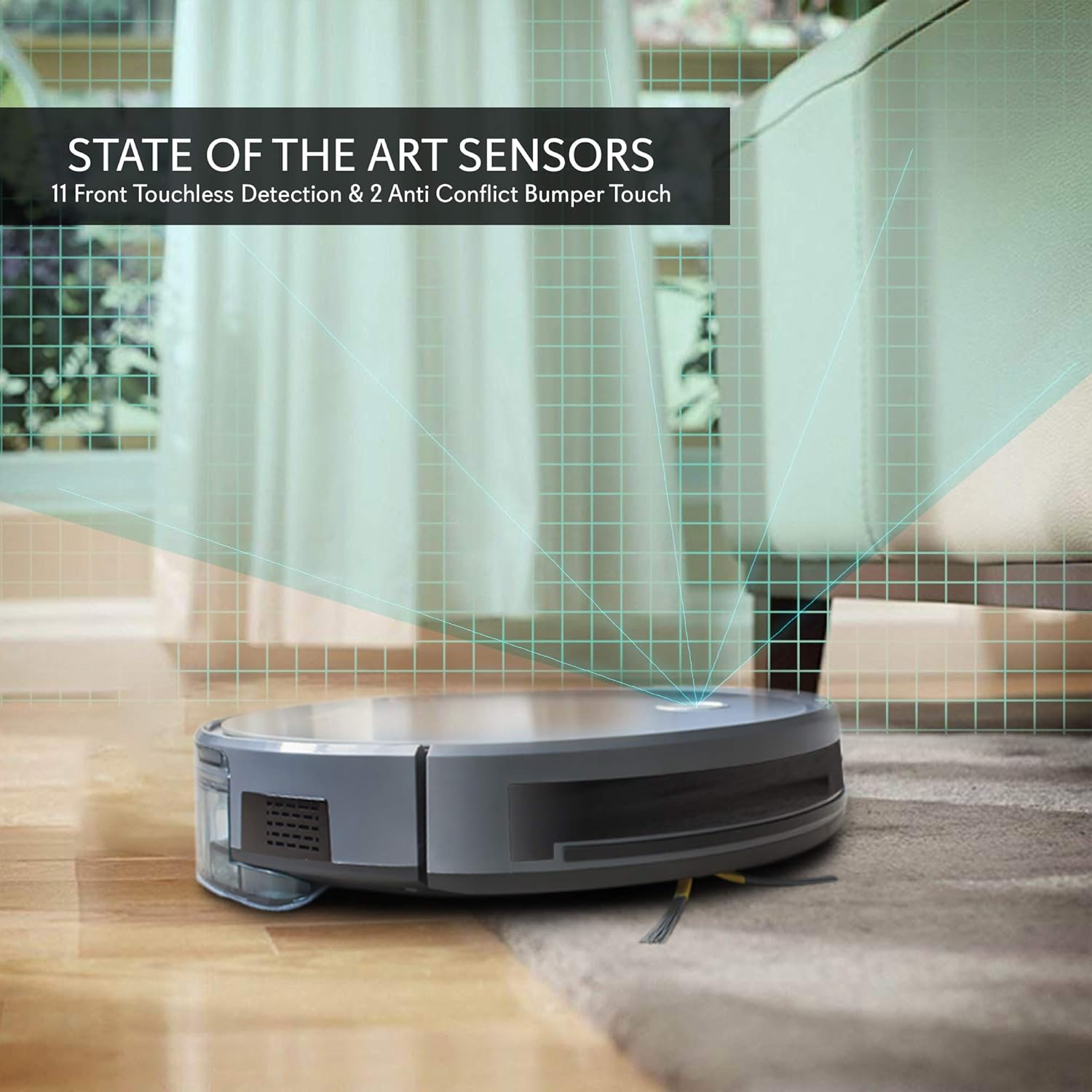
Figure 6: State-of-the-art sensors for obstacle detection.
Penyelenggaraan
Penyelenggaraan yang kerap memastikan prestasi optimum dan memanjangkan jangka hayat pembersih vakum robot anda.
1. Mengosongkan Tong Debu
The 600 mL dust bin should be emptied after each cleaning cycle or when full. Press the release button to remove the dust bin, open it, and discard the collected debris. Rinse the dust bin with water if necessary, ensuring it is completely dry before reinserting.
2. Membersihkan Penapis
The integrated dust filters should be cleaned regularly using the provided cleaning brush. Tap the filters gently to remove dust. Replace filters every 3-6 months, depending on usage, to maintain suction power.
3. Cleaning Side Brushes and Main Brush Roll
Inspect the side brushes and the rotating under-squeegee brush roll regularly for tangled hair or debris. Use the cleaning brush to remove any obstructions. If side brushes are worn or damaged, replace them with new ones.

Rajah 7: Bahagian bawah view showing cleaning mechanisms: side brushes and main brush roll.
4. Membersihkan Penderia dan Mengecas Kenalan
Wipe the anti-fall sensors, anti-collision sensors, and charging contacts on both the robot and the charging dock with a clean, dry cloth. This prevents dust buildup from interfering with their function.
Menyelesaikan masalah
If you encounter issues with your PURE CLEAN Robotic Vacuum Cleaner, refer to the following common problems and solutions:
| Masalah | Kemungkinan Punca | Penyelesaian |
|---|---|---|
| Robot tidak boleh dihidupkan atau dicas. | Battery is depleted; charging contacts are dirty; power adapter is not connected. | Ensure the robot is properly seated on the charging dock. Clean charging contacts. Verify power adapter is plugged in. |
| Robot kerap tersangkut. | Obstacles (cables, rugs with long fringes); low clearance under furniture. | Clear the cleaning area of loose cables and small objects. Ensure furniture has sufficient clearance (robot height is 3.0 inches). |
| Prestasi pembersihan yang lemah. | Dust bin is full; filters are clogged; brushes are tangled or worn. | Empty the dust bin. Clean or replace filters. Clean or replace side brushes and main brush roll. |
| Robot tidak kembali ke dok pengecasan. | Charging dock is obstructed; robot is too far from the dock; dirty charging contacts. | Ensure the charging dock has clear space around it. Manually place the robot on the dock. Clean charging contacts. |
| Isu sambungan apl. | Incorrect Wi-Fi password; robot not in pairing mode; router issues. | Ensure correct Wi-Fi password. Restart the robot and router. Follow app pairing instructions carefully. |
Spesifikasi
| Ciri | Perincian |
|---|---|
| Nombor Model | PUCRC660.5 |
| Kuasa Sedutan | 2000Pa |
| Jenis Bateri | 14.8V Li-ion 2600mAh |
| Masa Larian | Sehingga 130 minit |
| Cleaning Area Coverage | 120-180 Sq. Meter |
| Kapasiti Tong Debu | 600 mL |
| Tahap Kebisingan | <65dB |
| Dimensi (L x W x H) | 13.0'' x 13.0'' x 3.0'' inci |
| Bekalan Kuasa | 120-240V (Penyesuai Kuasa 19V) |
| Ciri Khas | Scheduling, Smart, Gyroscope Mapping, WiFi App Control, Voice Control (Alexa/Google Home), Anti-Fall/Anti-Collision Sensors, Rotating Under Squeegee |
| Permukaan yang Serasi | Hardwood, Tile, Marble, Hard Carpet Floors |
Maklumat Waranti
Please refer to the warranty card included with your product or contact PURE CLEAN customer support for detailed warranty information. Warranty terms and conditions may vary by region and retailer.
Sokongan Pelanggan
For technical assistance, troubleshooting not covered in this manual, or service inquiries, please contact PURE CLEAN customer support. Contact information can typically be found on the product packaging, the official PURE CLEAN webtapak, atau resit pembelian anda.