
pengenalan
This manual provides instructions for the ZdalaMit NH000UD Replacement Remote Control, designed for use with various Emerson TV models including LC320EMFX, LC195EMX, LC320EMXF, LC320EMXFB2, and LC320EMX. This remote control is pre-programmed and requires no additional setup beyond battery installation.
Persediaan
To begin using your NH000UD replacement remote control, follow these simple steps:
- Buka Petak Bateri: Locate the battery compartment cover on the back of the remote control. Slide or press the latch to open it.
- Masukkan Bateri: Insert two (2) AAA alkaline batteries into the compartment. Ensure the positive (+) and negative (-) terminals of the batteries match the markings inside the compartment.
- Tutup Petak Bateri: Gantikan penutup petak bateri, pastikan ia terpasang dengan selamat pada tempatnya.
- Tiada Pengaturcaraan Diperlukan: The NH000UD remote control is pre-programmed for compatible Emerson TV models. No additional programming or code entry is necessary. It is ready for use immediately after battery installation.
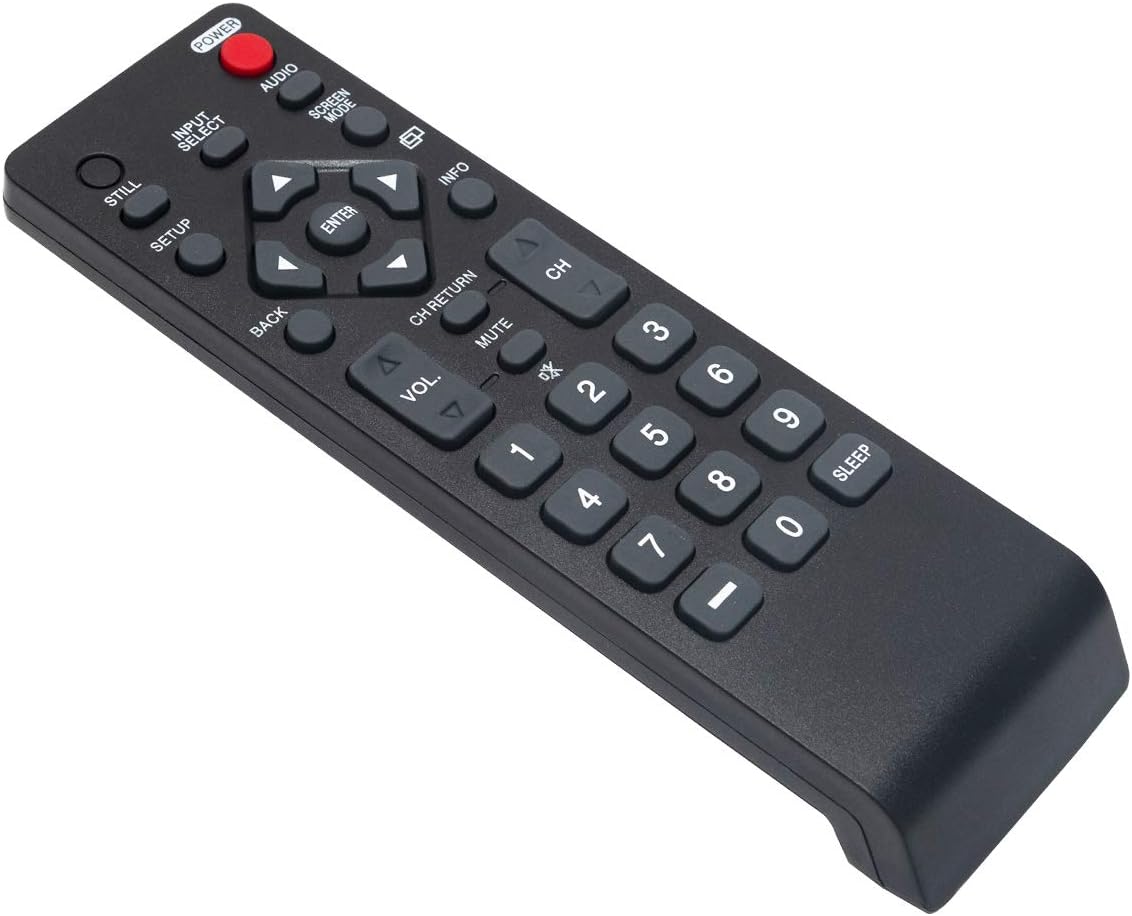
Arahan Operasi
The NH000UD remote control provides full functionality for your compatible Emerson TV. Point the remote directly at the TV's infrared sensor for optimal performance.
- Butang kuasa (KUASA): Tekan untuk menghidupkan atau mematikan TV.
- Input Select (INPUT PILIH): Berkitar melalui sumber input yang tersedia (cth., HDMI, AV, Komponen).
- Kawalan Kelantangan (VOL +/-): Melaraskan tahap kelantangan TV.
- Kawalan Saluran (CH +/-): Menukar saluran TV ke atas atau ke bawah.
- Bisu (HILANGKAN): Silences the TV audio. Press again to restore sound.
- Navigation Buttons (Arrows and MASUK): Digunakan untuk menavigasi menu dan mengesahkan pilihan.
- belakang (KEMBALI): Kembali ke menu atau skrin sebelumnya.
- maklumat (INFO): Memaparkan maklumat tentang program atau input semasa.
- Screen Mode (MOD SKRIN): Adjusts the screen display mode.
- Audio (AUDIO): Memilih trek atau mod audio.
- Pad Kekunci Berangka (0-9): Masukkan terus nombor saluran.
- tidur (TIDUR): Menetapkan pemasa agar TV dimatikan secara automatik.
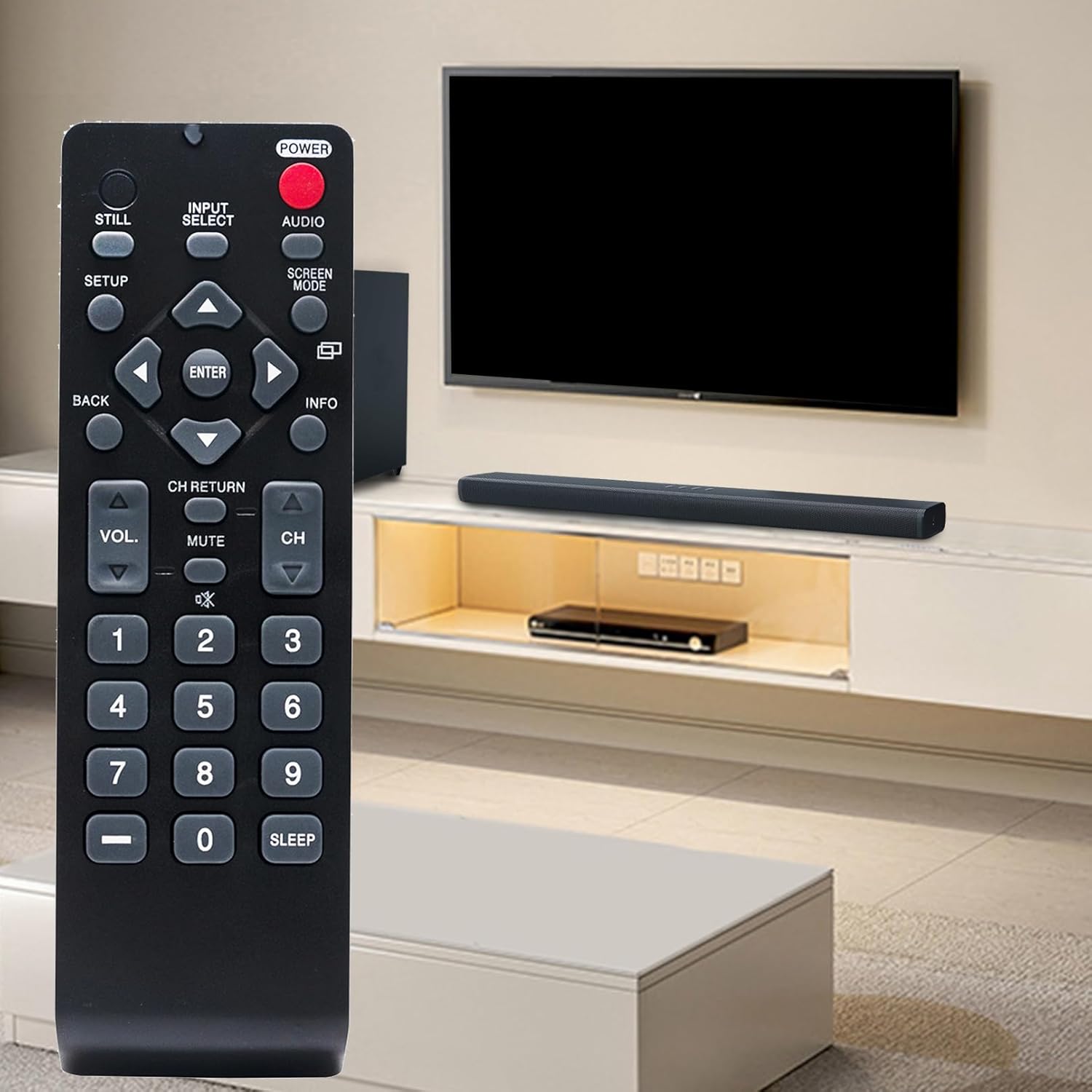
Penyelenggaraan
- Penggantian Bateri: Replace batteries when the remote's range decreases or buttons become unresponsive. Always replace both batteries simultaneously with new AAA alkaline batteries. Do not mix old and new batteries, or different types of batteries.
- Pembersihan: Wipe the remote control with a soft, dry cloth. Do not use liquid cleaners, sprays, or abrasive materials, as these can damage the remote's surface or internal components.
- Storan: Store the remote control in a cool, dry place away from direct sunlight and extreme temperatures. If the remote will not be used for an extended period, remove the batteries to prevent leakage.
Menyelesaikan masalah
- Jauh Tidak Menjawab:
- Pastikan bateri dimasukkan dengan betul dengan polariti yang betul.
- Gantikan bateri lama dengan bateri alkali AAA yang baharu.
- Periksa sebarang halangan antara alat kawalan jauh dan penderia inframerah TV.
- Pastikan anda berada dalam julat pengendalian berkesan (sehingga 33 kaki) dan halakan alat kawalan jauh terus ke TV.
- Butang Khusus Tidak Berfungsi:
- This may indicate low battery power. Try replacing the batteries.
- Inspect the button for any physical damage or debris that might be preventing it from pressing correctly.
Spesifikasi
| Jenama | ZdalaMit |
| Nama Model | NH000UD |
| Nombor Model | NH000UD |
| Peranti Serasi | Emerson Televisions (e.g., LC320EMFX, LC195EMX, LC320EMXF, LC320EMXFB2, LC320EMX) |
| Teknologi Ketersambungan | Inframerah |
| Bilangan Butang | 20 |
| Julat Maksimum | 33 Kaki |
| Jenis Bateri | 2 x Bateri Beralkali AAA (tidak termasuk) |
| Dimensi Item (L x W x H) | 6.55" x 1.99" x 0.55" |
| Berat Barang | 2.1 Auns |

Maklumat Waranti
This ZdalaMit NH000UD Replacement Remote Control comes with a Waranti 1 tahun from the date of purchase. This warranty covers manufacturing defects under normal use. It does not cover damage caused by misuse, accidents, unauthorized modifications, or battery leakage. Please retain your proof of purchase for warranty claims.
Sokongan Pelanggan
Should you have any questions, require assistance, or encounter issues not covered in this manual, please do not hesitate to contact ZdalaMit customer support. Refer to your product packaging or the retailer's webtapak untuk butiran hubungan khusus.
For further information or support, you may visit the official ZdalaMit webtapak atau platform tempat produk itu dibeli.