
NQD 757-C274-pink
NQD 4WD Remote Control Truck Instruction Manual
Brand: NQD | Model: 757-C274-pink
Produk Selesaiview
The NQD 4WD Remote Control Truck is a robust 1:14 scale monster stunt car engineered for thrilling off-road experiences. Its advanced 2.4Ghz remote control system ensures stable and interference-free operation, allowing multiple users to play simultaneously. Equipped with bright LED headlights and a unique nitrogen spray effect (activated by adding water), this truck delivers an immersive play experience. Built with high-strength ABS plastic and durable climbing tires, it's designed to conquer various terrains and withstand impacts.
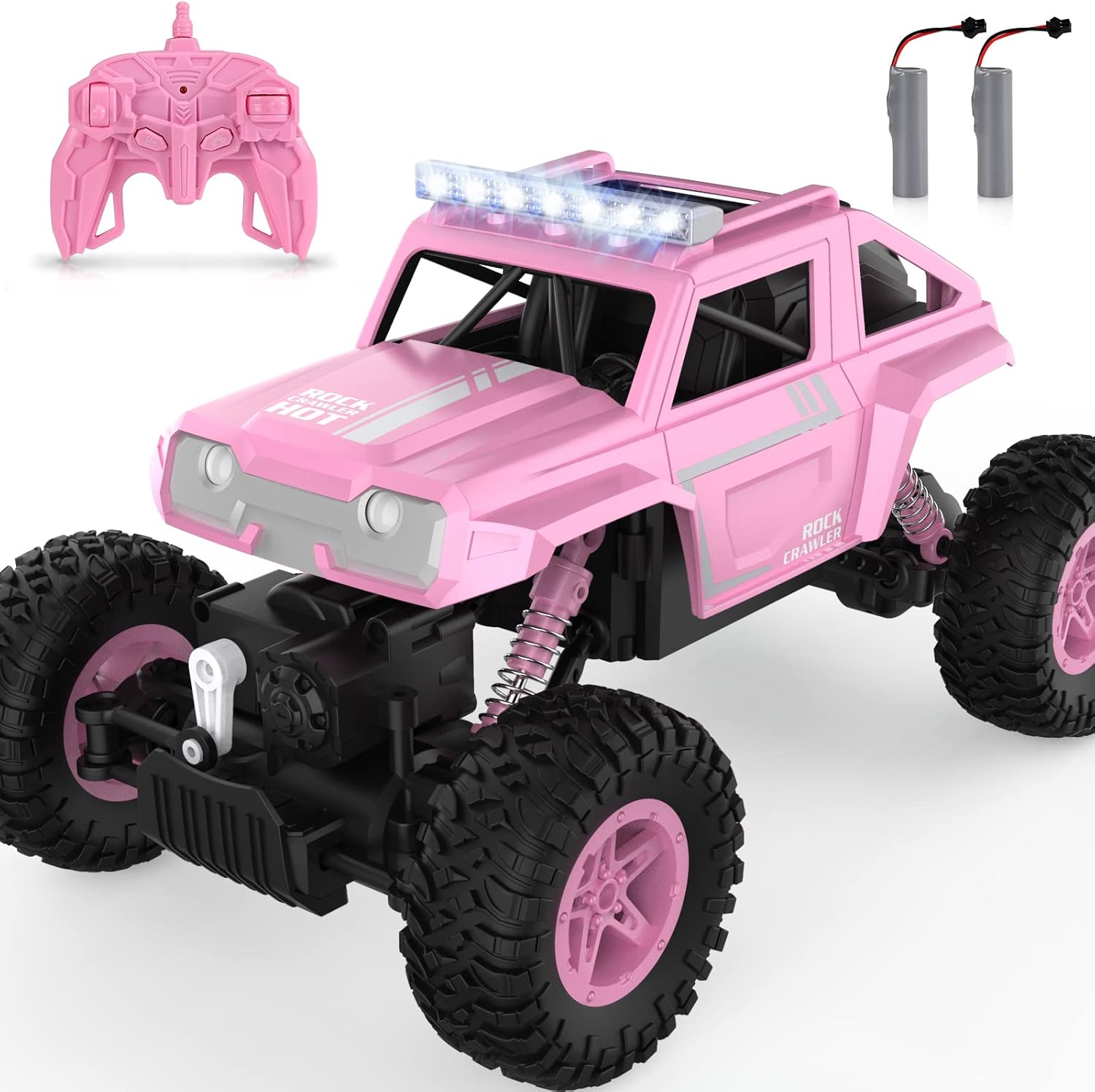
Figure 1: NQD 4WD Remote Control Truck (Pink) with its remote and rechargeable batteries.
Apa yang ada dalam Kotak
Upon unboxing your NQD 4WD Remote Control Truck, please verify that all components are present:
- 1 x 1:14 Scale Remote Control Car
- 1 x Remote Control (requires 2 AA batteries, not included)
- 2 x 3.7V/1200mAh Rechargeable Batteries (for the truck)
- 1 x Kabel Pengecas USB
- 1 x Pemutar skru
- 1 x Water Bottle (for spray effect)

Figure 2: All items included in the NQD 4WD Remote Control Truck package.
Panduan Persediaan
1. Pemasangan Bateri
Untuk Alat Kawalan Jauh:
- Cari petak bateri di belakang alat kawalan jauh.
- Gunakan pemutar skru untuk membuka penutup bateri.
- Masukkan 2 bateri AA, pastikan kekutuban (+/-) betul.
- Gantikan penutup bateri dan kencangkannya dengan skru.
For the RC Truck:
- Cari petak bateri di bahagian bawah trak.
- Gunakan pemutar skru yang disediakan untuk membuka penutup bateri.
- Connect the rechargeable battery pack to the truck's battery connector.
- Carefully place the battery pack inside the compartment.
- Tutup penutup bateri dan selamatkannya dengan skru.
2. Mengecas Bateri Trak
The truck's 3.7V/1200mAh battery is rechargeable. Use the included USB charging cable to charge the battery. Connect the battery to the USB cable, then plug the USB end into a compatible USB power source (e.g., computer USB port, USB wall adapter). The charging indicator light on the USB cable will show the charging status. Allow sufficient time for a full charge before first use (approximately 2-3 hours).
3. Filling Water for Spray Effect
The truck features a unique nitrogen spray effect. To activate this, you need to add water:
- Locate the water filling port at the rear of the truck (near the exhaust).
- Use the provided small water bottle to carefully fill the reservoir with clean water. Do not overfill.
- Ensure the cap is securely closed after filling to prevent leaks.
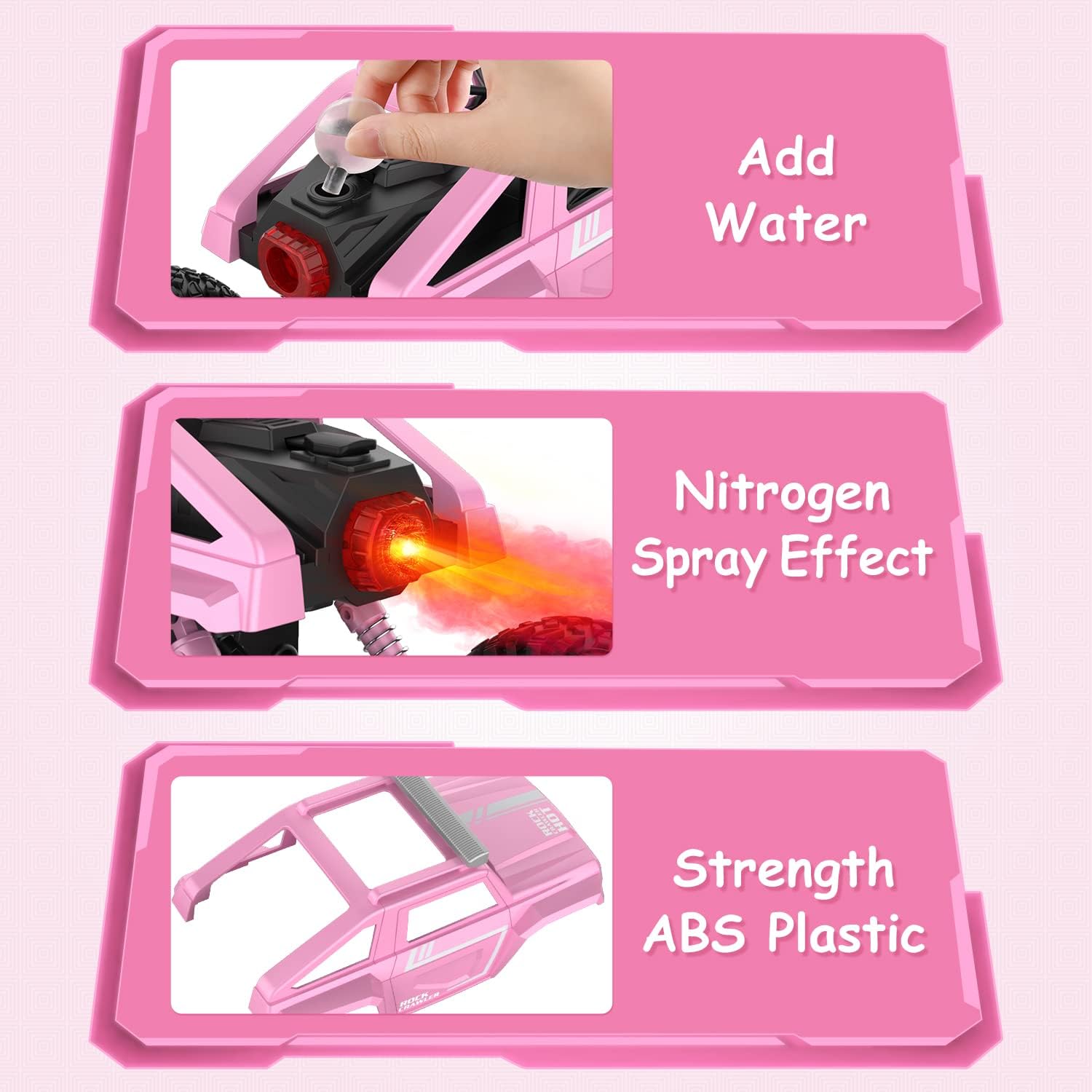
Figure 3: Illustration of adding water to the truck for the spray effect.
4. Memadankan Alat Kawalan Jauh
Turn on the truck using the power switch located on its underside. Then, turn on the remote control. The remote and truck should automatically pair. If they do not pair, turn both off and then on again, ensuring they are close to each other.
Video 1: Demonstrates the NQD RC Truck's features, including battery installation and basic operation. (Source: NQD Official)
Arahan Operasi
1. Fungsi Alat Kawalan Jauh
The 2.4Ghz remote control provides precise command over your truck. Familiarize yourself with the controls:
- Forward/Backward Lever: Push forward to move the truck forward, pull back to move backward.
- Turn Left/Turn Right Lever: Push left to turn left, push right to turn right.
- Right Spray Button: Press to activate the nitrogen spray effect from the rear of the truck.
- Automatic Demonstration Button: Press for an automated display of the truck's capabilities.
- Lampu Petunjuk: Shows the remote's power status.

Figure 4: Detailed layout of the remote control functions.
2. Ciri-ciri Khas
- Lampu hadapan LED: The truck is equipped with bright LED headlights, allowing for play even in low-light conditions.
- Nitrogen Spray Effect: Once water is added, activate the spray effect via the remote for a cool visual.
- Keupayaan Semua Rupa Bumi: The truck's design, with its large wheels and robust suspension, allows it to traverse various surfaces including flat ground, grass, muddy roads, and sand.

Figure 5: The truck's LED headlights provide visibility during play.

Figure 6: The NQD RC Truck is designed for diverse terrains.
Video 2: Showcases the NQD RC Truck's off-road capabilities and spray feature. (Source: NQD Official)
Penyelenggaraan
1. Pembersihan
After use, especially after driving on dirty or wet surfaces, gently wipe down the truck with a dry or slightly damp cloth. Avoid using harsh chemicals or excessive water directly on electronic components.
2. Penyimpanan
Store the truck and remote control in a cool, dry place away from direct sunlight and extreme temperatures. For prolonged storage, remove batteries from both the truck and the remote control to prevent leakage and damage.
3. Penjagaan Bateri
To maximize battery life, always fully charge the truck's rechargeable battery before first use and after each play session. Avoid overcharging or completely draining the battery. If the truck will not be used for an extended period, charge the battery partially (around 50%) before storing.
Menyelesaikan masalah
| Masalah | Kemungkinan Punca | Penyelesaian |
|---|---|---|
| Truck does not move or respond to remote. | Low battery in truck or remote; not paired; power switch off. | Charge truck battery; replace remote batteries; ensure both are powered on and paired. |
| Spray effect not working. | No water in reservoir; clogged nozzle. | Refill water reservoir; gently clear nozzle if clogged. |
| Limited range or interference. | Obstructions; other 2.4Ghz devices nearby. | Move to an open area; minimize other wireless device usage. |
| Truck moves slowly or inconsistently. | Low truck battery; debris in wheels. | Recharge truck battery; inspect and clean wheels/axles. |
Spesifikasi
- Jenama: NQD
- Nombor Model: 757-C274-pink
- Skala: 1:14
- Kekerapan Kawalan: 2.4Ghz
- Bateri Lori: 3.7V/1200mAh Rechargeable
- Bateri Jauh: 2 x AA (tidak termasuk)
- Umur Disyorkan: 8 tahun dan ke atas
- Berat Barang: 2.16 paun
- Dimensi Pakej: 11.57 x 8.15 x 7.36 inci
Waranti dan Sokongan
The NQD team is committed to product quality. If you have any questions or encounter issues with your NQD 4WD Remote Control Truck, please contact our after-sales mailbox for prompt assistance and a satisfactory solution. For additional information, you may refer to the official User Manual (PDF) available for download in the product details section on the retailer's webtapak.
Untuk bantuan lanjut, sila layari NQD Official Store.