
pengenalan
Thank you for choosing the SLuB Bone Conduction Headphones F806. These open-ear wireless earphones utilize advanced bone conduction technology and Bluetooth 5.0 connectivity to provide a unique audio experience while keeping you aware of your surroundings. This manual provides detailed instructions for setup, operation, maintenance, and troubleshooting to ensure optimal performance and longevity of your device.
Produk Selesaiview
Ciri-ciri Utama
- Teknologi Pengaliran Tulang: Delivers audio through your cheekbones, leaving your ears open to ambient sounds.
- Reka Bentuk Telinga Terbuka: Enhances situational awareness, ideal for outdoor activities.
- Bluetooth 5.0: Menyediakan sambungan wayarles yang stabil dan cekap.
- Sangat Ringan: Weighs approximately 35 grams for comfortable extended wear.
- Kalis Air IPX5: Resistant to sweat and light rain, suitable for sports.
- Hayat Bateri yang Panjang: Up to 8 hours of continuous playback.
Komponen Produk

Rajah 1: Berakhirview of SLuB Bone Conduction Headphones F806, highlighting features such as 180 mAh battery, 9h talk time, 8h play time, 180h standby time, and 25g weight, suitable for cycling, climbing, working, gym, and running.

Rajah 2: Illustration of the open-ear design, allowing users to hear surroundings and avoid potential dangers while enjoying music.

Rajah 3: Explanation of bone conduction technology, which delivers audio to the auditory nerve via the cheekbone, keeping both ears open.

Rajah 4: Demonstration of the headphones' resilient and durable titanium wire skeleton, capable of 360° bending without deformation.

Rajah 5: Visual representation of the IPX5 waterproof rating, indicating nano-coating protection against sweat and water.
Arahan Persediaan
1. Mengecas Fon Kepala
- Locate the USB charging interface on the headphones.
- Sambungkan kabel pengecas USB yang disediakan ke fon kepala dan sumber kuasa USB yang serasi (cth., port USB komputer, penyesuai dinding).
- The indicator light will illuminate during charging. Once fully charged, the light will change color or turn off, depending on the model. A full charge typically takes approximately 2 hours.
Rajah 6: Location of the USB Charging Interface, Indicator Light, and Volume controls.
2. Berpasangan Bluetooth
- Hidupkan kuasa: Press and hold the multifunction button (Power Button) for 2 seconds until the indicator light flashes, indicating pairing mode.
- Aktifkan Bluetooth: Pada peranti anda (telefon pintar, tablet, dll.), dayakan Bluetooth.
- Pilih Peranti: Cari untuk "SLuB F806" or a similar name in the list of available Bluetooth devices and select it to connect.
- Pengesahan: Once successfully paired, the indicator light will stop flashing or show a steady light, and you may hear an audio prompt.

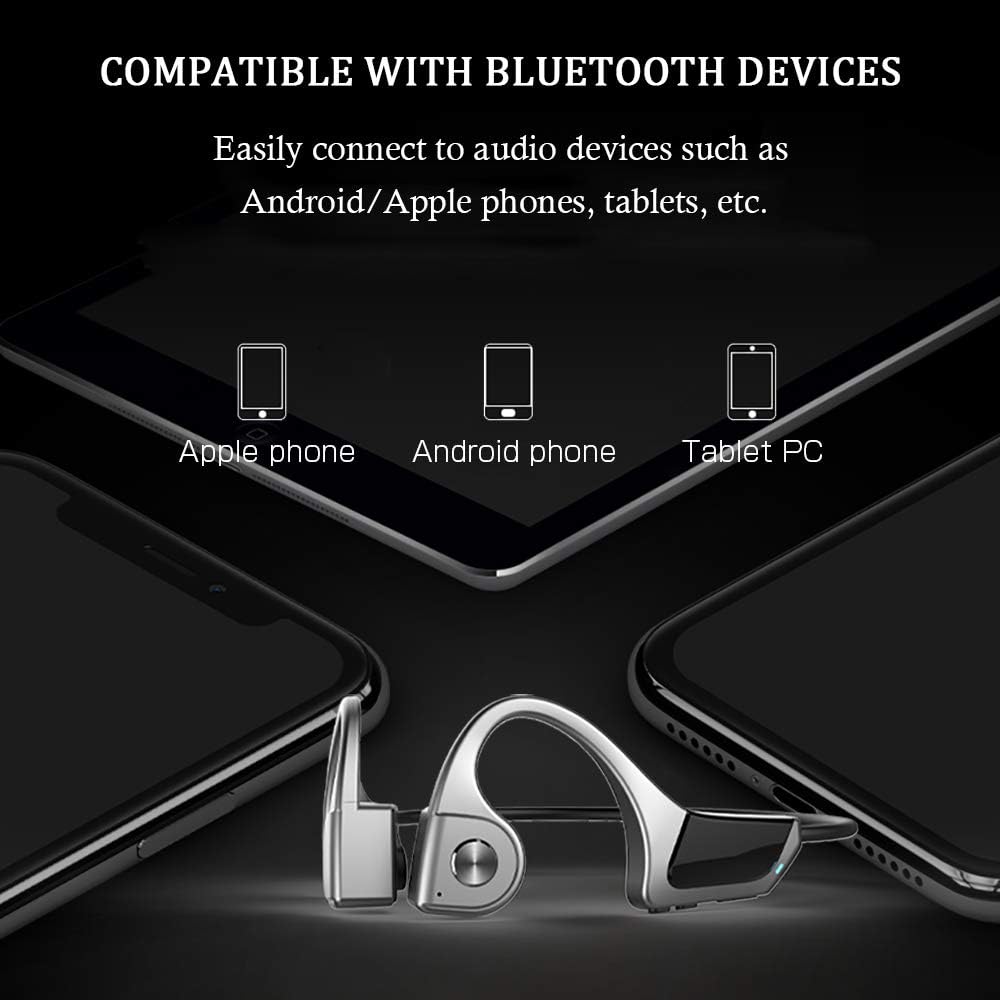
Rajah 7: Compatibility with various Bluetooth devices, including Apple phones, Android phones, and Tablet PCs.
Arahan Operasi
Fungsi Butang

Rajah 8: Detailed functions of the micro raised buttons for easy control.
| Fungsi | Tindakan |
|---|---|
| Hidupkan/Mati Kuasa | Tekan dan tahan butang multifungsi selama 2 saat. |
| Dail Suara | Press and hold the multifunction button for 2 seconds (when powered on). |
| Volume Up (+) / Volume Down (-) | Click the +/- key. |
| Jawapan / Panggilan Panggilan | Click the multifunction button. |
| Mainkan / Jeda Muzik | Click the multifunction button. |
| Trek Sebelumnya / Seterusnya | Long press the +/- key. |
Penyelenggaraan
- Pembersihan: Lap fon kepala dengan lembut, damp kain. Jangan gunakan bahan kimia yang keras atau bahan yang melelas.
- Storan: Simpan fon kepala di tempat yang sejuk dan kering jauh dari cahaya matahari langsung dan suhu yang melampau.
- mengecas: Pastikan port pengecasan kering sebelum menyambungkan kabel pengecasan.
- Pendedahan Air: While IPX5 rated, avoid submerging the headphones in water. Dry thoroughly if exposed to sweat or rain.
Menyelesaikan masalah
| Masalah | Penyelesaian yang Mungkin |
|---|---|
| Fon kepala tidak dihidupkan. | Ensure the headphones are fully charged. Press and hold the multifunction button for 2 seconds. |
| Tidak boleh berpasangan dengan peranti. |
|
| Tiada bunyi atau kelantangan rendah. |
|
| Kualiti panggilan yang lemah. |
|
Spesifikasi
| Ciri | Perincian |
|---|---|
| Nombor Model | F806 |
| Jenama | SLuB |
| Teknologi Ketersambungan | Bluetooth 5.0, Tanpa Wayar |
| Penempatan Telinga | Buka Telinga |
| Tahap Ketahanan Air | IPX5 Kalis Air |
| Berat Barang | 35 Gram |
| bahan | plastik |
| Jenis Kawalan | Kawalan Media |
| Kaedah Kawalan | Touch (referring to button presses) |
| Kegunaan Khusus | Sukan dan Senaman |
Waranti dan Sokongan
For warranty information and customer support, please refer to the documentation included with your purchase or contact the retailer. Keep your proof of purchase for any warranty claims.