
SelfieShow L03
SelfieShow L03 Cell Phone Selfie Stick Tripod User Manual
Model: L03 | Brand: SelfieShow
1. Pengenalan
This manual provides detailed instructions for the proper use and maintenance of your SelfieShow L03 Cell Phone Selfie Stick Tripod. This versatile device functions as both an extendable selfie stick and a stable tripod, complete with a detachable wireless remote control. Please read this manual thoroughly before operating the product to ensure optimal performance and longevity.
2. Kandungan Pakej
Sahkan bahawa semua item terdapat dalam pakej anda:
- SelfieShow L03 Selfie Stick Tripod
- Detachable Wireless Remote Control (with 1 C battery included)
- Manual Pengguna (dokumen ini)
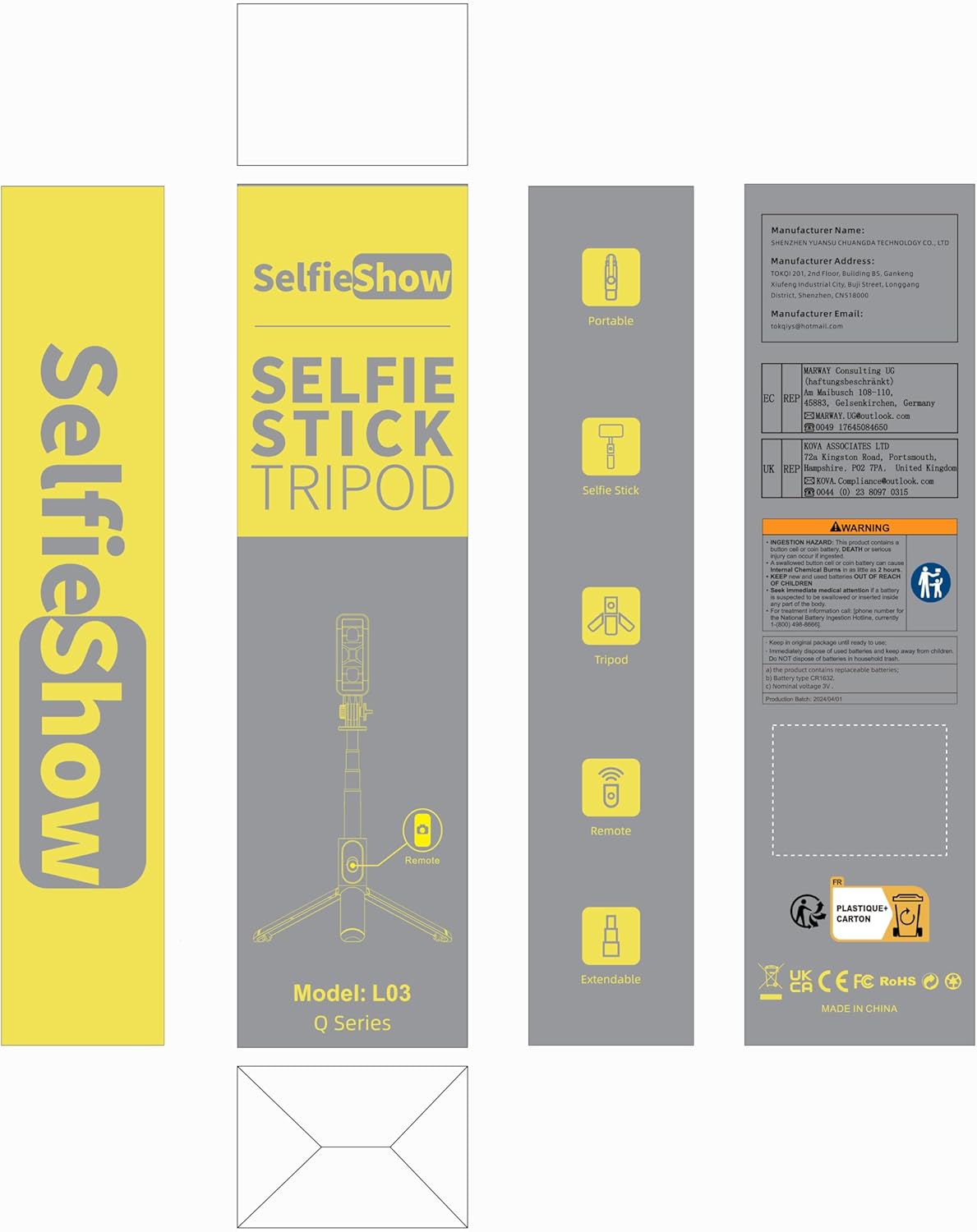
Image: Product packaging for the SelfieShow L03, showing the selfie stick, remote, and tripod components.
3. Produk Lebihview
Familiarize yourself with the main components of your SelfieShow L03 device:

Image: Diagram illustrating the key components of the SelfieShow L03, including the detachable phone mount, aluminum alloy rod, stable tripod, detachable remote control, and anti-slip pads.
- Detachable Phone Mount: Securely holds your smartphone. Features anti-slip pads for grip.
- Aluminum Alloy Rod: Extendable and retractable for selfie stick functionality.
- Pangkalan Tripod: Foldable legs provide a stable stand for tabletop or ground use. Includes anti-slip pads.
- Detachable Wireless Remote Control: For remote photo and video capture. Stores conveniently in the handle.
- Kunci Putar: Allows for 360° rotation and 270° adjustment of the phone mount.
4. Arahan Persediaan
4.1. Attaching Your Phone
- Gently pull the top section of the phone mount upwards to expand it.
- Place your smartphone into the mount, ensuring it is securely held by the anti-slip pads. The mount supports phones with a width between 6.5cm and 9.5cm.
- The phone mount can also be detached and used as a separate phone stand. To detach, slide the phone mount upwards from the selfie stick.

Image: Step-by-step guide on detaching the phone mount and using it as a standalone phone stand.
4.2. Pairing the Wireless Remote Control
- Remove the wireless remote control from its slot in the selfie stick handle.
- Tekan dan tahan butang pada alat kawalan jauh sehingga lampu penunjuk mula berkelip, menunjukkan ia berada dalam mod berpasangan.
- On your smartphone, navigate to Bluetooth settings.
- Cari untuk available devices and select "SelfieShow" (or similar name like "Liangdianpai") to connect. The indicator light on the remote will stop flashing once successfully paired.
- The remote is compatible with Android 4.4+ and iOS 5.1+ devices.

Image: Visual guide for pairing the wireless remote control with a smartphone via Bluetooth.
5. Arahan Operasi
5.1. Selfie Stick Mode
- Ensure your phone is securely mounted.
- Extend the aluminum alloy rod to your desired length. The stick can extend up to 34.4 inches (87.5 cm).
- Use the paired wireless remote control to capture photos or start/stop video recording.
5.2. Tripod Mode
- From the folded position, gently unfold the three legs at the bottom of the handle to form a stable tripod base.
- Place the tripod on a flat, stable surface. For maximum stability, keep the extension rod as short as possible.
- Adjust the height by extending the aluminum rod.
- Use the wireless remote for hands-free operation.
5.3. Adjusting Angle and Rotation
- The phone mount allows for 360° rotation. Loosen the rotary lock knob, adjust the phone to horizontal or vertical orientation, and then tighten the knob to secure.
- The phone mount also offers 270° adjustment for tilting the phone up or down. Loosen the rotary lock, set the desired angle, and tighten the knob.
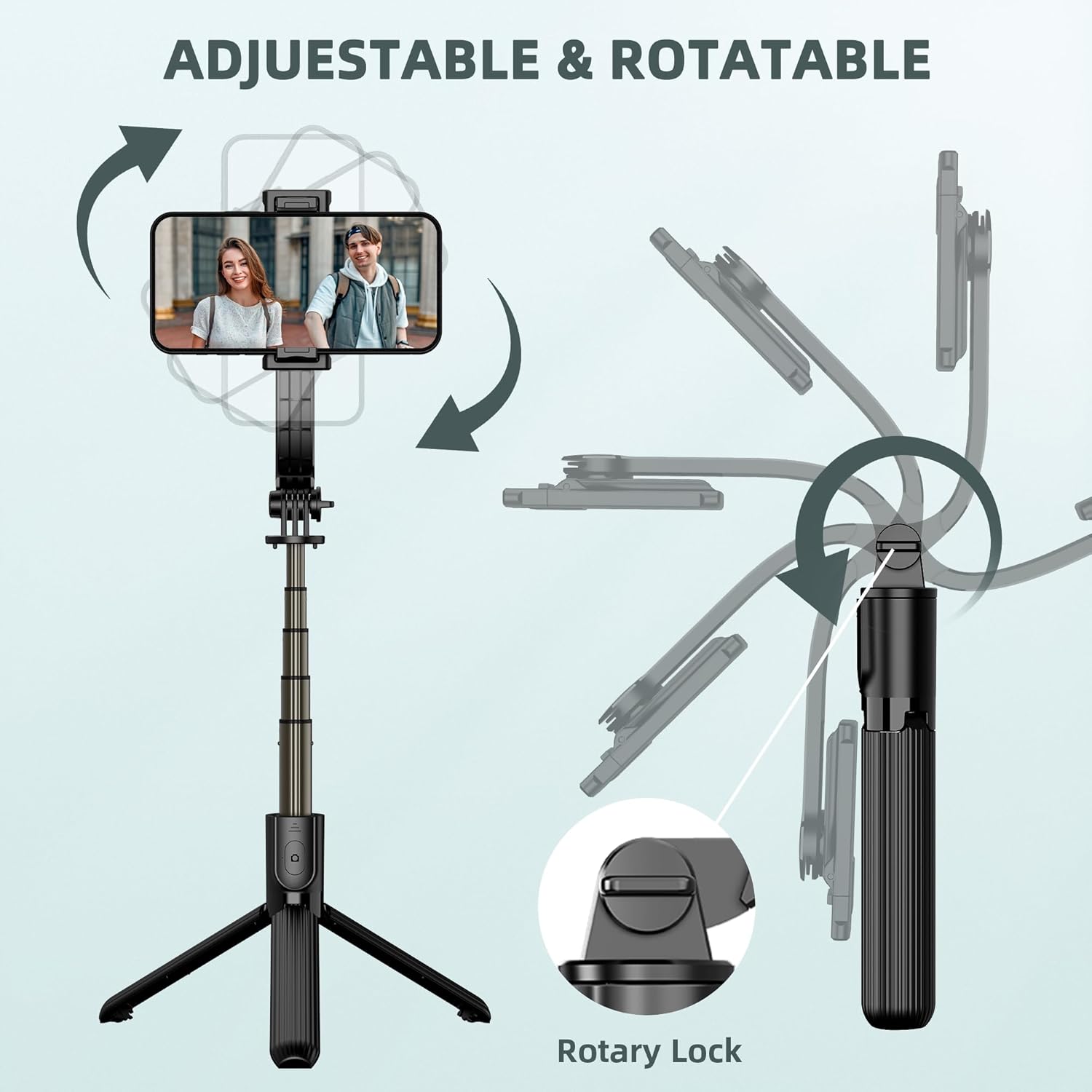
Image: Illustration demonstrating the 360° rotation and 270° tilt adjustment capabilities of the phone mount, secured by a rotary lock.
6. Penyelenggaraan
- Pembersihan: Lap peranti dengan kain lembut dan kering. Elakkan penggunaan bahan kimia yang keras atau bahan yang melelas.
- Storan: When not in use, fold the selfie stick tripod to its compact size (7.4 inches / 19 cm) and store it in a cool, dry place away from direct sunlight.
- Penggantian Bateri: The remote control uses a replaceable C battery. If the remote's performance degrades, replace the battery.
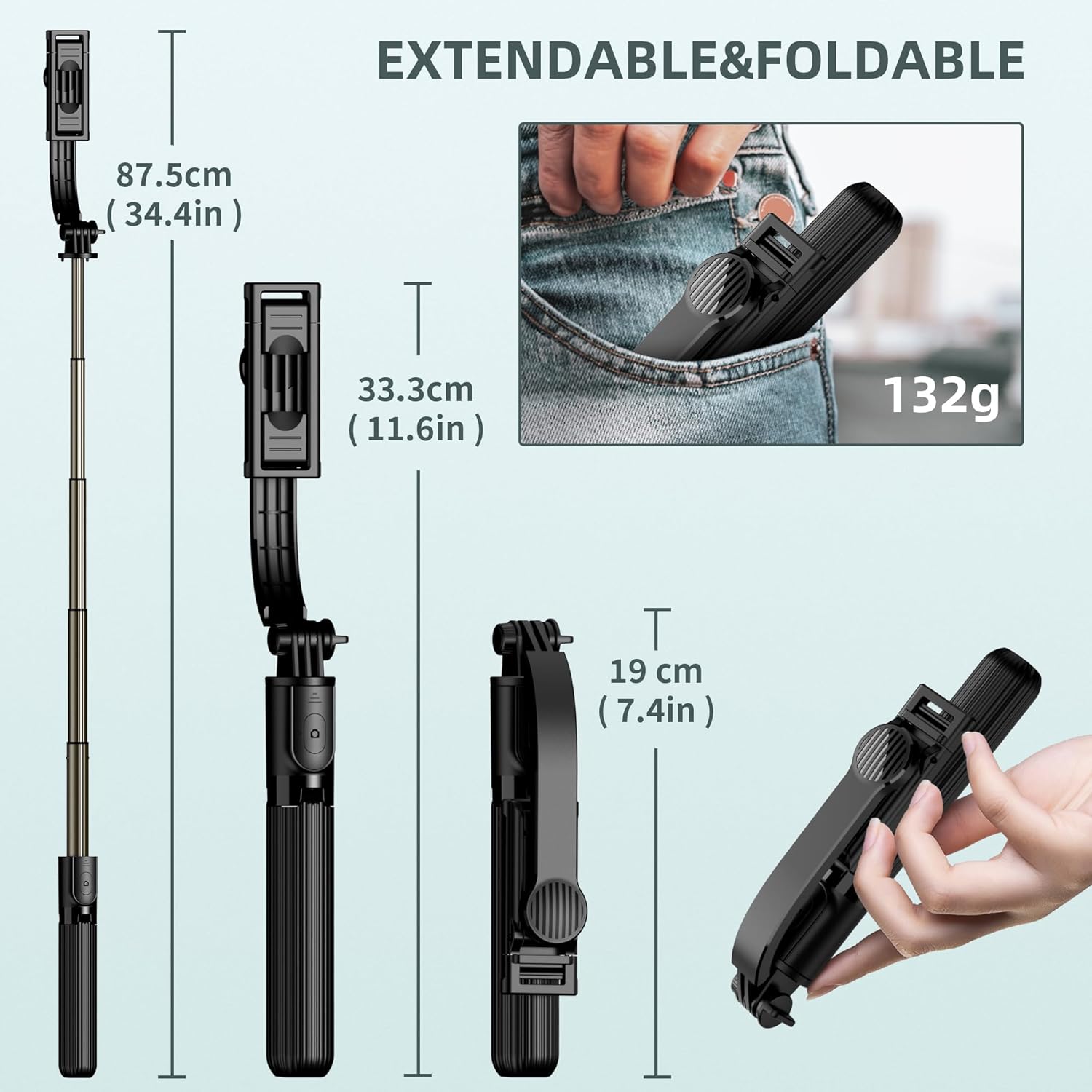
Image: Dimensions of the SelfieShow L03 when extended (34.4 inches) and folded (7.4 inches), highlighting its portability.
7. Penyelesaian masalah
- Alat Kawalan Jauh Tidak Berpasangan:
- Ensure the remote control battery is not depleted. Replace if necessary.
- Pastikan Bluetooth didayakan pada telefon pintar anda.
- Try unpairing and re-pairing the remote control in your phone's Bluetooth settings. - Ketidakstabilan Tripod:
- Ensure the tripod legs are fully extended and locked into position.
- Use the tripod on a flat, level surface.
- For increased stability, keep the extension rod at a shorter length. - Phone Not Fitting in Holder:
- Verify your phone's width is within the supported range of 6.5cm to 9.5cm (2.5 to 3.7 inches). - GoPro Compatibility:
- The selfie stick includes an adapter for GoPro cameras. Note that the wireless remote control is designed for smartphones and may not sync with GoPro devices for remote capture.

Image: Diagram showing the phone holder's width compatibility (6.5-9.5cm) and the inclusion of a GoPro adapter for mounting action cameras.
8. Spesifikasi
| Ciri | Spesifikasi |
|---|---|
| Nombor Model | L03 |
| Dimensi Produk | 1.85 x 1.3 x 7.48 inci (dilipat) |
| Berat Barang | 5.6 auns (0.35 paun) |
| bahan | aluminium |
| Ketinggian Maksimum | 860 Milimeter (34.4 inci) |
| Ketinggian Minimum | 190 Milimeter (7.4 inci) |
| Had berat | 158 Gram |
| Lebar Telefon yang Serasi | 6.5cm - 9.5cm (2.5 - 3.7 inches) |
| Bateri Kawalan Jauh | Bateri 1 C (termasuk) |
| Julat Kawalan Jauh | Sehingga 10 meter |
| Peranti Serasi | Most smartphones (iPhone 15/14/13/12/11 series, Samsung Galaxy S/Note series, Google Pixel, OnePlus, etc.) and GoPro cameras. |
9. Waranti dan Sokongan
The SelfieShow L03 Cell Phone Selfie Stick Tripod comes with a one-year warranty. If you encounter any issues or require assistance with your product, please refer to the contact information provided with your purchase or visit the official SelfieShow brand store for support.
Untuk bantuan lanjut, sila layari SelfieShow Store on Amazon.
Dokumen Berkaitan - L03
 |
Tripod Tongkat Selfie Boleh Dipanjangkan SelfieShow dengan Alat Kawalan Jauh Tanpa Wayar - Panduan Pengguna Panduan komprehensif untuk tripod kayu swafoto boleh panjang SelfieShow, menampilkan alat kawalan jauh tanpa wayar, reka bentuk monopod mudah alih dan keserasian telefon pintar yang luas untuk peranti iPhone, Samsung dan Huawei. |
 |
L03 Smartwatch: Specifications and Features Detailed specifications, connectivity, appearance, and function key definitions for the L03 smartwatch. Learn about its features, operation, and app integration. |
 |
Laporan Ujian SAR FCC Huawei CAG-L03 Dokumen ini membentangkan laporan ujian SAR FCC untuk Telefon Pintar Huawei CAG-L03, yang memperincikan pengukuran Kadar Penyerapan Khusus (SAR) yang dijalankan oleh BTL Inc. bagi memastikan pematuhan dengan garis panduan pendedahan RF. |
 |
Spesifikasi Produk MOKO L03 Anchor Pro Bluetooth Beacon Spesifikasi produk yang komprehensif untuk suar Bluetooth MOKO L03 Anchor Pro, memperincikan perkakasan, pemasangan, operasi dan maklumat pakej untuk peranti pengesan lokasi IoT MOKO. |
 |
Tollos UltraLift Patient Lift Operators Manual Comprehensive guide for operating, maintaining, and troubleshooting the Tollos UltraLift patient lift, covering safety, technical specifications, and accessories for healthcare and caregiving environments. |
 |
IP68 Waterproof Connector EW-L02/L03-XP Specifications | E-Weichat Comprehensive technical specifications and installation guide for the E-Weichat EW-L02/L03-XP IP68 waterproof connector. Details include electrical ratings, materials, cable compatibility, packaging, and assembly instructions. |
Ask a question about this manual
Ask about setup, troubleshooting, compatibility, parts, safety, or missing instructions. Manuals+ will review the question and use this page’s manual context to help answer it.