1. Pengenalan
This manual provides comprehensive instructions for the setup, operation, and maintenance of your SeaLife Micro 3.0 Pro 3000 Underwater Camera & Light Set. Please read this manual thoroughly before using your device to ensure optimal performance and longevity.
2. Produk Lebihview
The SeaLife Micro 3.0 Underwater Camera and Pro 3000 Auto Light Set is designed for capturing high-quality photos and videos in underwater environments. Its compact and permanently sealed design eliminates the need for O-ring maintenance, providing worry-free operation.

Figure 2.1: SeaLife Micro 3.0 Pro 3000 Camera and Light Set.
Ciri-ciri Utama:
- Powerful Image Sensor: 16MP IMX083 CMOS 1/2.3" sensor for sharp photos and 4K Ultra HD video at 30fps, 1080p HD video at 120fps.
- Lampu LED terang: 3000 lumens Sea Dragon 3000F Auto Photo-Video Dive Light with 120-degree wide beam angle and 60-minute run time at full power.
- Imej Resolusi Tinggi: Shoots 16MP images in single and continuous mode (10 16MP pictures in 1 second), time lapse, picture-in-video (8MP stills while recording 4K video), and RAW (.DNG) format.
- Pembinaan Pepejal: Permanently sealed and leak-proof camera body with no O-rings to maintain. Fully rubber-armored, shock-resistant, and waterproof to 200’ (60m).
- Ciri Mesra Pengguna: Ultra-fast 0.1 second shutter response, 100° wide angle lens, electronic stabilization, WiFi for wireless transfer, and 64GB internal memory.
3. Persediaan
The SeaLife Micro 3.0 is designed for immediate use underwater without complex setup. Its permanently sealed nature means no housing to assemble or O-rings to lubricate.
3.1 Caj Permulaan
Before first use, ensure both the camera and the Sea Dragon light are fully charged. The camera features a rechargeable battery. Connect the camera to the provided USB adapter and cable. The light includes a Li battery and AC charger with international plug adapters.
Video 3.1: Selesaiview of the SeaLife Micro 3.0 camera and its features, including charging and handling.
3.2 Assembling the Set
The Micro 3.0 camera and Sea Dragon light are designed to integrate seamlessly with the Flex-Connect Single Tray and Grip for steady, balanced shooting.
- Attach the Micro 3.0 camera to the Flex-Connect Single Tray using the standard 1/4-20 tripod mount.
- Secure the Sea Dragon 3000F light to the Flex-Connect Grip.
- Connect the Flex-Connect Grip to the Flex-Connect Single Tray.

Figure 3.1: Diver demonstrating the compact and ergonomic design of the camera and light set.
4. Mengendalikan Kamera
The Micro 3.0 features intuitive controls designed for ease of use, even with dive gloves.

Figure 4.1: Close-up of the SeaLife Micro 3.0 camera highlighting its large, easy-to-use piano key buttons.
4.1 Kawalan Asas
- Butang Kuasa: Located on top, press and hold to power on/off.
- Butang Video: Press once to start/stop video recording.
- Butang Menu: Access camera settings and modes.
- Butang Main balik: Review foto dan video yang ditangkap.
- Butang Navigasi: Use the large piano-key style buttons to navigate menus and settings.
4.2 Shooting Modes and Settings
The camera offers various modes to optimize your shots for different environments.
- Persediaan Mudah: Guides you through correct settings based on shooting environment (Land Auto, Land Sports/Action, Dive, Snorkel, Underwater Light).
- Resolusi Video: Capture 4K Ultra HD at 30fps or 1080p HD at 120fps for super slow-motion.
- Format Imej: Supports JPG and RAW (.DNG) for flexible post-processing.
- Imbangan Putih: Manual white balance adjustment available, plus three built-in digital underwater color correction modes (Deep, Green, Shallow).
- Electronic Image Stabilization: Reduces vibration and hand shaking for smoother video.
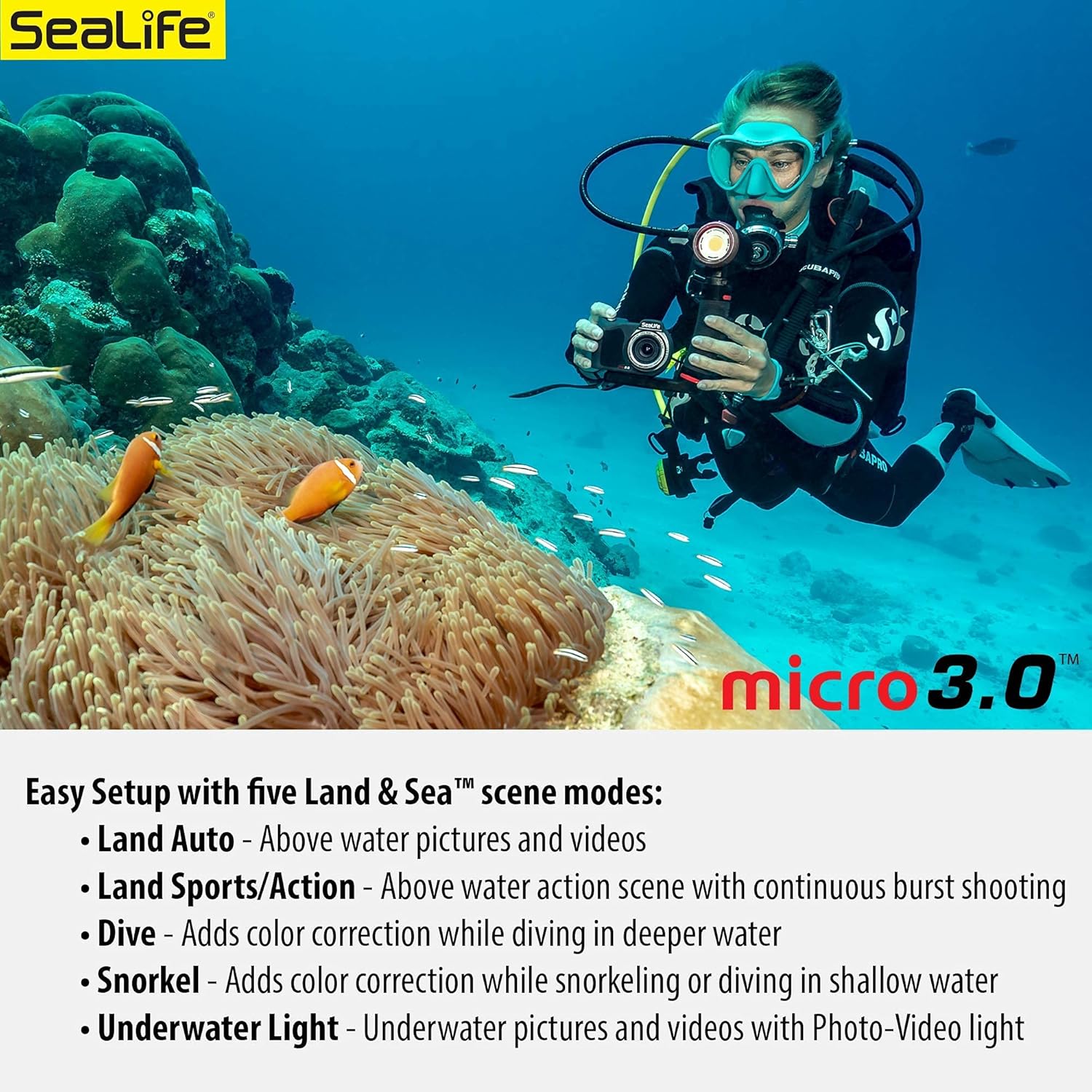
Figure 4.2: Easy Setup with five Land & Sea scene modes for optimal color.

Figure 4.3: Manual White Balance options for customizing underwater color correction.
4.3 Wireless Transfer (WiFi)
The Micro 3.0 features built-in WiFi for wirelessly previewing, downloading, and sharing pictures and videos to a smartphone or tablet using the free SeaLife Micro 3+ app (available on Google Play or Apple App stores).

Figure 4.4: Electronic image stabilization and WiFi sharing capabilities.
5. Penyelenggaraan
Due to its permanently sealed design, the SeaLife Micro 3.0 requires minimal maintenance, eliminating common issues like O-ring leaks.
5.1 Post-Dive Care
- After each dive, rinse the camera and light thoroughly with fresh water to remove salt, sand, or other debris.
- Pay special attention to the charging contacts on the camera and light. Clean them under running fresh water if used in saltwater to prevent corrosion and ensure proper charging.
- Biarkan unit kering sepenuhnya di udara sebelum disimpan.
Video 5.1: Demonstrates rinsing the camera and light set with fresh water after use.
6. Penyelesaian masalah
While the Micro 3.0 is designed for reliability, here are some common issues and potential solutions:
- Kamera Tidak Mengecas: Ensure charging contacts are clean and dry. Verify the USB cable and adapter are functioning correctly.
- "Storage IO Error": This indicates an issue with the internal memory. If restarting the camera does not resolve the issue, contact SeaLife customer support for assistance.
- Terlalu panas: The camera may temporarily shut down if it overheats, especially during prolonged use in warm environments or while downloading files. Allow the camera to cool down.
- Blurry Images/Video: Ensure your subject is within the camera's focal distance (15 inches or more). For closer subjects, consider using an optional macro lens.
- Poor Color Underwater: Utilize the camera's Easy Setup modes or manual white balance adjustments for optimal color correction based on depth and water conditions.
For further assistance, refer to the official SeaLife support resources or contact their customer service.
7. Spesifikasi
| Ciri | Spesifikasi |
|---|---|
| Jenama | Kehidupan laut |
| Nama Model | Micro 3.0 Pro 3000 Set |
| Nombor Model | SL552 |
| Resolusi Penderia Foto | 16 MP |
| Resolusi Video | 2160p (4K) @ 30fps, 1080p @ 120fps |
| Memori Dalaman | 64 GB |
| Kedalaman Kalis Air | 200 kaki (60m) |
| Light Output (Sea Dragon 3000F) | 3000 Lumen |
| Beam Angle (Sea Dragon 3000F) | 120 Darjah |
| Teknologi Ketersambungan | Wi-Fi |
| Jenis Kanta | Lensa Sudut Lebar 100 ° |
| Panjang Fokus Minimum | 19 Milimeter |
| Saiz Skrin | 2.4 Inches TFT Color LCD |
| Disokong File Format | RAW, JPG, MP4 |
8. Waranti & Sokongan
Your SeaLife Micro 3.0 Pro 3000 Underwater Camera & Light Set comes with a Waranti terhad 1 tahun from the manufacturer. For warranty claims, technical support, or service inquiries, please visit the official SeaLife webtapak atau hubungi bahagian perkhidmatan pelanggan mereka.
Untuk sumber tambahan dan Soalan Lazim, sila layari SeaLife Store on Amazon.