
1. Produk Lebihview
The Level Touch Smart Lock, Model C-L12U in Satin Nickel, is an advanced deadbolt designed to integrate seamlessly into your home security system. This smart lock offers multiple access methods, including touch, key card, traditional key, and smartphone app control, providing convenience and enhanced security without compromising the aesthetic of your door hardware. Its innovative design conceals the smart technology within the deadbolt itself, maintaining a sleek and traditional appearance.
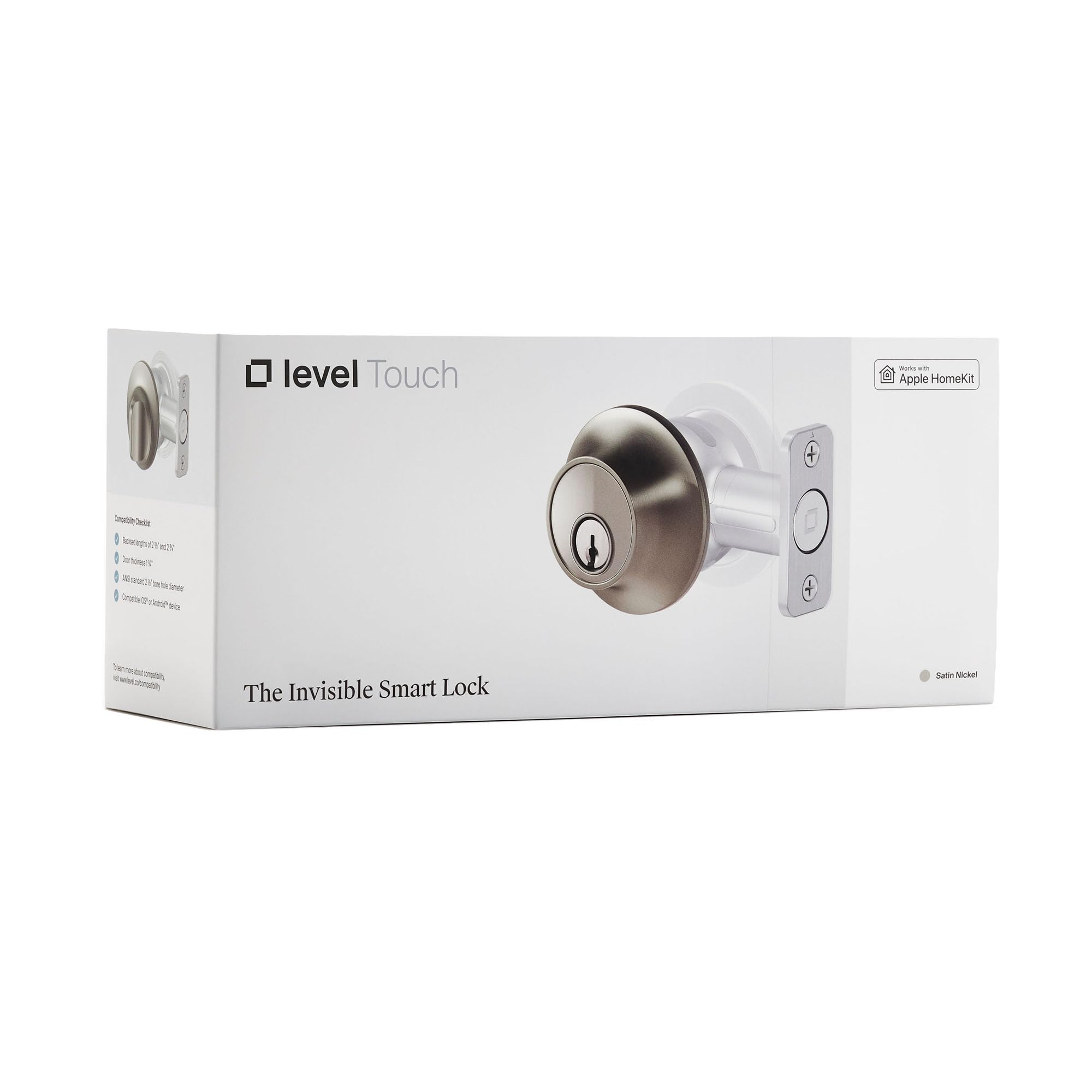
Image: The Level Touch Smart Lock in Satin Nickel, showcasing reka bentuknya yang minimalis.
2. Persediaan dan Pemasangan
Installation of the Level Touch Smart Lock is designed to be straightforward, replacing your existing deadbolt. The smart components, including the battery, are cleverly housed within the deadbolt mechanism itself, ensuring a discreet installation.
2.1. Semakan Pra-Pemasangan
- Ensure your door meets ANSI standard strike plate dimensions. If your current strike plate cutout height measures 2 ¼ inches, a Level Lock Short Strike Plate (sold separately) may be required.
- Verify that your door is properly aligned and the existing deadbolt operates smoothly without resistance.
2.2. Pemasangan Fizikal
- Remove your existing deadbolt hardware from the door.
- Insert the Level Touch deadbolt into the door, ensuring the battery compartment is accessible.
- Secure the interior and exterior components according to the detailed instructions provided in the Level Home app.
2.3. Konfigurasi Apl
- Download the Level Home app from your device's app store (available for iOS and Android).
- Follow the in-app instructions to pair your Level Touch Smart Lock with your smartphone via Bluetooth.
- Integrate the lock with your preferred smart home platform (Apple HomeKit, Siri, iOS, Android).
3. Operating Your Level Touch Smart Lock
The Level Touch Smart Lock offers multiple convenient ways to secure and access your home.
3.1. Touch-to-Lock/Unlock
- With Touch-to-Lock enabled in the app, simply touch the exterior of the deadbolt to lock or unlock your door.
3.2. Key Card Access
- Present a programmed Level Key Card to the exterior of the deadbolt to lock or unlock the door. Key cards can be managed and assigned via the Level Home app.
3.3. Traditional Key Access
- Use the provided physical key as a backup or alternative method to lock and unlock the deadbolt.
3.4. Kawalan Aplikasi Telefon Pintar
- Use the Level Home app to remotely lock or unlock your door, check its status, and manage access for guests.
- Configure automatic lock/unlock features based on your proximity to the door (geofencing).
3.5. Integrasi Rumah Pintar
- Control your lock using voice commands through Siri, or integrate with Apple HomeKit for advanced automation and control within your smart home ecosystem.
4. Penyelenggaraan
4.1. Penggantian Bateri
The Level Touch Smart Lock is powered by a single CR2 battery, cleverly hidden within the deadbolt. The Level Home app will notify you when the battery level is low. Replace the battery promptly to ensure continuous operation.
- Access the battery compartment by following the instructions in the Level Home app or the quick start guide.
- Tanggalkan bateri CR2 lama dan masukkan yang baharu, pastikan kekutubannya betul.
- Selamatkan petak bateri.
4.2. Pembersihan
Clean the exterior of your Level Touch Smart Lock with a soft, damp kain. Elakkan pembersih atau pelarut yang melelas yang boleh merosakkan kemasan.
5. Penyelesaian masalah
- Inconsistent Lock/Unlock: If the lock operates inconsistently via touch or app, check the battery level. Ensure the door is properly aligned and the deadbolt is not experiencing any physical obstruction or jamming.
- Key Card Not Working: If key cards are not recognized, ensure they are properly enrolled in the Level Home app. Check the lock's battery.
- Isu Ketersambungan: If experiencing spotty Bluetooth connectivity, ensure your smartphone is within range of the lock. For remote access, verify your smart home hub (e.g., Apple HomePod, Apple TV) is online and within range.
- Lock Restarting Unexpectedly: If the lock makes unusual sounds or appears to restart, it may indicate low battery or excessive force required for the deadbolt to extend/retract. Check battery and door alignment.
6. Spesifikasi
| Ciri | Perincian |
|---|---|
| Jenama | Tahap |
| Nombor Model | C-L12U |
| UPC | 850009337061 |
| Jenis Kunci | Deadbolt |
| warna | Satin Nickel |
| bahan | Nikel |
| Dimensi Item (L x W x H) | 4.5 x 2.75 x 2.75 inci |
| Berat Barang | 2.39 paun |
| Jenis Pengawal | Android, Apple HomeKit, Siri, iOS |
| Kaedah Kawalan | Apl |
7. Waranti dan Sokongan
For warranty information and technical assistance, please refer to the official Level Home website or contact their customer support. Users have reported positive experiences with Level Lock customer service, noting their quick and responsive support.
Please note: There is a newer version of this product available. To find the updated version, search ASIN B0FKLF5DPL on Amazon.