
1. Arahan Keselamatan Penting
Please read all instructions carefully before using this fan and retain them for future reference. Failure to follow these instructions may result in electric shock, fire, or serious injury.
- Sentiasa cabut plag kipas sebelum membersihkan atau melakukan sebarang penyelenggaraan.
- Jangan kendalikan kipas dengan kord atau palam yang rosak.
- Keep fingers and other objects away from the fan blades and openings.
- Jangan gunakan kipas dalam keadaan basah atau damp lokasi.
- Pastikan kipas diletakkan pada permukaan yang stabil dan rata untuk mengelakkan terbalik.
- Kipas ini untuk kegunaan dalaman sahaja.
2. Kandungan Pakej
Sahkan bahawa semua komponen hadir sebelum pemasangan:
- Fan Head Assembly (Motor, Blades, Front and Rear Grills)
- Tiang Pendirian Boleh Laras
- Tapak Bulat
- Alat Kawalan Jauh
- Manual Pengguna
3. Persediaan dan Pemasangan
Ikuti langkah-langkah ini untuk memasang Kipas Pedestal PELONIS anda:
- Lampirkan Pangkalan: Secure the adjustable stand pole to the round base. Ensure it is firmly tightened for stability.
- Laraskan Ketinggian: Loosen the height adjustment knob on the stand pole, extend the pole to your desired height, and then tighten the knob securely.
- Mount Fan Head: Attach the fan head assembly to the top of the adjustable stand pole. Ensure it clicks into place or is securely fastened according to the specific model's mechanism.
- Secure Grills: Ensure both the front and rear fan grills are properly aligned and securely fastened to prevent access to the blades during operation.

Figure 3.1: Step-by-step assembly guide for the Pelonis 16-inch Pedestal Fan.

Figure 3.2: The fan features a sturdy, weighted base for enhanced stability.
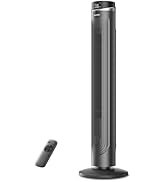
Figure 3.3: The fan's height can be adjusted to suit various needs, ranging from 3.5 feet to 4 feet.
4. Arahan Operasi
Your PELONIS Pedestal Fan offers multiple settings for personalized comfort.
4.1 Hidupkan/Mati Kuasa
- Tekan ke Butang kuasa on the control panel or remote control to turn the fan on or off.
4.2 Tetapan Kelajuan
- The fan features 12 speed settings. Use the Butang laju (usually '+' and '-') on the control panel or remote to adjust the airflow intensity.

Figure 4.1: The fan offers 12 customizable speed settings for varied airflow.
4.3 Fungsi Ayunan
- Tekan ke Butang ayunan (often an icon with arrows) on the control panel or remote to activate or deactivate the oscillation feature. This allows the fan head to sweep from side to side, distributing air across a wider area.

Figure 4.2: The fan provides 90-degree widespread oscillation for comprehensive air circulation.
4.4 Penetapan Pemasa
- The fan includes a 12-hour timer. Press the Butang pemasa to set the fan to automatically turn off after a specified duration. Each press typically increases the timer by one hour.
4.5 Alat Kawalan Jauh
- The included remote control allows convenient operation of all fan functions from a distance. Ensure the remote has working batteries.

Figure 4.3: Operate all fan functions conveniently with the included remote control.
5. Penyelenggaraan
Regular cleaning ensures optimal performance and longevity of your fan.
5.1 Membersihkan Kipas
- Sentiasa cabut plag kipas dari salur keluar kuasa sebelum membersihkan.
- Gunakan yang lembut, damp kain untuk mengelap permukaan luar kipas. Jangan gunakan pembersih atau pelarut yang melelas.
- To clean the fan blades, carefully remove the front grill. Wipe the blades with a soft, damp cloth. Ensure the blades are completely dry before reattaching the grill.
- Jangan rendam kipas di dalam air atau biarkan air menitis ke dalam perumahan motor.

Figure 5.1: The fan features an intensive fence design for safety, which can be disassembled for cleaning.
6. Penyelesaian masalah
Jika anda menghadapi masalah dengan kipas anda, rujuk masalah dan penyelesaian biasa berikut:
- Kipas tidak dihidupkan: Pastikan kord kuasa dipasang dengan selamat ke dalam salur keluar elektrik yang berfungsi. Periksa sama ada butang kuasa telah ditekan.
- Aliran udara yang lemah: Verify that the fan speed is set to a higher level. Check for any obstructions around the fan grills.
- Kipas bising: Ensure all parts are securely assembled. Check for any loose components or debris caught in the blades.
- Ayunan tidak berfungsi: Confirm the oscillation button has been pressed. Check for any obstructions preventing the fan head from rotating.
- Alat kawalan jauh tidak berfungsi: Gantikan bateri pada alat kawalan jauh. Pastikan tiada halangan antara alat kawalan jauh dan penerima kipas.
7. Spesifikasi
| Ciri | Spesifikasi |
|---|---|
| Nama Model | PFS40D6ABB |
| Jenama | PELONIS |
| Reka Bentuk Kipas Elektrik | Kipas lantai |
| Sumber Kuasa | Elektrik Bertali |
| Dimensi Produk | 15.75"D x 15.75"W x 51.18"H |
| Ciri Khas | Adjustable Height, Oscillating, Remote Control |
| Tahap Kebisingan | 38 Desibel |
| Wattage | 2.7 watt |
| Bilangan Bilah | 5 |
| Kapasiti Aliran Udara | 2520 Kaki Kubik Seminit |
| Panjang Bilah | 16 Inci |
| Voltage | 110 Volt |
| Bilangan Tahap Kuasa | 12 |
| Jenis Motor | DC |
| Penggunaan Dalaman/Luar | Dalaman |

Figure 7.1: Illustration of the fan's powerful and energy-efficient DC motor.
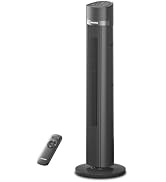
Figure 7.2: The fan operates at a low noise level of 38 dB, making it suitable for quiet environments like bedrooms.
8. Waranti dan Sokongan
PELONIS products are designed for reliability and performance. This product comes with a 1-year limited warranty from the date of purchase. For warranty claims or technical support, please contact PELONIS customer service.
- Perkhidmatan Pelanggan: Refer to the contact information provided on the PELONIS official webtapak atau pembungkusan produk anda.
- Sumber Dalam Talian: Lawati Kedai PELONIS di Amazon untuk maklumat dan sokongan produk tambahan.