
1. Pengenalan
This manual provides essential instructions for the safe operation, maintenance, and troubleshooting of your Bagotte BG600MAX Robot Vacuum Cleaner. Please read this manual thoroughly before using the appliance and retain it for future reference.
2. Arahan Keselamatan Penting
To reduce the risk of injury or damage, read these safety instructions carefully and keep them handy when setting up, using, and maintaining your robot vacuum cleaner.
- This appliance is for indoor use only. Do not use outdoors or on commercial surfaces.
- Jangan benarkan kanak-kanak mengendalikan vakum robot. Awasi kanak-kanak dan haiwan peliharaan semasa robot beroperasi.
- Do not place objects on top of the robot.
- Remove obstacles and loose cables from the cleaning path to prevent entanglement.
- Avoid vacuuming very dark-colored high-pile rugs or rugs thicker than 1.02 inches (26 mm).
- Do not expose the robot to direct sunlight.
- Use only the original power adapter and charging base provided.
- Pastikan robot dicas sepenuhnya sebelum penggunaan pertama.
3. Kandungan Pakej
Sahkan bahawa semua komponen terdapat dalam pakej:
- 1 x BG600MAX Robot Vacuum
- 1 x Remote Control (2 AAA batteries included)
- 1 x Pangkalan Pengecasan
- 1 x Penyesuai Kuasa
- 1 x Magnetic Stripe (2 meters)
- 1 x Additional HEPA Strainer
- 1 x Additional Foam Strainer
- 4 x Berus Sisi
- 1 x Alat Bantu
- 1 x Manual Pengguna
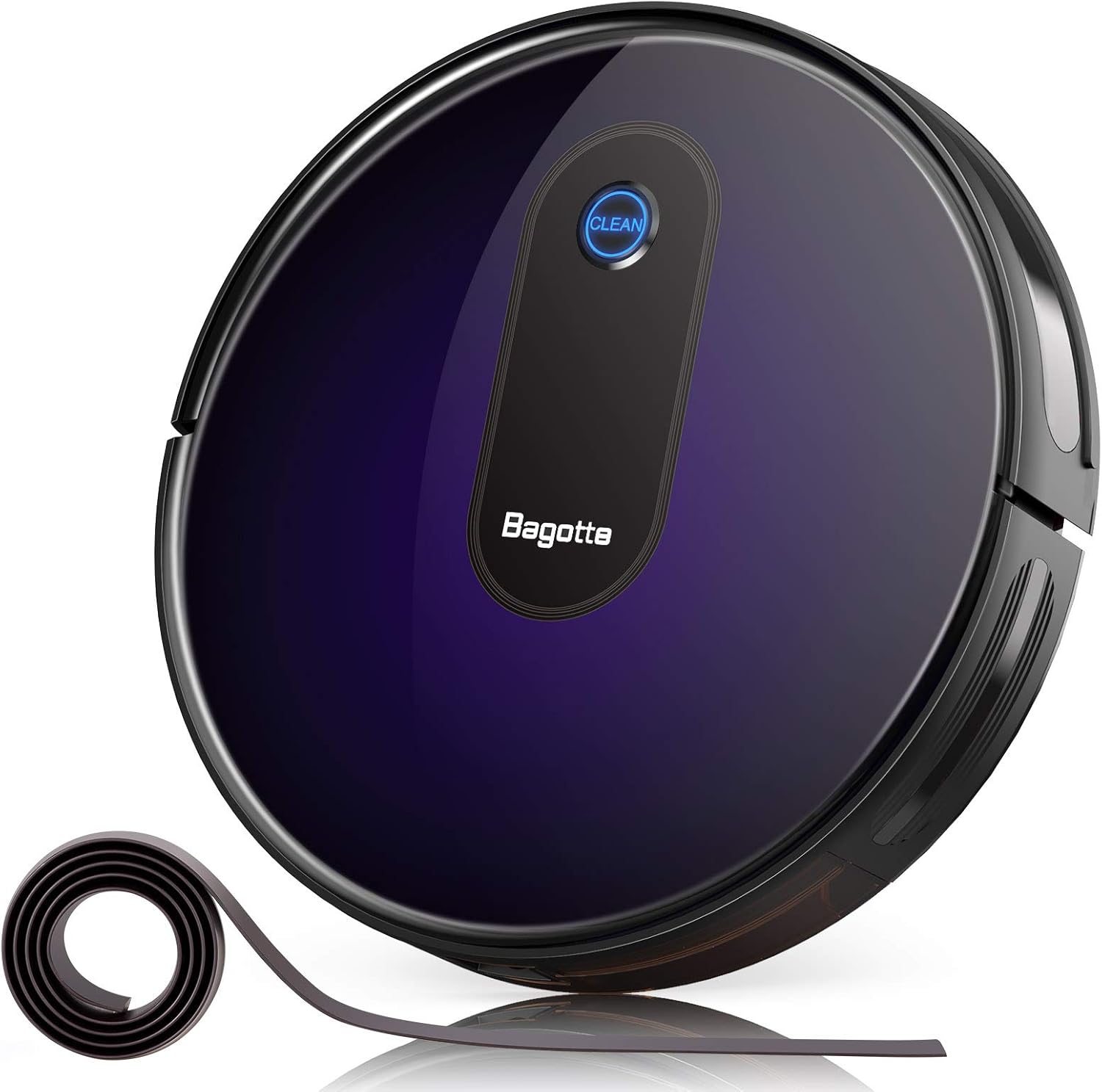
This image displays the Bagotte BG600MAX Robot Vacuum Cleaner along with its charging base, remote control, side brushes, and other accessories as they appear in the package.
4. Produk Lebihview
The Bagotte BG600MAX is a versatile robot vacuum cleaner designed for efficient floor cleaning. It features multiple cleaning modes, strong suction, and intelligent navigation.
Ciri-ciri Utama:
- Penyedutan Kuat: Provides up to 2000Pa suction for thorough cleaning.
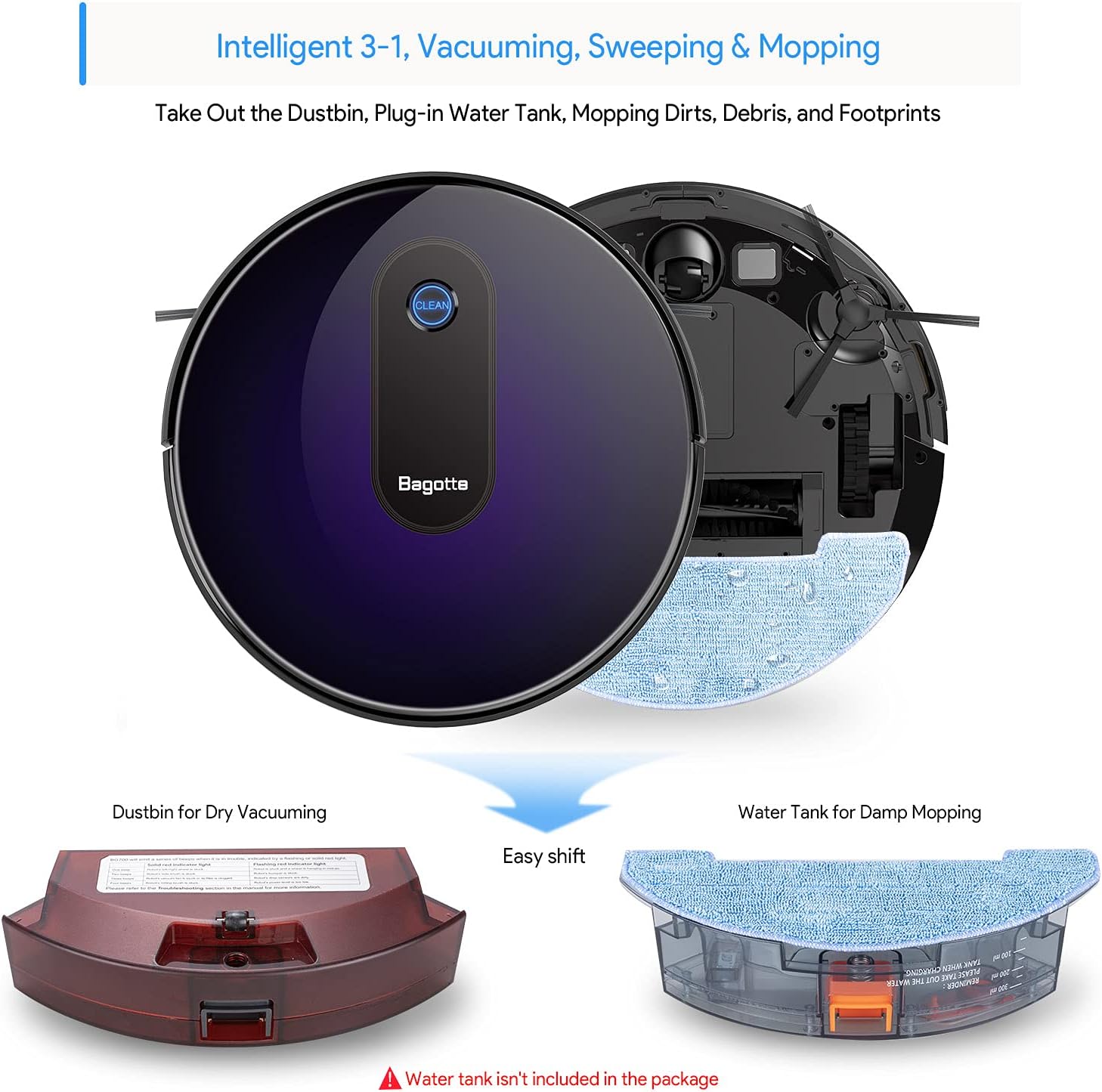
- Pembersihan 3-dalam-1: Combines vacuuming, sweeping, and mopping (water tank sold separately).
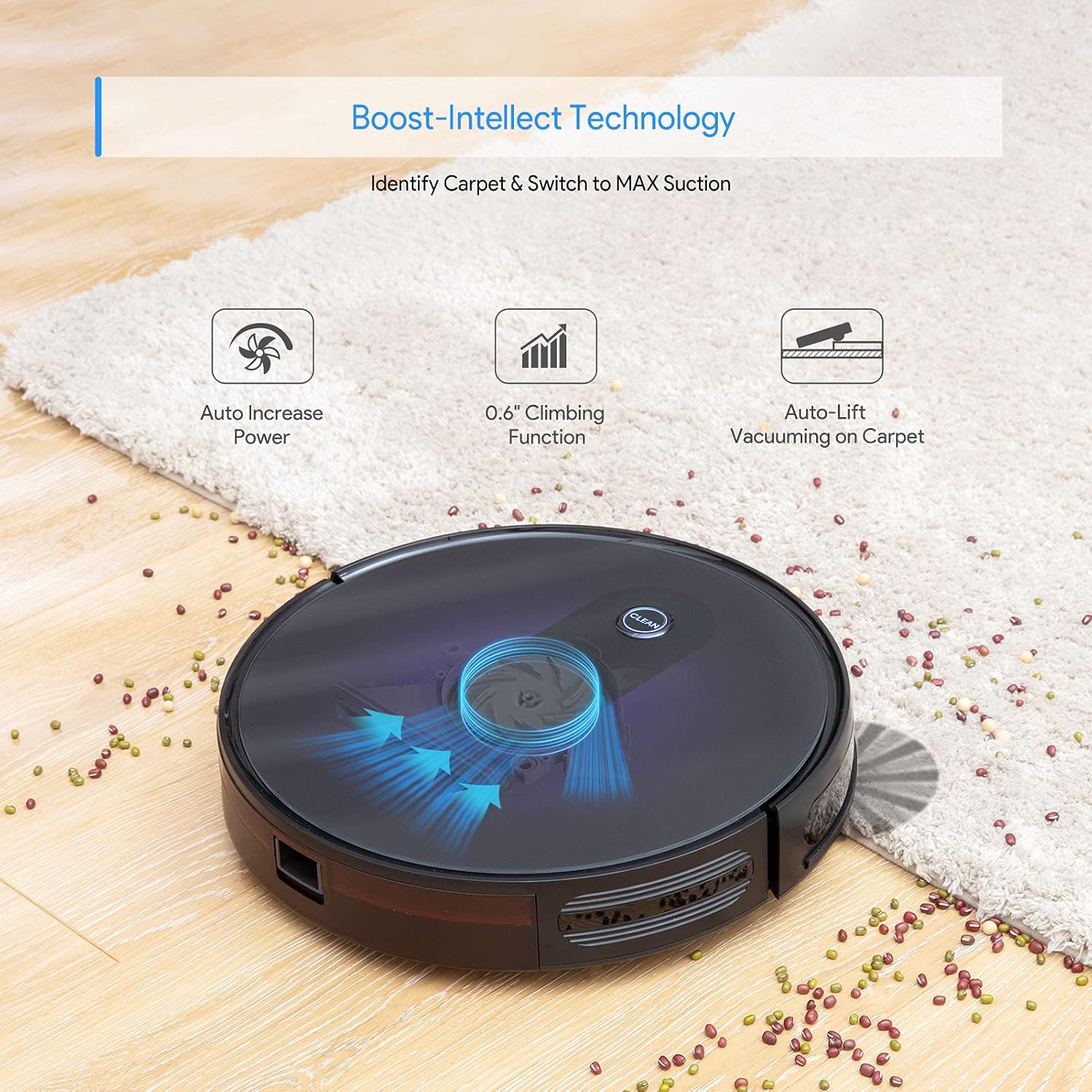
- Boost-Intellect Technology: Automatically increases suction power on carpets.
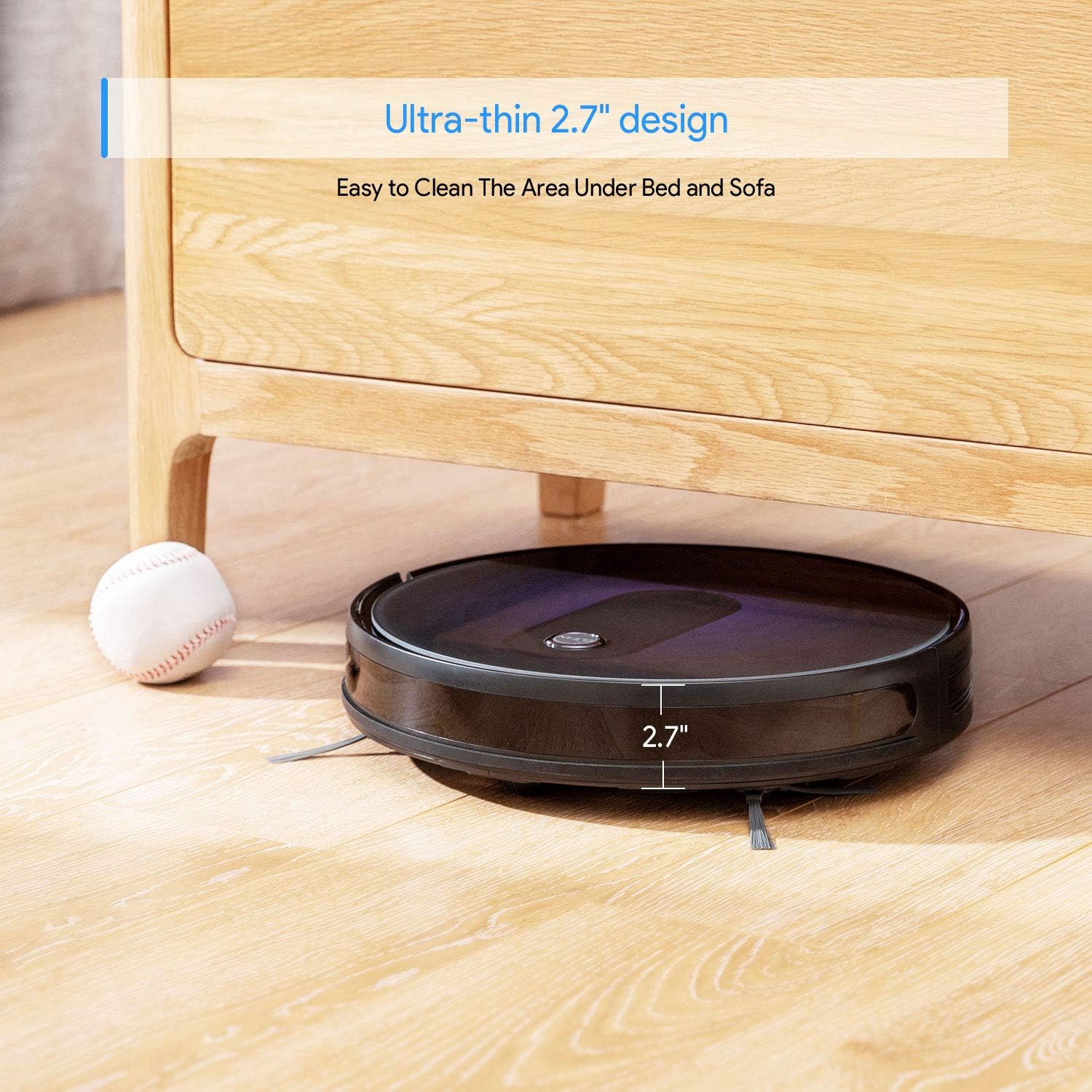
- Reka bentuk ultra-nipis: At 2.7 inches, it can clean under low-lying furniture.
- Operasi senyap: Operates at a low noise level of 55dB in Low/Auto suction mode.
- Anti-Fall Protection: Sensors prevent the robot from falling down stairs.
- Smart Anti-Collision Sensors: Detects and avoids obstacles.
- Jalur Sempadan: Use the included magnetic strip to define no-go zones.


Produk Selesaiview Video
5. Persediaan
5.1 Penempatan Tapak Pengecasan
Place the charging base against a wall in an open, uncluttered area. Ensure there is at least 1 meter (3 feet) of clear space to the sides and 2 meters (6 feet) in front of the charging base for optimal robot navigation.
5.2 Memasang Berus Sisi
Pasang berus sisi dengan menekannya pada tiang segi empat sama di bahagian bawah robot sehingga ia mengklik pada tempatnya.
5.3 Caj Permulaan
Before first use, ensure the robot is fully charged. Connect the power adapter to the charging base and plug it into a wall outlet. Place the robot onto the charging base, aligning its charging contacts with those on the base. The indicator light on the robot will show charging status.
5.4 Menghidupkan/Mematikan
To power on the robot, press and hold the 'CLEAN' button on the robot or the power button on the remote control until the indicator lights illuminate. To power off, press and hold the 'CLEAN' button until the lights turn off.
Setup and Remote Control Demonstration
6. Arahan Operasi
The Bagotte BG600MAX offers various cleaning modes to suit different needs.
6.1 Mod Pembersihan
- Pembersihan Auto: The robot automatically cleans in a systematic pattern. Press the 'CLEAN' button on the robot or 'AUTO' on the remote.
- Pembersihan Tempat: For concentrated cleaning of a specific dirty area. Place the robot in the center of the area and select 'Spot' mode on the remote.
- Pembersihan Tepi: The robot cleans along walls and furniture edges. Select 'Edge' mode on the remote.
6.2 Menggunakan Alat Kawalan Jauh
The remote control allows you to start/stop cleaning, select cleaning modes, direct the robot manually, and send it back to the charging base.
6.3 Setting Up Boundary Strips
Use the magnetic boundary strips to create virtual walls that the robot will not cross. Cut the strip to the desired length and place it flat on the floor. Ensure the robot's sensors can detect the strip.
Robot in Action Videos
7. Penyelenggaraan
Penyelenggaraan tetap memastikan prestasi optimum dan memanjangkan jangka hayat pembersih vakum robot anda.
7.1 Cleaning the Dustbin and Filters
- Tekan butang pelepas tong sampah dan tarik keluar tong sampah.
- Buka penutup tong sampah dan buang isinya ke dalam tong sampah.
- Remove the primary filter and HEPA filter. Tap them gently to remove dust. Do not wash HEPA filters.
- Bilas tong sampah dengan air jika perlu, pastikan ia benar-benar kering sebelum dipasang semula.
- Reinstall the filters and dustbin.
7.2 Membersihkan Berus Sisi
Periodically check the side brushes for tangled hair or debris. Gently pull them off their posts and remove any obstructions. If brushes are damaged, replace them with new ones.
7.3 Membersihkan Berus Utama
Open the main brush cover on the bottom of the robot. Remove the main brush and use the auxiliary tool to cut and remove any tangled hair or fibers. Reinstall the main brush and cover.
7.4 Membersihkan Penderia dan Mengecas Kenalan
Wipe the anti-drop sensors, anti-collision sensors, and charging contacts on both the robot and the charging base with a clean, dry cloth to ensure proper function.
8. Penyelesaian masalah
If your robot vacuum cleaner encounters issues, refer to the following table for common problems and solutions.
| Masalah | Kemungkinan Punca | Penyelesaian |
|---|---|---|
| Robot tidak dihidupkan | Bateri lemah; Matikan kuasa | Charge the robot; Ensure power switch on bottom is ON. |
| Robot tidak mengecas | Charging contacts dirty; Power adapter not connected | Clean charging contacts; Ensure adapter is plugged in. |
| Robot kerap tersangkut | Obstacles; High-pile carpets | Clear cleaning area; Use boundary strips for problematic rugs. |
| Prestasi pembersihan yang lemah | Tong sampah penuh; Penapis/berus tersumbat | Kosongkan tong sampah; Bersihkan/gantikan penapis dan berus. |
| Alat kawalan jauh tidak berfungsi | Dead batteries; Obstruction between remote and robot | Replace AAA batteries; Ensure clear line of sight. |
9. Spesifikasi
Detailed technical specifications for the Bagotte BG600MAX Robot Vacuum Cleaner.
| Spesifikasi | Nilai |
|---|---|
| Jenama | Bagotte |
| Nama Model | BG600MAX |
| Dimensi Produk | 13"L x 13"W x 2.7"H |
| Jenis Bateri | DC 14.4 V Li-ion 2600 mAh |
| Masa Bekerja Maksimum | 100 minit |
| Masa Mengecas | 300-360 minit |
| DB Noise | 40-60 dB |
| Kapasiti Pengumpul | 0.6L |
| Sumber Kuasa | Dikuasakan Bateri |
| Peranti Serasi | Amazon Echo |
| Syor Permukaan | Hardwood, Carpet |
10. Waranti dan Sokongan
Bagotte offers a 1-year return and replacement policy for this product. If you encounter any issues or require assistance, please contact Bagotte customer support. Do not return the product directly without contacting support first, as they can provide a satisfactory solution.
For further assistance, please visit the official Bagotte webtapak atau rujuk maklumat hubungan yang diberikan dalam pembungkusan produk anda.