
1. Pengenalan
Thank you for choosing the Vacmaster Orson Lite 24V Max Cordless Vacuum Cleaner. This manual provides essential information for the safe and efficient use, maintenance, and troubleshooting of your new appliance. Please read these instructions carefully before use and retain them for future reference.
Arahan Keselamatan Penting
- Always ensure the vacuum is switched off and unplugged before cleaning or performing maintenance.
- Do not use the vacuum cleaner to pick up water or wet materials.
- Jauhkan rambut, pakaian longgar, jari dan semua bahagian badan daripada bukaan dan bahagian yang bergerak.
- Jangan gunakan tanpa tong habuk dan penapis di tempatnya.
- Store the vacuum in a dry, indoor area.
2. Kandungan Pakej
Carefully unpack your Vacmaster Orson Lite and check that all items are present and in good condition. If any items are missing or damaged, please contact customer support.
- Unit Vakum Utama (dengan bateri bersepadu)
- Tongkat Sambungan
- Powered Floor Head
- 2-in-1 Crevice Tool and Dusting Brush
- Pemasangan Dinding / Dok Pengecasan
- Charging Adapter (UK)
- 2 Washable HEPA 13 Filters
- Manual Pengguna

Imej: Selesaiview of the Vacmaster Orson Lite cordless vacuum cleaner and its included accessories, such as the main unit, extension wand, floor head, and various attachments.
3. Perhimpunan
Follow these steps to assemble your Vacmaster Orson Lite vacuum cleaner.
- Pasang Tongkat Sambungan: Masukkan tongkat sambungan ke dalam unit vakum utama sehingga ia berbunyi klik dengan selamat di tempatnya.
- Sambungkan Kepala Lantai: Attach the powered floor head to the other end of the extension wand, ensuring it clicks firmly.
- Pasang Pemasangan Dinding: Choose a suitable location near a power outlet. Secure the wall mount/charging dock to the wall using appropriate screws and anchors (not included). Ensure it is mounted at a height that allows the vacuum to hang freely.

Image: The Vacmaster Orson Lite cordless vacuum cleaner securely stored on its wall-mounted charging dock, ready for use.
4. Mengecas Bateri
The Vacmaster Orson Lite is powered by a 24V Max lithium-ion battery. For optimal performance, fully charge the battery before first use.
- Sambungkan Pengecas: Plug the charging adapter into a wall outlet and connect the other end to the charging port on the wall mount or directly to the vacuum unit.
- Petunjuk Caj: The LED battery display on the vacuum will show the charging status. It will illuminate progressively as the battery charges and indicate a full charge when all segments are lit.
- Masa Pengecasan: Pengecasan penuh biasanya mengambil masa kira-kira 4-5 jam.

Image: Close-up of the Vacmaster Orson Lite's control panel, showing the LED battery display indicating the current charge level.
5. Operasi
The Vacmaster Orson Lite offers versatile 3-in-1 cleaning for various surfaces.
Power On/Off and Speed Selection
- Tekan butang kuasa pada pemegang untuk menghidupkan atau mematikan vakum.
- Press the speed selection button to switch between standard and Turbo modes. Turbo mode provides increased suction for stubborn dirt and pet hair, but reduces runtime.
- The LED battery display indicates remaining power during use.
Mod Pembersihan
- Upright Stick Vacuum: For cleaning hard floors and carpets. The powered floor head features LED task lights to illuminate dust and debris.
- Vakum Genggam: Detach the extension wand and floor head to use the main unit as a handheld vacuum for furniture, car interiors, or small spills.
- With 2-in-1 Tool: Attach the crevice tool and dusting brush directly to the main unit or the extension wand for cleaning tight spaces, upholstery, or delicate surfaces.

Image: A user operating the Vacmaster Orson Lite in handheld mode, effectively cleaning stairs with its compact design.
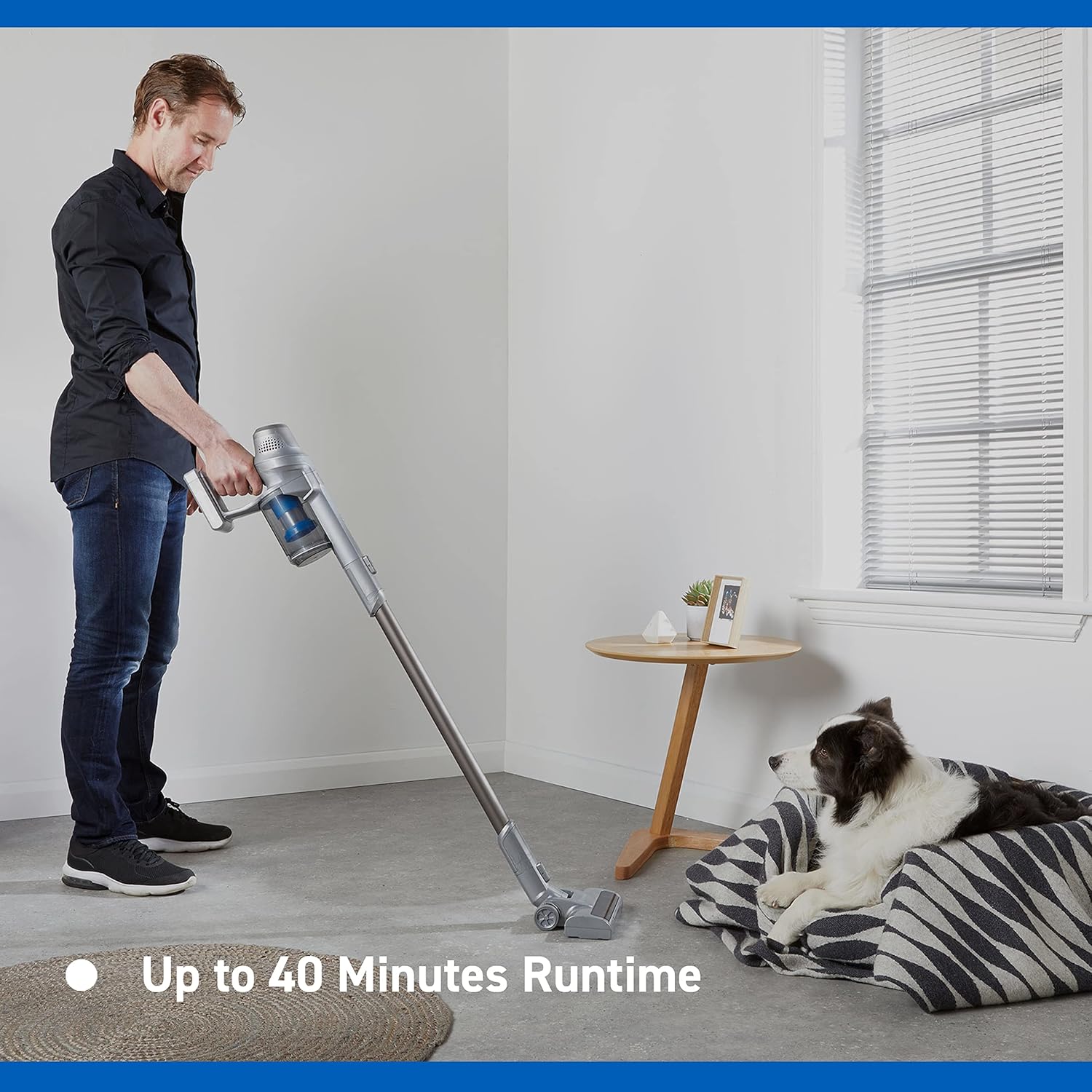
Image: Close-up of the Vacmaster Orson Lite's powered floor head, showcasing its integrated LED task lights illuminating debris on a hard floor.

Image: A man using the lightweight Vacmaster Orson Lite with its extension wand to easily clean dust from a high corner of a room.
6. Penyelenggaraan
Regular maintenance ensures your Vacmaster Orson Lite operates efficiently and prolongs its lifespan.
Mengosongkan Tong Debu
- Pastikan vakum dimatikan.
- Press the dust bin release button to detach the dust bin from the main unit.
- Position the dust bin over a trash receptacle and press the bottom release button to open the flap and empty the contents.
- Close the flap and reattach the dust bin to the main unit until it clicks securely.

Image: A hand demonstrating the easy-to-empty dust bin feature of the Vacmaster Orson Lite, showing debris being released into a trash can.
Membersihkan Penapis
The Vacmaster Orson Lite includes 2 washable HEPA 13 filters. Clean them regularly to maintain suction power.
- Keluarkan tong habuk seperti yang diterangkan di atas.
- Twist and pull out the filter assembly from the dust bin.
- Tap the filters gently to remove loose dust. For a deeper clean, rinse the filters under cold running water until the water runs clear.
- Allow the filters to air dry completely for at least 24 hours before reassembling. Do not use a dryer or heat source.
- Reinsert the dry filters into the dust bin and reattach the dust bin to the vacuum.
Membersihkan Gulungan Berus
Periodically check the brush roll in the powered floor head for tangled hair or debris. Use scissors to cut away any tangled material and remove it by hand.
7. Penyelesaian masalah
If you encounter issues with your Vacmaster Orson Lite, refer to the following common problems and solutions.
| Masalah | Kemungkinan Punca | Penyelesaian |
|---|---|---|
| Vakum tidak dihidupkan | Bateri habis Bateri tidak disambungkan dengan betul | Cas bateri sepenuhnya Pastikan bateri dimasukkan dengan selamat |
| Kehilangan sedutan | Tong habuk penuh Penapis tersumbat Blockage in nozzle, wand, or hose | Kosongkan tong habuk Bersihkan atau ganti penapis Semak dan bersihkan sebarang sekatan |
| Gulung berus tidak berputar | Tangled debris Floor head not properly connected | Clean brush roll of hair and debris Ensure floor head is securely attached |
| Masa jalan yang singkat | Bateri tidak dicas sepenuhnya Using Turbo mode excessively Kemerosotan bateri | Cas bateri sepenuhnya Use standard mode for general cleaning Contact customer support if battery life significantly decreases |
8. Spesifikasi
| Ciri | Spesifikasi |
|---|---|
| Jenama | Vacmaster |
| Nombor Model | VSE2101EU |
| Dimensi Produk (L x W x H) | 23.5 x 22.5 x 116 cm |
| Berat Barang | 2.55 Kilogram |
| kuasa | 450 Watt |
| Voltage | 24 Volt |
| Bilangan Kelajuan | 2 |
| Tahap Bunyi | 70 Desibel |
| Masa jalan | Sehingga 40 minit |
| Jenis Bateri | 1 Litium-ion (termasuk) |
| Ciri Khas | Lightweight, Cordless, Bagless |
| Jenis Penapis | Washable HEPA 13 |
| Pengeluar | Cleva |
| Negara Asal | China |
9. Waranti dan Sokongan
Maklumat Waranti
The Vacmaster Orson Lite VSE2101EU comes with a Waranti 2 tahun on spare parts, covering defects in materials and workmanship from the date of purchase. This warranty does not cover damage caused by misuse, neglect, accident, or unauthorized modification. Please retain your proof of purchase for warranty claims.
Sokongan Pelanggan
For technical assistance, warranty claims, or to order replacement parts, please visit the official Vacmaster webtapak atau hubungi bahagian perkhidmatan pelanggan mereka. Maklumat hubungan biasanya boleh didapati pada pembungkusan produk atau rasmi jenama webtapak.