
pengenalan
The ONIKUMA K2-PRO Stereo Gaming Headset is designed to provide an immersive audio experience for various gaming platforms. Featuring a noise-cancelling microphone, 3D surround sound, and comfortable memory foam ear pads, this headset is engineered for extended gaming sessions. This manual provides essential information for setup, operation, maintenance, and troubleshooting to ensure optimal performance of your K2-PRO headset.

This image illustrates the ONIKUMA K2-PRO Gaming Headset in use, emphasizing its key audio features like 3D stereo surround sound and 40mm drivers, along with the noise-cancelling microphone and LED lighting.
Ciri-ciri
- Immersive 3D Stereo Surround Sound: Experience rich, detailed audio for an enhanced gaming environment.
- 50mm Neodymium Magnet Drivers: Delivers powerful and clear sound reproduction.
- Adjustable Noise-Cancelling Microphone: Reduces background noise for clear communication and can be positioned for optimal voice pickup.
- Integrated RGB LED Lighting: Enhances the gaming atmosphere with dynamic lighting effects, powered via USB.
- Reka bentuk yang selesa: Features an adjustable headband, soft memory protein earmuffs, and a soft memory protein headpad for long-term comfort.
- Inline Audio Controller: Conveniently adjust volume and mute the microphone.
- Keserasian Pelbagai Platform: Compatible with PlayStation 4, Xbox One, PC, Nintendo Switch, and mobile devices.
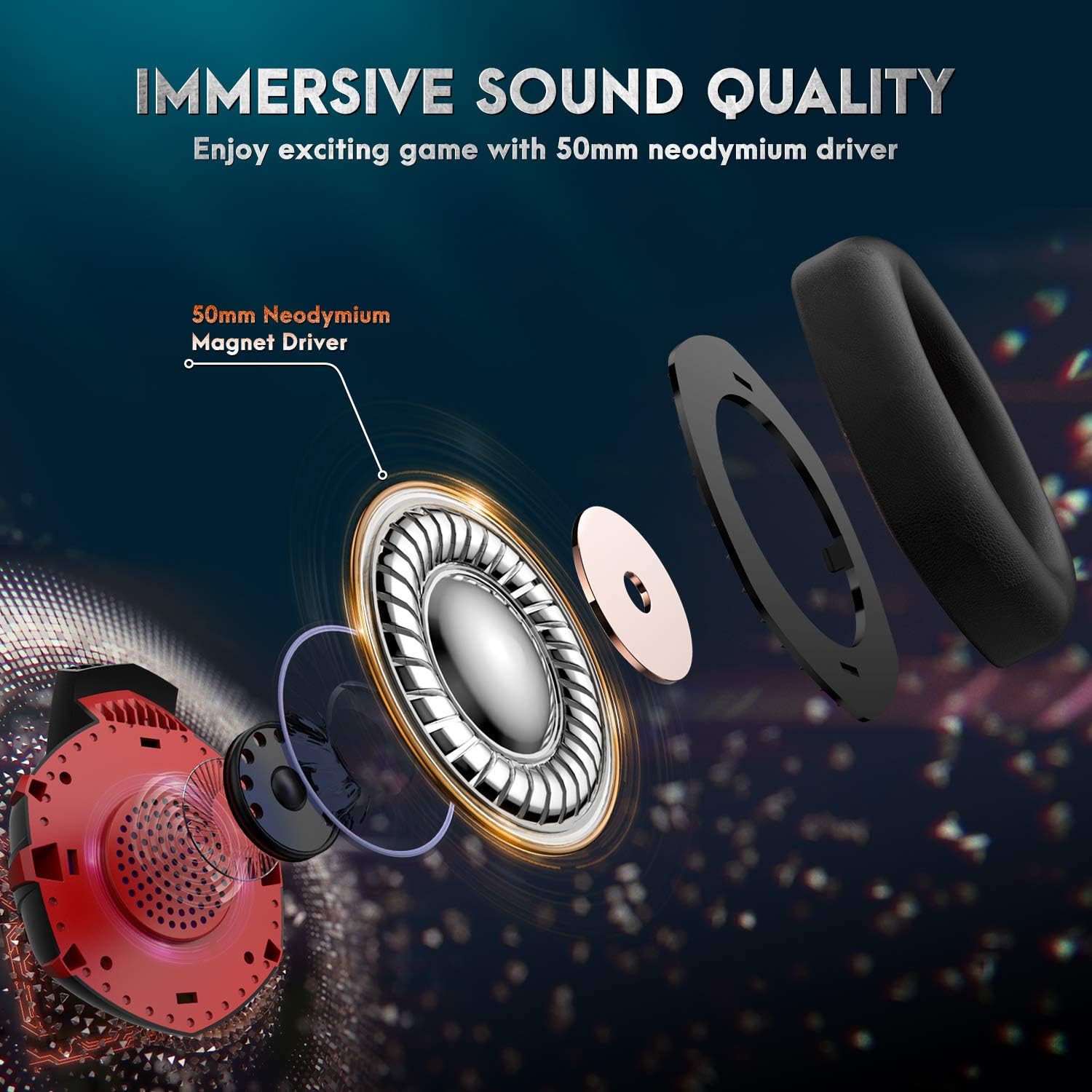
A terperinci view of the headset's internal components, showcasing the 50mm neodymium magnet driver responsible for high-quality, immersive audio.
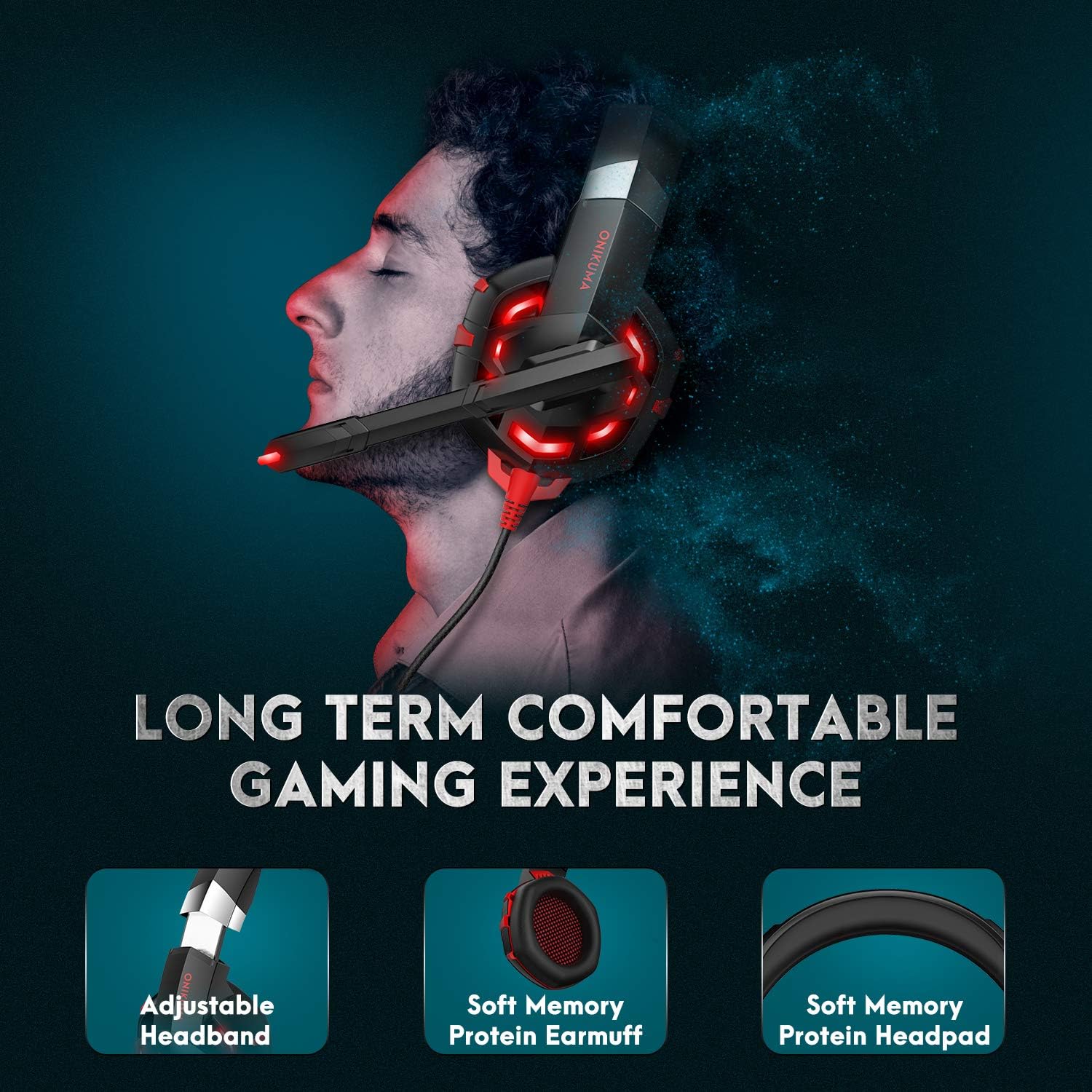
This image demonstrates the ergonomic design of the headset, focusing on the adjustable headband and soft memory protein ear cushions and headpad for extended comfort.
Kandungan Pakej
- ONIKUMA K2-PRO Gaming Headset
- 1-to-2 Audio Splitter Cable (for PC with separate audio/mic jacks)
- Manual Pengguna
Arahan Persediaan
The ONIKUMA K2-PRO headset connects via a 3.5mm audio jack for sound and microphone, and a USB connector for LED lighting. Follow the steps below for your specific device:
- For PlayStation 4 (PS4 / PS4 Pro / PS4 Slim):
- Plug the 3.5mm jack of the headset into the controller.
- Pergi ke Tetapan Sistem > Peranti > Peranti Audio.
- Tetapkan "Output ke Fon Kepala" kepada "Semua Audio".
- Adjust microphone level as needed.
- Plug the USB connector into a free USB port on the console for LED lighting.
- For Xbox One (Xbox One / Xbox One S / Xbox One X):
- Plug the 3.5mm jack of the headset into the Xbox One controller. (Note: Older Xbox One controllers may require a Microsoft Stereo Headset Adapter, not included).
- Go to System > Settings > Display & Sound > Audio Output.
- Adjust headset volume and microphone monitoring.
- Plug the USB connector into a free USB port on the console for LED lighting.
- For PC / Laptop:
- If your PC/laptop has separate audio (green) and microphone (pink) jacks, use the included 1-to-2 audio splitter cable. Connect the headset's 3.5mm jack to the splitter, then connect the splitter's audio and mic plugs to the corresponding ports on your computer.
- If your PC/laptop has a single combined 3.5mm audio jack, plug the headset's 3.5mm jack directly into it.
- Plug the USB connector into a free USB port on your PC/laptop for LED lighting.
- Ensure the headset is selected as the default audio input/output device in your operating system's sound settings.
- For Nintendo Switch / New 3DS XL / 3DS / 3DS XL:
- Plug the 3.5mm jack of the headset directly into the device's audio port.
- The USB connector is not typically used for these devices unless a USB power source is available for LED lighting.
- For Smartphone / Android / iOS / Tablet:
- Plug the 3.5mm jack of the headset directly into your mobile device's audio port.
- The USB connector is not typically used for mobile devices unless a USB power source is available for LED lighting.

A comprehensive diagram detailing how to connect the ONIKUMA K2-PRO headset to various gaming platforms and devices, including PlayStation, Xbox, PC, Nintendo Switch, and mobile phones.
Arahan Operasi
Kawalan Kelantangan
The headset features an inline controller on the cable. Use the scroll wheel on this controller to adjust the audio volume up or down to your preferred level.
Penggunaan Mikrofon
The microphone is adjustable and features noise-cancelling technology. You can bend the microphone arm to position it closer to your mouth for clearer voice pickup. To mute the microphone, use the switch located on the inline controller.

This image highlights the flexible, noise-cancelling microphone and the convenient inline controller, allowing for easy adjustments during gameplay.
Pencahayaan LED
The headset's RGB LED lighting is powered by the USB connector. Ensure the USB is plugged into a powered USB port on your device (console, PC, etc.) for the lights to function.
Penyelenggaraan
- Pembersihan: Gunakan kain lembut dan kering untuk mengelap alat dengar. Untuk kusyen telinga, sedikitamp Kain boleh digunakan, tetapi elakkan kelembapan berlebihan. Jangan gunakan bahan kimia yang keras atau pembersih yang kasar.
- Storan: Simpan alat dengar di tempat yang sejuk dan kering jauh dari cahaya matahari langsung dan suhu yang melampau. Elakkan meletakkan objek berat pada set kepala.
- Penjagaan Kabel: Elakkan selekoh tajam atau tarikan berlebihan pada kabel untuk mengelakkan kerosakan.
Menyelesaikan masalah
- Tiada Bunyi:
- Pastikan bicu audio 3.5mm dipasang sepenuhnya ke dalam peranti.
- Check the inline volume control and increase the volume.
- Sahkan bahawa alat dengar dipilih sebagai peranti output audio lalai dalam tetapan bunyi peranti anda.
- Uji alat dengar pada peranti lain untuk menolak isu khusus peranti.
- Mikrofon Tidak Berfungsi:
- Pastikan bicu audio 3.5mm dipasang sepenuhnya ke dalam peranti.
- Check that the microphone mute switch on the inline controller is not engaged.
- Verify that the headset microphone is selected as the default input device in your device's sound settings.
- For PC, ensure the 1-to-2 splitter is correctly connected if your PC has separate audio/mic ports.
- Uji mikrofon pada peranti lain.
- Lampu LED Tidak Berfungsi:
- Pastikan penyambung USB dipasang dengan kukuh ke port USB berkuasa.
- Cuba port USB lain.
Spesifikasi
| Nama Jenama | ONIKUMA |
| Nombor Model | ONIKUMA-K2R |
| Nama Model | ONIKUMA K2-PRO Red LED Light |
| warna | Red K2 |
| Faktor Bentuk Fon Kepala | Atas Telinga |
| Teknologi Ketersambungan | Wired (3.5mm audio, USB for LED) |
| Kawalan Bunyi | Pembatalan Bunyi Aktif (Mikrofon) |
| Ciri Khas | Volume Control, Adjustable Microphone, LED Lighting |
| Komponen yang Disertakan | Headset, 1-to-2 Splitter Cable |
| bahan | plastik |
| Berat Barang | 560 gram |
| Penerangan Julat Umur | Dewasa |
| ASIN | B085XZCYRC |
Waranti dan Sokongan
The ONIKUMA K2-PRO Gaming Headset comes with a local warranty. For specific warranty terms and conditions, please refer to the documentation provided with your purchase or contact your local retailer.
For technical support or further assistance, please visit the official ONIKUMA website or contact their customer service department. Keep your purchase receipt or proof of purchase handy for any warranty claims.