
1. Pengenalan
This manual provides detailed instructions for the safe installation, operation, and maintenance of your Utilitech 6-Pack Canless Color Choice Dimmable Recessed Downlight. Please read all instructions carefully before beginning installation and retain this manual for future reference.
1.1 Maklumat Keselamatan
- Always turn off power at the circuit breaker before installation, removal, or servicing.
- Rujuk juruelektrik yang berkelayakan jika anda tidak pasti tentang mana-mana bahagian proses pemasangan.
- Pastikan semua sambungan elektrik mematuhi kod dan ordinan tempatan.
- Do not install in areas with direct exposure to water spray unless specifically rated for such conditions. This product is rated for indoor and outdoor use.
- Do not attempt to modify the product. Any modifications may void the warranty and create a safety hazard.
- Wear appropriate safety gear, including safety glasses and gloves, during installation.
2. Kandungan Pakej
Sahkan bahawa semua komponen hadir sebelum memulakan pemasangan.
- 6 x Canless Tethered Downlights
- 6 x Trim Kits
- Manual Arahan (dokumen ini)
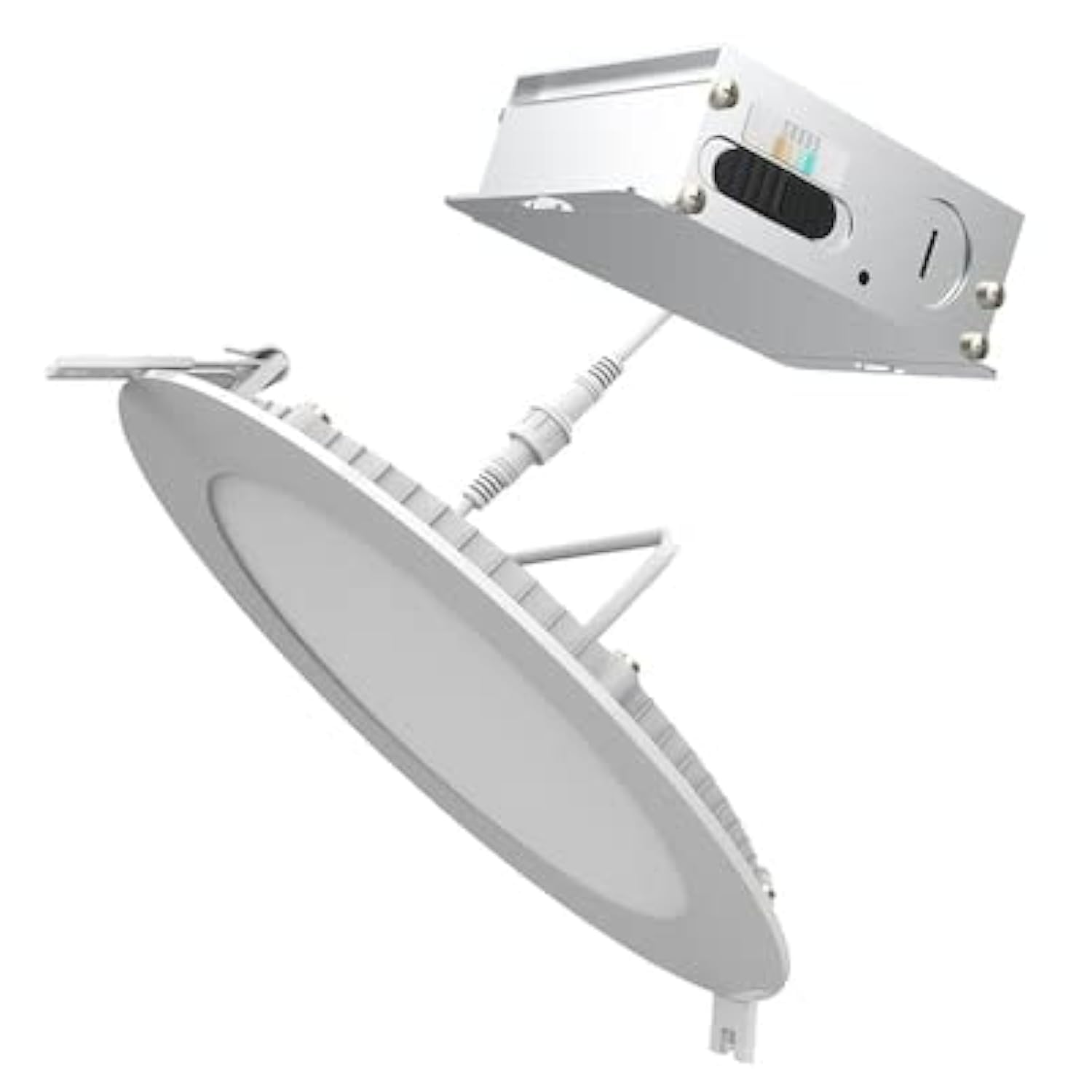
Image 2.1: Contents of the Utilitech 6-Pack Canless Recessed Downlight Kit. Includes the downlights and trim kits.
3. Persediaan dan Pemasangan
These canless recessed downlights are designed for easy installation without the need for an existing recessed can or junction box. They are suitable for low plenum clearance applications.
3.1 Alat Diperlukan (Tidak Termasuk)
- Hole Saw (appropriate size for 5-inch or 6-inch fixture, refer to instruction sheet for exact dimension)
- Pelucut Kawat
- Pemutar skru
- Cermin Mata Keselamatan
- sarung tangan
3.2 Langkah Pemasangan
- Matikan Kuasa: Before starting, ensure the power to the installation area is turned off at the circuit breaker.
- Lubang Potong: Using a hole saw, cut a hole in the drywall at the desired location. Refer to the separate instruction sheet for the precise hole dimension required for your 5-inch or 6-inch fixture.
- Run Wiring: Run the electrical wire cable from the direct line voltage to the location of the canless retrofit kit.
- Sambungan Pendawaian: Open the knockout on the canless retrofit kit's quick connect terminal. Connect the line voltage wires to the quick connect terminal. Ensure proper polarity (Live, Neutral, Ground).
- Rantai Daisy (Pilihan): If installing multiple downlights, you can daisy chain additional wire from the quick connect terminal through another knockout to your next canless retrofit kit.
- Sisipkan Lekapan: Gently push the spring-loaded clips on the downlight fixture through the cut hole in the ceiling.
- Lekapan Selamat: The springs will pull up on the retrofit kit, securing it firmly against the ceiling for an airtight seal.
- Pulihkan Kuasa: Once all fixtures are installed and secured, restore power at the circuit breaker.
4. Arahan Operasi
This downlight features Color Choice (5CCT) and dimmable functionality.
4.1 Color Temperature Selection (5CCT)
The fixture allows you to select from five color temperatures (2700K to 6500K). The color temperature switch is located on the fixture itself, typically on the driver box or the back of the light. Before final installation into the ceiling, select your desired color temperature. Once installed, you may need to remove the fixture to change the setting.
- 2700K: Warm White, similar to incandescent light.
- 3000K: Soft White, slightly cooler than 2700K.
- 4000K: Cool White, neutral white light.
- 5000K: Bright White, daylight-like appearance.
- 6500K: Daylight, very cool white with a bluish tint.
4.2 Fungsi Pemalapan
This downlight is dimmable. To utilize the dimming feature, ensure you have a compatible LED dimmer switch installed on the circuit. Refer to your dimmer switch's instructions for proper operation.
5. Penyelenggaraan
The Utilitech Canless Recessed Downlight requires minimal maintenance.
- Pembersihan: Pastikan kuasa dimatikan sebelum membersihkan. Lapkan lekapan dengan lembut, kering atau sedikit damp kain. Jangan gunakan pembersih atau pelarut yang melelas.
- LED: Sumber cahaya LED bersepadu direka bentuk untuk jangka hayat yang panjang dan tidak boleh diganti oleh pengguna.
6. Penyelesaian masalah
Jika anda mengalami masalah dengan downlight anda, rujuk masalah dan penyelesaian biasa berikut:
| Masalah | Kemungkinan Punca | Penyelesaian |
|---|---|---|
| Cahaya tidak menyala. | Tidak ada kekuatan untuk perlawanan. Sambungan pendawaian longgar. Suis rosak. | Periksa pemutus litar. Sahkan semua sambungan wayar adalah kukuh (matikan kuasa terlebih dahulu). Uji suis dengan peranti lain. |
| Cahaya berkelip atau malap dengan tidak betul. | Suis dimmer tidak serasi. Pendawaian longgar. | Pastikan dimmer serasi dengan LED. Periksa sambungan pendawaian (matikan kuasa terlebih dahulu). |
| Suhu warna tidak betul. | Suis suhu warna ditetapkan dengan salah. | Turn off power, carefully remove fixture, adjust 5CCT switch to desired setting, reinstall. |
7. Spesifikasi
| Ciri | Perincian |
|---|---|
| Jenama | Utilitech |
| Nombor Model | LLEDR6XT/5CCT/6 |
| Dimensi Produk | 7.1"L x 7.1"W x 1.3"H |
| warna | putih |
| Jenis Sumber Cahaya | LED bersepadu |
| Wattage | 65 Watts (Equivalent) |
| Kecerahan | 65 Lumens (Note: This seems low for 65W equivalent, usually 65W equivalent is around 800 lumens. User should verify actual lumen output from product packaging if available.) |
| Suhu Warna (CCT) | 2700K - 6500K (5CCT Selectable) |
| Boleh dimalapkan | ya |
| Jenis Pemasangan | Flush Mount, Canless Recessed |
| Penggunaan Dalaman/Luar | Dalaman, Luaran |
| Sumber Kuasa | Berwayar keras |
| Kecekapan | Energy Star yang diperakui |
| Pensijilan | ETL |
| bahan | Plastic (Shade) |
| Berat Barang | 6 paun (untuk pek) |
8. Waranti dan Sokongan
For warranty information or technical support, please refer to the documentation included with your purchase or contact Utilitech customer service. Keep your proof of purchase for warranty claims.