
HyperX HX-KB7AQX-US
HyperX Alloy Origins Core - Tenkeyless Mechanical Gaming Keyboard User Manual
Model: HX-KB7AQX-US
Jenama: HyperX
1. Pengenalan
The HyperX Alloy Origins Core is an ultra-compact, sturdy tenkeyless keyboard designed for gamers. It features custom HyperX mechanical switches with exposed LEDs for vibrant lighting. The keyboard is built with a full aluminum body for durability and stability, and includes adjustable feet for three tilt levels. Its compact TKL design optimizes desk space for mouse movement, and it comes with a detachable USB Type-C cable for portability. Customization of lighting and macros is available through HyperX Ngenuity Software.

Image: The HyperX Alloy Origins Core keyboard showcasing reka bentuknya yang padat dan pencahayaan RGB yang bertenaga.
2. Apa yang ada di dalam Kotak
- Papan Kekunci Mekanik Teras HyperX Alloy Origins
- Kabel USB Type-C ke Type-A boleh tanggal
- Panduan Mula Pantas
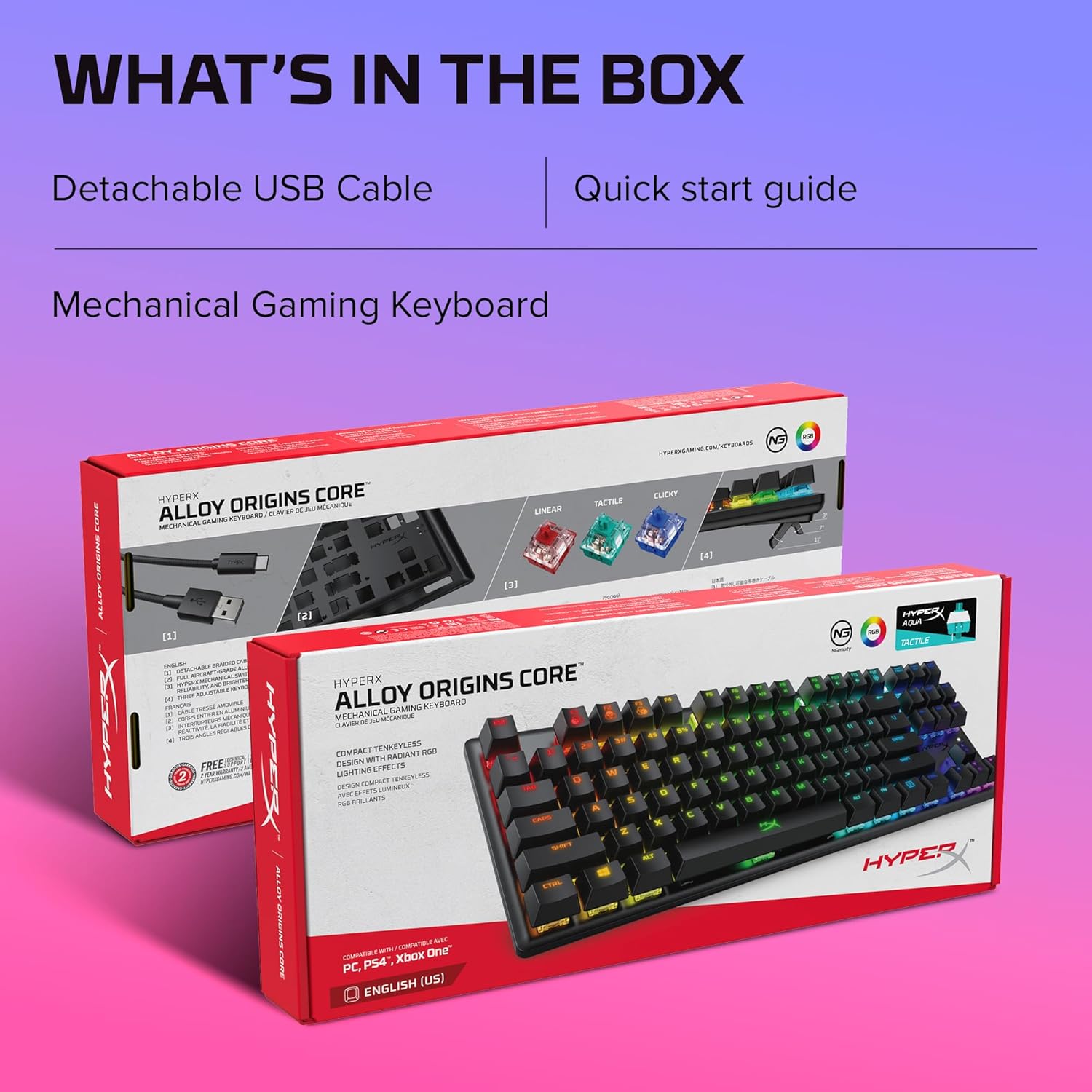
Image: The HyperX Alloy Origins Core keyboard packaging, showing the keyboard, detachable USB cable, and quick start guide.
3. Ciri-ciri
- HyperX Mechanical Switches: Custom-designed for responsiveness and accuracy, with a short travel time and low actuation force. Rated for 80 million keypresses.
- Full Aircraft-Grade Aluminum Body: Ensures structural soundness and stability during intense use.
- Ultra-Compact TKL Design with Detachable USB Type-C Cable: Frees up desk space for mouse movement and offers easy portability.
- RGB Backlit Keys with Radiant Lighting Effects: HyperX mechanical switches feature an exposed LED for brighter, more luminous RGB lighting.
- Advanced Customization with HyperX NGENUITY Software: Allows customization of Game Mode, lighting effects, and macros.
- Three Adjustable Keyboard Tilt Angles: Two-step keyboard feet provide 3°, 7°, or 11° angles for ergonomic comfort.
- Onboard Memory for Three Profiles: Store custom lightshows and settings directly on the keyboard for on-the-go use.
- Game Mode, 100% Anti-Ghosting, and N-Key Rollover: Ensures all keypresses register accurately during gameplay.

Image: The compact tenkeyless design and durable aluminum body of the HyperX Alloy Origins Core keyboard.
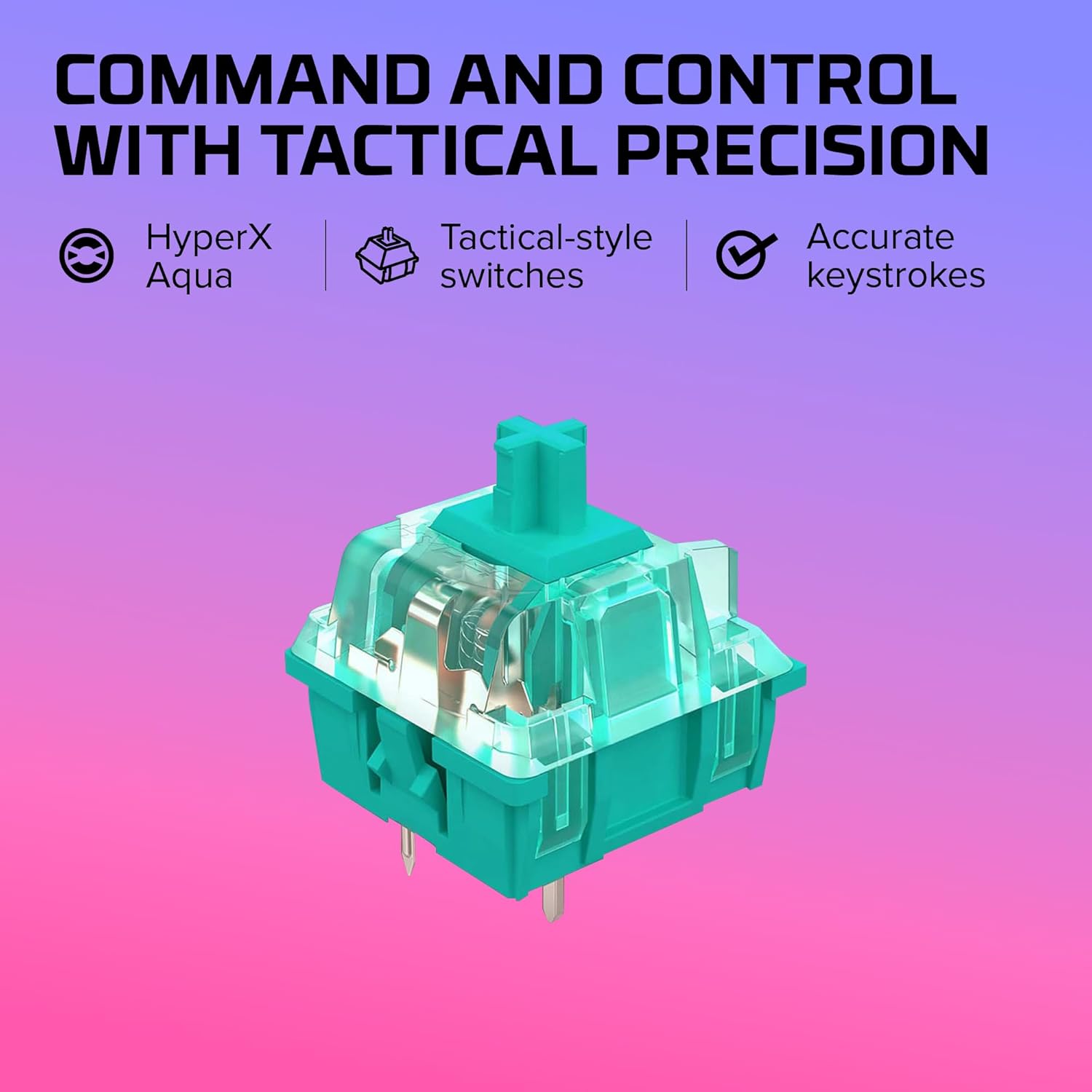
Imej: A terperinci view of the HyperX Aqua mechanical switch, emphasizing its tactile feedback and accurate keystrokes.

Image: The HyperX Alloy Origins Core keyboard demonstrating compatibility with Windows PC, PlayStation, and Xbox gaming consoles.
4. Persediaan
4.1 Menyambung Papan Kekunci
The HyperX Alloy Origins Core keyboard connects to your computer or gaming console via a detachable USB Type-C to Type-A cable. Ensure the cable is securely plugged into the Type-C port on the keyboard and a Type-A USB port on your device.
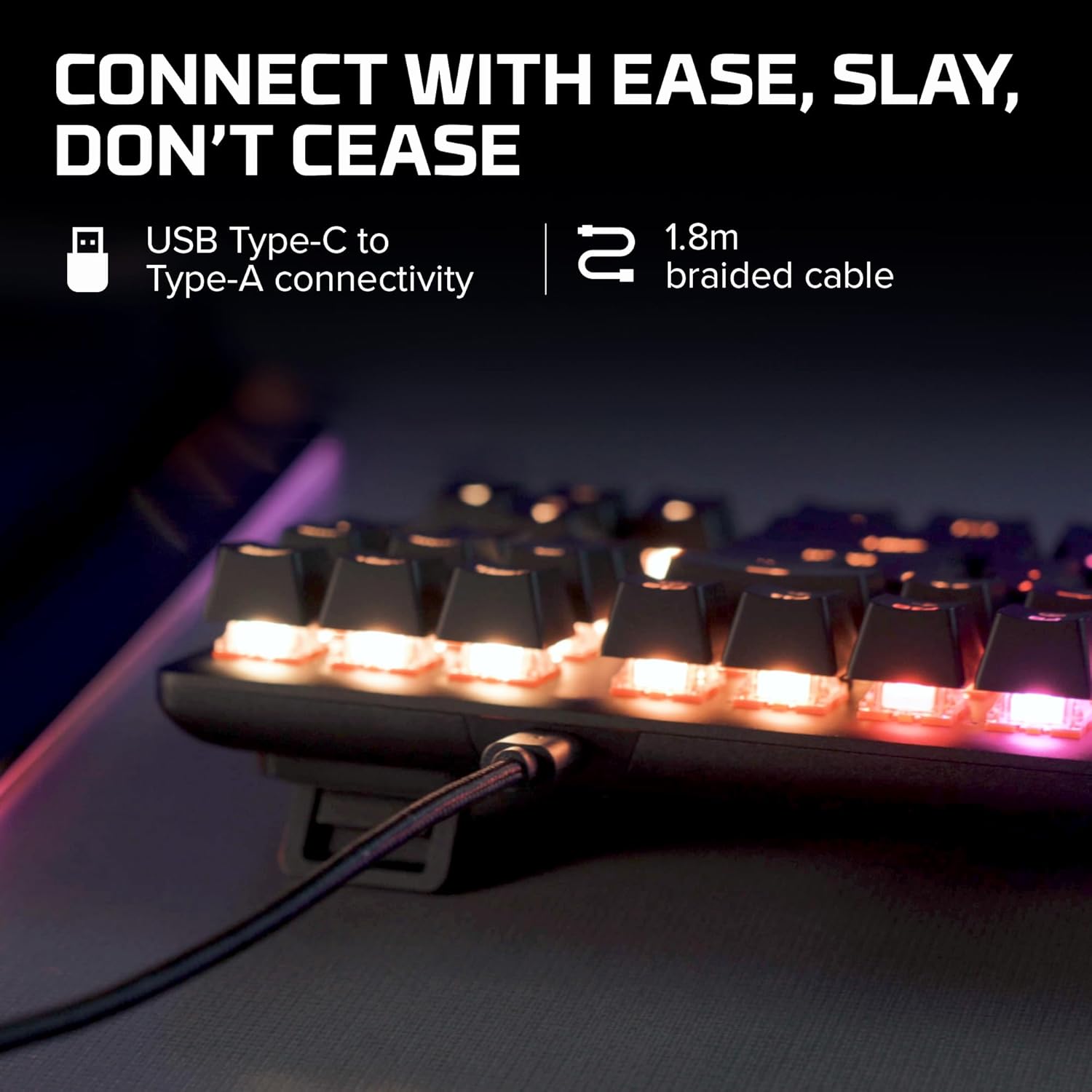
Image: The detachable USB Type-C to Type-A braided cable connected to the keyboard, illustrating easy connectivity.
4.2 Melaraskan Sudut Papan Kekunci
The keyboard features two-step adjustable feet, allowing you to set the tilt angle to 3°, 7°, or 11° for optimal comfort during use. Simply flip out the desired level of feet located on the underside of the keyboard.

Image: The adjustable keyboard feet demonstrating the three available tilt angles (3°, 7°, 11°).
5. Arahan Operasi
5.1 Operasi Asas
The HyperX Alloy Origins Core functions as a standard tenkeyless keyboard. All keys are responsive and designed for accurate input. The keyboard supports 100% anti-ghosting and N-key rollover, ensuring every keypress is registered, even during rapid, simultaneous inputs.

Image: Keys on the HyperX Alloy Origins Core keyboard, illustrating the anti-ghosting and N-key rollover features for precise input.
5.2 RGB Lighting and Customization
The keyboard features vibrant RGB backlighting. You can adjust brightness levels directly on the keyboard or through the HyperX NGENUITY Software. The software allows for advanced customization, including per-key lighting, layered lighting effects, and macro creation. Three custom profiles can be saved directly to the keyboard's onboard memory.
Image: The HyperX NGENUITY Software interface, demonstrating options for RGB lighting customization and profile pengurusan.
5.3 Mod Permainan
Activate Game Mode to prevent accidental interruptions during gameplay. This mode typically disables the Windows key and other key combinations that might minimize your game. Game Mode settings can be configured via the HyperX NGENUITY Software.
6. Penyelenggaraan
6.1 Pembersihan
To clean your keyboard, first disconnect it from your computer. Use a soft, lint-free cloth slightly dampened with water or a mild cleaning solution to wipe down the keycaps and chassis. For dust and debris between keys, use compressed air. Avoid spraying liquids directly onto the keyboard.
6.2 Penyimpanan
When not in use for extended periods, store the keyboard in a cool, dry place away from direct sunlight and extreme temperatures. Using the original packaging or a protective case can help prevent dust accumulation and physical damage.
7. Penyelesaian masalah
7.1 Papan Kekunci Tidak Bertindak Balas
- Ensure the USB cable is securely connected to both the keyboard and the computer/console.
- Cuba sambungkan papan kekunci ke port USB lain.
- Test the keyboard on another computer or device to determine if the issue is with the keyboard or the original device.
- Mulakan semula komputer/konsol anda.
7.2 Isu Pencahayaan RGB
- Verify that the HyperX NGENUITY Software is installed and up to date.
- Check lighting settings within the NGENUITY software to ensure desired effects are enabled and brightness is set appropriately.
- Perform a factory reset on the keyboard if issues persist (refer to the Quick Start Guide for specific instructions).
7.3 Keys Not Registering / Ghosting
- Ensure Game Mode is not interfering with specific key functions if you are experiencing unexpected behavior.
- Bersihkan di sekeliling kekunci yang terjejas untuk membuang sebarang serpihan yang mungkin menghalang mekanisme suis.
- Update keyboard firmware via HyperX NGENUITY Software.
8. Spesifikasi
| Ciri | Perincian |
|---|---|
| Dimensi Produk | 14.1 x 5.1 x 1.4 inci |
| Berat Barang | 1.98 paun |
| Pengeluar | HP Inc. |
| ASIN | B084GYSFDT |
| Nombor Model Item | HX-KB7AQX-AS |
| Jenama | HyperX |
| Peranti Serasi | Konsol Permainan, PC |
| Teknologi Ketersambungan | berwayar |
| Penerangan Papan Kekunci | Permainan Mekanikal |
| Penggunaan yang Disyorkan | Permainan |
| Ciri Khas | Lampu belakang |
| warna | Black (RGB Backlighting) |
| Bilangan Kunci | 87 |
| Gaya | HyperX Aqua |

Image: Dimensions and weight of the HyperX Alloy Origins Core keyboard.
9. Waranti dan Sokongan
For warranty information and technical support, please refer to the official HyperX website or contact HyperX customer service. Keep your proof of purchase for warranty claims.
- Manual Pengguna Rasmi (PDF): Muat turun PDF
- Panduan Pengguna Rasmi (PDF): Muat turun PDF
- Visit the HyperX Store: HyperX Amazon Store
Ask a question about this manual
Ask about setup, troubleshooting, compatibility, parts, safety, or missing instructions. Manuals+ will review the question and use this page’s manual context to help answer it.