
pengenalan
Thank you for choosing the Kaidi KD903 Wireless Bluetooth Earphones. This manual provides essential information for the safe and optimal use of your device. Please read it carefully before use and retain it for future reference.
Apa yang ada di dalam Kotak:
- 1 x Kaidi KD903 Wireless Earphones
- 2 x Pairs of Comfortable Ear Tips (different sizes)
- 1 x Kabel Pengecas USB
- 1 x Manual Pengguna

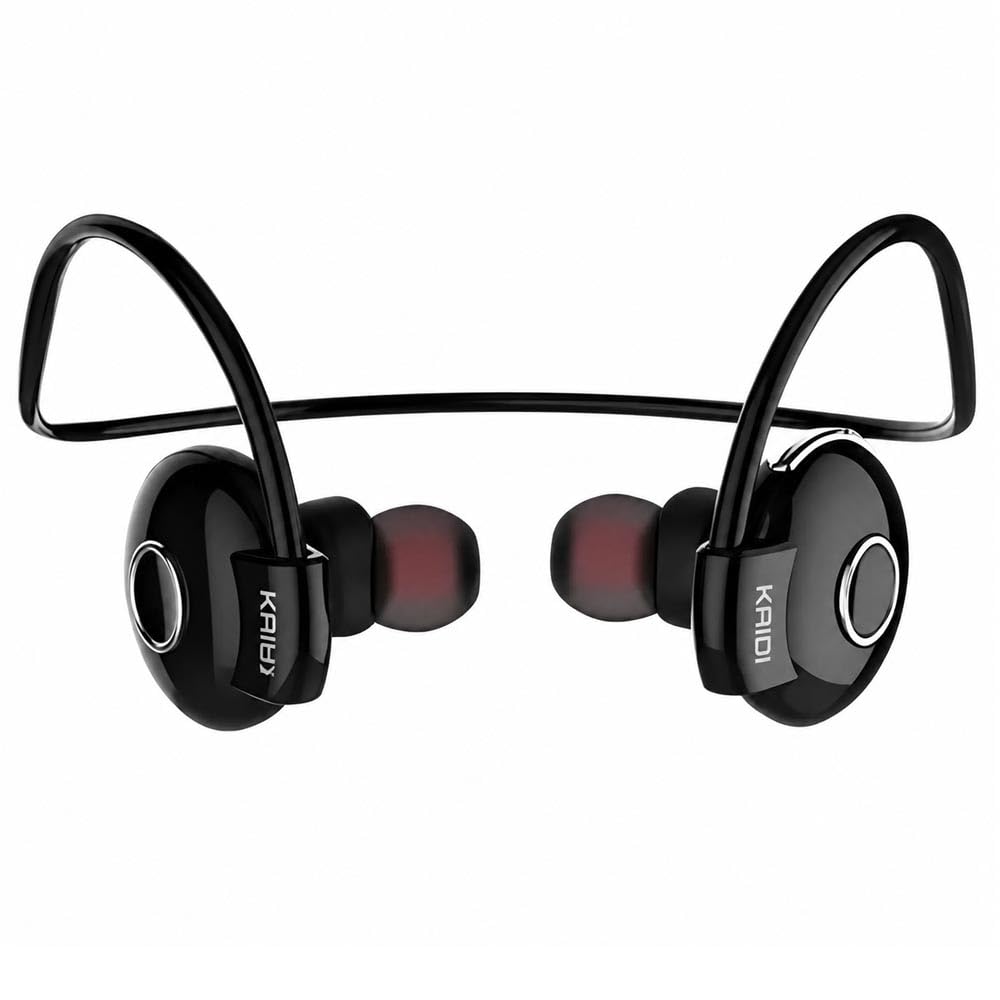
Image: Kaidi KD903 Wireless Earphones with included accessories, such as the charging cable and additional ear tips.
Produk Selesaiview
The Kaidi KD903 earphones are designed for active lifestyles, offering a secure fit and resistance to sweat. They feature Bluetooth 4.1 for stable connectivity and clear audio.
Ciri-ciri Utama:
- Bluetooth 4.1: Memastikan sambungan tanpa wayar yang stabil dan cekap.
- Rintangan peluh: Ideal for sports and workouts.
- CVC Intelligent Noise Reduction: Minimizes wind noise for clearer calls.
- Sambungan berbilang titik: Connects to two devices simultaneously.
- Peringatan Suara: Provides audio prompts for status updates.
- IOS Power Display: Shows battery level on iOS devices.
Imej: Meletup view illustrating the internal components and design of the Kaidi KD903 earphone.
Persediaan
1. Mengecas Fon Telinga
- Connect the USB charging cable to the charging port on the earphones.
- Pasangkan hujung kabel USB yang satu lagi ke sumber kuasa USB yang serasi (cth., komputer, penyesuai dinding).
- Lampu penunjuk akan menyala untuk menunjukkan status pengecasan. Pengecasan penuh biasanya mengambil masa lebih kurang 2.5 jam.
- Setelah dicas sepenuhnya, lampu penunjuk akan bertukar atau padam. Putuskan sambungan kabel pengecas.
2. Berpasangan dengan Peranti Bluetooth
- Pastikan fon telinga dimatikan.
- Press and hold the multi-function button (usually the main button on the earphone) for approximately 5-7 seconds until the indicator light flashes red and blue alternately. This indicates the earphones are in pairing mode.
- Pada telefon pintar anda atau peranti berdaya Bluetooth lain, dayakan Bluetooth dan cari peranti yang tersedia.
- Select 'KD903' from the list of found devices.
- Once connected, a voice prompt will confirm successful pairing, and the indicator light will typically flash blue slowly.

Image: A person wearing the Kaidi KD903 wireless earphones, highlighting their suitability for sports and active use.
Arahan Operasi
Hidupkan/Mati Kuasa
- Hidupkan kuasa: Press and hold the multi-function button for approximately 3 seconds until the blue indicator light flashes and a voice prompt says "Power On".
- Matikan: Press and hold the multi-function button for approximately 3 seconds until the red indicator light flashes and a voice prompt says "Power Off".
Main balik Muzik
- Main/Jeda: Tekan butang pelbagai fungsi sekali.
- Lagu Seterusnya: Tekan dan tahan butang Kelantangan +.
- Trek Sebelumnya: Tekan dan tahan butang Kelantangan -.
- Kelantangan: Tekan butang Kelantangan + sebentar.
- Perlahankan suara: Tekan butang Kelantangan sebentar.
Pengurusan Panggilan
- Jawab/Tamatkan Panggilan: Tekan butang pelbagai fungsi sekali.
- Tolak Panggilan: Tekan dan tahan butang berbilang fungsi selama lebih kurang 2 saat.
- Dail Semula Nombor Terakhir: Tekan dua kali butang berbilang fungsi.
Multipoint Connection (Connecting to Two Devices)
- Pair the earphones with the first device as described in the "Pairing" section.
- After successful pairing, disable Bluetooth on the first device.
- Put the earphones back into pairing mode (red and blue flashing light).
- Pasangkan fon telinga dengan peranti kedua.
- Once the second device is paired, re-enable Bluetooth on the first device. The earphones should now be connected to both devices simultaneously.
Penyelenggaraan
Proper maintenance ensures the longevity and performance of your Kaidi KD903 earphones.
- Pembersihan: Regularly clean the earphones with a soft, dry, lint-free cloth. Do not use abrasive cleaners, solvents, or harsh chemicals.
- Rintangan peluh: While the earphones are sweat-resistant, avoid submerging them in water or exposing them to heavy rain. After intense workouts, wipe them dry.
- Storan: When not in use, store the earphones in a cool, dry place, away from direct sunlight and extreme temperatures.
- mengecas: Charge the earphones using only the provided USB cable or a certified equivalent. Avoid overcharging.
Menyelesaikan masalah
Jika anda menghadapi masalah dengan fon telinga anda, rujuk masalah dan penyelesaian biasa berikut:
- Earphones do not power on:
Ensure the earphones are fully charged. Connect them to a power source and allow them to charge for at least 30 minutes before attempting to power on again. - Tiada bunyi atau kelantangan rendah:
Check the volume levels on both the earphones and your connected device. Ensure the earphones are properly paired and connected to your device. Try re-pairing the earphones. - Cannot pair with a device:
Ensure the earphones are in pairing mode (red and blue indicator light flashing). Make sure Bluetooth is enabled on your device and it is within the 8-meter transmission range. Try restarting both the earphones and your device. - Connection is unstable or drops frequently:
Ensure there are no obstacles between the earphones and your device. Move closer to your device. Avoid environments with strong Wi-Fi or other wireless interference. - Isu pengecasan:
Verify that the charging cable is securely connected to both the earphones and the power source. Try using a different USB port or charging adapter.
Spesifikasi
| Ciri | Spesifikasi |
|---|---|
| Versi Bluetooth | 4.1 |
| Profile Sokongan | HSP/HFP/A2DP/AVRCP |
| Masa Tunggu Sedia | 200 jam |
| Masa Berbual | 10 jam |
| Masa Main semula Muzik | 6 jam |
| Masa Mengecas | 2.5 jam |
| Julat Kekerapan | RF 2.40 GHz (2.402 G – 2.480 G) |
| Suhu Ambien | -20°C hingga +60°C |
| Jarak Penghantaran | Sehingga 8 meter |
| Kapasiti Bateri | 100mAh boleh dicas semula |
| Dimensi (L x W x H) | 12.2 x 10.3 x 4.4 cm |
| Jenis Penyambung | USB Jenis-C |
| warna | Hitam |
Waranti dan Sokongan
Maklumat Waranti
This Kaidi KD903 product comes with a Waranti 30 hari from the date of purchase. This warranty covers manufacturing defects. Please retain your proof of purchase (receipt or invoice) as it is required for any warranty claims.
Waranti tidak melindungi kerosakan yang disebabkan oleh penyalahgunaan, kemalangan, pengubahsuaian yang tidak dibenarkan atau haus dan lusuh biasa.
Sokongan Pelanggan
For technical assistance, troubleshooting not covered in this manual, or warranty inquiries, please contact the retailer from whom you purchased the product. You may also visit the official Kaidi webtapak untuk sumber sokongan tambahan.