
1. Produk Lebihview
The Sigma 18-35mm f/1.8 DC HSM Art Lens for Canon EF is a high-performance lens designed for APS-C format cameras. It features a constant f/1.8 maximum aperture, making it suitable for low-light photography and achieving shallow depth of field. This bundle includes essential accessories to enhance your photography experience.
Ciri-ciri Utama:
- Bright f/1.8 constant maximum aperture for stellar low-light shots.
- Part of Sigma's esteemed Art line, ideal for creative applications.
- Wide-to-normal zoom catering to APS-C Canon EF-mount cameras, with a 28.8-56mm equivalent focal length range.
- Employs Five Special Low Dispersion (SLD) elements for reduced chromatic aberrations.
- Four aspherical elements ensuring limited distortion and heightened sharpness.
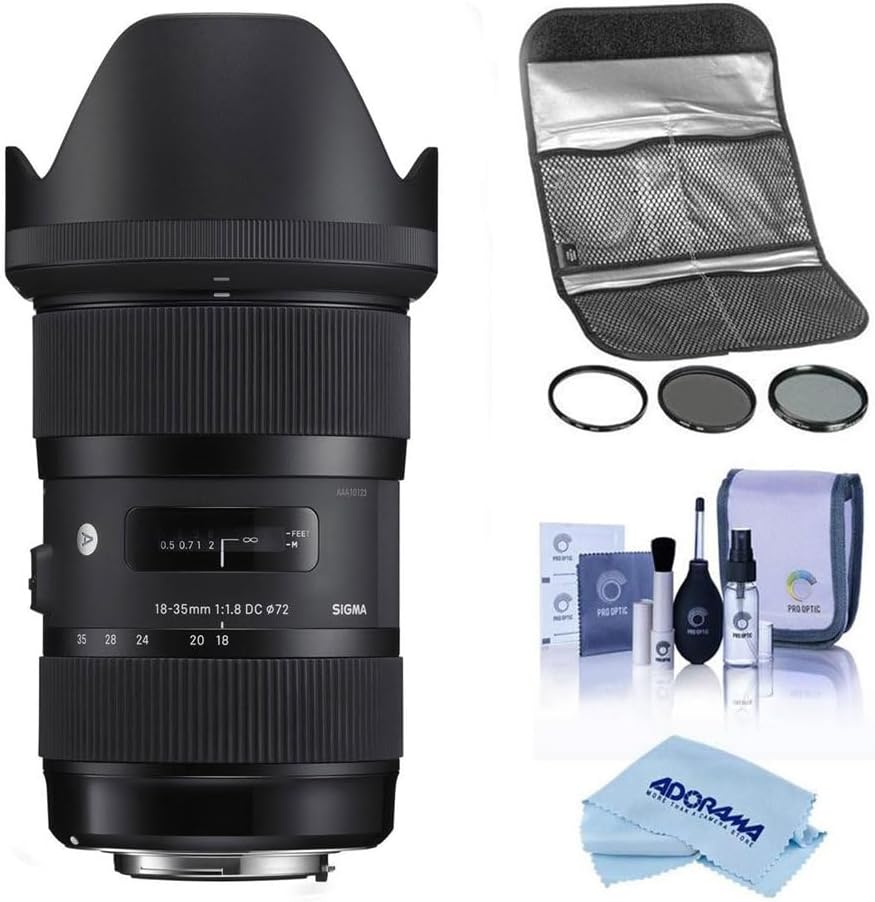
Image 1: The Sigma 18-35mm f/1.8 DC HSM Art Lens bundled with a Hoya 72mm Filter Kit II, a comprehensive cleaning kit, and a microfiber cleaning cloth.
2. Kandungan Pakej
Sahkan bahawa semua item terdapat dalam pakej anda:
- Sigma 18-35mm f/1.8 DC HSM Art Lens
- Tudung Lensa
- Cap Lensa Depan
- Cap Lensa Belakang
- Hoya 72mm Filter Kit II (UV, CPL, ND filters)
- Lens Filter Pouch
- Pro Optic Cleaning Kit (Lens cleaning fluid, lens brush, air blower, lens tissues)
- Kain Pembersih Microfiber
3. Persediaan
3.1 Memasang Lensa
- Pastikan kamera anda dimatikan.
- Remove the rear lens cap from the Sigma lens and the body cap from your Canon EF-mount camera.
- Align the red index mark on the lens barrel with the red index mark on your camera's lens mount.
- Masukkan kanta ke dalam pelekap kamera dan putarkannya mengikut arah jam sehingga ia klik pada tempatnya. Jangan paksa lensa.
- Attach the lens hood by aligning its mark with the mark on the front of the lens and twisting until it locks.
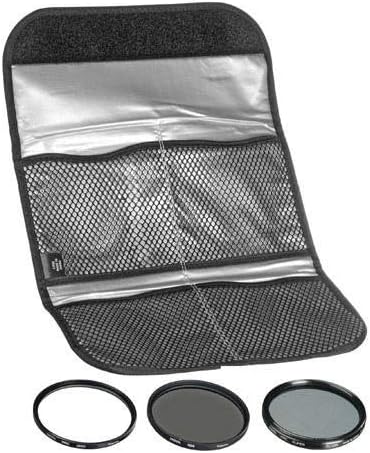
Image 2: The rear of the Sigma 18-35mm lens, showing the Canon EF mount for attachment to the camera body.
3.2 Installing Filters
The Hoya 72mm Filter Kit II includes UV, Circular Polarizer (CPL), and Neutral Density (ND) filters. These can be screwed onto the front of the lens.
- Carefully remove the lens cap.
- Gently screw the desired 72mm filter onto the front thread of the lens until it is secure. Do not overtighten.
- For the CPL filter, rotate the outer ring to adjust the polarization effect.

Image 3: The Hoya 72mm Filter Kit II, including UV, CPL, and ND filters, stored in a protective pouch.
4. Mengendalikan Lensa
4.1 Focus Modes (AF/MF)
The lens features a switch to select between Autofocus (AF) and Manual Focus (MF).
- Tetapkan suis kepada AF for automatic focusing. The camera will control the focus.
- Tetapkan suis kepada MF for manual focusing. Rotate the focus ring on the lens to adjust focus manually.

Image 4: The side of the Sigma 18-35mm lens, highlighting the AF/MF focus mode switch.
4.2 Mengezum
Rotate the zoom ring on the lens to adjust the focal length between 18mm (wide-angle) and 35mm (standard).

Image 5: The Sigma 18-35mm lens, showing the zoom and focus rings.
4.3 Bukaan
This lens features a constant f/1.8 maximum aperture across its entire zoom range. This wide aperture allows for excellent performance in low-light conditions and provides significant control over depth of field, enabling subjects to stand out against blurred backgrounds.
Nota: This lens does not include built-in image stabilization. For video recording or in very low light conditions, using a tripod is recommended to minimize camera shake.
5. Penyelenggaraan
5.1 Cleaning the Lens and Accessories
Regular cleaning helps maintain the optical performance and longevity of your lens and filters. Use the included Pro Optic Cleaning Kit and microfiber cloth.
- Use the air blower to remove loose dust and debris from the lens and filter surfaces.
- For stubborn dust or smudges, use the lens brush gently.
- Apply a small amount of lens cleaning fluid to a clean lens tissue or the microfiber cloth, then gently wipe the lens surface in a circular motion. Avoid applying fluid directly to the lens.
- Ensure the lens and filters are dry before reattaching caps or storing.

Image 6: The Pro Optic Cleaning Kit, including lens cleaning fluid, a lens brush, and an air blower.

Image 7: A microfiber cleaning cloth, suitable for delicate lens surfaces.
5.2 Penyimpanan
- Sentiasa pasangkan penutup kanta hadapan dan belakang apabila kanta tidak digunakan.
- Simpan kanta di tempat yang sejuk dan kering, jauh dari cahaya matahari langsung dan suhu yang melampau.
- Jika menyimpan untuk tempoh yang lama, pertimbangkan untuk menggunakan penyahlembap atau pengering untuk mencegah pertumbuhan kulat.
6. Penyelesaian masalah
If you encounter issues with your lens, consider the following common solutions:
- Imej Kabur:
- Check if the lens is properly attached to the camera.
- Ensure the focus mode is set correctly (AF for autofocus, MF for manual focus).
- Verify that the camera's autofocus points are correctly selected and focusing on your intended subject.
- In low light, use a tripod or increase ISO to avoid camera shake, as this lens does not have image stabilization.
- Lens Not Focusing:
- Confirm the AF/MF switch on the lens is set to AF.
- Bersihkan sentuhan elektrik pada kedua-dua kanta dan badan kamera dengan kain bersih dan kering.
- Ensure there is sufficient light for the autofocus system to operate effectively.
- Dust or Spots on Images:
- Clean the front and rear elements of the lens using the provided cleaning kit.
- Check your camera's sensor for dust. Refer to your camera's manual for sensor cleaning procedures or consult a professional.
7. Spesifikasi
| Ciri | Perincian |
|---|---|
| Jenama | Sigma |
| Nombor Model | 18-35mm F/1.8 |
| Panjang Fokus | 18-35 milimeter |
| Apertur Maksimum | f/1.8 |
| Jenis Kanta | Standard, Wide Angle |
| Pemasangan yang Serasi | Canon EF |
| Dimensi Produk | 7.1 x 4.8 x 4.7 inci |
| Berat Barang | 3.51 paun |
| ASIN | B083B6DF9B |
| Tarikh Mula-mula Tersedia | 31 Disember 2019 |
8. Waranti dan Sokongan
This Sigma lens is backed by Sigma's full factory warranty and repair services. For specific warranty details and service inquiries, please refer to the official Sigma website or contact an authorized Sigma dealer.
Beliasing from an authorized dealer ensures you receive genuine Sigma products and access to official support.
Video 1: Information regarding purchasing from an authorized Sigma dealer and warranty details.