
pengenalan
This manual provides comprehensive instructions for the setup, operation, and maintenance of your TECHMADE Joy Waterproof Smartwatch. Please read this manual carefully before using the device to ensure proper functionality and longevity.
Kandungan Pakej
Pastikan semua item ada dalam pakej:
- TECHMADE Joy Smartwatch
- Kabel Pengecasan
- Manual Pengguna (dokumen ini)
Persediaan
1. Mengecas Jam Pintar
Before initial use, fully charge your smartwatch. Connect the provided charging cable to the charging port on the back of the smartwatch and plug the USB end into a compatible power source (e.g., computer USB port, USB wall adapter).

Imej: Depan view of the TECHMADE Joy Smartwatch, displaying time and date.
2. Pemasangan Apl dan Berpasangan
To unlock the full functionality of your smartwatch, install the companion application on your smartphone. The app is typically available on major app stores. Once installed:
- Dayakan Bluetooth pada telefon pintar anda.
- Buka aplikasi pendamping dan ikut arahan pada skrin untuk membuat akaun atau log masuk.
- Pilih 'Tambah Peranti' atau 'Gandingkan Peranti' dalam aplikasi.
- The app will search for your smartwatch. Select 'TECHMADE Joy' from the list of available devices.
- Confirm the pairing request on both your smartphone and smartwatch, if prompted.
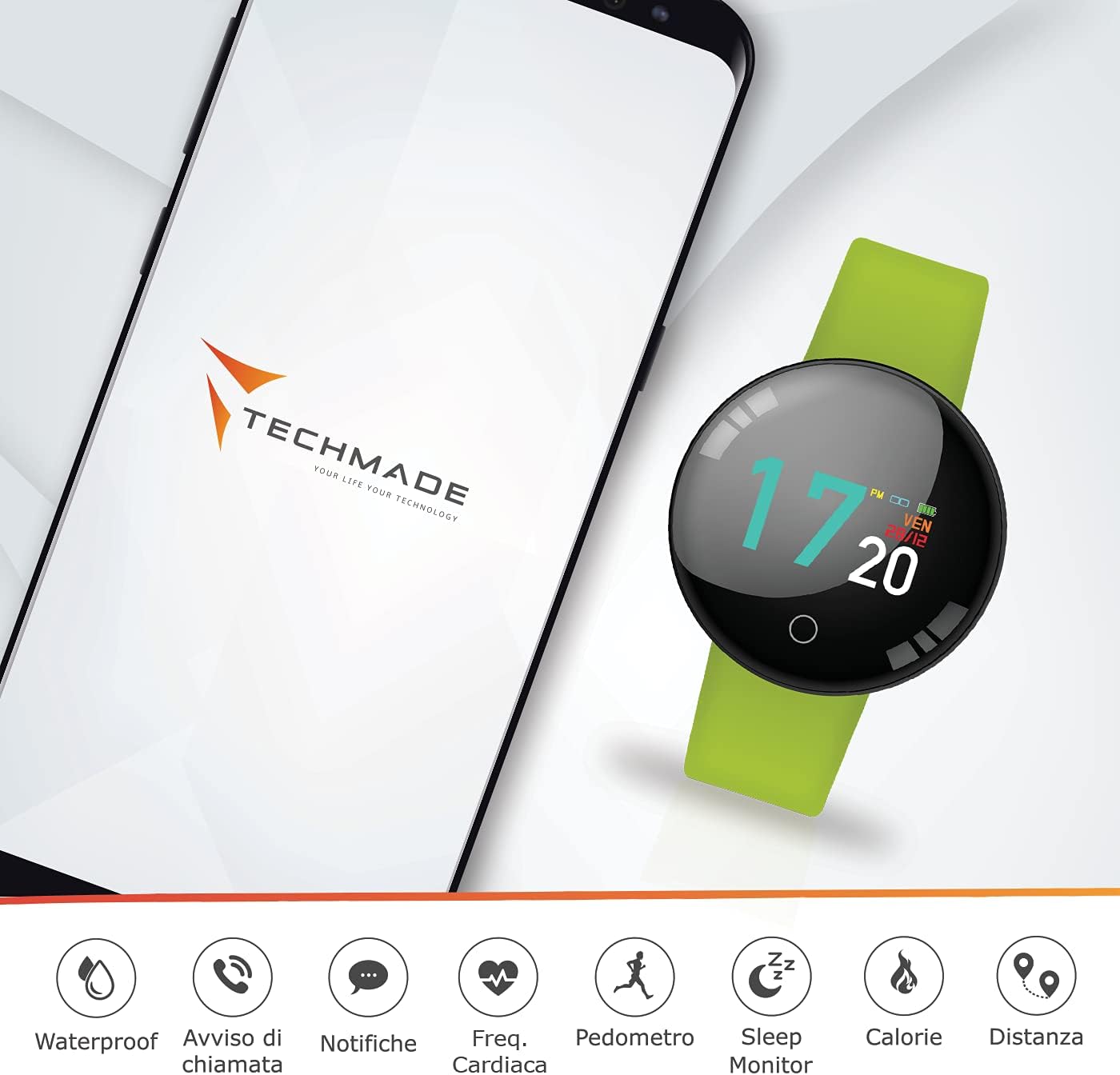
Image: The smartwatch displayed alongside a smartphone screen showing the companion app interface and various feature icons.
Arahan Operasi
Navigasi Asas
The TECHMADE Joy Smartwatch features a touch-sensitive display and a single button for navigation:
- Ketik: Ketik skrin untuk memilih item atau mengesahkan tindakan.
- Leret: Swipe left, right, up, or down to navigate through menus and screens.
- Tekan butang: A short press typically wakes the screen or returns to the previous menu. A long press may activate specific functions or power the device on/off.
Ciri-ciri Utama
Tahan Air
The TECHMADE Joy Smartwatch is designed to be waterproof, making it suitable for daily activities such as hand washing and light rain exposure. It is not recommended for swimming, diving, or prolonged submersion in water. Avoid exposure to hot water or steam.

Image: The smartwatch with water droplets, illustrating its water-resistant capability.
Pemberitahuan
Once paired with your smartphone, the smartwatch can display notifications for incoming calls, messages, and app alerts. Ensure notification permissions are enabled in both your smartphone settings and the companion app.

Image: The smartwatch screen showing an incoming message notification.
Penjejakan Aktiviti
The smartwatch tracks various fitness metrics:
- Pedometer: Mengira langkah harian anda.
- Jarak: Menganggarkan jarak yang dilalui berdasarkan langkah anda.
- Kalori: Mengira anggaran kalori yang dibakar.
- Monitor Tidur: Tracks your sleep patterns, including deep and light sleep stages.
Pemantauan Kadar Jantung
The integrated optical sensor on the back of the smartwatch monitors your heart rate. Access this feature through the watch's menu or the companion app to view bacaan masa nyata dan data sejarah.

Imej: A terperinci view of the heart rate sensor located on the underside of the smartwatch.
Penyelenggaraan
Pembersihan
Regularly clean your smartwatch to maintain its appearance and functionality. Use a soft, dry, lint-free cloth. For stubborn dirt, slightly dampen the cloth with water. Avoid using harsh chemicals, abrasive materials, or strong cleaning agents.
Garis Panduan Ketahanan Air
To preserve the water resistance of your device:
- Do not expose the smartwatch to pressurized water or high-velocity water.
- Avoid using the smartwatch in saunas or steam rooms.
- Pastikan port pengecasan kering sebelum menyambungkan kabel pengecasan.
Menyelesaikan masalah
If you encounter issues with your TECHMADE Joy Smartwatch, try the following steps:
- Peranti tidak dihidupkan: Ensure the device is fully charged. Connect it to the charging cable for at least 30 minutes.
- Tidak boleh berpasangan dengan telefon pintar: Check that Bluetooth is enabled on your smartphone and the smartwatch. Restart both devices and try pairing again. Ensure the companion app is up to date.
- Data tidak tepat: Ensure the smartwatch is worn snugly on your wrist. For sleep tracking, wear it throughout the night.
- Pemberitahuan tidak muncul: Verify that notification permissions are granted to the companion app in your smartphone's settings. Check the app's settings to ensure notifications are enabled for desired applications.
If problems persist, consult the support section of the companion app or contact TECHMADE customer support.
Spesifikasi
| Jenama | TEKMADE |
| Nama Model | TECHMADE JOY |
| Nombor Model | TM-JOY-GR |
| Dimensi | 5 x 10 x 15 cm |
| Sistem Operasi | Android (serasi) |
| Resolusi Paparan | 240 x 240 |
| Peranti Serasi | Telefon pintar |
| Ketersambungan | Bluetooth |
| Komposisi Bateri | Polimer Litium |
| Ciri Khas | Water Resistant, Bluetooth Connection |
| GPS | Tiada GPS |
Waranti dan Sokongan
For warranty information and customer support, please refer to the documentation included with your purchase or visit the official TECHMADE website. You can also find support resources within the companion application.