
1. Pengenalan
This manual provides detailed instructions for the installation, operation, and maintenance of your Anytek Dash Cam 4-inch Full HD 1080P Night Vision Car Camera. Please read this manual thoroughly before using the device to ensure proper function and safety.
2. Produk Lebihview dan Isi Pakej
The Anytek Dash Cam is designed to record video footage while driving, providing evidence in case of incidents and enhancing road safety. It features a 4-inch display, Full HD 1080P recording, night vision capabilities, G-sensor, and loop recording.
Kandungan Pakej:
- Anytek Dash Cam Unit
- Pengecas Kereta
- Mount Piala Sedutan
- Rear Camera (with cable)
- Kabel USB
- Manual Pengguna

Image: The Anytek Dash Cam main unit, rear camera, car charger, suction cup mount, and USB cable.
3. Ciri-ciri Utama
3.1 Full HD 1080P Recording
The dash cam records video in Full HD 1080P resolution, capturing clear and detailed footage of the road ahead. This ensures that important details like license plates and road signs are visible.

Image: Illustration of the dash cam's 1080P resolution capturing both front and rear views with high detail.
3.2 Penglihatan Malam yang Dipertingkatkan
Equipped with a Starvis Night Vision Sensor, WDR (Wide Dynamic Range) technology, and an F1.8 large aperture lens, the dash cam provides clear video recording even in low-light conditions or at night.
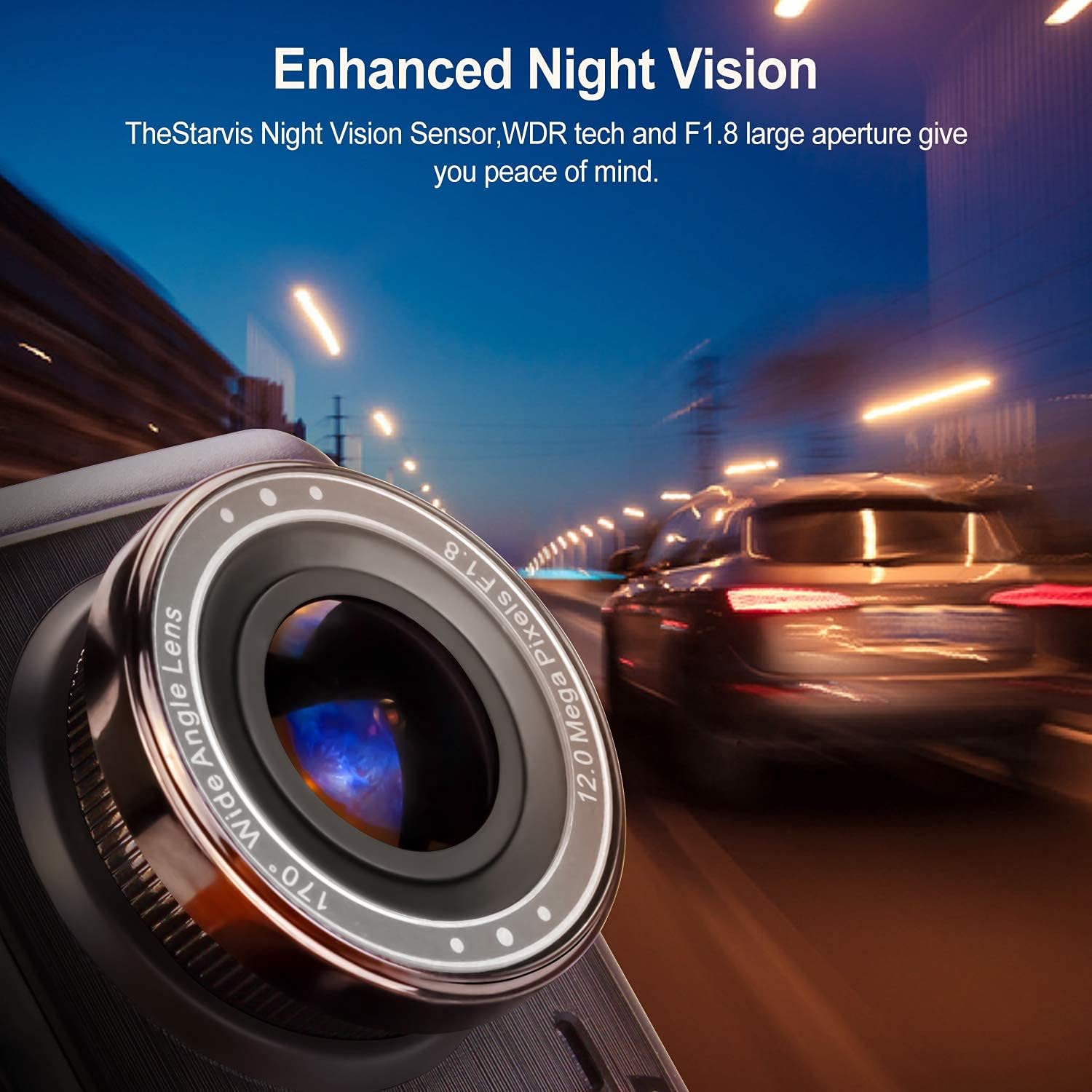
Imej: Dari dekat view of the dash cam's lens, emphasizing its F1.8 aperture and night vision capabilities in a dark environment.
3.3 170° Wide Angle Lens
The dash cam features a 170-degree wide-angle lens, providing a broader field of view to capture more lanes of traffic and surroundings, minimizing blind spots. This is ideal for comprehensive coverage on wide highways or large intersections.

Image: An illustration demonstrating the 170-degree wide-angle coverage of the dash cam, showing its ability to capture a broad area.
3.4 Sensor-G (Sensor Graviti)
The built-in G-sensor automatically detects sudden shakes or collisions. When an impact is detected, the current video clip is locked and saved, preventing it from being overwritten. This ensures critical footage dipelihara sebagai bukti.

Image: A visual representation of a car collision, with a lock icon indicating the G-sensor's function to protect video files during an impact.
3.5 Rakaman Gelung
Loop recording allows the dash cam to continuously record video. When the memory card is full, the oldest unlocked files are automatically overwritten by new recordings. This ensures uninterrupted recording without manual intervention.

Image: A graphic depicting the loop recording process, where older video segments are replaced by newer ones as the storage fills up.
3.6 Pengesanan Pergerakan
When enabled, the motion detection feature allows the dash cam to automatically start recording if movement is detected in front of the lens while the vehicle is parked and the camera is in standby mode. This provides surveillance even when you are not in the car.

Image: A scene showing a person walking past a parked car, illustrating how motion detection activates the camera to record.
4. Persediaan dan Pemasangan
4.1 Memasukkan Kad MicroSD
- Pastikan cam dash dimatikan.
- Locate the MicroSD card slot on the side of the dash cam.
- Insert a Class 10 or higher MicroSD card (up to 32GB recommended, though some users report success with 128GB) into the slot until it clicks into place.
- Untuk mengalih keluar, tolak kad masuk perlahan-lahan sehingga ia keluar.
4.2 Memasang Dash Cam
- Bersihkan kawasan cermin depan tempat anda berhasrat untuk memasang sesondol pemuka.
- Pasangkan pelekap cawan sedutan pada unit kamera papan pemuka.
- Tekan cawan sedutan dengan kuat pada cermin depan dan balikkan tuil untuk menguncinya. Letakkan kamera untuk memastikan jelas view jalan raya tanpa menghalang penglihatan pemanduan anda.
4.3 Kuasa Penyambung
- Sambungkan pengecas kereta ke port input kuasa cam dash.
- Pasangkan hujung pengecas kereta yang satu lagi ke soket kuasa 12V kenderaan anda (soket pemetik api).
- Route the power cable neatly along the windshield and dashboard to avoid interference with driving.
4.4 Installing the Rear Camera (Optional)
- Mount the rear camera on the rear windshield or license plate area using the provided adhesive or screws.
- Connect the rear camera cable to the dash cam's AV input port.
- If you wish for the rear camera to display a reverse parking guide, connect the red wire from the rear camera cable to your vehicle's reverse light power supply. (Professional installation is recommended for this step).
5. Arahan Operasi
5.1 Menghidupkan/Mematikan
- Automatic Power: The dash cam will automatically power on and begin recording when your vehicle's ignition is turned on (and power is supplied to the 12V outlet). It will power off automatically when the ignition is turned off.
- Kuasa Manual: Tekan dan tahan butang Kuasa selama beberapa saat untuk menghidupkan atau mematikan peranti secara manual.
5.2 Menu Navigasi
- Gunakan Menu butang untuk mengakses menu tetapan.
- Gunakan Up dan Bawah arrow buttons to navigate through menu options.
- Tekan ke OK butang untuk mengesahkan pilihan.
- Tekan ke Menu butang sekali lagi untuk keluar dari menu.
5.3 Mod Rakaman
- Rakaman Biasa: Continuous recording when the device is powered on. Files are saved in segments (e.g., 1, 3, or 5 minutes) and loop recorded.
- G-Sensor Triggered Recording: Mengunci video semasa secara automatik file upon detecting a collision or sudden movement.
- Monitor Tempat Letak Kereta: When enabled, the dash cam will automatically start recording if it detects a vibration or impact while the vehicle is parked and the engine is off. This feature requires a continuous power supply (e.g., hardwiring kit, not included).
5.4 Main semula
- Stop recording by pressing the OK button if it's currently recording.
- Enter playback mode via the menu or a dedicated mode button (refer to your specific model's button layout).
- Gunakan Up dan Bawah buttons to select the desired video file.
- Tekan OK untuk memainkan video.
5.5 Tetapan Tarikh dan Masa
- Akses menu tetapan.
- Navigate to the 'Date/Time' option.
- Adjust the year, month, day, hour, and minute using the arrow buttons.
- Sahkan dengan OK butang.
6. Penyelenggaraan
6.1 Membersihkan Peranti
- Use a soft, dry cloth to clean the dash cam's body and screen.
- For the lens, use a specialized lens cleaning cloth to avoid scratches. Do not use abrasive cleaners or solvents.
6.2 Pengurusan Kad MicroSD
- It is recommended to format the MicroSD card every 2-4 weeks to maintain optimal performance and prevent data corruption.
- Format the card directly through the dash cam's menu settings.
6.3 Pertimbangan Alam Sekitar
- Avoid exposing the dash cam to extreme temperatures for prolonged periods, as this can affect battery life and screen performance.
- If the device becomes excessively hot, allow it to cool down before further use.
7. Penyelesaian masalah
| Masalah | Kemungkinan Punca | Penyelesaian |
|---|---|---|
| Dash cam tidak dihidupkan. | No power supply; faulty car charger; damaged cable. | Check car charger connection and vehicle's 12V outlet. Try a different power source or cable. |
| Rakaman berhenti tanpa diduga. | MicroSD card full; card error; low battery. | Format the MicroSD card. Replace with a new, high-quality Class 10 card. Ensure continuous power supply. |
| Video footage adalah kabur atau tidak jelas. | Protective film on lens; dirty lens; windshield obstruction. | Remove any protective film. Clean the lens and windshield. |
| Skrin membeku atau peranti tidak bertindak balas. | Gangguan perisian; terlalu panas. | Press the reset button (if available). Power off and restart the device. Allow to cool down if hot. |
| Kamera belakang tidak dipaparkan. | Sambungan longgar; kabel/kamera rosak. | Periksa sambungan kabel kamera belakang ke unit utama. Pastikan kabel tidak rosak. |
8. Spesifikasi
- paparan: LCD 4 inci
- Resolusi Video: HD Penuh 1080P
- Sudut Kanta: Sudut Lebar 170°
- Ciri Khas: Night Vision, G-Sensor, Loop Recording, Motion Detection, WDR
- Storan: MicroSD Card (Class 10, up to 32GB recommended)
- Sumber Kuasa: Pengecas Kereta (12V)
- warna: Hitam
- Berat produk: Kira-kira 650 g
- Peranti Serasi: Personal Computer, Smartphone, Tablet (for file viewing)
9. Waranti dan Sokongan
For warranty information and technical support, please refer to the contact details provided with your purchase or visit the official Anytek webtapak. Simpan resit pembelian anda sebagai bukti pembelian untuk tuntutan waranti.