
1. Pengenalan dan Lebihview
The Ring Automotive RSC804 is a 4A smart battery charger and maintainer designed for a wide range of 6V and 12V vehicle batteries. It is compatible with Lead Acid, Gel, Calcium, EFB, and AGM battery types, including those found in START/STOP vehicles. This device ensures your battery remains in optimal condition by preventing overcharging and automatically transitioning to a long-term maintenance mode once fully charged. Its user-friendly design features one-button operation and a clear, backlit LCD display for easy monitoring of the charging process.
The RSC804 incorporates essential safety features such as reverse polarity and short-circuit protection, providing a secure and reliable charging experience.
2. Maklumat Keselamatan
Please read all safety instructions before using the charger. Failure to follow these instructions may result in electric shock, fire, or serious injury.
- Sentiasa pakai pelindung mata dan pakaian pelindung apabila bekerja dengan bateri.
- Ensure adequate ventilation in the charging area to prevent the accumulation of explosive gases.
- Jangan merokok atau biarkan percikan api atau nyalaan api berhampiran bateri atau pengecas.
- Disconnect the AC power supply from the charger before connecting or disconnecting the battery leads.
- Jangan sekali-kali mengecas bateri yang beku atau rosak.
- The charger is equipped with reverse polarity and short-circuit protection. However, always ensure correct polarity connections (positive to positive, negative to negative) to prevent damage.
- Keep the charger away from water and moisture. The unit is IP65 weatherproof, but direct submersion should be avoided.
- Do not attempt to open or modify the charger. Refer all servicing to qualified personnel.
3. Apa yang ada di dalam Kotak
Selepas membuka pakej, sahkan bahawa semua komponen ada:
- Ring Automotive RSC804 Smart Battery Charger
- Connectors with battery clamps
- O-ring terminals for long-term connection
- Manual Pengguna

Image: Contents of the Ring Automotive RSC804 box, showing the charger, battery clamps, O-ring terminals, and user manual.
4. Arahan Persediaan
Follow these steps to safely set up your battery charger:
- Sediakan Bateri: Pastikan terminal bateri bersih dan bebas daripada kakisan. Jika perlu, bersihkannya dengan berus dawai.
- Sambung ke Bateri:
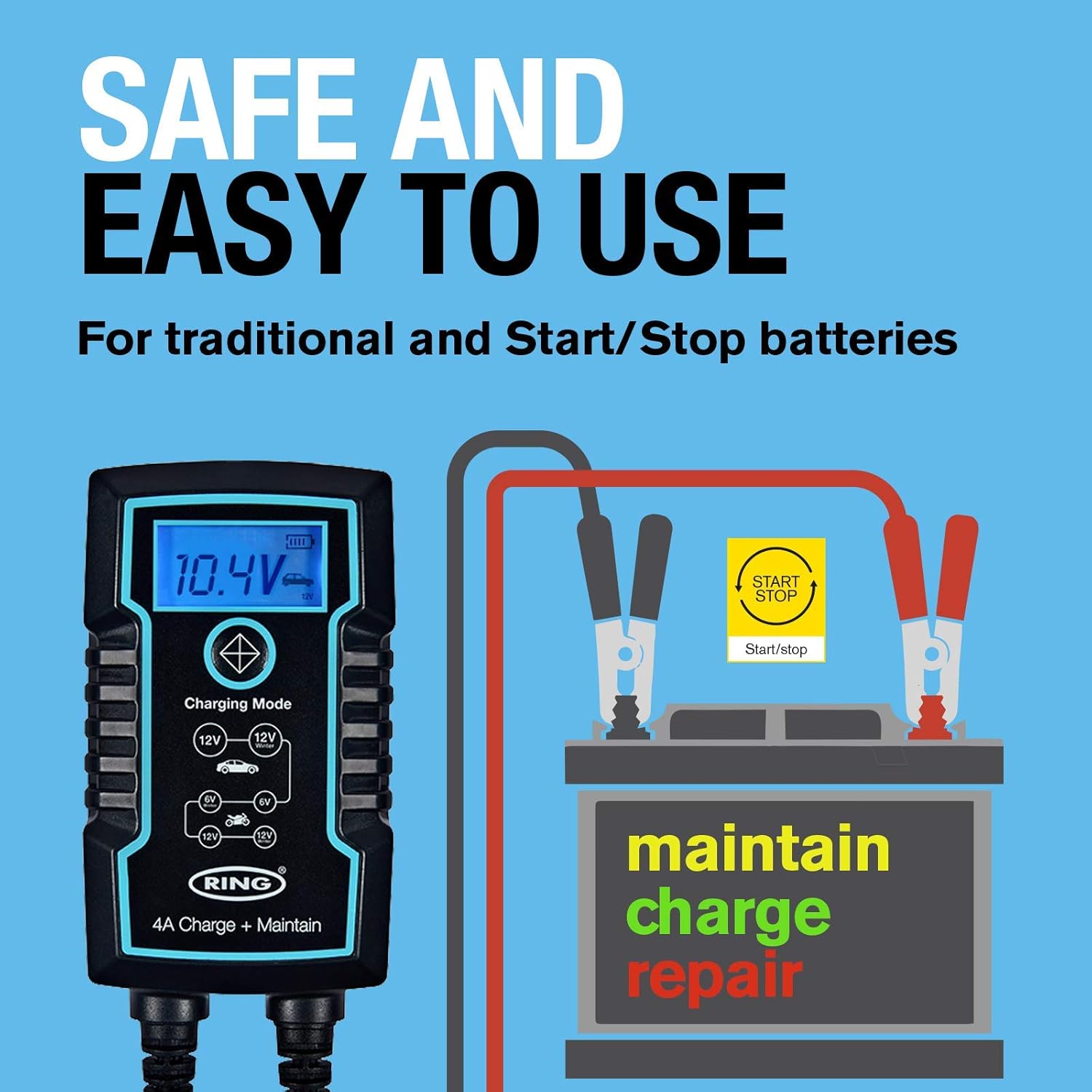
- Menggunakan Clamps: Sambungkan cl merah (positif).amp to the positive (+) battery terminal. Connect the black (negative) clamp ke terminal bateri negatif (-). Pastikan sambungan selamat.
- Using O-Ring Terminals (for long-term connection): Attach the red O-ring terminal to the positive (+) battery post and the black O-ring terminal to the negative (-) battery post. Secure them with the battery nuts.
- Sambung ke Kuasa: Once the battery leads are securely connected, plug the charger's AC power cord into a suitable 230V mains outlet.
- Semakan Awal: The charger's LCD display will illuminate, indicating it is powered on and ready for operation.

Image: Ring Automotive RSC804 charger connected to a car battery using clamps, illustrating a typical setup.
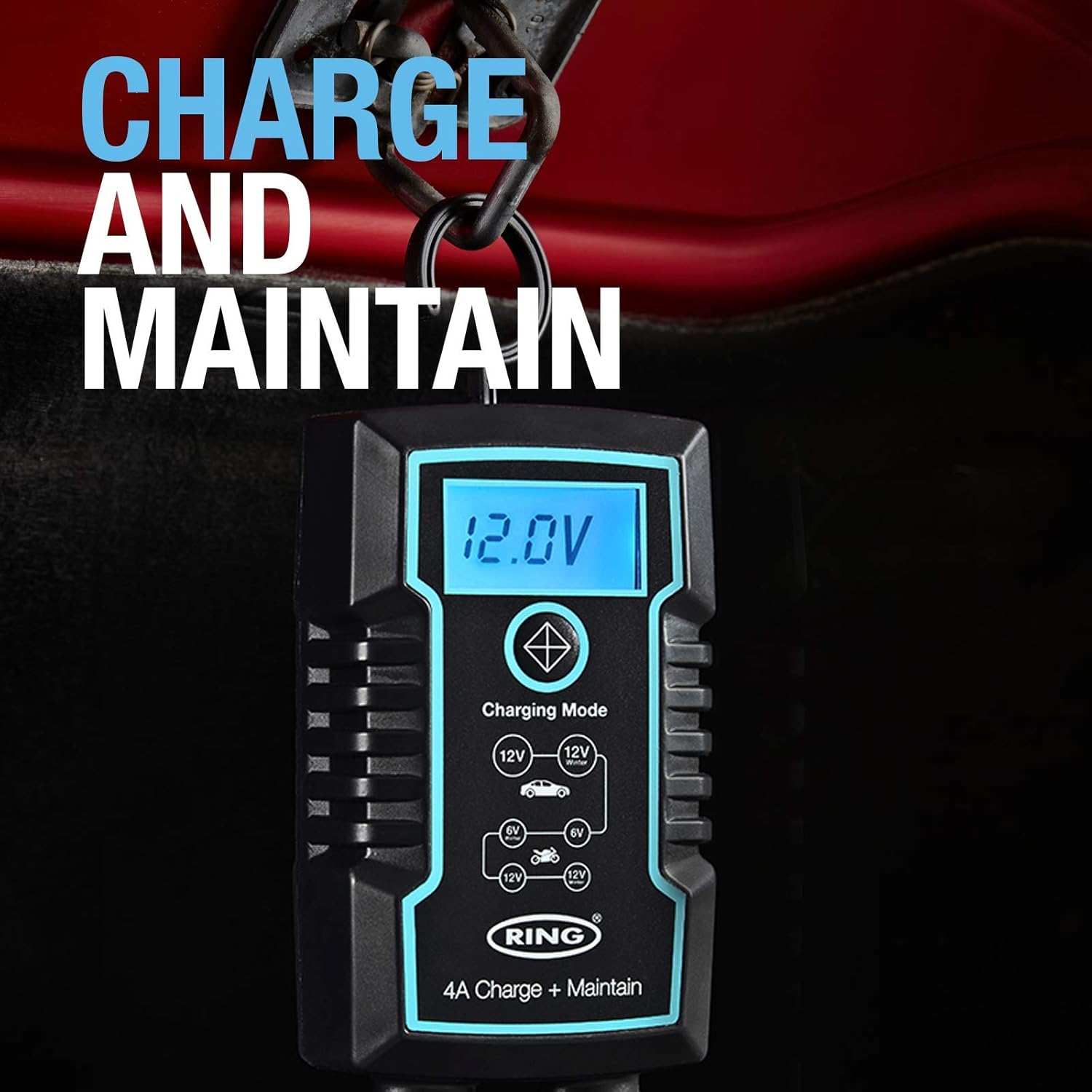
Image: Close-up of the RSC804 charger connected to a car battery, demonstrating proper terminal attachment.
5. Arahan Operasi
Operating the RSC804 charger is straightforward:
- Hidupkan kuasa: After connecting the charger to the battery and mains power, the charger will automatically power on.
- Pilih Mod Pengecasan: Use the single button on the charger to cycle through the available charging modes. The backlit LCD display will show the selected mode (e.g., 6V, 12V Car, 12V Motorcycle). Select the mode appropriate for your battery type and voltage.
- Pantau Kemajuan Pengecasan: The LCD display provides real-time information including:
- Bateri Voltage: Memaparkan vol semasatage daripada bateri.
- Kemajuan Caj: An icon or indicator shows the battery's charging status.
- Selected Mode: Confirms the active charging program.
- Penyelenggaraan Automatik: Once the battery reaches full charge, the RSC804 will automatically switch to a maintenance (trickle charge) mode. This prevents overcharging and keeps the battery optimally charged for extended periods.
- Memutuskan sambungan: To disconnect the charger, first unplug the AC power cord from the mains outlet. Then, disconnect the negative (-) battery lead, followed by the positive (+) battery lead.
Imej: Terperinci view of the RSC804's backlit LCD display, highlighting voltage, charge progress, and mode selection.
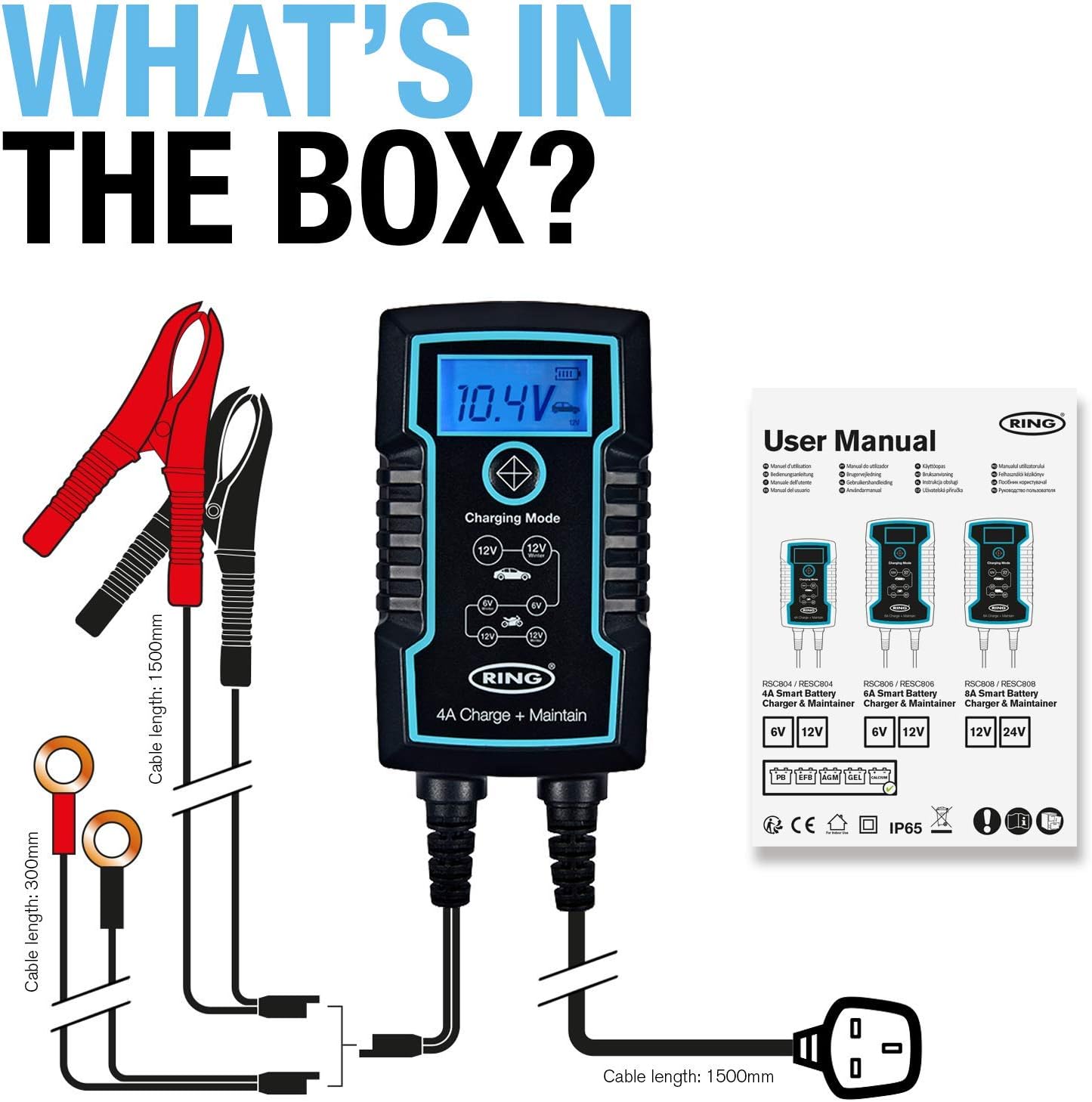
Image: The RSC804 charger in operation, displaying 12.0V and indicating maintenance mode, conveniently hanging from a vehicle's hood.
6. Penyelenggaraan
Proper maintenance ensures the longevity and reliable performance of your RSC804 charger:
- Pembersihan: Periodically wipe the charger's casindengan kain lembut dan kering. Jangan gunakan bahan kimia yang keras atau pembersih yang kasar.
- Pemeriksaan Kabel: Regularly inspect the power cord and battery leads for any signs of damage, cuts, or fraying. Do not use the charger if any cables are damaged.
- Storan: Simpan pengecas di tempat yang sejuk dan kering apabila tidak digunakan. Jauhkan daripada cahaya matahari langsung, suhu yang melampau dan kelembapan.
- Terminal Bateri: Ensure battery terminals remain clean for optimal connection.

Image: The RSC804 charger's rugged and weatherproof (IP65) design, suitable for various environments.
7. Penyelesaian masalah
If you encounter issues with your RSC804 charger, refer to the following common problems and solutions:
| Masalah | Kemungkinan Punca | Penyelesaian |
|---|---|---|
| Pengecas tidak dihidupkan. | No AC power, faulty outlet, damaged power cord. | Check mains power supply. Try a different outlet. Inspect power cord for damage. |
| Charger connected but not charging. | Incorrect battery connection, wrong mode selected, deeply discharged battery. | Ensure correct polarity and secure connections. Select the appropriate 6V or 12V mode. For deeply discharged batteries, the charger may take some time to initiate charging. |
| Error message or indicator light. | Reverse polarity, short circuit, internal fault. | Disconnect immediately. Recheck battery connections for correct polarity. If error persists, contact customer support. |
| Bateri tidak dicas sepenuhnya. | Battery fault, incorrect mode, charger fault. | Have the battery tested by a professional. Ensure the correct charging mode is selected. If the battery is confirmed good, contact customer support. |
If troubleshooting steps do not resolve the issue, please contact Ring Automotive customer support for further assistance.
8. Spesifikasi
| Spesifikasi | Nilai |
|---|---|
| Nombor Model | RSC804 |
| Input Voltage | 230 Voltan AC |
| Keluaran Voltage | 6V / 12V DC |
| Penilaian Semasa (Amppemadam) | 4 Amps |
| Wattage | 60W |
| Keserasian Bateri | Lead Acid, Gel, Calcium, EFB, AGM |
| Bilangan Pelabuhan | 1 |
| Berat Barang | 760 Gram |
| warna | Hitam |
| Ciri-ciri Perlindungan | Reverse Polarity, Short-Circuit, Overcharging |
| Peringkat Cuaca | IP65 |
9. Waranti dan Sokongan
This Ring Automotive product is covered by a manufacturer's warranty. For specific warranty terms and conditions, please refer to the documentation included with your purchase or visit the official Ring Automotive website. In case of product defects or operational issues not resolved by the troubleshooting guide, please contact Ring Automotive customer support. Have your model number (RSC804) and proof of purchase ready when contacting support.
For the most up-to-date support information and contact details, please visit the official Ring Automotive webtapak.