
pengenalan
This manual provides essential information for the safe and effective use of your Nerf Elite 2.0 Echo CS-10 dart blaster. Please read all instructions carefully before assembly and operation. This blaster is designed for users aged 8 and up.
Apa yang ada dalam Kotak
Your Nerf Elite 2.0 Echo CS-10 package includes:
- 1x Nerf Elite 2.0 Echo CS-10 Blaster (with removable stock, barrel extension, and 10-dart clip)
- 24x Official Nerf Darts
- 1x Manual Arahan
Maklumat Keselamatan
WARNING: TO AVOID EYE INJURY.
- Jangan tuju pada mata atau muka.
- The use of eyewear is recommended for players and people within range.
- Use only official Nerf darts. Other darts may not meet safety standards.
- Jangan ubah suai dart atau blaster.
AMARAN: BAHAYA TERSEKIK – Bahagian kecil mungkin terhasil. Bukan untuk kanak-kanak di bawah 3 tahun.
Umur yang disyorkan: 8 tahun ke atas.
Persediaan
1. Blaster Assembly
The Nerf Elite 2.0 Echo CS-10 blaster features a modular design, allowing for customization. The barrel extension and stock can be attached or removed as desired.
- Attach Barrel Extension: Align the barrel extension with the front of the blaster and push firmly until it clicks into place.
- Attach Stock: Slide the stock onto the rear attachment point of the blaster until it locks securely.

Image: The Nerf Elite 2.0 Echo CS-10 blaster fully assembled with its stock and barrel extension attached, alongside 24 official Nerf darts.

Image: A hand demonstrating the attachment of the removable stock to the blaster's rear.
2. Memuatkan Dart
The blaster uses a 10-dart clip for ammunition.
- Insert Darts: Push official Nerf darts into the 10-dart clip one by one until it is full.
- Insert Clip: Masukkan klip yang telah dimuatkan ke dalam magasin blaster dengan baik sehingga ia terkunci dengan selamat di tempatnya.
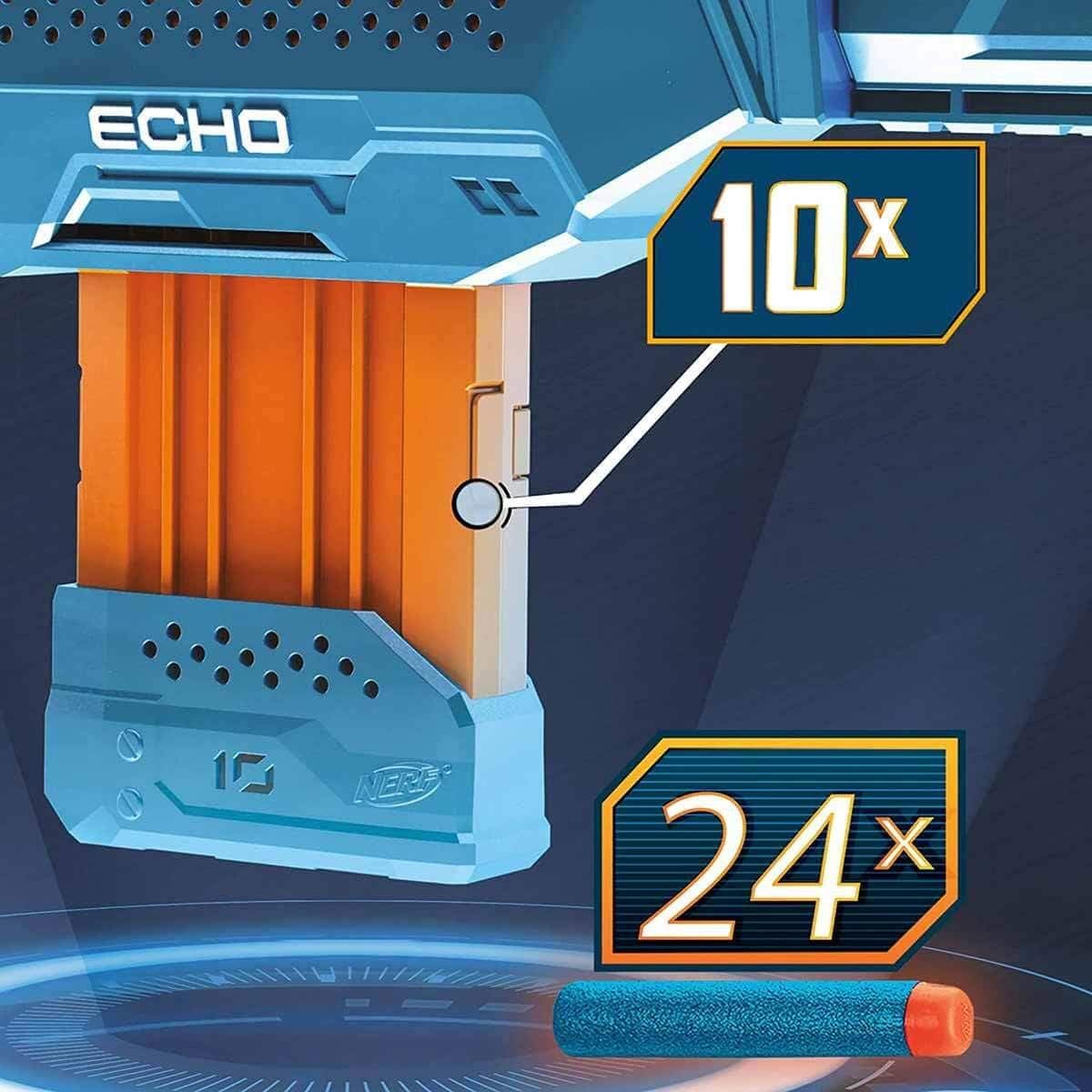
Imej: Dari dekat view of the 10-dart clip and several individual Nerf Elite darts, ready for loading.
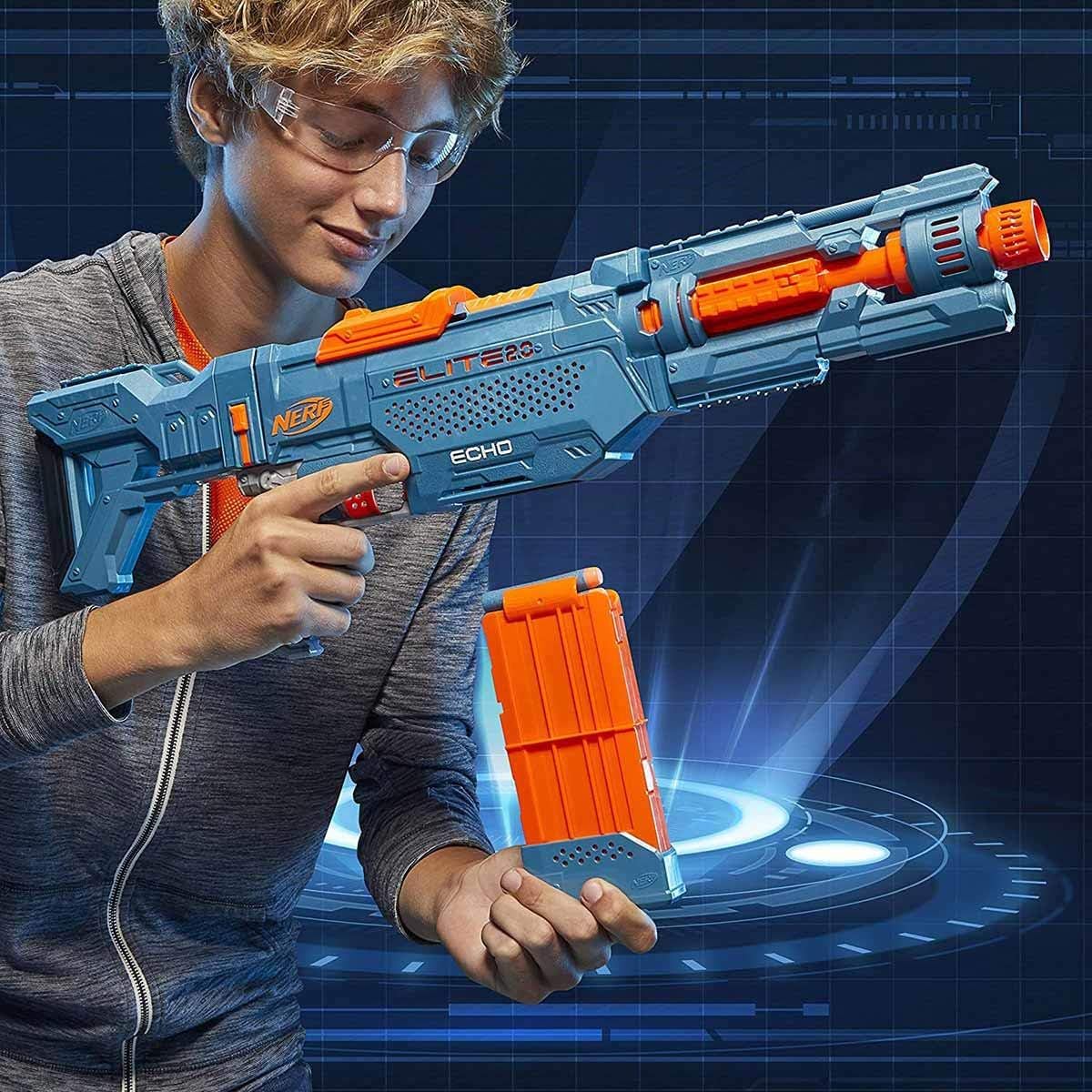
Image: A hand inserting a Nerf Elite dart into the 10-dart clip.
Mengendalikan Blaster
Single-Shot Firing
- Prime the Blaster: Pull the orange priming slide located on top of the blaster all the way back, then push it forward until it locks into place. This action loads a dart into the firing chamber.
- Matlamat: Point the blaster at your target, ensuring no one is in the line of fire.
- kebakaran: Pull the trigger to launch a single dart.
Slam Fire Action
For rapid-fire action, the Echo CS-10 features a Slam Fire mode:
- Hold Trigger: Hold down the trigger continuously.
- Rapid Priming: Quickly slide the orange priming slide back and forth repeatedly. Each full cycle will fire a dart as long as the trigger is held down and darts are available in the clip.
Penyesuaian
The Nerf Elite 2.0 Echo CS-10 offers 4-in-1 customization options:
- Removable Stock: The stock can be detached for a more compact blaster configuration.
- Removable Barrel Extension: The barrel extension can be removed to shorten the blaster.
- Tactical Rails: Four tactical rails are available for attaching Nerf Elite 2.0 accessories (sold separately) to enhance your blaster.

Image: Visual representation of the four possible configurations of the Echo CS-10 blaster.

Image: The Nerf Elite 2.0 Echo CS-10 blaster with its stock removed, showcasing a compact setup.
Penyelenggaraan
To ensure optimal performance and longevity of your blaster:
- Keep the blaster clean and free from dirt or debris.
- Store darts in a clean, dry place to prevent damage.
- Only use official Nerf Elite darts to prevent damage to the blaster and ensure safe operation.
Menyelesaikan masalah
Dart Jams
If a dart jams in the blaster:
- Pastikan blaster tidak disapu dengan primer.
- Carefully open any access doors (if applicable) or inspect the barrel.
- Gently remove the jammed dart. Do not force it, as this may damage the blaster.
- Ensure darts are not bent or damaged before loading.
Blaster Not Firing
If the blaster is not firing:
- Check if the clip is properly inserted and fully loaded with darts.
- Ensure the priming slide has been pulled all the way back and pushed all the way forward until it locks.
Spesifikasi
| Ciri | Perincian |
|---|---|
| Nombor Model | E9533EU4 |
| Dimensi Produk | 27 x 2.63 x 12.5 inci |
| Berat Barang | 2.43 paun |
| Umur Disyorkan Pengilang | 8 - 8 tahun |
| Termasuk Dart | 24 Official Nerf Darts |
| Clip Capacity | 10 Dart |
| Pengeluar | Hasbro |
| Tarikh Tayangan | 1 Julai 2020 |
Waranti dan Sokongan
For warranty information or customer support, please refer to the official Nerf or Hasbro website, or contact their customer service directly. Keep your proof of purchase for any warranty claims.