
1. Pengenalan
This user manual provides detailed instructions for the DOOGEE S68 Pro rugged smartphone. It covers essential information regarding device setup, operation, maintenance, and troubleshooting to ensure optimal performance and longevity of your device. Please read this manual thoroughly before using your new smartphone.
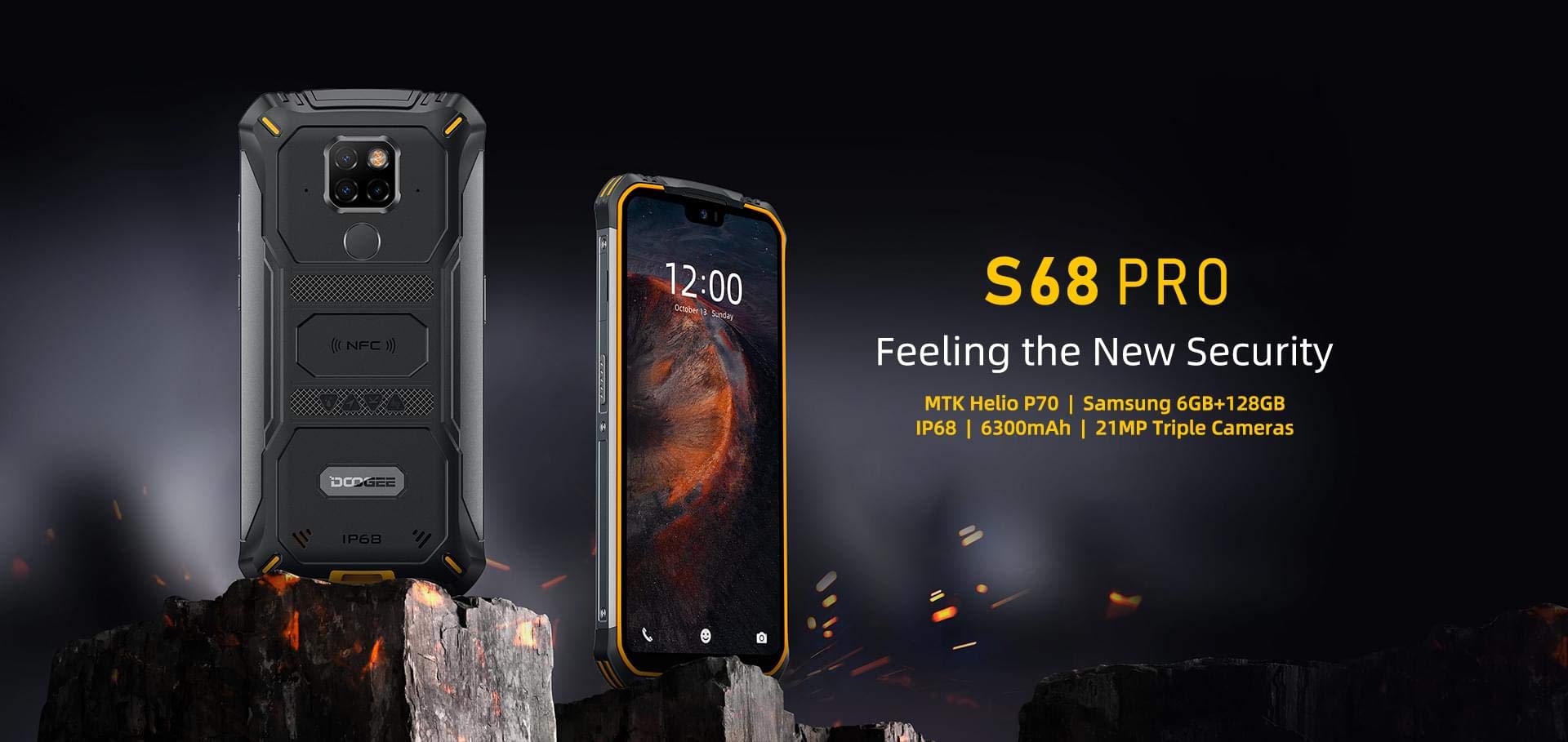
Image: The DOOGEE S68 Pro rugged smartphone, showcasing reka bentuknya yang mantap.
2. Produk Lebihview
The DOOGEE S68 Pro is a rugged smartphone designed for durability and high performance. It features a 5.9-inch FHD+ display, a powerful Helio P70 Octa Core processor, 6GB RAM, and 128GB internal storage. The device is equipped with a triple rear camera system, NFC for payments, and a large 6300mAh battery with wireless charging capabilities. Its robust construction ensures resistance to water, dust, and drops.

Imej: Tamatview of the DOOGEE S68 Pro's key features, including its display, processor, memory, battery, and camera.
2.1 Ciri Fizikal
- paparan: 5.9-inch FHD+ Notch Screen (1080*2280 pixels, ~428 ppi density).
- Sistem Kamera Belakang: Triple camera setup including a 21MP standard lens, 8MP telephoto lens, and 8MP 130° wide-angle lens, accompanied by a dual flash.
- Kamera Depan: 16MP wide-angle lens.
- NFC: Integrated for contactless payments and data transfer.
- Port Pengecasan: USB Jenis-C.
- Penderia: G-sensor, Proximity sensor.
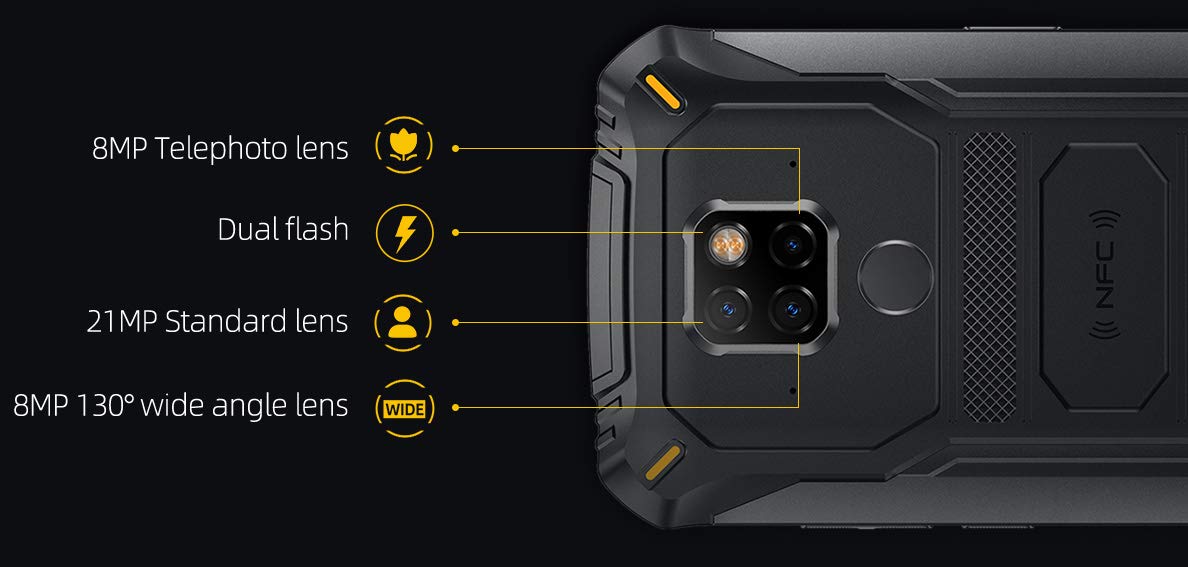
Imej: Terperinci view of the DOOGEE S68 Pro's triple rear camera system, highlighting the telephoto, standard, and wide-angle lenses, along with the dual flash and NFC area.
3. Persediaan
3.1 Pemasangan Kad SIM dan Kad TF
- Cari dulang kad SIM di sisi peranti.
- Masukkan alat ejektor SIM ke dalam lubang kecil di sebelah dulang dan tolak perlahan-lahan sehingga dulang terkeluar.
- Place your Nano SIM card(s) and/or TF card (microSD, up to 128GB) into the designated slots on the tray. Ensure the gold contacts are facing down.
- Masukkan semula dulang dengan berhati-hati ke dalam telefon sehingga ia berbunyi klik pada tempatnya.
3.2 Kuasa Awal Hidup
- Press and hold the Power button (usually on the right side) until the DOOGEE logo appears on the screen.
- Ikut arahan pada skrin untuk menyelesaikan persediaan awal, termasuk pemilihan bahasa, sambungan Wi-Fi, log masuk akaun Google dan tetapan keselamatan.
4. Arahan Operasi
4.1 Sistem Operasi
The DOOGEE S68 Pro runs on Android 9.0 Pie, offering a user-friendly interface and access to a wide range of applications through the Google Play Store.
4.2 Prestasi
Peranti ini dikuasakan oleh Helio P70 Octa Core processor (4xCortex-A53 up to 2.0GHz, 4xCortex-A73 up to 2.0GHz) and an ARM Mali-G72-MP2 700MHz GPU, providing efficient performance for multitasking and gaming.

Image: The DOOGEE S68 Pro being used for gaming, demonstrating its processing capabilities.
4.3 Memori dan Penyimpanan
Ia datang dengan 6GB RAM for smooth operation and ROM 128GB for storing your files and applications. Storage can be expanded up to 128GB via a microSD card.
4.4 Ketersambungan
- Wi-Fi: Sambung ke rangkaian wayarles untuk akses internet.
- Bluetooth: Gandingkan dengan peranti lain yang didayakan Bluetooth seperti fon kepala atau pembesar suara.
- NFC: Use for quick pairing, data exchange, and mobile payments.
- GPS: Untuk perkhidmatan navigasi dan lokasi.
- OTG (Semasa Bergerak): Connect USB devices such as flash drives or keyboards.
4.5 Fungsi Kamera
The triple rear camera system allows for versatile photography, including standard shots, wide-angle landscapes, and telephoto close-ups. The 16MP front camera is suitable for selfies and video calls. The LED flash assists in low-light conditions.
4.6 Bateri dan Pengecasan
Peranti ini dilengkapi dengan a Bateri 6300mAh, providing extended usage time. It supports 12V2A fast charging dan Pengecasan tanpa wayar 10W. Additionally, it features Pengecasan wayarles terbalik 5W, allowing you to charge other compatible devices.
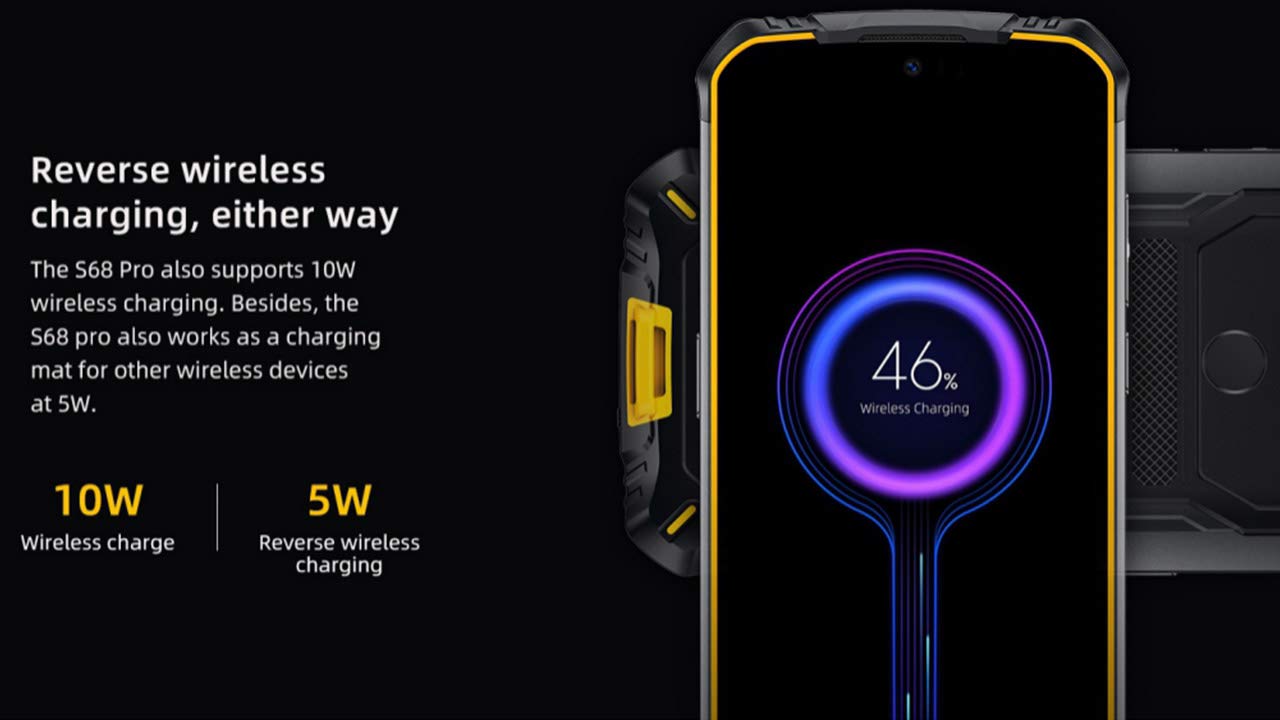
Image: The DOOGEE S68 Pro demonstrating its reverse wireless charging capability, charging another device.
4.7 Ciri-ciri Lasak
The DOOGEE S68 Pro is designed to withstand harsh environments. It boasts an Penarafan IP68 for water and dust resistance and is built to be drop-proof, making it suitable for outdoor activities and demanding work conditions.

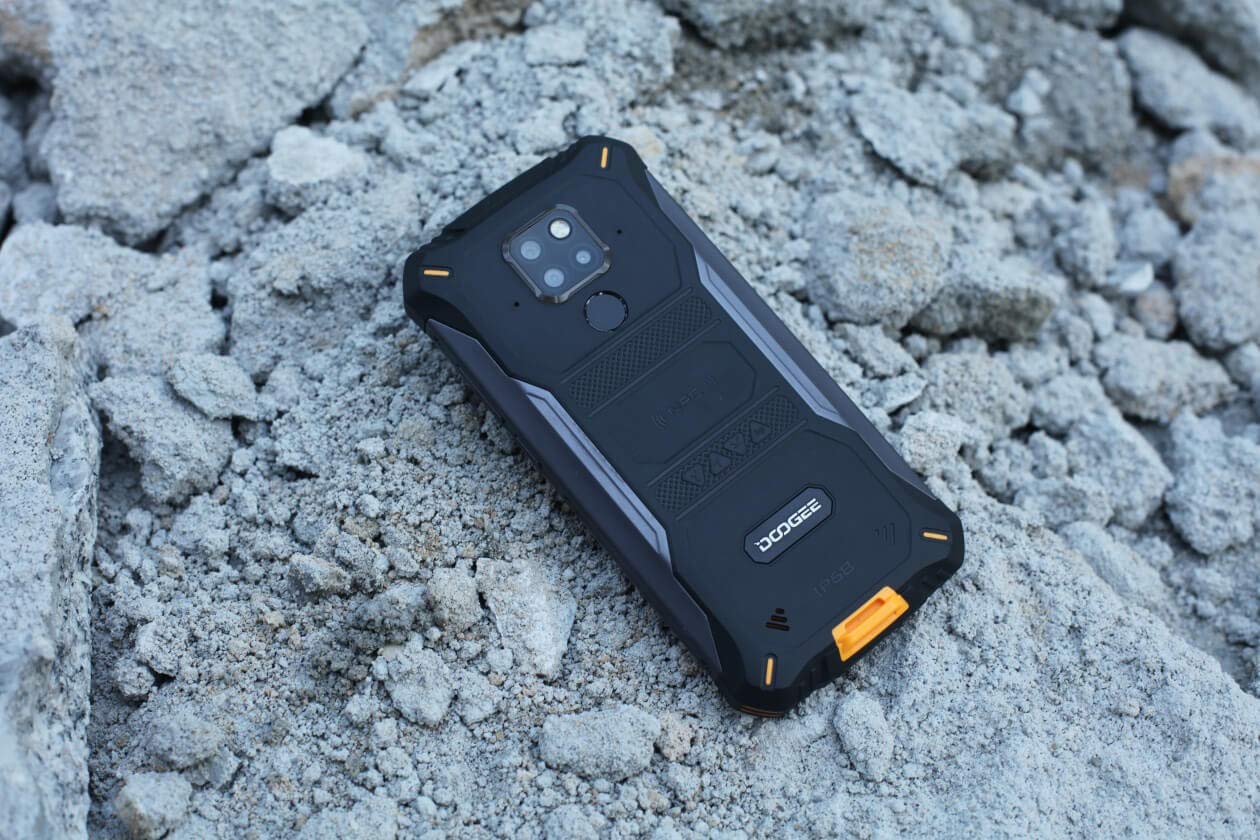
Images: The DOOGEE S68 Pro demonstrating its ruggedness by being submerged in mud and resting on rough terrain.
5. Penyelenggaraan
To maintain your DOOGEE S68 Pro in optimal condition, follow these guidelines:
- Pembersihan: Gunakan yang lembut, damp cloth to clean the device. For stubborn dirt, especially after exposure to mud or dust, rinse gently with clean water and ensure all ports are dry before charging.
- Elakkan Suhu Melampau: Do not expose the phone to excessively high or low temperatures for prolonged periods.
- Perlindungan Pelabuhan: Pastikan semua penutup port ditutup rapat apabila telefon terdedah kepada air atau habuk.
- Kemas Kini Perisian: Regularly update your device's software to benefit from the latest security patches and performance improvements.
6. Penyelesaian masalah
If you encounter issues with your DOOGEE S68 Pro, refer to the following common solutions:
- Peranti Tidak Dihidupkan: Pastikan bateri telah dicas. Sambungkan telefon ke pengecasnya dan tunggu beberapa minit sebelum cuba menghidupkannya semula.
- Isu Pengecasan: Check the charging cable and adapter for damage. Ensure the Type-C port is clean and free of debris. Try a different charger if available.
- Isyarat Rangkaian Lemah: Move to an area with better network coverage. Check if your SIM card is properly inserted.
- Applications Crashing: Kosongkan cache dan data aplikasi yang bermasalah dalam Tetapan > Aplikasi. Jika masalah berterusan, nyahpasang dan pasang semula aplikasi tersebut.
- Skrin sentuh Tidak Responsif: Restart the device. If the issue continues, perform a factory reset (note: this will erase all data).
7. Spesifikasi
| Ciri | Spesifikasi |
|---|---|
| Sistem Operasi | Android 9.0 Pie |
| Pemproses | Helio P70 Octa Core (4xCortex-A53, 4xCortex-A73) |
| RAM | 6 GB |
| Storan Dalaman (ROM) | 128 GB |
| Storan Boleh Dikembangkan | microSD hingga 128GB |
| Saiz Paparan | 5.9 inch FHD+ Notch Screen |
| Resolusi Paparan | 1080*2280 pixels (~428 ppi) |
| Kamera Belakang | Kamera Tiga 21MP + 8MP + 8MP |
| Kamera Depan | 16MP |
| Kapasiti Bateri | 6300mAh |
| Mengecas | 12V2A Fast Charge, 10W Wireless Charge, 5W Reverse Wireless Charge |
| Ketersambungan | Wi-Fi, Bluetooth, NFC, GPS, OTG |
| Kekasaran | IP68 Water & Dust Resistant, Drop-proof |
| Dimensi | 16.35 x 8 x 1.64 cm |
| Berat badan | 260 g |
8. Waranti dan Sokongan
Your DOOGEE S68 Pro comes with a standard brand warranty. For detailed warranty information, service, and support, please refer to the official DOOGEE website or the product detail page on the retailer's webtapak.
For further information, visit the product detail page: DOOGEE S68 Pro Product Page
9. Video Produk Tamatview
Video: Seorang pegawai tamatview of the DOOGEE S68 Pro Rugged Phone, highlighting its key features and specifications.