
RENAISSER Raphael 520
Manual Arahan
RENAISSER Raphael 520 Stylus for Surface
Model: Raphael 520
Produk Selesaiview
The RENAISSER Raphael 520 Stylus is a high-precision digital pen designed for Microsoft Surface devices and other compatible touchscreens. It features advanced MPP 2.0 technology, offering 4096 levels of pressure sensitivity and tilt support for a natural writing and drawing experience. Its ergonomic design, palm rejection, and fast-charging capabilities make it an ideal tool for productivity and creativity.

Figure 1: RENAISSER Raphael 520 Stylus
Persediaan dan Penggunaan Awal
Mengecas Stylus
The Raphael 520 Stylus features ultra-fast charging. To charge the stylus, connect it to a compatible USB power source using the provided charging cable. A 20-minute charge provides approximately 50 hours of use, while a full 1-hour charge can last for over 100 hours. The stylus has a smart power management design and will automatically turn off after 10 minutes of inactivity to conserve battery life.

Figure 2: Super Quick Charge feature, showing 20 minutes of charging provides 90 hours of use.
Keserasian
The RENAISSER Raphael 520 Stylus is compatible with a wide range of Microsoft Surface devices and other devices supporting MPP 2.0 technology. Please refer to the compatibility list below to ensure your device is supported.
- Microsoft Surface: Surface Pro 10, Surface Pro 9, Surface Pro 8, Surface Pro 7+, Surface Pro 7, Surface Pro 6, Surface Pro 5, Surface Pro 4, Surface Duo/ Duo 2, Surface Pro X, Surface Go/Go 2/Go 3, Surface Book/Book 2/Book 3, Surface Studio 1st Gen, Surface Studio 2, Surface Studio 2+, Surface Laptop 1/Laptop 2/Laptop 3/Laptop 4/Laptop 5/Laptop 6, Surface Laptop Studio.
- Note: Not compatible with Surface Laptop Go, Surface Laptop Go 2, or other touchscreen computers not listed.

Figure 3: Detailed compatibility list for RENAISSER styluses.
Connecting the Stylus
The Raphael 520 Stylus typically connects automatically to compatible Surface devices upon first touch, requiring no manual Bluetooth pairing. Simply touch the stylus tip to your device's screen to begin use.
Operating the Stylus
Menulis dan Melukis
The stylus offers a natural writing and drawing experience with its 4096 levels of pressure sensitivity. This allows for precise control over line thickness and opacity, mimicking traditional pen-on-paper feel. The Raphael 520 also supports tilt sensitivity, enabling shading effects similar to a real pencil when the stylus is angled. Compatibility for tilt sensitivity may vary depending on the application and specific pen brushes used.
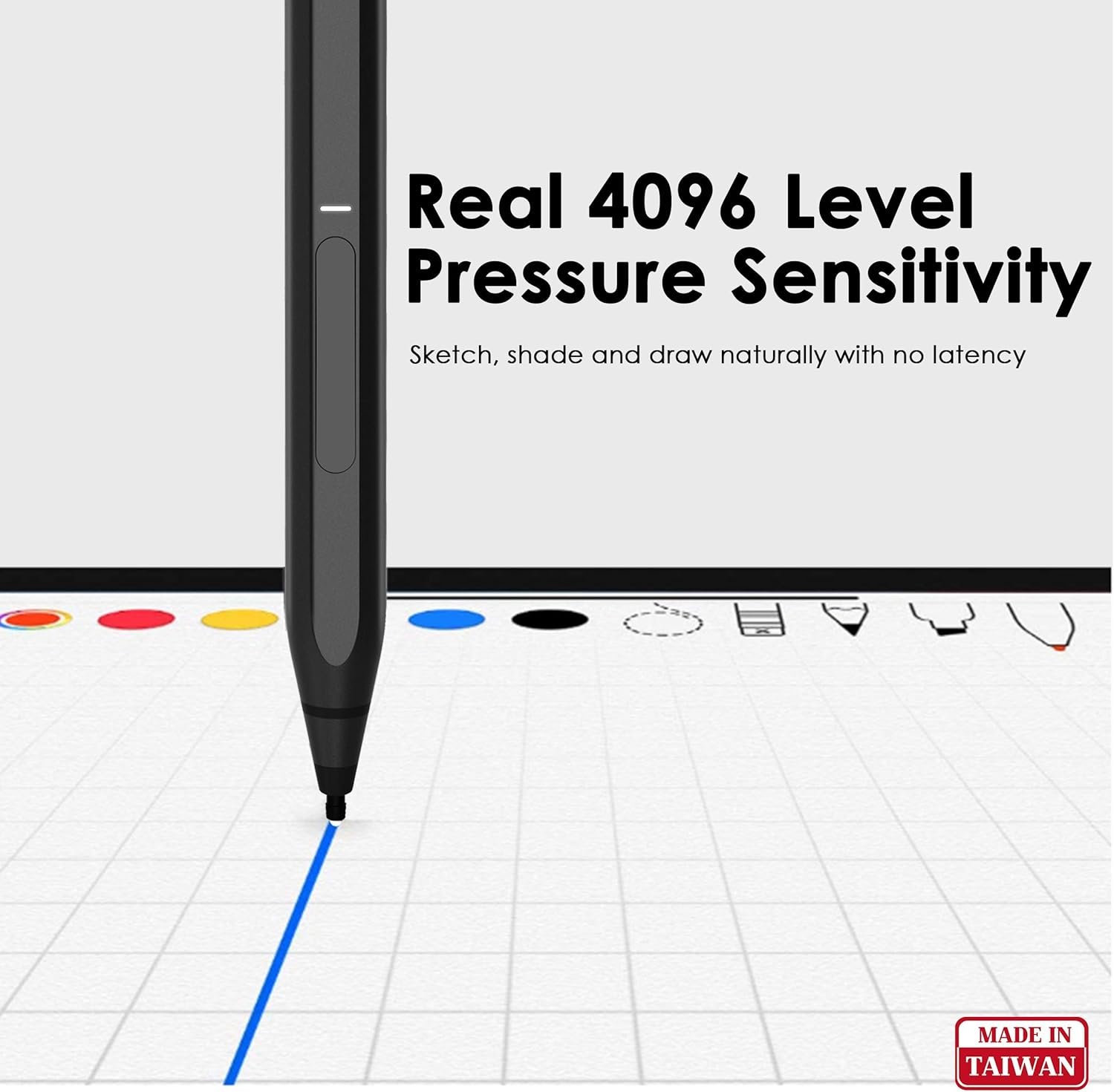
Figure 4: Illustration of 4096 level pressure sensitivity for natural sketching and drawing.
Video 1: A demonstration of the RENAISSER Surface Pen in use, highlighting its responsiveness and precision for writing and drawing on a compatible device.
Penolakan Telapak Tangan
The stylus features palm rejection functionality, allowing you to comfortably rest your hand on the screen while writing or drawing without causing unintended marks or interference. This enhances the natural feel and usability of the stylus.

Figure 5: Palm Rejection Technology in action, allowing comfortable hand placement on the screen.
Fungsi Butang
The Raphael 520 Stylus includes two functional buttons: an erase button and a right-click/power on button. These buttons provide quick access to common functions within compatible applications, enhancing workflow efficiency.

Gambar 6: Lebihview of stylus features including MPP 2.0 Technology, ON/OFF LED, Erase Button, Right-click/Power On Button, Original Surface Pen Tips, and Palm Rejection.
Lampiran Magnet
For convenient storage and portability, the Raphael 520 Stylus features built-in magnets that allow it to attach securely to the left side of compatible Surface devices (e.g., Surface Pro/Go/Book). This ensures your stylus is always within reach.

Figure 7: Comparison of RENAISSER's real magnetic attachment versus other non-magnetic pens.
Ergonomic Design and Pen Tips
The stylus is designed for comfortable extended use, with a streamlined shape and balanced weight. It comes with original quality HB-type and 2H-type pen tips, providing gentle friction for a natural writing feel on the screen.

Figure 8: Ergonomics Design highlighting the 8.7 mm width for comfortable holding.

Figure 9: Comparison of RENAISSER stylus tip shape, tilt capability, and material against other styluses.
Penyelenggaraan
Penjagaan Bateri
To ensure optimal battery life, charge the stylus regularly. Avoid completely draining the battery frequently. The stylus will automatically power off after 10 minutes of non-use to conserve power.
Pembersihan
Wipe the stylus body with a soft, dry, lint-free cloth. Do not use abrasive cleaners or solvents, as these can damage the finish. Keep the pen tip clean and free of debris.
Mengganti Petua Pen
The Raphael 520 Stylus comes with replaceable HB-type and 2H-type pen tips. If a tip becomes worn or damaged, gently pull it straight out from the stylus body. Insert a new tip firmly until it clicks into place. Ensure the new tip is fully seated before use.
Menyelesaikan masalah
Stylus Tidak Membalas
- Periksa Bateri: Ensure the stylus is sufficiently charged. Connect it to a power source for at least 20 minutes.
- Mulakan semula Peranti: Restart your Surface device or compatible computer.
- Semak Keserasian: Verify that your device is listed as compatible with the Raphael 520 Stylus. Refer to the compatibility section.
- Sambung Semula Sambungan: If the stylus was previously connected, try turning it off and on again, or remove and re-attach it magnetically to your device.
Inaccurate or Lagging Input
- Clean Screen and Tip: Ensure both your device screen and the stylus tip are clean and free of smudges or debris.
- Check Pen Tip: A worn or damaged pen tip can affect performance. Replace the tip if necessary.
- Kemas Kini Perisian: Ensure your device's operating system and relevant drawing/note-taking applications are up to date.
Butang Tidak Berfungsi
- Sokongan Aplikasi: Verify that the application you are using supports the stylus's button functions (e.g., erase, right-click).
- Tahap Bateri: Low battery can sometimes affect button responsiveness. Ensure the stylus is charged.
Spesifikasi
| Ciri | Perincian |
|---|---|
| Jenama | REAISSER |
| Nombor Model | Rafael 520 |
| Sensitiviti Tekanan | 4096 Peringkat |
| Sensitiviti Condongkan | Supported (application dependent) |
| Penolakan Telapak Tangan | ya |
| Jenis Bateri | Polimer Litium-Ion |
| Masa Mengecas | 20 mins for 50 hours use; 1 hour for 100+ hours use |
| Matikan automatik | Selepas 10 minit tidak digunakan |
| Berat Barang | 0.459 auns (lebih kurang 13 gram) |
| Dimensi Produk | 5.59 x 0.36 x 0.34 inci |
| bahan | aluminium |
| warna | Hitam |
Waranti dan Sokongan
For detailed warranty information and customer support, please visit the official RENAISSER weblaman web atau hubungi khidmat pelanggan mereka secara langsung. Terma dan syarat jaminan khusus mungkin berbeza mengikut wilayah dan peruncit.
Anda boleh mendapatkan lebih banyak maklumat dan sumber sokongan di RENAISSER Store on Amazon.
Dokumen Berkaitan - Rafael 520
 |
Panduan Pengguna Pantas Renaisser Raphael 520/C Stylus Panduan pengguna pantas untuk stilus Renaisser Raphael 520/C, meliputi maklumat persediaan, penggunaan, pengecasan dan keselamatan dalam pelbagai bahasa. |
 |
RENAISSER Raphael 520/C Panduan Pengguna Pantas Panduan pengguna ringkas untuk stilus RENAISSER Raphael 520/C, meliputi penggantian isi semula pen, operasi stilus pada peranti Surface, maklumat keselamatan dan butiran sokongan. |
 |
Panduan Pengguna Ringkas Stilus RENAISSER Raphael N520C/H520C/U1 Panduan pengguna ringkas untuk stilus RENAISSER Raphael N520C/H520C/U1, merangkumi persediaan, pengecasan, penjagaan bateri dan maklumat keselamatan untuk digunakan dengan peranti Surface, HP dan Amazon Fire HD Max 11. |
 |
Panduan Pengguna Pantas Raphael 530/520C Panduan ini memberikan arahan tentang cara menggunakan stylus Raphael 530/520C dengan peranti Microsoft Surface, termasuk persediaan, pengecasan dan maklumat keselamatan. |
 |
Panduan Pengguna Pantas Raphael 520BT Panduan pengguna pantas untuk stilus Raphael 520BT, meliputi persediaan, penggantian isi semula pen, pasangan Bluetooth dan maklumat keselamatan. |
 |
Renaisser RSK8 Bluetooth Keyboard Quick Pairing Guide A quick guide to pairing the Renaisser RSK8 Bluetooth Keyboard with your device, including steps for entering pairing mode and connecting via computer Bluetooth settings. Also includes FCC compliance information. |
Ask a question about this manual
Ask about setup, troubleshooting, compatibility, parts, safety, or missing instructions. Manuals+ will review the question and use this page’s manual context to help answer it.