
1. Pengenalan
Thank you for choosing the SENSSUN Bluetooth Body Fat Scale. This smart scale is designed to help you monitor various body composition metrics, providing a comprehensive overview of your health and fitness progress. Please read this manual carefully before use to ensure proper operation and to maximize the benefits of your device.
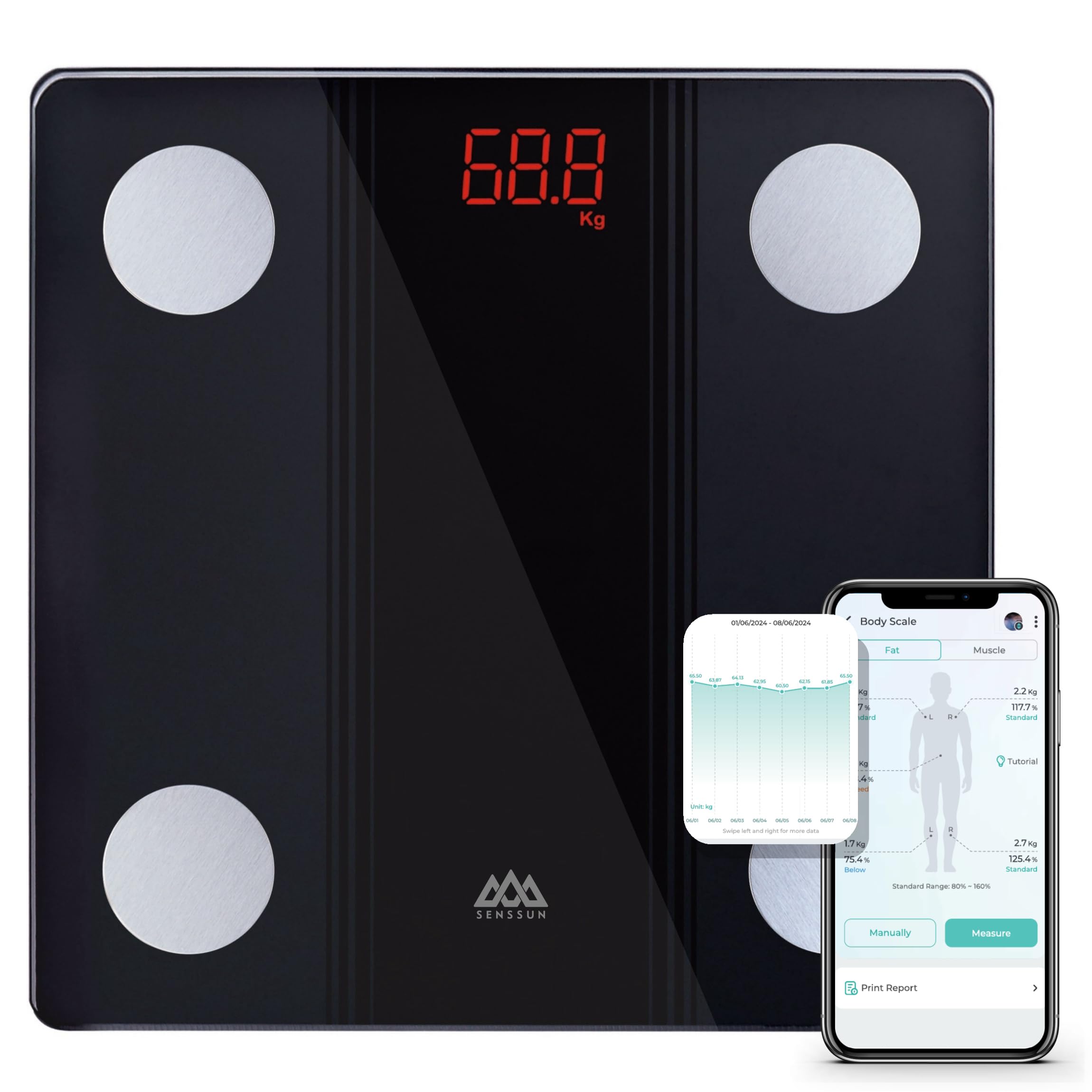
Image: SENSSUN Bluetooth Body Fat Scale, black with LED display.
2. Maklumat Keselamatan
- Jangan gunakan peranti ini jika anda mempunyai perentak jantung atau peranti perubatan dalaman yang lain.
- Jangan gunakan peranti ini jika anda hamil.
- Jauhkan penimbang daripada air dan suhu yang melampau.
- Permukaan sisik boleh menjadi licin apabila basah. Pastikan permukaan kering sebelum melangkah.
- Jangan melompat ke atas penimbang atau menggunakannya untuk tujuan selain menimbang.
- The body composition measurements are for reference only and should not be used for medical diagnosis or treatment. Consult a healthcare professional for medical advice.
- Buang bateri mengikut peraturan tempatan.
3. Kandungan Pakej
Pakej termasuk:
- SENSSUN Bluetooth Body Fat Scale (Model: IF1131D)
- 3 x Bateri AAA
- Manual Pengguna
4. Produk Lebihview
The SENSSUN Bluetooth Body Fat Scale features a tempered glass platform with four high-precision electrodes for accurate body composition analysis. It has a clear LED display and is designed with rounded corners and anti-slip feet for safety.
Ciri-ciri Utama:
- Measures 14 body composition metrics including weight, BMI, body fat, muscle, protein, bone mass, and more.
- High-precision sensors with 0.1 kg (0.2 lb) increments.
- Maximum weight capacity of 150 kg (330 lbs).
- Bluetooth connectivity for data synchronization with the iMoni Health app.
- Automatic calibration and auto-off function.
- Low battery and overload indicators.

Image: Scale dimensions (26cm x 26cm x 2cm) and battery compartment location.

Imej: Selesaiview of 17 body composition metrics measured by the scale.

Image: Safety features including rounded corners, anti-slip feet, and LED display.
5. Persediaan
5.1 Pemasangan Bateri
- Buka petak bateri di bahagian bawah penimbang.
- Masukkan 3 bateri AAA, pastikan kekutuban (+/-) yang betul.
- Tutup petak bateri dengan selamat.
5.2 Muat Turun Apl dan Berpasangan
- Muat turun iMoni Health app from the Apple App Store (for iOS 8.0 or higher) or Google Play Store (for Android 4.3 or higher).
- Dayakan Bluetooth pada telefon pintar anda.
- Open the iMoni Health app and create a user profile.
- Step onto the scale to activate it. The scale will automatically attempt to pair with the app via Bluetooth.
- Ikut arahan pada skrin dalam apl untuk melengkapkan proses berpasangan.

Image: The iMoni Health app interface and compatibility with other health platforms.
6. Arahan Operasi
6.1 Mengambil Pengukuran
- Letakkan penimbang di atas permukaan yang keras dan rata. Elakkan permaidani atau lantai yang tidak rata.
- Step onto the scale barefoot and stand still. Ensure your feet are in contact with the four metal electrodes.
- The LED display will show your weight. If the app is open and connected, other body composition data will be displayed in the app.
- Penimbang akan dimatikan secara automatik selepas beberapa saat tidak aktif.
Nota: You can weigh yourself at any time without your phone. The data will synchronize with the app automatically once your phone is reconnected and the app is open.

Image: Illustration of the high-accuracy chip for sensitive and precise measurements.
7. App Usage (iMoni Health)
The iMoni Health app allows you to track your body composition data over time, set goals, and monitor your progress. It also supports multiple user profiles and can synchronize data with other popular health apps.
7.1 Data Tracking and Trends
- View daily, weekly, monthly, and yearly trends for all measured metrics.
- Analyze changes in weight, BMI, body fat, and other parameters through intuitive graphs.
- Set personal health goals and track your achievements.

Image: App interface showing progress tracking graphs for body weight, BMI, and body fat.
7.2 Multi-User Support and Privacy
- The app supports an unlimited number of users, making it suitable for families.
- The scale features auto-recognition, identifying individual users based on their weight and body composition data.
- Each user's data is kept private within their own profile dalam apl.

Image: Multi-user support and auto-recognition feature for private data tracking.
8. Penyelenggaraan
- Bersihkan permukaan skala dengan iklanamp kain dan detergen ringan. Jangan gunakan pembersih yang kasar atau rendam penimbang di dalam air.
- Simpan skala di tempat yang sejuk dan kering.
- Jika penimbang tidak akan digunakan untuk tempoh yang lama, tanggalkan bateri untuk mengelakkan kebocoran.
9. Penyelesaian masalah
| Masalah | Penyelesaian |
|---|---|
| Skala tidak dihidupkan. | Periksa pemasangan bateri. Gantikan bateri jika perlu. |
| Bacaan berat badan yang tidak tepat. | Ensure the scale is on a hard, flat surface. Recalibrate by stepping on and off the scale quickly. |
| Kegagalan sambungan Bluetooth. | Ensure Bluetooth is enabled on your phone. Restart the app and scale. Make sure your phone meets the OS requirements (iOS 8.0+/Android 4.3+). |
| Body composition data not appearing in app. | Ensure you are standing barefoot on the scale with feet touching all four electrodes. Ensure the app is open and connected during measurement. |
| "Lo" displayed on screen. | Low battery indicator. Replace batteries. |
| "Err" or "OL" displayed on screen. | Overload indicator. The weight exceeds the maximum capacity of 150 kg. |
10. Spesifikasi
- Jenama: SENSSUN
- model: JIKA1131D
- warna: Hitam
- Bahan: Kaca Terbaja
- Jenis Paparan: LED
- Kapasiti Berat Maksimum: 150 kg (330 lbs)
- Kenaikan Pengukuran: 0.1 kg (0.2 lbs)
- Unit Pengukuran: Kilogram (kg), Paun (lb)
- Sumber Kuasa: 3 x Bateri AAA
- Ketersambungan: Bluetooth 4.0
- Keserasian Apl: iOS 8.0 atau lebih tinggi, Android 4.3 atau lebih tinggi
- Dimensi Produk: Kira-kira 26 cm x 26 cm x 2 cm
- Berat Barang: 1170 Gram
- Pensijilan: CE
11. Waranti dan Sokongan
SENSSUN products are manufactured with high-quality standards. For any product-related inquiries, technical support, or warranty claims, please contact SENSSUN customer support. Our professional support team aims to respond within 24 hours.
Sila rujuk dokumentasi pembelian anda untuk terma jaminan dan maklumat hubungan khusus.