
pengenalan
This manual provides detailed instructions for the SF Chrome Analog-Digital Black Dial Men's Watch, model 77103PP01. Please read this manual carefully to ensure proper use and to maximize the lifespan of your watch. This watch features both analog and digital time displays, a stopwatch, alarm, and backlight functions, along with 100-meter water resistance.
Persediaan
1. Pemeriksaan Awal
Upon unboxing, inspect the watch for any visible damage. Ensure all buttons are functional and the display is clear.

Imej: Depan view of the SF Chrome Analog-Digital Watch, showing both analog hands and digital display. This view highlights the watch face and overall design.
2. Menetapkan Masa Analog
- Pull the crown (the knob on the right side of the watch case) out to the first click position.
- Putar mahkota untuk melaraskan jarum jam dan minit analog kepada masa yang dikehendaki.
- Tolak mahkota kembali ke kedudukan normalnya untuk memulakan pengaturan masa analog.
3. Menetapkan Masa dan Tarikh Digital
The digital display typically has multiple modes (Time, Date, Alarm, Stopwatch). Refer to the button functions in the 'Operating' section to navigate these modes.
- Press the 'MODE' button (usually bottom-left) repeatedly until the digital time display starts flashing, indicating it's in setting mode.
- Use the 'ADJUST' button (usually top-left) to cycle through the settings (seconds, hour, minute, year, month, day).
- Use the 'SET' or 'START/STOP' button (usually top-right or bottom-right) to increase or decrease the flashing value.
- Once all settings are correct, press the 'MODE' button again to exit the setting mode.
Beroperasi
Fungsi Butang

Imej: Sisi view of the SF Chrome Analog-Digital Watch, clearly showing the various control buttons on the watch case. These buttons are used for mode selection and adjustments.
- Butang MOD (Kiri Bawah): Cycles through different digital display modes (Time, Alarm, Stopwatch, Date). Also used to confirm settings.
- ADJUST Button (Top-Left): Used to select items to be adjusted in setting mode.
- START/STOP Button (Top-Right): Used to increase values during setting, start/stop the stopwatch, or turn the alarm on/off.
- LIGHT Button (Bottom-Right): Mengaktifkan lampu latar untuk paparan digital.
Menggunakan Jam Randik
- Press the MODE button until the stopwatch display appears (usually '00:00:00').
- Tekan butang MULA/BERHENTI untuk memulakan pemasaan.
- Press the START/STOP button again to pause the timing.
- To resume, press START/STOP again.
- To reset the stopwatch to zero, press the ADJUST button while the stopwatch is paused.
Menetapkan dan Menggunakan Penggera
- Press the MODE button until the alarm display appears (e.g., 'AL 12:00').
- Press the ADJUST button to select the hour or minute to set.
- Use the START/STOP button to adjust the hour or minute.
- Press the MODE button to exit alarm setting.
- To turn the alarm on or off, press the START/STOP button while in the alarm display mode. An alarm icon will typically appear when activated.
Menggunakan Lampu Latar
Press the LIGHT button (bottom-right) to illuminate the digital display for a few seconds, allowing visibility in low-light conditions.
Penyelenggaraan
Membersihkan Jam Tangan Anda
Lap sarung dan jalur jam tangan dengan kerap menggunakan kain lembut dan kering. Untuk kotoran degil, lap sedikitamp cloth can be used, followed by immediate drying. Avoid using chemical cleaners, as they may damage the watch's finish or seals.
Tahan Air
This watch is water resistant up to 100 meters. This means it is suitable for swimming and snorkeling, but not for scuba diving. Do not operate any buttons while the watch is submerged in water. Ensure the crown is fully pushed in before exposing the watch to water.

Imej: Belakang view of the SF Chrome Analog-Digital Watch, showing the stainless steel case back with engravings for water resistance (WR100M) and model number. This area is crucial for understanding the watch's durability and specifications.
Penggantian Bateri
When the digital display becomes dim or the watch stops functioning, the battery may need replacement. Battery replacement should be performed by a qualified watch technician to ensure the water resistance seal is properly maintained.
Penyimpanan
When not in use, store your watch in a cool, dry place away from direct sunlight and extreme temperatures. The original packaging can be used for safe storage.
Menyelesaikan masalah
- Tangan analog tidak bergerak: Check if the crown is fully pushed in. If it is, the battery may be depleted.
- Paparan digital kosong atau malap: Bateri mungkin lemah atau habis. Gantikan bateri.
- Masa digital tidak betul: Re-enter the digital time setting mode and adjust the time as per the 'Setup' section.
- Penggera tidak berbunyi: Ensure the alarm function is activated (check for the alarm icon on the display). Verify the alarm time is set correctly.
- Air di dalam jam tangan: Immediately take the watch to a professional watch repair service. Do not attempt to open the watch yourself, as this will void the warranty and likely cause further damage.
Spesifikasi
| Ciri | Spesifikasi |
|---|---|
| Nombor Model | 77103PP01 |
| Jenis Paparan | Analog-Digital |
| Jenis Pergerakan | Kuarza |
| Bahan Kes | plastik |
| Diameter Kes | 54.5 Milimeter |
| Ketebalan Kes | 16 Milimeter |
| Jenis Bahan Band | sintetik |
| Warna Band | Biru |
| Lebar Jalur | 27 Milimeter |
| Bahan Kaca Dail | Akrilik |
| Kedalaman Rintangan Air | 100 Meter |
| Berat Barang | 120 g |
| Pengeluar | Syarikat Titan Sdn. Bhd. |
Waranti dan Sokongan
This SF watch is covered by a manufacturer's warranty against defects in materials and workmanship. The specific terms and duration of the warranty may vary by region and purchase date. Please refer to the warranty card included with your purchase or contact SF customer support for detailed information.
For technical assistance, service, or warranty claims, please contact the authorized service center or the retailer from whom you purchased the watch. Keep your proof of purchase for warranty validation.
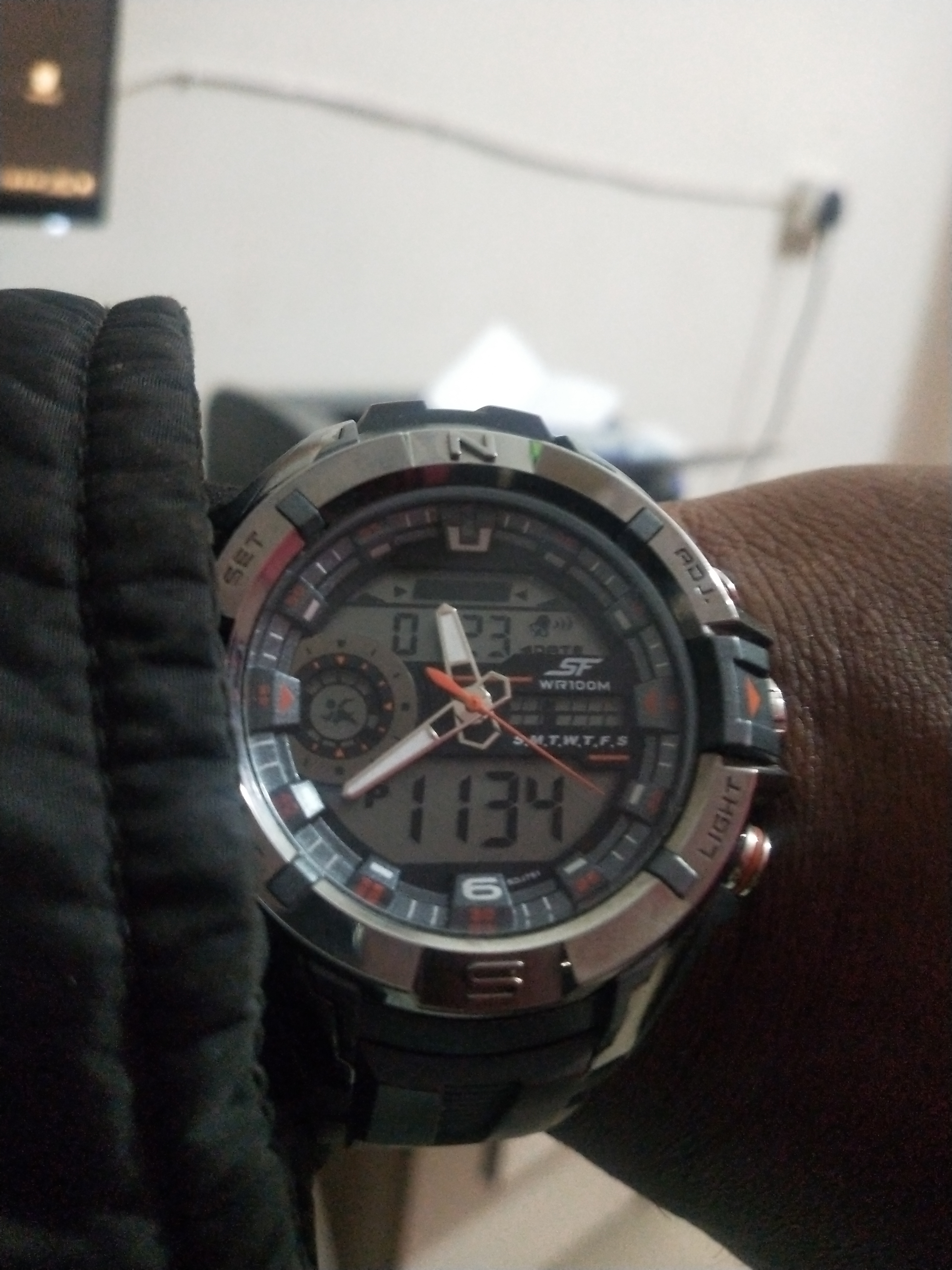
Image: Product packaging for the SF watch, featuring the brand logo and additional product information. This packaging often contains warranty details and user guides.