
pengenalan
Thank you for choosing the CACTUS CAC-109-M01 Kids Digital LCD Watch. This manual provides essential information for setting up, operating, and maintaining your watch. This digital watch features a clear LCD display, stopwatch, alarm, and a backlight for visibility in low light conditions. It is also water resistant up to 10 ATM, making it suitable for various activities.
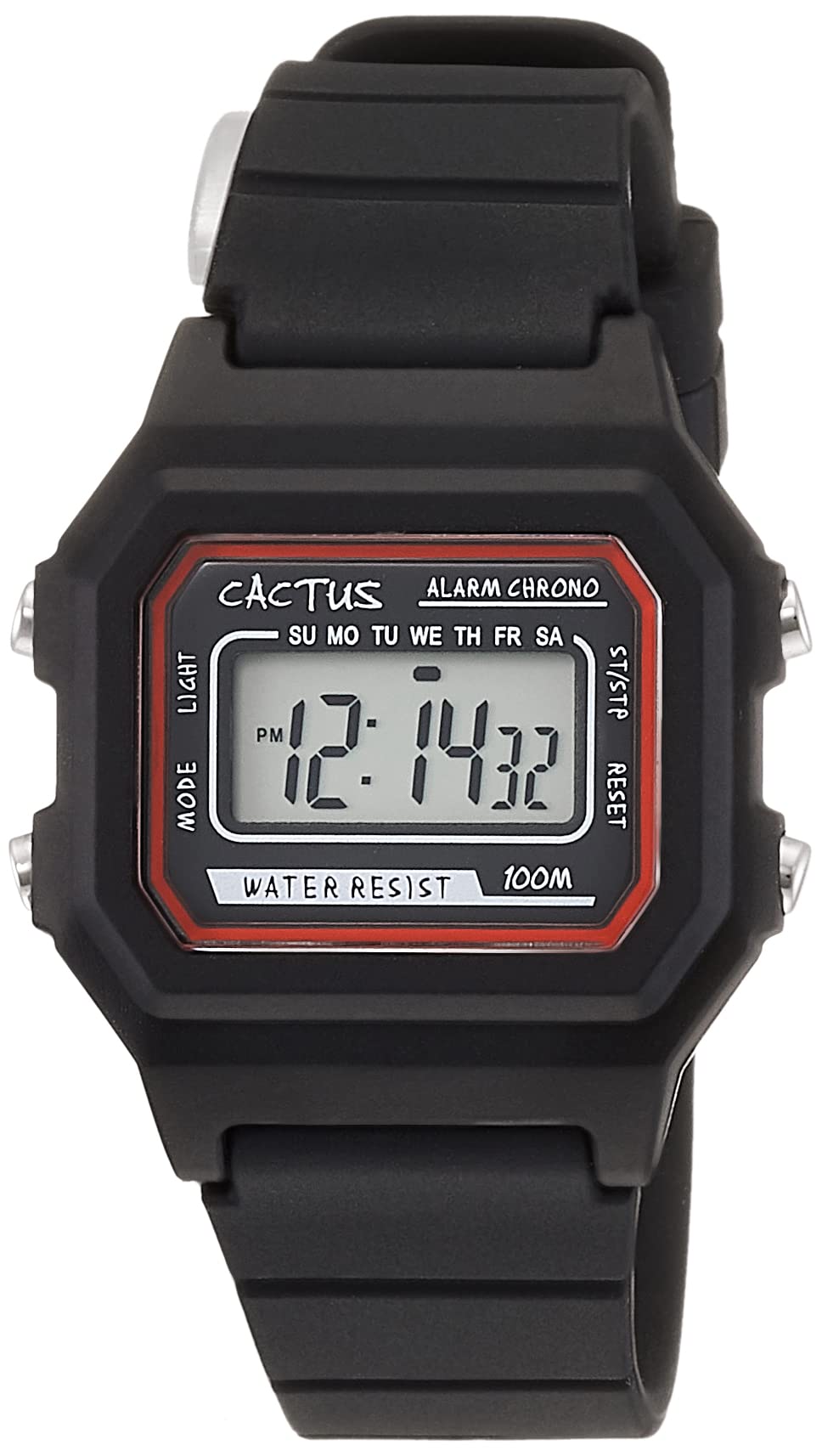
Rajah 1: Bersudut hadapan view of the CACTUS CAC-109-M01 Digital Watch. This image shows the watch face with its digital display, buttons on the side, and the black silicone strap.
Persediaan
Menetapkan Masa dan Tarikh
To ensure accurate timekeeping, follow these steps to set the time and date on your watch.

Rajah 2: Dekat hadapan view of the watch display and control buttons. The buttons are labeled MODE (top left), LIGHT (bottom left), RESET (top right), and START (bottom right).
- Dalam mod paparan masa biasa, tekan butang MODE button three times to enter the time setting mode. The seconds digits will flash.
- Tekan ke TETAP SEMULA butang untuk menetapkan semula saat kepada sifar.
- Tekan ke MULAKAN button to advance to the next setting (hours, minutes, month, date, day of the week).
- Semasa satu digit berkelip, tekan TETAP SEMULA butang untuk melaraskan nilai.
- Repeat step 3 and 4 until all desired settings (hours, minutes, month, date, day of the week) are adjusted.
- Tekan ke MODE button once to exit the setting mode and return to normal time display.
Arahan Operasi
Fungsi Butang
- MODE Button (Top Left): Cycles through display modes (Time, Alarm, Stopwatch, Time Setting).
- LIGHT Button (Bottom Left): Activates the backlight for a few seconds.
- Butang RESET (Atas Kanan): Used to reset values or select items during setting.
- Butang MULA (Kanan Bawah): Used to start/stop functions or advance through settings.
Fungsi Penggera
Your watch includes an alarm feature.
- Dari paparan waktu biasa, tekan butang MODE butang sekali untuk memasuki mod Penggera. Masa penggera akan dipaparkan.
- Tekan ke TETAP SEMULA button to toggle the alarm ON/OFF. An alarm icon will appear when activated.
- Untuk menetapkan masa penggera, tekan butang MODE button twice from normal time display to enter alarm setting mode. The hour digits will flash.
- Tekan ke TETAP SEMULA butang untuk menyesuaikan jam.
- Tekan ke MULAKAN butang untuk bertukar kepada tetapan minit.
- Tekan ke TETAP SEMULA butang untuk menyesuaikan minit.
- Tekan ke MODE butang untuk keluar dari mod tetapan penggera.
Fungsi Jam randik
The stopwatch allows you to measure elapsed time.
- Dari paparan waktu biasa, tekan butang MODE butang dua kali untuk memasuki mod Jam Rantai. Paparan akan menunjukkan "00:00:00".
- Tekan ke MULAKAN butang untuk memulakan pemasaan.
- Tekan ke MULAKAN butang sekali lagi untuk menjeda masa.
- Tekan ke TETAP SEMULA butang semasa dijeda untuk menetapkan semula jam randik kepada "00:00:00".
- Tekan ke MODE butang untuk keluar dari mod Jam randik.
Fungsi Cahaya
Untuk menerangi paparan dalam keadaan gelap, tekan CAHAYA button (bottom left). The backlight will activate for a few seconds.
Tahan Air
This watch is water resistant up to 10 ATM (100 meters). This means it is suitable for swimming, showering, and snorkeling. However, it is not recommended for diving. Avoid pressing buttons underwater, as this can compromise the water resistance seal.

Figure 3: The CACTUS CAC-109-M01 watch displayed on a wrist, showing its size and fit.
Penjagaan dan Penyelenggaraan
Pembersihan
Untuk membersihkan jam tangan anda, lap dengan lembut menggunakan kain lembutamp cloth. Avoid using harsh chemicals, solvents, or abrasive cleaners, as these can damage the watch's finish or internal components. For the silicone strap, mild soap and water can be used, ensuring it is thoroughly rinsed and dried.
Penggantian Bateri
When the display becomes dim or the watch stops functioning, the battery may need replacement. Battery replacement should ideally be performed by a qualified watch technician to ensure the water resistance seal is maintained. Attempting to replace the battery yourself may void the warranty and compromise the watch's water resistance.
Penyimpanan
Simpan jam tangan anda di tempat yang sejuk dan kering, jauh daripada cahaya matahari langsung, suhu ekstrem dan medan magnet yang kuat.
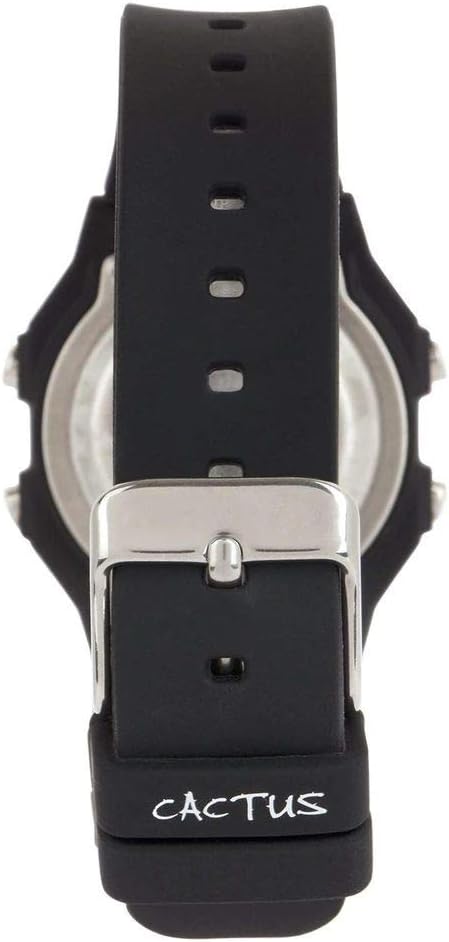
Rajah 4: Belakang view of the watch, illustrating the stainless steel case back and the buckle mechanism of the silicone strap.
Menyelesaikan masalah
Jika anda menghadapi sebarang masalah dengan jam tangan anda, sila rujuk masalah dan penyelesaian biasa berikut:
- Paparan jam tangan kosong atau malap: This usually indicates a low battery. Refer to the "Battery Replacement" section.
- Butang tidak bertindak balas: Ensure the watch is not in a locked mode (if applicable, though this model typically does not have one). If the issue persists, a battery replacement might be needed, or a soft reset by removing and reinserting the battery (recommended to be done by a professional).
- Masa tidak tepat: Re-set the time and date following the "Setting Time and Date" instructions. Ensure you are in the correct time zone.
- Air di dalam jam tangan: If water appears inside the watch, immediately stop using it and take it to a professional watch repair service. This indicates a compromised water resistance seal.
Spesifikasi Produk
| Nombor Model | CAC-109-M01 |
| Jenis Pergerakan | Kuarza Digital |
| Jenis Paparan | LCD Digital |
| Bahan Kes | damar |
| Bahan Band | silikon |
| Kedalaman Rintangan Air | 100 Metres (10 ATM) |
| Ciri-ciri Tambahan | Alarm, Stopwatch, Light |
| Diameter Kes | 32 Milimeter |
| Ketebalan Kes | 11 Milimeter |
| Berat Barang | 24 Gram |
Waranti dan Sokongan
For warranty information or technical support, please refer to the documentation provided with your purchase or contact the retailer where the watch was acquired. Keep your proof of purchase for warranty claims.