
1. Pengenalan
This manual provides essential information for the safe and efficient operation of your ProfiCook PC-MWG 1176 H microwave oven. Please read these instructions thoroughly before using the appliance and retain them for future reference. This appliance combines microwave, grill, and hot air functions, offering versatile cooking options.
2. Arahan Keselamatan Penting
Always follow basic safety precautions when using electrical appliances to reduce the risk of fire, electric shock, injury, or exposure to excessive microwave energy.
- Baca semua arahan sebelum digunakan.
- Jangan kendalikan ketuhar jika pintu atau pengedap pintu rosak. Hubungi kakitangan servis yang berkelayakan untuk pembaikan.
- Jangan panaskan cecair atau makanan lain dalam bekas bertutup kerana ia boleh meletup.
- Hanya gunakan peralatan yang sesuai untuk ketuhar gelombang mikro.
- Semasa memanaskan makanan dalam bekas plastik atau kertas, perhatikan ketuhar kerana kemungkinan pencucuhan.
- Jika asap diperhatikan, matikan atau cabut plag perkakas dan pastikan pintu ditutup untuk memadamkan sebarang api.
- Jangan terlalu masak makanan.
- Bersihkan ketuhar dengan kerap dan keluarkan sebarang mendapan makanan.
- Kegagalan untuk mengekalkan ketuhar dalam keadaan bersih boleh menyebabkan kemerosotan permukaan yang boleh menjejaskan hayat perkakas dan mungkin mengakibatkan keadaan berbahaya.
- Jangan gunakan pembersih kasar yang kasar atau pengikis logam tajam untuk membersihkan kaca pintu ketuhar kerana ia boleh mencalarkan permukaan, yang boleh mengakibatkan kaca pecah.
- Perkakas ini bertujuan untuk kegunaan isi rumah sahaja.
- Pastikan perkakas dibumikan dengan betul.
- Jauhkan kanak-kanak daripada perkakas semasa operasi.
3. Produk Lebihview
The ProfiCook PC-MWG 1176 H is a versatile 3-in-1 appliance featuring microwave, grill, and hot air convection functions. It has a 23-liter cooking capacity and an interior made of stainless steel.
3.1 Komponen
- Unit Ketuhar Gelombang Mikro
- Glass Turntable (approx. Ø 27.0 cm)
- Cincin Meja Putar
- Poros Meja Putar
- Grill Rack (approx. Ø 22.0 cm)
3.2 Panel Kawalan dan Ciri
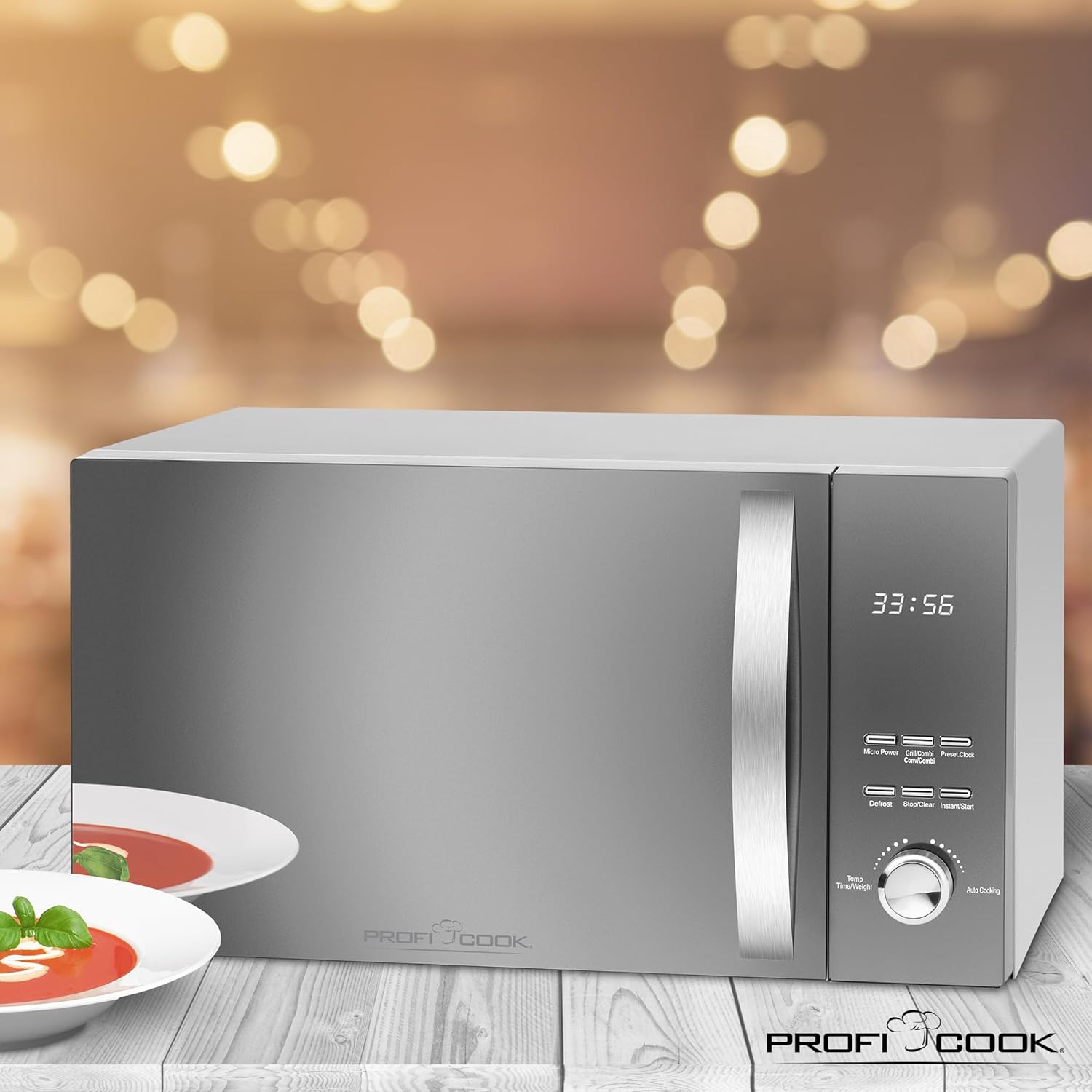
The appliance features a reflective glass front, a multi-function display with a digital clock, and various control buttons and a rotary knob for settings.

Imej 1: Depan view of the ProfiCook PC-MWG 1176 H microwave oven, showing the reflective glass door, control panel, and handle. Insets highlight the reflective glass, the interior with the turntable, and the digital display with clock.

Imej 2: Berakhirview of key features including 800W microwave power, 1300W grill power, 2300W hot air power, 23-liter cooking space, 9 automatic programs (including defrost), 60-minute timer with end signal, and interior lighting.
- paparan: Menunjukkan masa, tetapan memasak dan status program.
- Butang: For Micro Power, Grill/Combi, Hot Air, Defrost, Stop/Clear, Instant/Start, Preset/Clock.
- Tombol Putar: Used for adjusting time, weight, and auto cooking programs.
4. Persediaan dan Pemasangan
4.1 Membongkar
Carefully remove the microwave oven and all packaging materials. Check for any damage. Do not operate the appliance if it is damaged. Keep packaging materials away from children.
4.2 Penempatan
- Place the oven on a stable, level surface that can support its weight.
- Ensure adequate ventilation. Maintain a minimum clearance of 20 cm above the oven, 10 cm at the rear, and 5 cm on both sides.
- Jangan sekat sebarang bukaan pengudaraan.
- Jauhkan ketuhar daripada sumber haba, medan magnet yang kuat dan kawasan yang mempunyai kelembapan tinggi.
Imej 3: Diagram showing the approximate overall dimensions of the ProfiCook PC-MWG 1176 H microwave oven: 542 mm width, 322 mm height, and 400 mm depth.
4.3 Sambungan Elektrik
- Plug the appliance into a properly installed and grounded wall socket (230 V, 50 Hz).
- Do not use extension cords or adapters unless absolutely necessary and only if they are rated for the appliance's power requirements.
4.4 Penggunaan Awal
Sebelum penggunaan pertama, bersihkan bahagian dalam dengan iklanamp cloth. Operate the oven empty on hot air mode for approximately 10 minutes to burn off any manufacturing residues. Some odor or smoke may be present during this initial operation; this is normal.
5. Arahan Operasi
5.1 Menetapkan Jam
- Tekan ke Pratetap/Jam butang sekali. Digit jam akan berkelip.
- Turn the rotary knob to set the hour (0-23).
- Tekan Pratetap/Jam sekali lagi. Angka minit akan berkelip.
- Turn the rotary knob to set the minutes (0-59).
- Tekan Pratetap/Jam to confirm. The clock is now set.
5.2 Memasak Ketuhar gelombang mikro
This appliance offers 5 microwave power levels.
- Letakkan makanan dalam bekas selamat gelombang mikro di atas meja putar kaca.
- Tekan ke Kuasa Mikro butang berulang kali untuk memilih tahap kuasa yang diingini (P100, P80, P50, P30, P10).
- Turn the rotary knob to set the cooking time (up to 60 minutes).
- Tekan Segera/Mula untuk mula memasak.
5.3 Memasak Grill
Use the grill function for browning and crisping food. The appliance has 1 grill power level.
- Letakkan makanan di atas rak pemanggang.
- Tekan ke Grill/Kombi button once to select the grill function (G-1).
- Turn the rotary knob to set the cooking time.
- Tekan Segera/Mula untuk memulakan.
5.4 Hot Air (Convection) Cooking
The hot air function allows for baking and roasting. There are 7 temperature settings for hot air.
- Place food in a heat-resistant dish on the turntable or grill rack.
- Tekan ke Udara Panas button repeatedly to select the desired temperature (110°C to 200°C).
- Turn the rotary knob to set the cooking time.
- Tekan Segera/Mula untuk memulakan.
5.5 Masakan Gabungan
The appliance offers combined grill/microwave and microwave/hot air functions.
- Grill/Microwave: Tekan Grill/Kombi twice for C-1 (Grill 30% / Microwave 70%) or three times for C-2 (Grill 50% / Microwave 50%).
- Microwave/Hot Air: Tekan Udara Panas repeatedly to cycle through C-3 (Microwave 30% / Hot Air 70%) and C-4 (Microwave 50% / Hot Air 50%).
- After selecting the combination mode, turn the rotary knob to set the cooking time and press Segera/Mula.
5.6 Fungsi Penyahbekuan
The defrost function allows thawing food based on weight.
- Letakkan makanan beku di dalam ketuhar.
- Tekan ke Pencairan button. The display will show "dEF1" or "dEF2".
- Turn the rotary knob to select the weight (e.g., 100g to 2000g for dEF1, 100g to 1000g for dEF2).
- Tekan Segera/Mula untuk memulakan penyahbekuan.
5.7 Program Automatik
The oven features 9 automatic cooking programs for various food types.
- Turn the rotary knob to select an auto cooking program (A-1 to A-9).
- Tekan Segera/Mula. The display will show the default weight.
- Turn the rotary knob to adjust the weight if necessary.
- Tekan Segera/Mula untuk memulakan.
5.8 Fungsi Mula Pantas
Tekan Segera/Mula to immediately start cooking at full microwave power for 30 seconds. Each subsequent press adds 30 seconds to the cooking time.
5.9 Kunci Keselamatan Kanak-kanak
Untuk mengaktifkan kunci kanak-kanak, tekan dan tahan butang Berhenti/Kosongkan button for 3 seconds. The display will show a lock icon. To deactivate, press and hold Berhenti/Kosongkan sekali lagi selama 3 saat.
6. Penyelenggaraan dan Pembersihan
Pembersihan tetap memastikan prestasi optimum dan memanjangkan hayat perkakas anda.
- Sentiasa cabut plag ketuhar sebelum membersihkan.
- Bersihkan permukaan dalaman dan luaran dengan iklanamp kain dan detergen lembut. Jangan gunakan pembersih yang melelas atau pad penyental.
- Meja putar kaca dan cincin meja putar boleh dibasuh dalam air sabun suam atau dalam mesin basuh pinggan mangkuk.
- For stubborn food residues, place a bowl of water with lemon juice inside the oven and heat on high microwave power for 5-10 minutes. This will loosen the residues for easier cleaning.
- Wipe the door seals and adjacent parts carefully to remove any spills or splashes.
- Ensure all parts are dry before plugging the oven back in.
7. Penyelesaian masalah
If you encounter issues with your microwave oven, refer to the following table before contacting service.
| Masalah | Kemungkinan Punca | Penyelesaian |
|---|---|---|
| Oven tidak bermula |
|
|
| Makanan tidak masak sekata |
|
|
| Cahaya di dalam ketuhar tidak berfungsi | Mentol memerlukan penggantian. | Hubungi kakitangan perkhidmatan yang berkelayakan untuk penggantian mentol. Jangan cuba menggantikannya sendiri. |
| Bunyi luar biasa semasa operasi | Turntable not correctly positioned. | Ensure the turntable and ring are correctly seated on the shaft. |
8. Spesifikasi Teknikal
| Nombor Model | PC-MWG 1176 H |
| Bekalan Kuasa | 230 V, 50 Hz |
| Output Kuasa Gelombang Mikro | 800 Watt |
| Output Kuasa Grill | 1300 Watt |
| Hot Air Power Output | 2300 Watt |
| Jumlah Penggunaan Kuasa | 2300 Watt (Maksimum) |
| Kapasiti | 23 Liter |
| Diameter Meja putar | lebih kurang 27 sm |
| Dimensi Produk (L x H x D) | 49 x 27.6 x 39.5 cm |
| Approximate Overall Dimensions (W x H x D) | 54.2 x 32.2 x 40 cm |
| Berat badan | 12.7 kg |
| Bahan Dalaman | Keluli Tahan Karat |
| Bilangan Tahap Kuasa | 5 (Microwave) |
| Number of Auto Programs | 9 |
9. Waranti dan Sokongan
ProfiCook appliances are manufactured with care and undergo strict quality controls. This product is covered by a manufacturer's warranty in accordance with the legal provisions of your country of purchase.
- Tempoh Waranti: Typically 2 years from the date of purchase, but may vary by region. Please refer to your purchase documentation for specific terms.
- Pengecualian: The warranty does not cover damage caused by improper use, normal wear and tear, unauthorized repairs, or failure to follow the instructions in this manual.
- Perkhidmatan Pelanggan: For warranty claims, technical support, or spare parts, please contact your retailer or the official ProfiCook customer service in your region. Contact information can usually be found on the ProfiCook webtapak atau pada pembungkusan produk anda.
- Always have your proof of purchase (receipt or invoice) and the product model number (PC-MWG 1176 H) ready when contacting support.