
1. Pengenalan
Thank you for choosing the iClever BK10 Bluetooth Keyboard. This manual provides essential information for setting up, operating, maintaining, and troubleshooting your new wireless keyboard. Please read it carefully to ensure optimal performance and longevity of your device.
Apa yang ada dalam Kotak
- Papan Kekunci Bluetooth iClever BK10
- Kabel Pengecas USB-C
- Manual Pengguna
- Protective Silicone Cover (for key protection)

Figure 1: Included items with the iClever BK10 Bluetooth Keyboard.
2. Ciri-ciri Utama
- Sleek & Wireless Design: Constructed with stainless steel and ABS, featuring a 10-degree tilt for comfortable desktop use.
- Multi-Device & Multi-OS Compatibility: Seamlessly switch between up to 3 devices using Bluetooth 5.1 technology. Automatically recognizes and adapts to Windows, macOS, iPadOS, Android, iPhone, and Chromebooks.
- Responsive & Low-Profile kunci: Scissor-key mechanism provides enhanced feedback, stability, and quiet typing (below 50 dB). Optimized key-travel and anti-slip tapes ensure comfort and precision.
- Compact & Efficient: Full-size layout with a standard numeric keypad. Includes hotkeys for Calculator, Fn lock, Mute, Volume up/down, and more to boost productivity.
- USB-C Rechargeable & Energy Saving: Built-in rechargeable battery offers up to 45 days of use after a 2-hour charge. Features an automatic power-saving sleep mode after 30 minutes of inactivity.
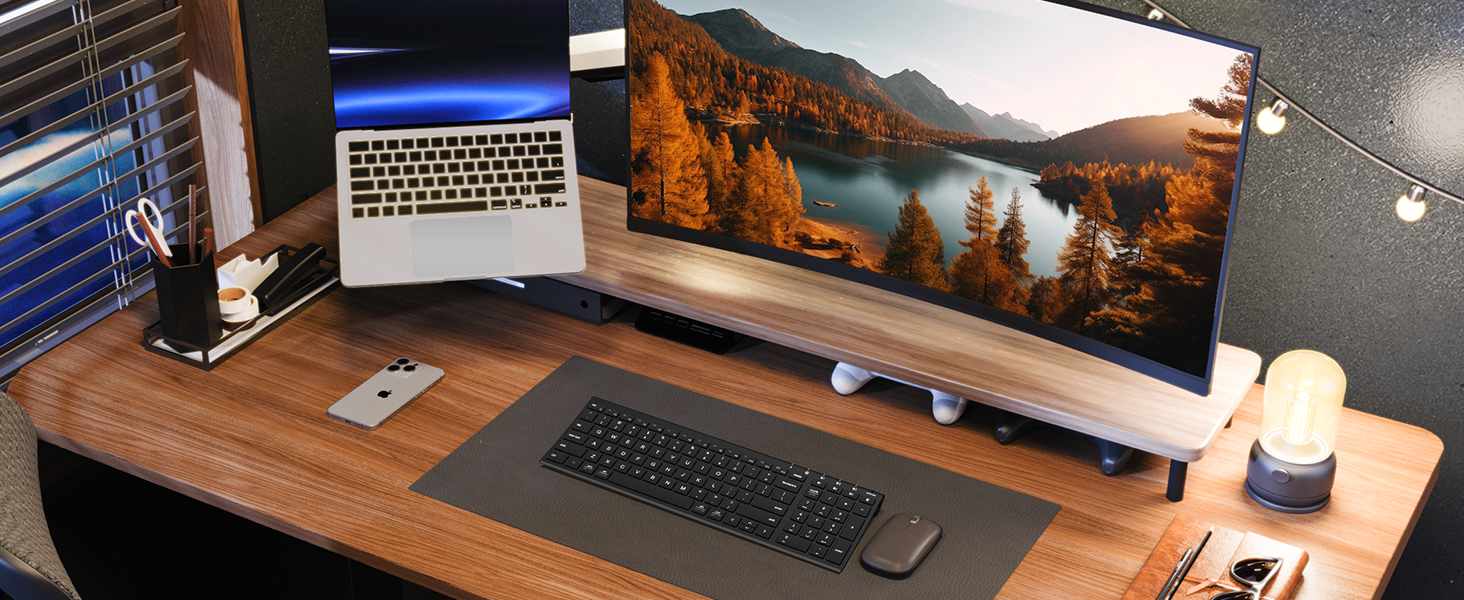
Figure 2: The sleek and wireless design of the iClever BK10 keyboard.
3. Persediaan
3.1 Mengecas Papan Kekunci
Before initial use, fully charge the keyboard using the provided USB-C cable. Connect the USB-C end to the keyboard's charging port (located on the right side) and the USB-A end to a power source (e.g., computer USB port, USB wall adapter). The charging indicator light will illuminate during charging and turn off when fully charged.

Figure 3: USB-C charging port on the iClever BK10 keyboard.
3.2 Menghidupkan/Mematikan
Locate the ON/OFF switch on the top right side of the keyboard. Slide the switch to the 'ON' position to power on the keyboard. Slide it to 'OFF' when not in use to conserve battery life.
3.3 Berpasangan Bluetooth
The iClever BK10 keyboard supports pairing with up to three devices simultaneously. Follow these steps to pair your devices:
- Hidupkan papan kekunci menggunakan suis ON/OFF.
- Press and hold one of the Bluetooth channel keys (B1, B2, or B3) for 3-5 seconds until its indicator light starts flashing rapidly. This indicates the keyboard is in pairing mode.
- On your device (computer, tablet, smartphone), go to Bluetooth settings and search for available devices.
- Pilih "iClever BK10" daripada senarai peranti yang ditemui.
- Follow any on-screen prompts to complete the pairing process. The indicator light on the keyboard will stop flashing and remain solid for a few seconds, then turn off, indicating successful pairing.
- Repeat these steps for up to two additional devices using the other Bluetooth channel keys (B2 and B3).

Figure 4: Multi-device connectivity of the iClever BK10 keyboard.
4. Arahan Operasi
4.1 Bertukar Antara Peranti
To switch between paired devices, simply press the corresponding Bluetooth channel key (B1, B2, or B3) once. The keyboard will connect to the selected device automatically.
4.2 Kekunci Fungsi dan Kekunci Panas
The iClever BK10 keyboard features a row of function keys (F1-F12) that also serve as hotkeys for various media and system controls. To use the hotkey functions, press the 'Fn' key simultaneously with the desired function key. Some common hotkeys include:
- Fn+F1: Rumah
- Fn+F2: Cari
- Fn+F3: Pilih Semua
- Fn+F4: salin
- Fn+F5: tampal
- Fn+F6: potong
- Fn+F7: Trek Sebelumnya
- Fn+F8: Main/Jeda
- Fn+F9: Trek Seterusnya
- Fn+F10: bisu
- Fn+F11: Kelantangan Kurang
- Fn+F12: Kelantangan Naik
The keyboard also includes dedicated keys for Calculator, Fn lock, and a standard numeric keypad for efficient data entry.

Gambar 5: Lebihview of keyboard layout and multi-OS features.
4.3 Operating System Layout Recognition
The keyboard automatically recognizes different operating systems (Windows, macOS, iPadOS, Android) and adjusts its key layout accordingly. For example, the 'Win' key functions as 'Alt' on Mac, and 'Alt' functions as 'Cmd'.
5. Penyelenggaraan
5.1 Pembersihan
Untuk membersihkan papan kekunci anda, matikan kuasanya dan putuskan sambungan sebarang kabel. Gunakan kain lembut dan bebas bulu yang sedikit kering.ampened with water or a mild cleaning solution. Avoid excessive moisture and harsh chemicals. The included silicone cover can be removed and washed with mild soap and water.
5.2 Penjagaan Bateri
Untuk memaksimumkan jangka hayat bateri:
- Elakkan menyahcas sepenuhnya bateri dengan kerap.
- Charge the keyboard when the battery indicator is low.
- Simpan papan kekunci di tempat yang sejuk dan kering jika tidak digunakan untuk tempoh yang lama.
- The keyboard enters a power-saving sleep mode after 30 minutes of inactivity. Press any key to wake it up.
6. Penyelesaian masalah
6.1 Papan Kekunci Tidak Bersambung/Berpasangan
- Pastikan papan kekunci dihidupkan dan dicas sepenuhnya.
- Pastikan Bluetooth didayakan pada peranti anda.
- Place the keyboard within the effective range (typically 10 meters) of your device.
- If already paired, try unpairing the keyboard from your device's Bluetooth settings and then re-pairing it.
- Cuba mulakan semula kedua-dua papan kekunci dan peranti anda.
6.2 Kunci Tidak Bertindak Balas
- Check if the keyboard is connected to the correct device (verify the active Bluetooth channel).
- Pastikan bateri tidak kritikal.
- Clean any debris from around the affected keys.
6.3 Connectivity Issues/Lag
- Reduce interference by moving away from other wireless devices (e.g., Wi-Fi routers, cordless phones).
- Pastikan pemacu Bluetooth peranti anda dikemas kini.
- Try connecting to a different Bluetooth channel on the keyboard.
7. Spesifikasi
| Ciri | Perincian |
|---|---|
| Nombor Model | BK10 |
| Teknologi Ketersambungan | Bluetooth 5.1 |
| Peranti Serasi | Windows laptops/desktops, MacBook/iMac, iPad/iPhone, Android tablets/phones, Chromebooks |
| Bilangan Kunci | 104 |
| Jenis suis utama | Suis gunting |
| Tahap Kebisingan | <50 dB |
| Sumber Kuasa | Bateri Boleh Dicas semula (USB-C) |
| Hayat Bateri | Up to 45 days (after 2 hours charging) |
| Dimensi Produk (L x W x H) | 14.41" x 4.92" x 0.63" |
| bahan | Akrilonitril Butadiena Stirena, Aluminium |
8. Waranti & Sokongan
8.1 Maklumat Waranti
The iClever BK10 Bluetooth Keyboard comes with a Waranti 12 Bulan from the date of purchase. This warranty covers manufacturing defects and ensures your product is free from material and workmanship flaws under normal use.
8.2 Sokongan Pelanggan
If you encounter any issues or have questions regarding your iClever BK10 Bluetooth Keyboard, please refer to the contact information provided in your product packaging or visit the official iClever support webtapak untuk mendapatkan bantuan.