
1. Pengenalan
The LASUNEY Bluetooth 5.0 Transmitter Receiver is a versatile 3-in-1 wireless audio adapter designed to integrate Bluetooth functionality into your existing audio devices. It operates in three distinct modes: Transmitter (TX), Receiver (RX), and Bypass. This device allows you to wirelessly stream audio from non-Bluetooth sources to Bluetooth headphones or speakers, or to receive audio from Bluetooth-enabled devices to wired speakers or home stereo systems. Featuring Bluetooth 5.0 technology, apt-X HD, and Low Latency support, it aims to provide high-quality, synchronized audio experiences.
2. Kandungan Pakej
- 1 × LASUNEY Wireless Bluetooth Adapter (Model BT22)
- 1 × Kabel Pengecasan USB
- Kabel Audio 1 × 3.5mm
- 1 × Kabel Digital Optik
3. Persediaan
3.1 Menguasakan Peranti
Connect the provided USB charging cable to the device's power input and to a 5V USB power source (e.g., a USB port on your TV, computer, or a USB wall adapter). An AC adapter is not included in the package and must be supplied by the user if a wall outlet is preferred.
3.2 Pemilihan Mod
The device supports three modes: Transmitter (TX), Receiver (RX), and Bypass. Use the mode switch on the device to select the desired operating mode.
3.3 Connecting Audio Cables
Based on the selected mode and your audio equipment, connect the appropriate audio cables (3.5mm, Optical, or RCA) to the device and your audio source/destination.

Figure 1: Receiver Mode (RX) Setup. This image illustrates the LASUNEY Bluetooth adapter configured for Receiver Mode. It shows the adapter wirelessly receiving audio from a smartphone or tablet and outputting it via optical, RCA, or 3.5mm audio cables to a wired speaker system or home stereo receiver. The diagram details the various input/output connections available.

Figure 2: Transmitter Mode (TX) Setup. This image demonstrates the LASUNEY Bluetooth adapter in Transmitter Mode. It shows the adapter connected to a TV, PC, or laptop via optical, RCA, or 3.5mm AUX output, and wirelessly transmitting audio to Bluetooth headphones or a Bluetooth speaker. This setup allows for private listening or adding wireless audio to non-Bluetooth devices.

Figure 3: Bypass Mode Setup. This image illustrates the Bypass Mode, where the LASUNEY Bluetooth adapter acts as a non-Bluetooth passthrough device. It connects a TV or PC to wired speakers or a home stereo system directly via cables (optical, RCA, or 3.5mm), allowing audio to flow without Bluetooth processing. This mode is useful when only one optical output is available from the TV and is already in use by another device.
4. Arahan Operasi
4.1 Transmitter Mode (TX)
In TX mode, the adapter transmits audio from your non-Bluetooth device (e.g., TV, PC) to Bluetooth headphones or speakers. Ensure your receiving Bluetooth device is in pairing mode, then press the Bluetooth button on the adapter to initiate pairing. The adapter will automatically connect to the highest sound quality supported by your device (apt-X HD or Low Latency).
4.2 Receiver Mode (RX)
In RX mode, the adapter receives audio wirelessly from your Bluetooth-enabled device (e.g., smartphone, tablet) and outputs it to your wired speakers or home stereo system. Enable Bluetooth on your source device, search for 'LASUNEY BT22', and connect. Only one device can play music at any time when two devices are connected in Receiver Mode.
4.3 Mod Bypass
Bypass mode allows the device to function as a direct wired connection, passing audio through without Bluetooth. This is useful for scenarios where you need to switch between wired and wireless audio without re-cabling, especially if your source device has limited audio outputs.
4.4 Connecting Two Devices Simultaneously (TX Mode)
The adapter can connect to two Bluetooth headphones or speakers simultaneously in Transmitter Mode. Follow the pairing process for the first device, then repeat for the second. Note that when using dual link, apt-X HD is not supported; the device will default to a lower codec.

Figure 4: Dual Device Connection. This image illustrates the LASUNEY Bluetooth adapter's ability to connect to two Bluetooth headphones simultaneously. This feature allows two users to share the audio experience from a single source, such as a TV or PC, making it ideal for shared viewing or gaming.
4.5 Gesaan Suara
The device provides voice prompts for various operations, such as power on/off and connection status. These prompts are designed to guide you through the process. You can turn off general voice prompts to avoid disturbance, though critical system prompts like power on/off may remain.
4.6 Julat Operasi
The LASUNEY BT22 utilizes Bluetooth 5.0 and dual antennas for an extended range. It has been tested to operate over 266ft (80m) line-of-sight in open air and up to 164-266ft (50-80m) indoors without obstructions. Walls and other obstacles will weaken the signal and shorten the effective range.
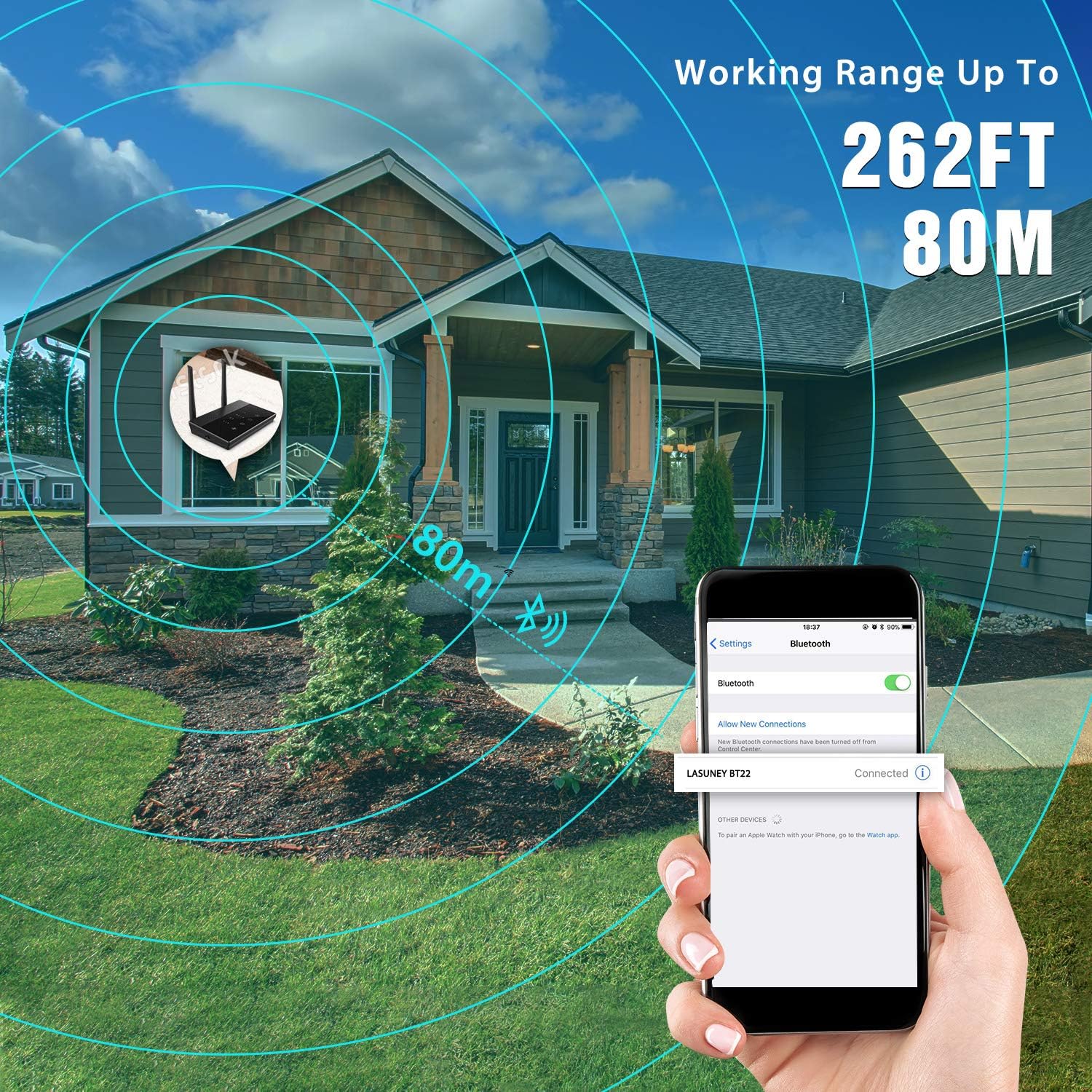
Figure 5: Extended Working Range. This image visually represents the impressive working range of the LASUNEY Bluetooth adapter, extending up to 262 feet (80 meters). It shows a smartphone connected to the adapter from a significant distance, highlighting its capability for stable, long-range wireless audio transmission within a home or outdoor environment.
5. Penyelenggaraan
- Pastikan peranti bersih dengan mengelapnya dengan kain lembut dan kering.
- Elakkan daripada mendedahkan peranti kepada suhu yang melampau, kelembapan atau cahaya matahari langsung.
- Do not attempt to disassemble or repair the device yourself, as this will void any warranty.
6. Penyelesaian masalah
- No Audio / Poor Sound Quality: Ensure all audio cables are securely connected. Verify the correct mode (TX/RX/Bypass) is selected. Check that your receiving device supports apt-X Low Latency for optimal low-latency performance. When using dual link, apt-X HD is not supported.
- Connection Issues / Short Range: Walls, furniture, and other obstacles can weaken the Bluetooth signal. Try to minimize obstructions between the adapter and your connected device. Ensure the adapter is within its effective operating range.
- Peranti Tidak Dihidupkan: The device requires a continuous power connection via the USB charging cable. Ensure it is connected to a functional 5V USB power source. An AC adapter is not included; use a compatible USB wall adapter if needed.
- Only One Device Playing Music in RX Mode: When two devices are connected in Receiver Mode, only one device can play music at any given time. Pause playback on one device before starting on the other.
- Loud Voice Prompts: While general voice prompts can be turned off, some critical system prompts (e.g., power on/off) may remain and cannot be fully disabled.
- No Dolby Audio Passthrough: This device passes through PCM stereo audio with optical connections and does not support Dolby Audio passthrough.
7. Spesifikasi
| Jenama | LASUNEY |
| Model | BT22 |
| Antara Muka Perkakasan | Bluetooth, Bluetooth 5, USB |
| warna | Hitam |
| Berat Barang | 8.4 auns |
| Dimensi Pakej | 5.71 x 4.21 x 2.56 inci |
| ASIN | B07Z4GTGWN |
| UPC | 764653171714 |
8. Waranti dan Sokongan
For warranty information or technical support, please refer to the product packaging or contact LASUNEY customer service directly through their official webtapak atau peruncit tempat produk dibeli. Simpan resit pembelian anda untuk tuntutan jaminan.