
Altice SBDV01
Altice Amplify Smart Speaker User Manual
Model: SBDV01
1. Pengenalan
The Altice Amplify is an intelligent, high-fidelity smart speaker designed to enhance your home entertainment experience. Powered by Devialet technologies, it delivers exceptional sound quality with rich detail. Integrated with Alexa Voice Control, it allows for hands-free operation, music playback, smart home control, and seamless connection to various streaming services.

Ciri-ciri utama termasuk:
- Devialet sound processing technologies for extraordinary audio quality through 5 speakers.
- Far-field AI voice assistant powered by Alexa for convenient hands-free control.
- Multiple connectivity options: Wi-Fi, Bluetooth, and Optical audio input for TV playback.
- Native streaming music support for popular services like Spotify, Pandora, Amazon Music, Apple Music, Audible, TuneIn, Tidal, and iHeartRadio.
- Control of smart home accessories leveraging Alexa skills.
Tayangan video rasmicasing the features and design of the Altice Amplify Smart Speaker.
2. Produk Lebihview
2.1. Apa yang ada di dalam Kotak
- Altice Amplify Smart Speaker
- Kabel optik
- Unit bekalan kuasa
2.2. Komponen Pembesar Suara


3. Persediaan
3.1. penempatan
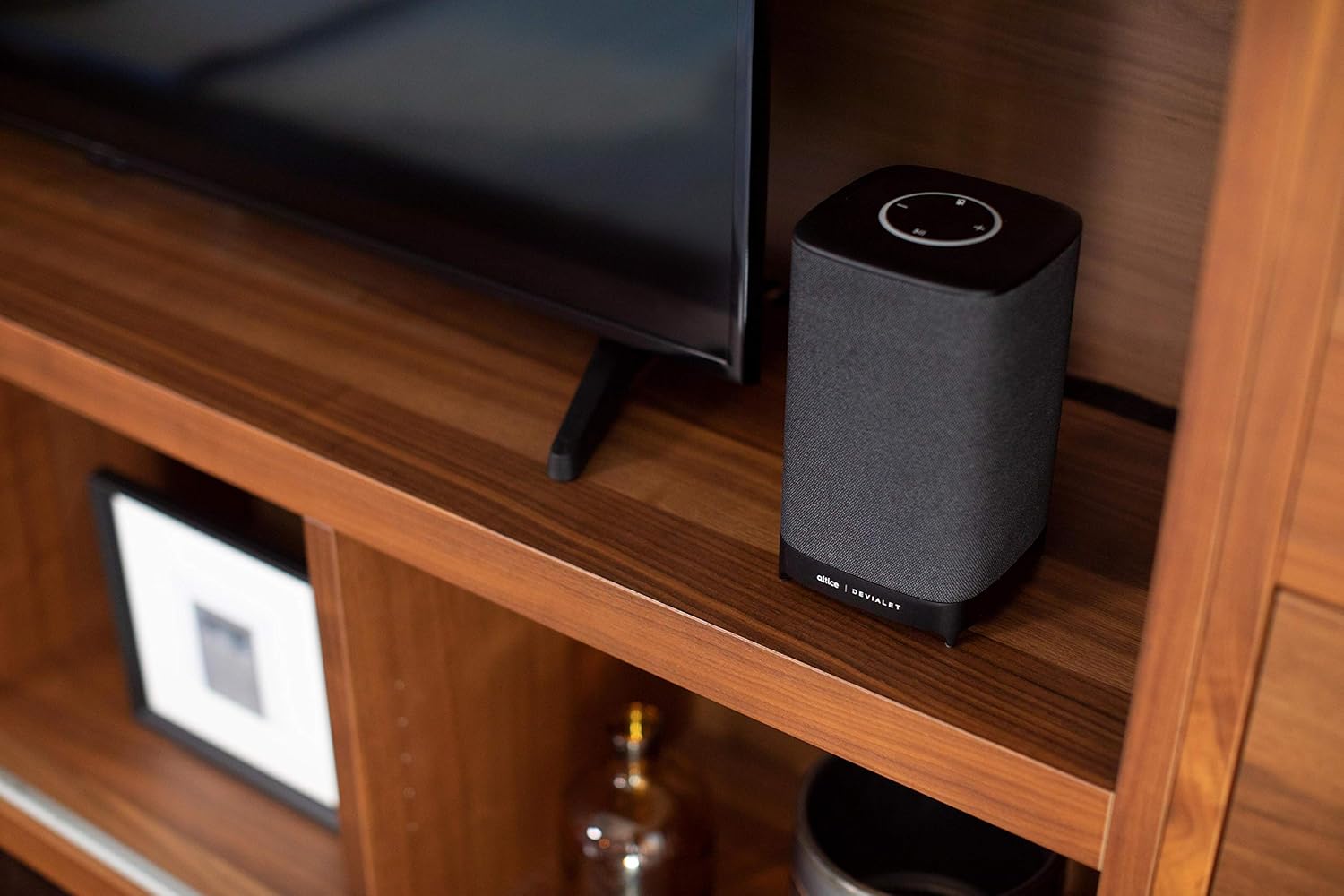
Place your Altice Amplify speaker indoors on a stable, flat surface such as a tabletop or floor. Ensure it is positioned to provide optimal sound distribution in your desired listening area.
3.2. Sambungan Kuasa
Connect the provided power supply unit to the speaker's power input port and then plug it into a wall outlet. The speaker will power on automatically.
3.3. Menyambung ke TV
For TV audio, use the included optical cable to connect the speaker's optical input to your TV's optical audio output. To switch to the optical input, press and hold the play/pause button on the speaker's top panel until the input changes.
3.4. Network and App Setup
To utilize smart features and streaming services, connect the speaker to your Wi-Fi network. Download the Altice Amplify companion app on your smartphone or tablet. Follow the in-app instructions for initial setup, including Wi-Fi configuration and linking your Alexa account. The app facilitates the setup process and allows for management of speaker settings.
4. Mengendalikan Pembesar Suara Anda
4.1. Kawalan Suara dengan Alexa
With Alexa built-in, you can control your speaker and smart home devices using voice commands. Simply say "Alexa" followed by your request. For example, "Alexa, play music," "Alexa, what's the weather?" or "Alexa, turn off the lights."
4.2. Penstriman Audio
The Altice Amplify supports premier audio streaming from various services. Once connected to Wi-Fi, you can stream directly from Spotify, Amazon Music, Apple Music, Pandora, Audible, TuneIn, Tidal, and iHeartRadio. You can also stream audio via Bluetooth from any compatible device.
4.3. Adjusting Volume and Sources
Volume can be adjusted using the touch controls on the top of the speaker (plus and minus symbols) or via voice commands through Alexa. To switch between audio sources (Optical, Bluetooth, Wi-Fi), press and hold the play/pause button on the top panel. Note that the volume control may not be highly incremental, so adjust carefully.
5. Penyelenggaraan
To maintain the performance and appearance of your Altice Amplify speaker, follow these guidelines:
- Pembersihan: Use a soft, dry cloth to wipe the exterior surfaces. Avoid using liquid cleaners, aerosols, or abrasive materials.
- penempatan: Keep the speaker away from direct sunlight, heat sources, and areas with high humidity or dust.
- Pengudaraan: Ensure proper airflow around the speaker to prevent overheating. Do not block any ventilation openings.
- Kuasa: Disconnect the power supply during electrical storms or when unused for long periods.
6. Penyelesaian masalah
If you encounter issues with your Altice Amplify speaker, refer to the following common problems and solutions:
- Tiada Kuasa: Ensure the power supply unit is securely connected to both the speaker and a working electrical outlet.
- Tiada Output Audio:
- Verify the correct audio source is selected (Optical, Bluetooth, Wi-Fi) by pressing and holding the play/pause button to cycle through inputs.
- Semak tahap kelantangan pada kedua-dua pembesar suara dan peranti yang disambungkan.
- If using optical, ensure the optical cable is securely connected and your TV's audio output is set to PCM/Stereo (not Bitstream or Dolby Digital).
- Isu Kesambungan Wi-Fi:
- Pastikan pembesar suara berada dalam lingkungan penghala Wi-Fi anda.
- Restart your Wi-Fi router and the speaker.
- If the speaker loses contact with the Wi-Fi network and cannot reconnect, try resetting the speaker (refer to the app or online resources for specific reset instructions).
- Some users have reported difficulties with the Android app for setup; ensure your app is updated to the latest version.
- Masalah Berpasangan Bluetooth:
- Pastikan pembesar suara berada dalam mod berpasangan Bluetooth.
- Pastikan Bluetooth didayakan pada peranti anda dan ia boleh ditemui.
- Delete previous pairings on your device and try pairing again.
- Alexa Tidak Menjawab:
- Check if the microphone is muted on the speaker (indicated by a specific light pattern or button).
- Ensure the speaker has a stable internet connection.
- Verify your Alexa account is properly linked in the companion app.
For persistent issues, consult the Altice support webtapak atau hubungi perkhidmatan pelanggan mereka.
7. Spesifikasi
| Ciri | Spesifikasi |
|---|---|
| Nama Model | Altice Ampmerendahkan |
| Jenis Pembesar Suara | Pembesar Suara Pintar, 3D/Atmosfera, Bar Bunyi, Subwufer |
| Ciri Khas | Devialet Sound Processing Technology |
| Kegunaan Disyorkan Untuk Produk | Music, home entertainment, parties, or background music |
| Peranti Serasi | Telefon Pintar, Tablet, Komputer riba |
| Jenis Pengawal | vera, Amazon Alexa |
| Konfigurasi Saluran Bunyi Sekeliling | 2.1 |
| warna | Hitam |
| Komponen yang Disertakan | Optical cable, Power supply unit |
| Berat Barang | 5.73 paun |
| Adakah Kalis Air | PALSU |
| Jenis Waranti | Waranti Terhad |
| Bilangan Item | 1 |
| Kaedah Kawalan | Suara |
| Teknologi Komunikasi Tanpa Wayar | Bluetooth, WiFi |
| Sumber Kuasa | Elektrik Bertali |
| Nisbah Isyarat-ke-Bunyi | 5 dB |
| Jenis Pakej Pelanggan | Pembungkusan Standard |
| Jenis Pemacu Audio | Pemandu Dinamik |
| Julat Bluetooth | 10 Meter |
| Teknologi Ketersambungan Subwufer | Tanpa wayar |
| Protokol Ketersambungan | Bluetooth, WiFi |
| Termasuk pemain MP3? | Tidak |
| UPC | 810038290003 |
| Penggunaan Dalaman/Luar | Dalaman |
| Nombor Pengenalan Perdagangan Global | 00810038290003 |
| Pengeluar | Altice, Devialet |
| Dimensi Pakej | 12.2 x 8.6 x 7 inci |
| Nombor model item | SBDV01 |
| Tarikh Mula-mula Tersedia | 4 November 2019 |
| Kuasa Output Maksimum Pembesar Suara | 5 Watt |
| Mod Keluaran Audio | Stereo |
| Jenis Pemasangan | Floor Standing, Tabletop Mount |
8. Waranti dan Sokongan
The Altice Amplify Smart Speaker comes with a Limited Warranty. For detailed information regarding warranty coverage, terms, and conditions, please refer to the documentation included with your product or visit the official Altice support webtapak.
For technical support, troubleshooting assistance beyond this manual, or to inquire about service, please contact Altice customer support through their official channels. Keep your product model number (SBDV01) and proof of purchase ready when contacting support.
Ask a question about this manual
Ask about setup, troubleshooting, compatibility, parts, safety, or missing instructions. Manuals+ will review the question and use this page’s manual context to help answer it.