
1. Pengenalan
Thank you for choosing the MeterMall HuntVision E3-W 3MP Indoor WiFi PT Camera. This camera is designed to provide reliable indoor surveillance with advanced features such as 3MP Full HD resolution, pan/tilt functionality, two-way audio, and smart AI detection. This manual will guide you through the setup, operation, and maintenance of your new security camera to ensure optimal performance.
The HuntVision E3-W camera offers industry-leading image quality with advanced 3MP Full HD resolution, smart AI features for accurate detection and reduced false alarms, flexible storage solutions including local and cloud options, an intuitive mobile app for complete control from anywhere, and reliable performance backed by professional-grade components.
2. Produk Lebihview
2.1 Ciri-ciri Utama
- Crystal-Clear 3MP Full HD Resolution: Enjoy sharp, detailed footage day and night with full-color vision.
- Two-Way Audio & Smart Alerts: Communicate via built-in microphone and speaker, plus trigger security camera alarms remotely through the HUNTVISION app.
- Easy Wi-Fi & Bluetooth Setup: Connects seamlessly via 2.4G WiFi and Bluetooth 4.2 for quick installation. Supports QR code or button reset.
- Fleksibel Viewing & Storage Options: Switch between HD/ultra HD streams and customize playback. Supports local storage (TF card) and cloud options.
- Versatile & User-Friendly: Adjust day/night modes, flip views, and control OSD displays via app.

Figure 2.1: Key features of the HuntVision E3-W camera.
2.2 Komponen Kamera
The HuntVision E3-W camera features a compact design with essential components for effective surveillance.
- Kanta Kamera: Tangkap video footage.
- LED inframerah: For night vision capabilities.
- mikrofon: Untuk input audio dan komunikasi dua hala.
- Penceramah: Untuk output audio dan komunikasi dua hala.
- Lampu Penunjuk Status: Indicates camera status (e.g., power, connection).
- Butang Tetapkan Semula: Used for resetting the camera to factory settings.
- Slot Kad Mikro SD: For local video storage (TF card).
- Pelabuhan Kuasa: Untuk menyambungkan penyesuai kuasa.

Rajah 2.2: Depan view of the HuntVision E3-W Camera.
3. Panduan Persediaan
3.1 Menyahkotak dan Menghidupkan
- Carefully unbox your HuntVision E3-W camera and check for all included accessories.
- Connect the power adapter to the camera's power port and plug it into a wall outlet.
- Wait for the camera's status indicator light to begin flashing, indicating it is ready for setup.
3.2 Muat Turun Apl dan Pendaftaran Akaun
- Download the "Ivy Smart APP" from your mobile device's app store (App Store for iOS, Google Play Store for Android).
- Open the Ivy Smart APP and register a new account if you don't have one, or log in with your existing credentials.
3.3 Menyambungkan Kamera ke Wi-Fi
- In the Ivy Smart APP, tap the "+" icon to add a new device.
- Select "Security Camera" or "Smart Camera" from the device list.
- Follow the on-screen instructions to connect the camera. This typically involves selecting your 2.4GHz Wi-Fi network and entering the password. The camera supports Bluetooth for quick pairing.
- Scan the QR code displayed on your phone with the camera lens, or follow the voice prompts for button reset pairing.
- Once connected, the status indicator light will turn solid, and you will hear a confirmation sound from the camera.
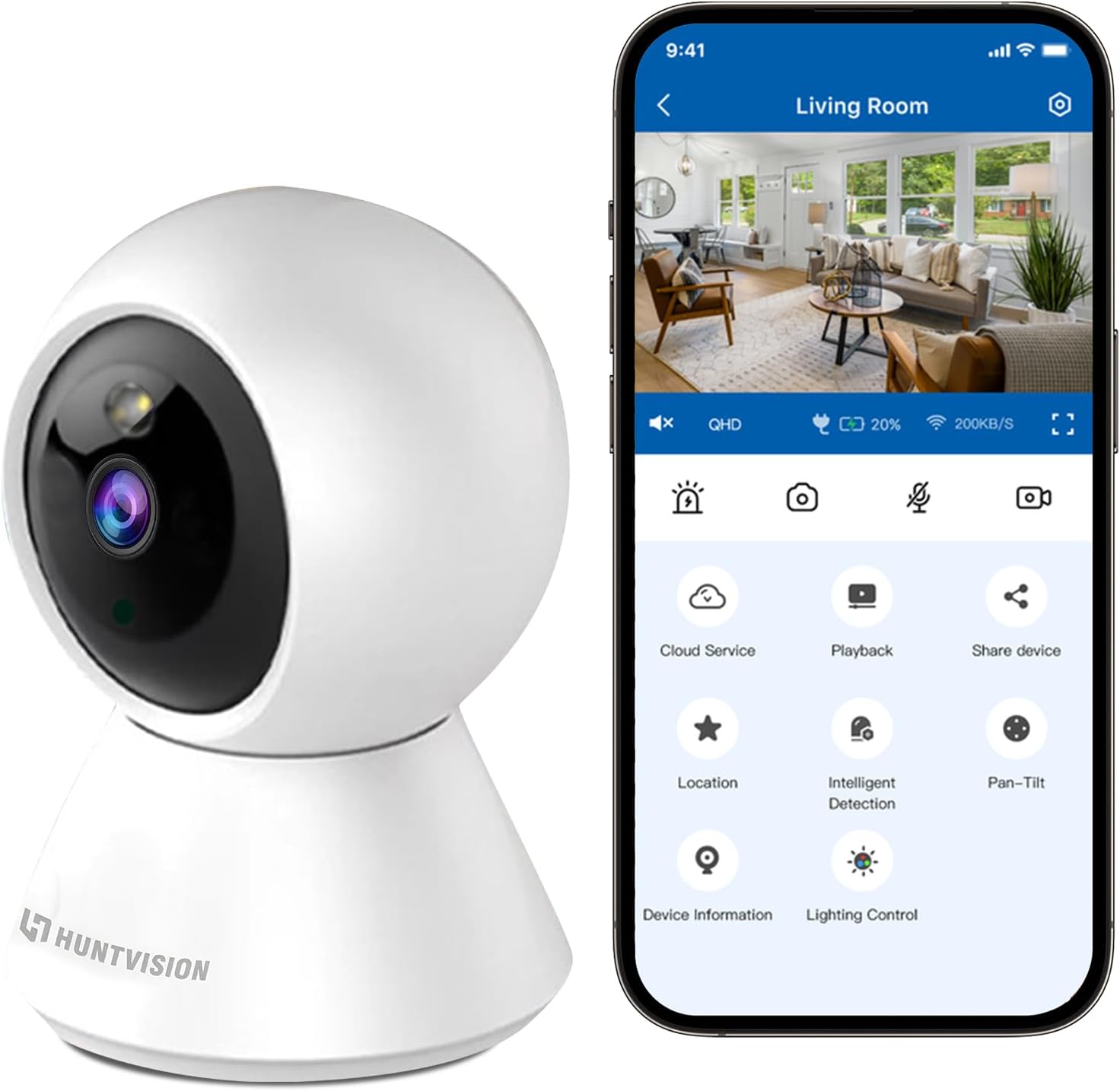
Figure 3.1: Connecting the camera via the Ivy Smart APP.
4. Arahan Operasi
4.1 Langsung View dan Kawalan Pan/Tilt
- Open the Ivy Smart APP and select your E3-W camera from the device list to access the live view.
- Use the on-screen joystick or swipe gestures to control the camera's pan (355°) and tilt (85°) movements.
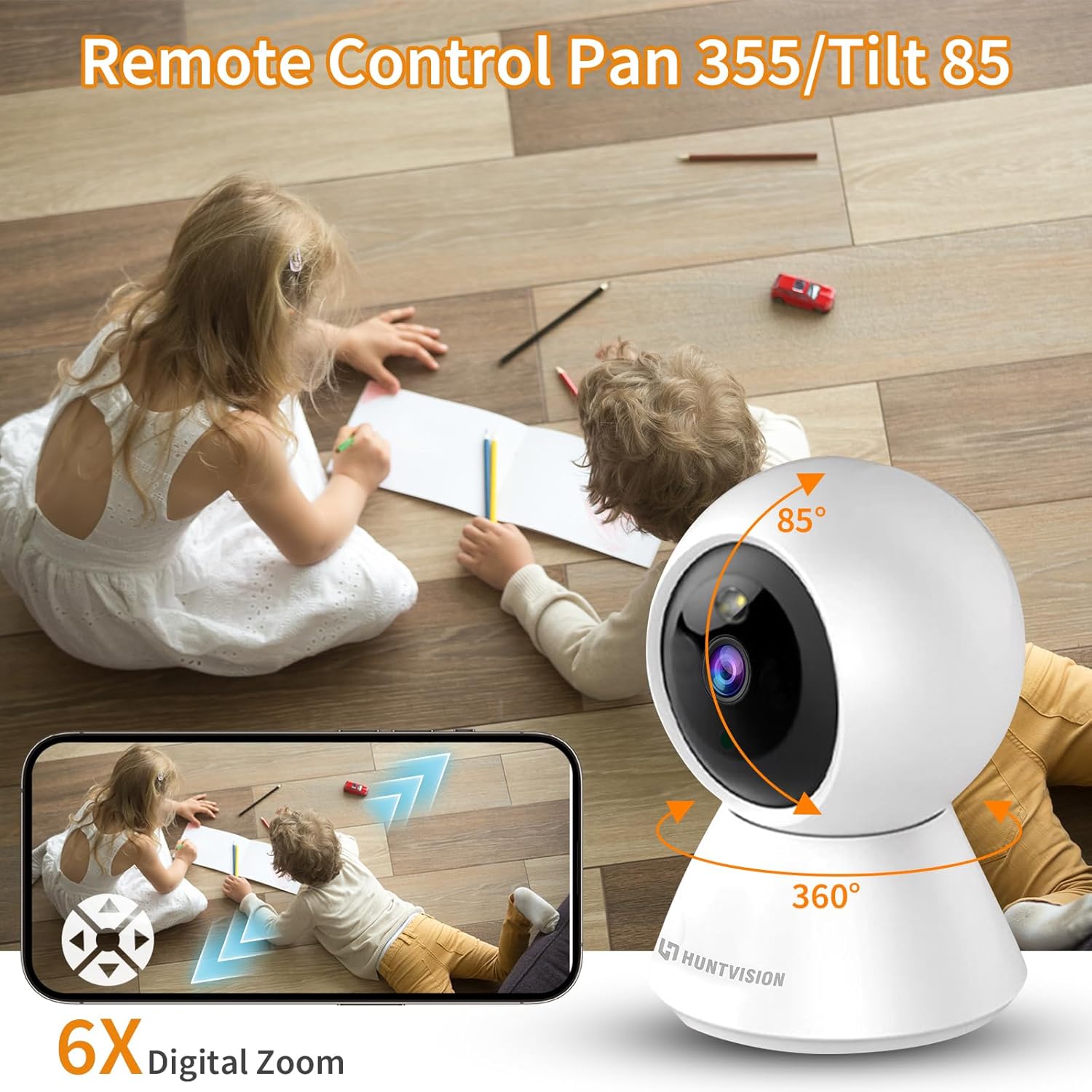
Figure 4.1: Remote Pan/Tilt control via the app.
4.2 Audio Dua Hala
- Dari siaran langsung view interface, tap the microphone icon to enable two-way audio.
- Press and hold the talk button to speak through the camera's speaker. Release to listen.
4.3 Pengesanan Gerakan dan Makluman
- Navigate to the camera settings in the Ivy Smart APP.
- Enable "Motion Detection" and configure sensitivity levels and detection zones as needed.
- Set up push notifications to receive alerts on your mobile device when motion is detected.
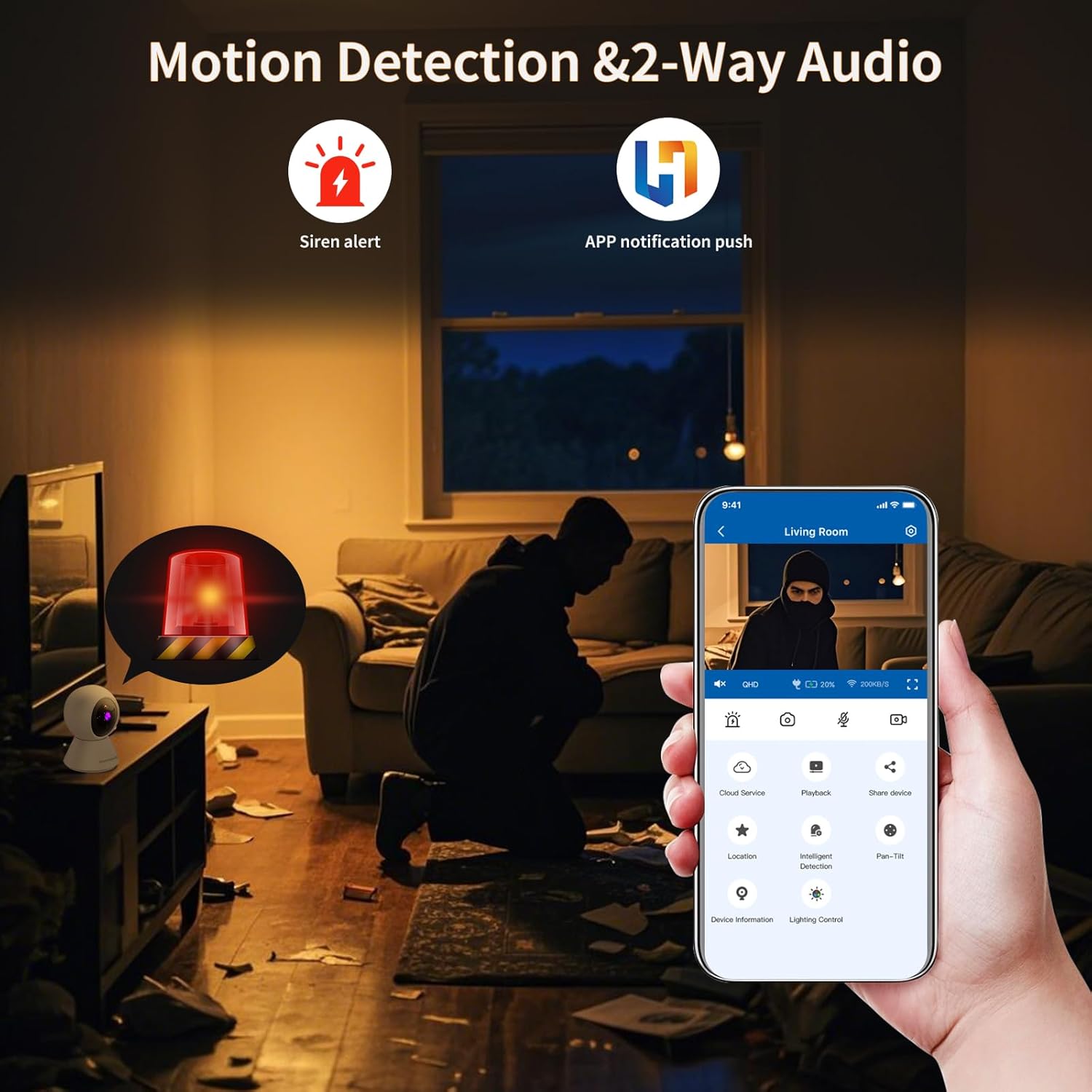
Figure 4.2: Motion detection and app notifications.
4.4 Penglihatan Malam
- Kamera secara automatik bertukar kepada mod penglihatan malam dalam keadaan cahaya malap.
- You can manually adjust day/night modes within the app settings if desired.

Figure 4.3: Night vision capability of the camera.
4.5 Rakaman dan Main Semula Video
- Insert a Micro SD (TF) card (not included) into the camera's card slot for local storage. The camera supports continuous recording or event-triggered recording.
- Alternatively, subscribe to cloud storage services through the Ivy Smart APP for secure off-site storage.
- Akses foo yang dirakamtage via the "Playback" option in the app.
5. Penyelenggaraan
- Pembersihan: Lap kanta dan badan kamera dengan lembut menggunakan kain lembut dan kering. Jangan gunakan bahan kimia yang keras atau pembersih yang kasar.
- Kemas kini Firmware: Regularly check for and install firmware updates via the Ivy Smart APP to ensure optimal performance and security.
- Kitaran Kuasa: If the camera becomes unresponsive, unplug it from the power source for 10 seconds, then plug it back in.
6. Penyelesaian masalah
- Kamera Luar Talian: Ensure the camera is powered on and within range of your Wi-Fi router. Check your Wi-Fi network status. Try restarting the camera and your router.
- Gagal untuk berhubung: Verify your Wi-Fi password is correct and you are connecting to a 2.4GHz network. Ensure the camera's status light is flashing before pairing. Try resetting the camera.
- Kualiti Imej Lemah: Check your internet connection speed. Ensure the camera lens is clean and free from obstructions. Adjust video quality settings in the app.
- Tiada Audio: Check the microphone and speaker settings in the app. Ensure volume is not muted on your device or in the app.
- Amaran Gerakan Tidak Diterima: Verify motion detection is enabled and sensitivity is set appropriately. Check app notification settings on your phone.
7. Spesifikasi
| Ciri | Spesifikasi |
|---|---|
| Nama Model | E3-W |
| Penggunaan Dalaman/Luar | Dalaman |
| Sumber Kuasa | Elektrik Bertali |
| Jenis Pemasangan | Pemasangan Atas Meja |
| Resolusi Tangkapan Video | 1296p (3MP) |
| Dimensi Item (L x W x H) | 3.15 x 3.15 x 4.73 inci |
| Berat Barang | 6.1 auns |
| Teknologi Ketersambungan | Wireless (2.4G WiFi, Bluetooth 4.2) |
| Ciri Khas | Sensor Gerakan, Penglihatan Malam |
| Penggunaan yang Disyorkan | Keselamatan Dalaman |
| Pengeluar | Foscam Intelligent Technology Co., Ltd |
8. Waranti dan Sokongan
8.1 Maklumat Waranti
The MeterMall HuntVision E3-W camera comes with a Waranti 2 tahun dari tarikh pembelian. Waranti ini meliputi kecacatan pembuatan dan kerosakan dalam penggunaan biasa. Sila simpan bukti pembelian anda untuk tuntutan waranti.
8.2 Sokongan Pelanggan
For technical support, troubleshooting assistance, or warranty inquiries, please contact your retailer or the manufacturer's customer service. Refer to the product packaging or the Ivy Smart APP for specific contact details.
You can also visit the official HUNTVISION webtapak untuk Soalan Lazim dan sumber tambahan.